





Key takeaways
- Commercial video surveillance systems provide real-time monitoring and recorded footage to enhance property security.
- Integration with access control allows managers to link entry events with video for better accountability.
- Remote management enables property teams to view footage and manage permissions from anywhere.
- Scalable systems grow with your property, adding cameras and storage as needs change.
- Smart analytics help focus attention on relevant events, improving efficiency and incident response.
Security expectations for commercial properties have changed. Tenants want safer buildings. Employees expect visible safety measures. Insurance carriers want documented risk mitigation. And owners need tools that reduce liability without creating more operational work.
A commercial intercom and surveillance system helps meet all of those demands. Whether you manage an office building, retail center, industrial facility, healthcare property, or multifamily portfolio, the right surveillance strategy supports security, operations, and long-term asset value.
This guide explains what a commercial video surveillance system is, how it works, what features matter most, and how to choose the right solution for your property.
In this post:
- What is a commercial video surveillance system?
- How does a commercial video surveillance system work?
- Core components of a commercial video surveillance system
- Benefits of a commercial video surveillance system
- What key features should I look for in a commercial video surveillance system?
- How ButterflyMX supports commercial properties
- Commercial video surveillance system FAQs
What is a commercial video surveillance system?
A commercial video surveillance system is a security solution made up of networked cameras, recording equipment, and video management software that monitors and records activity across a business property.
Commercial systems are designed for larger buildings and higher traffic environments than residential camera setups. They support expansive physical footprints, allow multiple user roles with different permission levels, retain footage for extended periods, and integrate with access control and other building technologies.
Most modern commercial video surveillance systems use IP-based cameras connected to cloud or hybrid storage platforms. Authorized users such as property managers and security teams can view live or recorded footage through a secure online dashboard, making it possible to monitor one building or an entire portfolio from any location.
How does a commercial video surveillance system work?
A commercial video surveillance system works by capturing video through networked IP cameras, transmitting that footage over a secure internet or local network connection, and storing it on a cloud, on-premise, or hybrid recording platform.
When a camera records activity, the video is processed and saved to a video management system where authorized users can view live feeds, search recorded footage by time and date, and export clips if needed. Many systems also support motion detection and event tagging, which helps security teams quickly locate specific incidents.
If integrated with access control, the system can link video footage to entry events, allowing property managers to see who accessed a door and review the corresponding video in one interface.
Discover how ButterflyMX works:
Core components of a commercial video surveillance system
To choose the right commercial video surveillance system, property owners need to understand how the main components work together. Every system is built on three core elements: cameras, storage, and video management software. Each plays a distinct role in capturing, storing, and organizing footage.
Three core components of a commercial video surveillance system include:
1. IP security cameras
IP security cameras are the foundation of a commercial video surveillance system. These cameras transmit video over a network connection, allowing footage to be viewed and stored digitally.
Different camera types serve different purposes. Dome cameras are commonly installed in indoor common areas such as lobbies and hallways. Bullet cameras are typically used outdoors to monitor perimeters and parking areas. PTZ cameras, which can pan, tilt, and zoom, are useful in large open spaces like warehouses. Fisheye cameras provide wide-angle coverage and reduce blind spots in expansive areas.
For commercial use, cameras should support high-definition recording, strong low-light performance, and weather resistance when installed outdoors.
2. Video storage
Once footage is captured, it must be stored securely so it can be retrieved when needed. Commercial properties typically use one of three storage models.
An on-premise network video recorder, or NVR, stores footage locally on physical equipment within the building. A cloud-based system stores footage off-site on secure remote servers. A hybrid model combines both local and cloud storage.
Cloud and hybrid systems often reduce the need for maintaining physical servers and make it easier to access footage remotely from authorized devices. The right choice depends on retention requirements, budget, and IT resources.
3. Video management software
Video management software, often called VMS, is the interface where users interact with the system. It allows property managers and security teams to view live camera feeds, search recorded footage, and manage user permissions.
A strong VMS includes user-level access controls, search tools that filter by time and event, export and sharing capabilities, and dashboards that support multiple properties under one account.
In commercial environments, role-based permissions are essential. A regional manager may need portfolio-wide visibility, while a front desk employee may only need access to lobby cameras. Structured permissions help protect sensitive footage and maintain compliance.
Benefits of a commercial video surveillance system
A commercial video surveillance system delivers more than crime prevention. It strengthens liability protection, enhances safety, and improves day-to-day operational visibility across commercial properties.
Three benefits of a commercial video surveillance system:
Stronger liability protection
Recorded video provides clear documentation of incidents such as slip-and-fall claims, vandalism, or tenant disputes. Instead of relying on written reports or conflicting accounts, property managers can reference time-stamped footage to verify what occurred.
This documentation helps confirm timelines, validate access events, support insurance claims, and resolve disputes more efficiently. Over time, consistent recordkeeping can reduce legal exposure and improve risk management practices.
Improved tenant and employee safety
Visible surveillance cameras contribute to a safer environment by discouraging theft, unauthorized access, and after-hours activity. When integrated with building access control, video footage adds visual confirmation to digital entry records.
For example, if a credential is used to unlock a door late in the evening, managers can review the corresponding footage to confirm who entered and whether access was appropriate. This added layer of verification increases confidence in the building’s security procedures.
Greater operational visibility
A commercial video surveillance system also supports everyday operations. Property teams can monitor loading docks, track deliveries, verify vendor activity, and oversee shared amenities without being physically present at all times.
In retail settings, surveillance can help assess foot traffic patterns. In office and industrial properties, it can help identify workflow bottlenecks or safety concerns. For portfolio operators, centralized visibility across multiple locations enables consistent oversight while reducing the need for constant on-site supervision.
What key features should I look for in a commercial video surveillance system?
When evaluating a commercial video surveillance system, it is important to consider features that support long-term scalability and operational efficiency.
Here are some key features to look for:
- Integration with access control. Video surveillance works best when it is connected to a building’s access control system. Integrated systems can create video bookmarks tied to access events, allowing security teams to review footage associated with specific credentials. This combination provides both visual and digital monitoring of entry points and creates an audit trail that is more comprehensive than using either system alone.
- Remote management. Property managers are rarely on-site at all times, and remote management is essential for multi-location oversight. Systems with remote capabilities allow teams to view live and recorded footage, grant temporary access or viewing permissions, and investigate incidents without traveling to the property. This feature is particularly valuable for owners managing multiple assets across different cities.
- Scalable infrastructure. Commercial properties evolve over time as tenants change and square footage expands. A scalable system allows you to add cameras without replacing the entire setup, increase storage as retention requirements grow, and expand coverage to additional buildings under a single dashboard. Choosing a system that grows with your property avoids costly hardware replacements in the future.
- Smart analytics. Modern surveillance systems often include analytics tools such as motion detection, line crossing alerts, occupancy tracking, and people counting. These features help security teams focus on meaningful events instead of manually reviewing hours of footage, improving response times and operational efficiency.
How ButterflyMX supports commercial properties
Commercial properties face unique security challenges, from controlling who enters the building to monitoring activity across multiple areas. ButterflyMX offers a connected platform that combines video surveillance, access control, and visitor management, giving property teams a single system to improve safety, streamline operations, and manage access with ease:
- Unified platform. Property teams can monitor cameras, manage doors, and oversee visitor access all from one dashboard, making operations more efficient. Moreover, ButterflyMX combines video surveillance, access control, and visitor management in a single system.
- Integrated cameras. Cloud-based cameras work directly with ButterflyMX Access Control and Video Intercoms. Managers can see activity at every door, gate, and garage, and link video footage to specific entry events for clear documentation and faster incident review.
- High-definition coverage. Security Cameras provide day and night HD video for indoor and outdoor areas. The system stores footage in the cloud for up to 90 days, and users can quickly filter clips by access events to find relevant video. This integrated view improves accountability and operational insight.
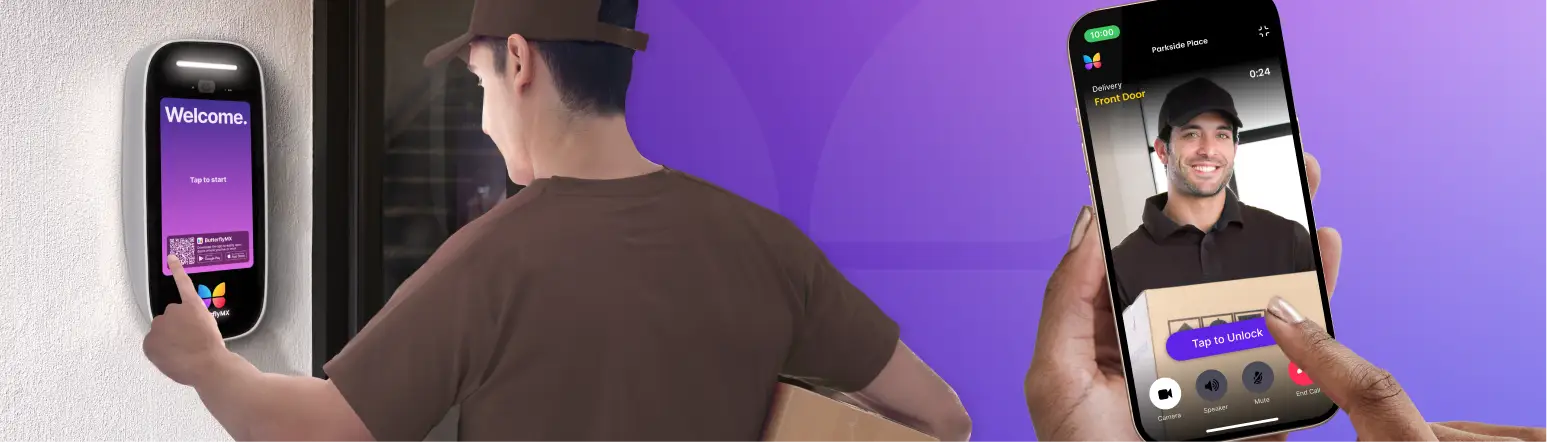
- Simplified visitor access. Video Intercoms let guests request entry and use visitor passes or QR codes. Tenants and employees can grant access via smartphone, while property teams can manage permissions, issue Virtual Keys, and review time-stamped access logs easily.
- Flexible, scalable setup. Combining devices like the ButterflyMX Dome Camera or Bullet Camera with an Intercom allows commercial properties to capture video, control doors, and manage visitor access in one system. This setup works for a single building or an entire portfolio, providing a cohesive and scalable security solution.
Commercial video surveillance system FAQs
How does a commercial video surveillance system improve property security?
A commercial video surveillance system monitors activity across a property in real time and records footage for later review. This helps deter unauthorized access, identify incidents quickly, and provide evidence for investigations or insurance claims.
Can commercial video surveillance systems be accessed remotely?
Yes. Most modern systems allow property managers and security teams to view live and recorded footage from a secure dashboard on a computer or smartphone, making it easier to monitor one building or multiple locations without being on-site.
Get your free quote!
Fill in the form below, and we'll email you right back.
Want a free quote?
Fill in the form below, and we'll email you right back.
You’ll be redirected shortly...