






Key takeaways:
- Key fob access control usually costs less per door, while video intercoms cost more because they add visitor communication and visual screening.
- For a one-, two-, or three-door office, the better choice depends on who uses each entrance, how often visitors arrive, and how much access administration your team can handle.
- A hybrid setup, including a video intercom with mobile access, can be the better fit when an office needs both visitor verification and convenient staff entry.
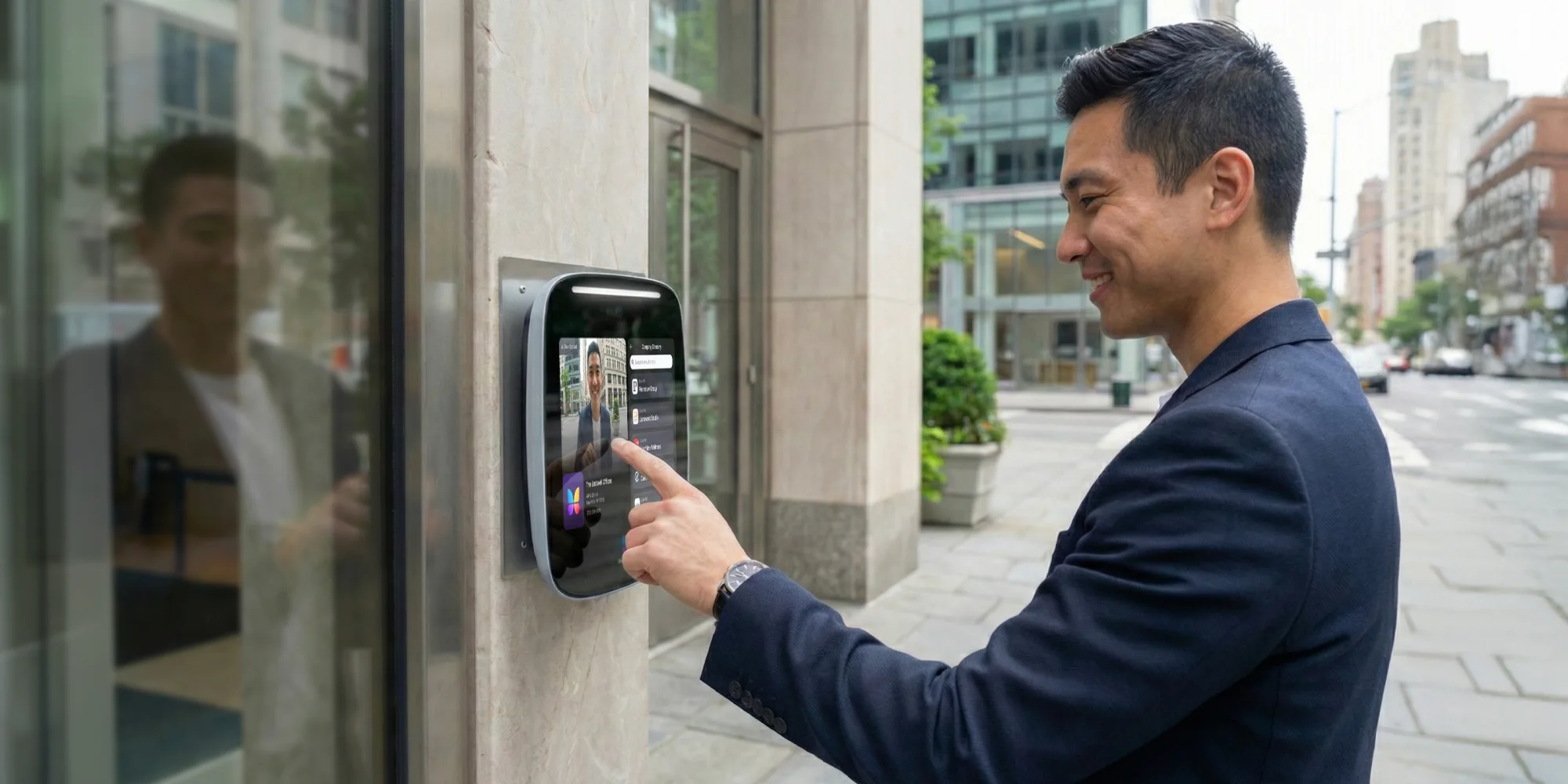
If you’re pricing the cost to install an intercom vs key fob for a small office, start with the simplest difference: a key fob system controls access for known users, while an intercom helps you decide what to do with visitors. That difference is why key fob access control usually has the lower installed cost, and why video intercoms often cost more.
For planning purposes, key fob systems are often priced around $1,000 to $3,000 per door installed. Small commercial video intercom installations are often planned around a wider range of about $2,500 to $7,000 installed. Those are not guaranteed quotes. Door count, wiring, locking hardware, retrofit conditions, software fees, and landlord rules can all move the final number.
The more useful question is not which intercom system is cheaper in a vacuum. It’s which job each office door needs to do. A staff-only side entrance may be a strong fit for credentials. A front door that handles clients, vendors, deliveries, and after-hours visitors may need an intercom. Many small offices land somewhere in the middle, especially when they have one to three entry points with different access needs.
This guide will answer:
- Quick cost comparison: intercom vs key fob for small offices
- How intercom and key fob systems work differently
- Intercom system costs for small offices
- Key fob system costs for small offices
- What affects installation cost the most
- When to choose intercom vs key fob for your office
- Total cost of ownership comparison
- FAQs
Watch how ButterflyMX works:
Quick cost comparison: intercom vs key fob for small offices
For most small offices, key fob access control has the lower upfront intercom system installation cost. Video intercoms usually cost more because they include visitor communication, camera hardware, door release, and often cloud-based management. A key fob reader is mainly there to confirm that an employee, contractor, or other approved user has permission to enter.
That said, the access control cost per door only tells part of the story. A one-door office with simple wiring and an existing electric strike may be a much smaller project than a three-door retrofit that needs new low-voltage wiring, network work, door hardware, and access permissions for several user groups. Use the ranges below as a planning tool, then compare vendor quotes by scope.
The main takeaway is simple: key fob systems usually win on installed price, while intercoms win when visitor handling matters. If the front door doubles as your reception point, the extra cost of an intercom may be paying for a daily business need. If the door is used almost entirely by employees, a reader and credential system may be enough.
How intercom and key fob systems work differently
An intercom system is built around a visitor request. Someone arrives, uses the entry station, and reaches a person inside the office or someone managing access remotely. With a video intercom, staff can usually see who is at the door before unlocking it. The intercom then connects to door release hardware, such as an electric strike or magnetic lock, so an authorized person can let the visitor in.
A key fob system works differently. The user taps a fob or card at an RFID reader. The reader sends credential information to an access controller, and the controller checks whether that credential is allowed to open that door at that time. If permission is granted, the connected lock releases. The process is fast for employees and other known users, but it does not create a way to speak with an unexpected visitor.
That functional difference is what makes the cost comparison meaningful. Intercoms solve the question of who is outside and whether someone should let them in. Key fob systems solve the question of whether a known credential should unlock a controlled door. A keypad can also provide basic PIN-based access, but it does not offer the same visitor conversation as an intercom or the same credential control as a managed fob system.
Mobile access adds another layer to the comparison. Some modern access control systems let approved users unlock doors with a smartphone instead of carrying a physical fob or card. For a small office, that can matter if the team wants staff convenience without issuing and replacing as many physical credentials. It also explains why the best answer is sometimes a hybrid system rather than a strict intercom-or-fob decision.
Why function changes value
If your office rarely receives visitors, paying for visitor communication may not be worth it. But if employees often stop work to answer the door, verify deliveries, or handle after-hours arrivals, an intercom can address a real daily problem. In a small office, the buying decision is as much about staff time and access habits as it is about hardware.
Intercom system costs for small offices
Intercom pricing depends on the type of intercom, the condition of the door, and how the system connects to staff. Audio-only intercoms usually cost less than video intercoms because they provide voice communication without a camera. Video intercoms usually cost more because they add visual verification, which can be valuable when clients, vendors, deliveries, or job candidates arrive throughout the day.
A small office intercom installation may include an entry station, door release hardware, wiring or network connections, power supplies, and labor. Some systems also include interior stations. Others, especially IP-based or cloud-managed intercoms, may send calls to software or mobile devices instead of relying only on dedicated in-office hardware. That shift can change both the upfront hardware list and the recurring fee structure.
What you are paying for
The entry station is only one part of the project. The door may also need an electric strike or magnetic lock, a power supply, wiring, and work on the door frame. An electric strike replaces or works with part of the latch area so the door can release electronically. A magnetic lock uses an electromagnet to hold the door secure. The right choice depends on the door and the installer’s design, so it should be specified clearly in the quote.
Network and power requirements can also affect the price. IP-based intercoms may need PoE, which carries power and data over network cabling, or another stable network setup. In the right building, that can be cleaner than older wiring approaches. In a difficult retrofit, however, running cable, extending the network, or coordinating with the landlord can add time and labor.
Older telephone-entry systems may depend on traditional POTS lines. Cloud-based video intercoms, including ButterflyMX in the right deployment, do not rely on that same older phone-line model. Still, the cost impact depends on the office, the network, and the system design, so it should be discussed as part of the quote rather than assumed.
When the higher intercom cost makes sense
An intercom is easier to justify when visitor verification is a core need. A law office, clinic, agency, or client-facing firm may need to know who is at the door before releasing it. The same is true for offices without a full-time receptionist or offices that handle deliveries after normal business hours.
This is where ButterflyMX fits naturally for some small offices. A cloud-based video intercom with mobile access can support visitor entry while also giving staff a way to enter with a smartphone. It is not the right fit for every door or every budget, but it can make sense when one system needs to handle both visitor screening and employee access.
Key fob system costs for small offices
Key fob systems usually start with a lower installed cost because they focus on credential-based access. A planning range of about $1,000 to $3,000 per door is common for small office key fob access control, though the final price depends on reader type, access control panel, lock hardware, wiring, software, and building conditions.
A typical key fob setup includes a reader at each controlled door, a controller or access control panel, fobs or cards, door release hardware, power, and installation labor. Each added door can increase cost because it may need another reader, another lock interface, more wiring, and additional configuration. That is why a three-door office should not simply multiply a one-door quote without checking what each door actually needs.
The credential cost is not only the fob
The hidden cost in a fob system is often administration. Someone has to issue credentials, replace lost fobs, deactivate old ones, and update permissions when employees join, leave, or change schedules. In a stable office with a small team, that may be easy. In an office with part-time staff, contractors, frequent turnover, or shared access needs, it becomes a recurring task.
Cloud-managed key fob systems can make those permissions easier to update, especially when an office needs remote access management. But cloud management may also add recurring fees. Physical credentials can also be lost, shared, or forgotten, which creates extra work even when each individual fob or card is inexpensive.
Where key fob systems work best
Key fob access works best when most entry is by known users and visitor traffic is light or handled another way. A staff-only office suite, a side entrance, a back-office door, or a warehouse-adjacent employee entrance can fit that pattern well. In those cases, the lower installed cost and simple user experience may be exactly what the office needs.
The tradeoff is that a fob reader does not answer the door. If unknown visitors arrive, the office still needs a separate way to speak with them, verify them, or let them in. For some offices, that is fine. For others, it is the reason a lower-cost fob system does not fully solve the access problem.
What affects installation cost the most
Published ranges are useful, but quotes rise and fall based on the actual building. For most small offices, the biggest cost drivers are practical ones:
- Number of doors: Each controlled opening may need its own reader or entry station, lock connection, power, wiring, and labor.
- Existing wiring and network readiness: Usable low-voltage cabling or nearby network infrastructure can simplify the project. Missing infrastructure can make it more labor-intensive.
- Retrofit vs new construction: Retrofit work often requires installers to work around finished walls, older frames, limited ceiling access, or occupied office space.
- Door release hardware: Electric strikes and magnetic locks involve different hardware and installation needs. Door material and frame condition also matter.
- Integration needs: Connecting new access control to existing security tools can add hardware, configuration, and testing.
- Lease or landlord restrictions: Shared buildings and leased suites may limit drilling, door modifications, wiring paths, or equipment placement.
Labor is often a major part of the job because access control touches the door, the lock, power, and the network. Two offices can buy similar hardware and still receive very different quotes if one has clean wiring paths and the other requires a difficult retrofit.
Timeline follows the same logic. A straightforward one-door installation in a prepared space may be relatively simple. A multi-door retrofit in an older or shared building can take longer because of wiring, landlord coordination, door modifications, and scheduling. Before choosing a vendor, ask what is included, what assumptions the quote makes, and what could trigger a change order.
When to choose intercom vs key fob for your office
Choose an intercom when the office needs to screen visitors before granting access. That is often true for offices with regular clients, vendors, deliveries, interviews, or after-hours arrivals. If staff need to speak with or see a person before unlocking the entrance, an intercom is usually the better category fit.
Choose a key fob system when access is mostly limited to employees and other approved users. If the main goal is to replace keys, control permissions, and keep staff-only areas secure, credential-based access may cover the need at a lower installed cost.
How one, two, and three doors change the answer
A one-door office with little visitor traffic may do well with a key fob reader. A one-door office with steady client traffic may need an intercom because that single entrance is also the reception checkpoint.
In a two-door office, the right answer often splits by use. The main entrance may need an intercom for visitor access, while a side or employee-only door may only need credentials. In a three-door office, that door-by-door thinking becomes even more important. Not every entrance needs the same hardware if not every entrance serves the same purpose.
After-hours access is another deciding factor. Employees may need credential-based or mobile access when no one is at the front desk. Visitors who arrive after hours may need an intercom so staff can verify them before granting entry. Those are different problems, and a good system design should address each one directly.
When a hybrid approach makes sense
A hybrid setup makes sense when the office needs both visitor management and staff convenience. That might mean a video intercom at the main entrance and fob, card, or mobile credentials at employee doors. It might also mean a cloud-managed system that combines video intercom calling with smartphone-based entry.
The point is not to make every door more expensive. It is to match the hardware to the job of the door. ButterflyMX is relevant here because its video intercom and mobile access capabilities can fit offices that want visitor verification and convenient employee entry in the same access approach. For some small offices, that can reduce reliance on physical fobs while keeping controlled access in place.
Total cost of ownership comparison
The lower installed price is not always the lower long-term cost. To compare intercom and key fob systems fairly, look at total cost of ownership over several years. That means separating one-time installation costs from recurring fees, maintenance, credentials, and staff time.
What to include in your long-term comparison
- Installation cost: Entry stations or readers, controllers, locking hardware, power, wiring, network work, and labor.
- Software or cloud fees: Some systems charge recurring fees for cloud-managed access control, remote administration, or app-based access.
- Maintenance: Service visits, repairs, and replacement of worn or damaged components.
- Credentials: Fobs and cards must be issued, replaced, revoked, and tracked.
- Administrative time: Staff time spent managing permissions, handling lost credentials, and answering the door has a cost even when it does not appear as a line item.
For key fob systems, the long-term cost often depends on how many credentials the office manages and how often that list changes. A small office with stable staffing may keep that work light. A busier office with turnover, contractors, or frequent lost fobs may spend more time on credential management than expected.
For intercom systems, the long-term question is whether visitor communication and screening are worth the higher upfront cost and any recurring service fees. If the office rarely receives visitors, the answer may be no. If staff regularly handle visitors, deliveries, and access requests, the intercom may be solving a problem that a fob reader cannot.
Mobile access belongs in this same long-term comparison. In the right setup, smartphone-based entry can reduce the number of physical fobs an office needs to buy, replace, and track. It does not remove the need for good access management, but it can change the balance between credential convenience, recurring software fees, and staff administration.
Frequently asked questions
How much does a key fob system cost for a small office?
A key fob system for a small office is often planned around $1,000 to $3,000 per door installed. The final price depends on the reader, controller, door hardware, wiring, software, and how many fobs or cards the office needs.
How much does an intercom system cost for a small office?
A small office video intercom installation is often planned around $2,500 to $7,000 installed. Audio-only systems may cost less, while difficult retrofit work, added door hardware, network needs, or cloud-management fees can raise the total.
Which is more secure: intercom or key fob?
Neither option is automatically more secure for every office. Intercoms are stronger for screening visitors before entry, while key fob systems are strong for controlling access for known users. Offices that need both may be better served by a hybrid approach.
Can intercom and key fob access work together?
Yes, intercom and key fob access can work together when an office needs visitor handling at the main entrance and convenient staff entry at other doors. A hybrid design can improve fit, but it can also add hardware, setup work, and ongoing management.
For a small office, the best choice is not simply the cheaper system. Key fob access control usually costs less to install and works well for employee-only doors. An intercom costs more, but it solves a different problem: helping your team verify visitors and release the door with more control.
If your office has one entrance with steady visitor traffic, a video intercom may justify the higher cost. If you have several doors, a door-by-door plan may be smarter: intercom where visitors arrive, credentials or mobile access where staff come and go. For offices that need both visitor verification and convenient employee entry, ButterflyMX may be a relevant option to evaluate. Explore ButterflyMX video intercom and mobile access options for small offices, or get expert help comparing access options for your office.

Get your free quote!
Fill in the form below, and we'll email you right back.
Want a free quote?
Fill in the form below, and we'll email you right back.
You’ll be redirected shortly...