
ButterflyMX QR Code Intercom
Smart, simple, and secure smartphone-based property access with lower upfront hardware and installation costs.
Smart access for any entrance
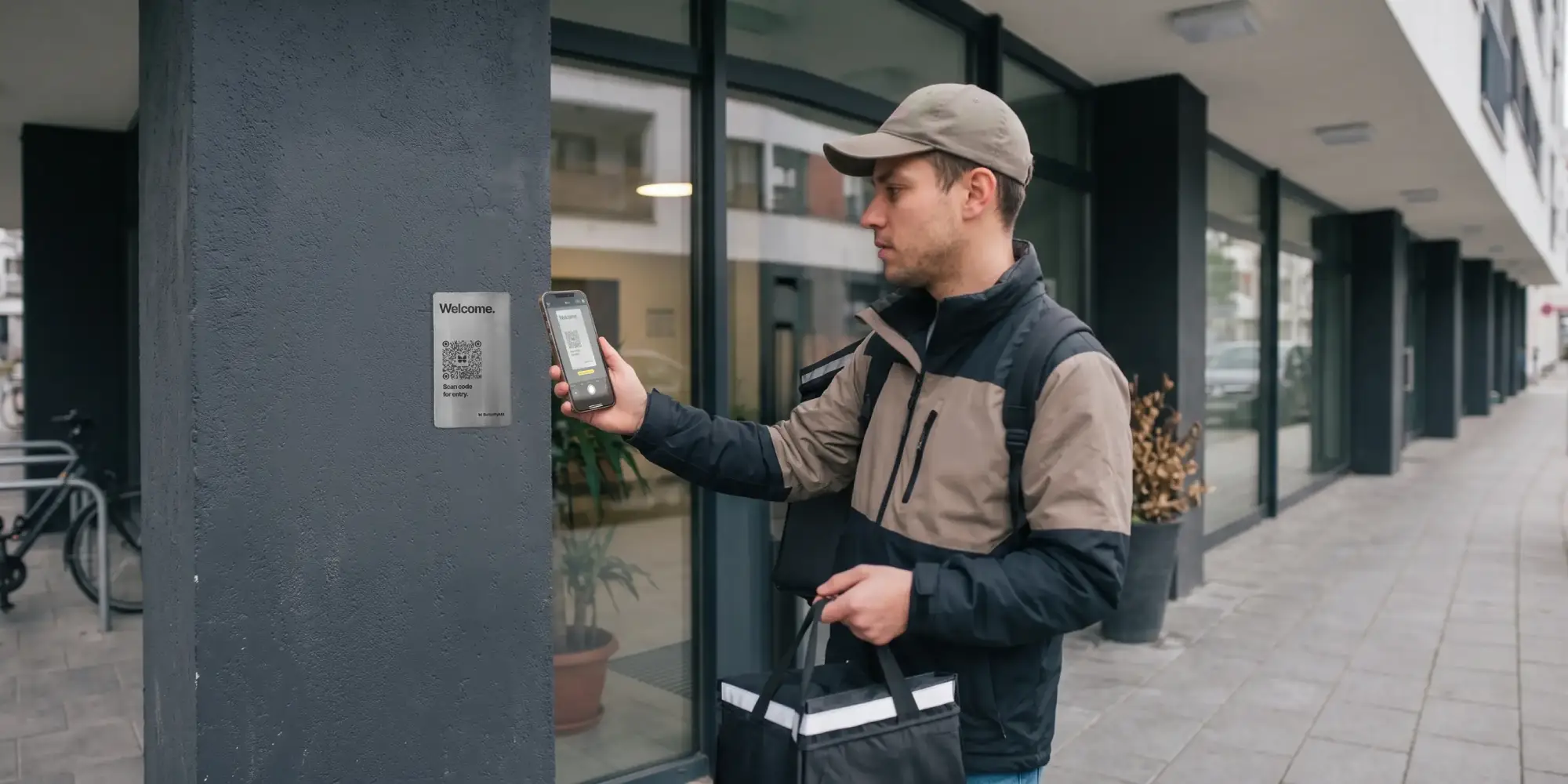
ButterflyMX's QR Code Intercom provides visitor access and security, purposefully designed and built for smaller buildings and secondary entry points.
Seamless access for visitors and deliveries
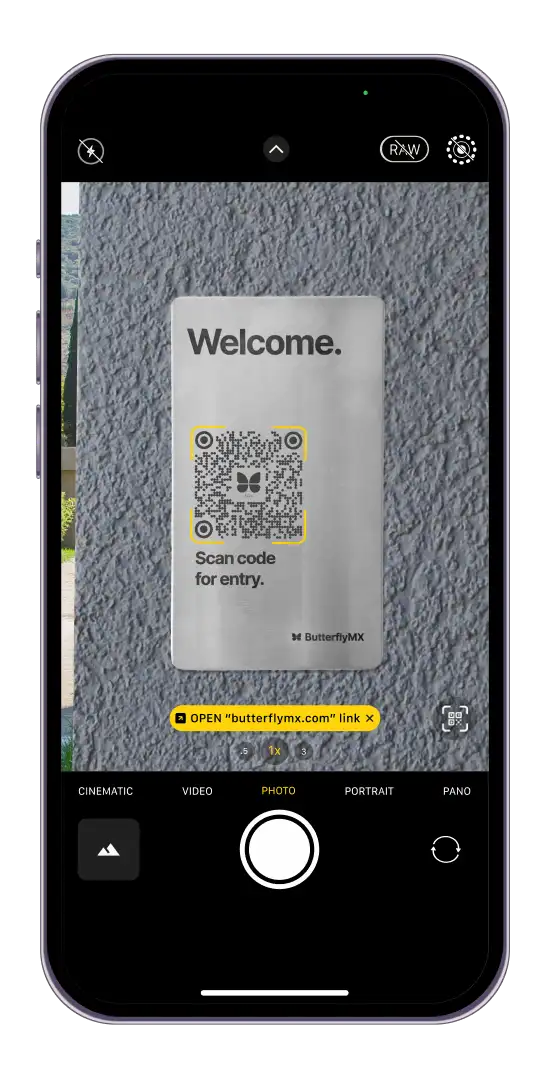
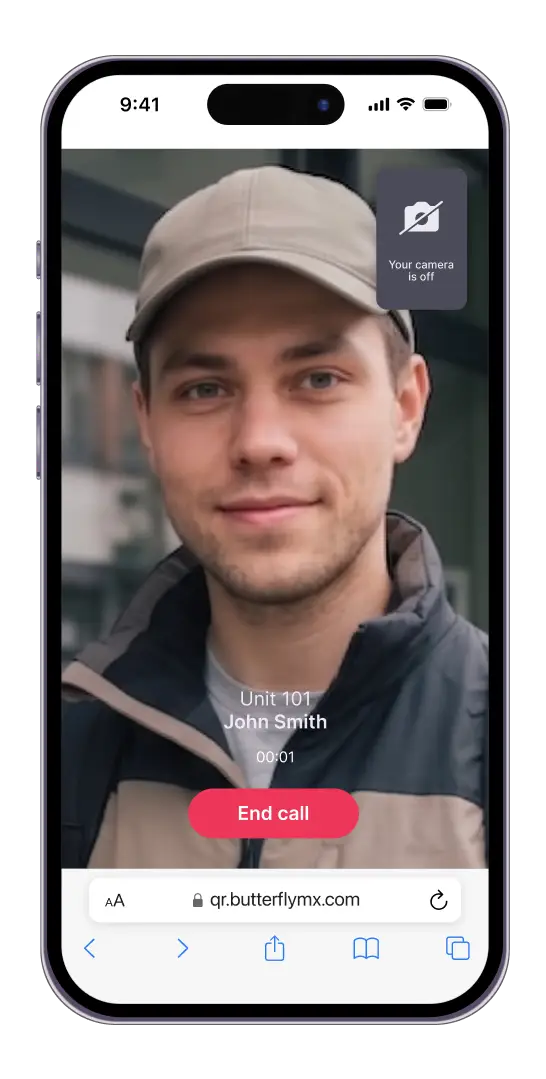
Visitors scan the QR code using their smartphone, which opens a secure, web-based intercom. From there, they can search the directory to place a video call to property staff or residents.
Fully integrated with ButterflyMX's access control and security platform
This Intercom works seamlessly with the existing ButterflyMX mobile app, Video Intercom, Access Control System, Keypads & Readers, Security Cameras, and OS.
Lower cost, faster install
The QR code plaque mounts with adhesive or screws and connects to the ButterflyMX 2-Door Controller.
Security, durability & design
Secure, encrypted access
Protected by end-to-end, 256-bit encrypted communications, featuring geofencing, rate limiting, session time limits, and a comprehensive audit trail in the ButterflyMX dashboard.
Built for the real world
Made from outdoor-rated materials, the plaque is resistant to weather, scratches, and impact. Remains visible and scannable in all lighting conditions.
Sleek and adaptable design
Available in stainless steel (silver), brass (gold), or anodized aluminum (dark grey) in both landscape and portrait orientations, to match the aesthetic of any property and the space available around each entrance.
How it works
Installation
- Mount the QR plaque using adhesive or screws
- Pair it with the ButterflyMX 2-Door Controller
- Manage users, access credentials, and more from the ButterflyMX OS
Visitor experience
- Step 1: Scan the QR code
- Visitors scan the laser-etched QR plaque using their smartphone.
- Step 2: Launch web-based intercom
- A secure web page opens instantly; no app download or sign-in required.
- Step 3: Search the directory
- Visitors find the right resident or unit number by scrolling or searching.
- Step 4: Place a video call
- Visitor starts a one-way video, two-way audio call to the property staff or resident.
- Step 5: Grant access
- The resident sees who's at the property's door or gate and taps "Unlock" in the ButterflyMX app to provide access.
- Step 6: Entry granted
- The door or gate is unlocked, and a time-and date-stamped photo from the video call is saved in the ButterflyMX OS for future review.