





Key takeaways
- An access control audit trail helps you see who entered, what credential was used, and when the event happened.
- Timestamped photos can add useful context to visitor and intercom activity when supported by the system.
- Commercial properties should evaluate access logs by searchability, credential tracking, tenant permissions, and centralized management.
If you manage a commercial building, you may not just need to know that a door opened. You need to know who opened it, when it happened, which fob, PIN, or credential was used, and whether there is enough context to review the event later.
An access control system with audit logs and timestamped photos helps property teams create a clearer record of entry activity. The right system can show access events by user, door, time, and credential type. When paired with visitor or intercom activity, timestamped photos can also help confirm who requested access and when.
That visibility is especially useful for office buildings, mixed-use properties, and commercial spaces where property managers, facilities teams, and tenant administrators all play a role in managing access.
Navigate this post:
- What is an access control audit trail?
- Why timestamped photos matter for access events
- How to track fob, PIN, and credential usage
- What to look for in access control logs
- How ButterflyMX supports access visibility
- Frequently asked questions

What is an access control audit trail?
An access control audit trail is a record of access events at your property. In practical terms, it helps you review who interacted with an entry point, when the event happened, and what type of credential or access method was involved.
For a commercial property, that record can be useful when a tenant asks who entered after hours, when a facilities team needs to confirm activity at a side entrance, or when a manager wants to understand how often a shared door is being used. Instead of relying on memory, paper sign-in sheets, or scattered messages, an audit trail gives your team a place to review access history.
What information should an access log include?
A useful access log should make it easy to review the details that matter most. Depending on the system, that may include the user, door or entry point, credential type, timestamp, and whether access was granted or denied.
For example, if an employee says their fob did not work at the main entrance, your team should be able to review the access event and see what happened. Was the credential assigned to the right person? Was access attempted outside approved hours? Was the entry denied? Those answers help your team solve the issue faster.
Why timestamped records matter
Timestamps turn a basic entry record into something your team can act on. A log that says a door opened is helpful, but a log that shows the specific time and associated credential gives you a more useful record.
This matters when you need to narrow down an event. If a package went missing from a lobby or a tenant reports an after-hours concern, reviewing entry activity by time can help your team understand what happened around that moment. The goal is not to create more data for its own sake. It is to make access history easier to review when a real question comes up.
Why timestamped photos matter for access events
Access logs tell you what happened at the system level. Timestamped photos can add visual context when the access event involves a visitor, intercom interaction, or entry request that supports image capture.
That context is valuable because commercial access is not always limited to employees using assigned credentials. Guests, vendors, delivery drivers, contractors, and service providers may all need access at different times. When a visual record is available, your team has more context than a timestamp alone can provide.
Using photos to verify visitor entry
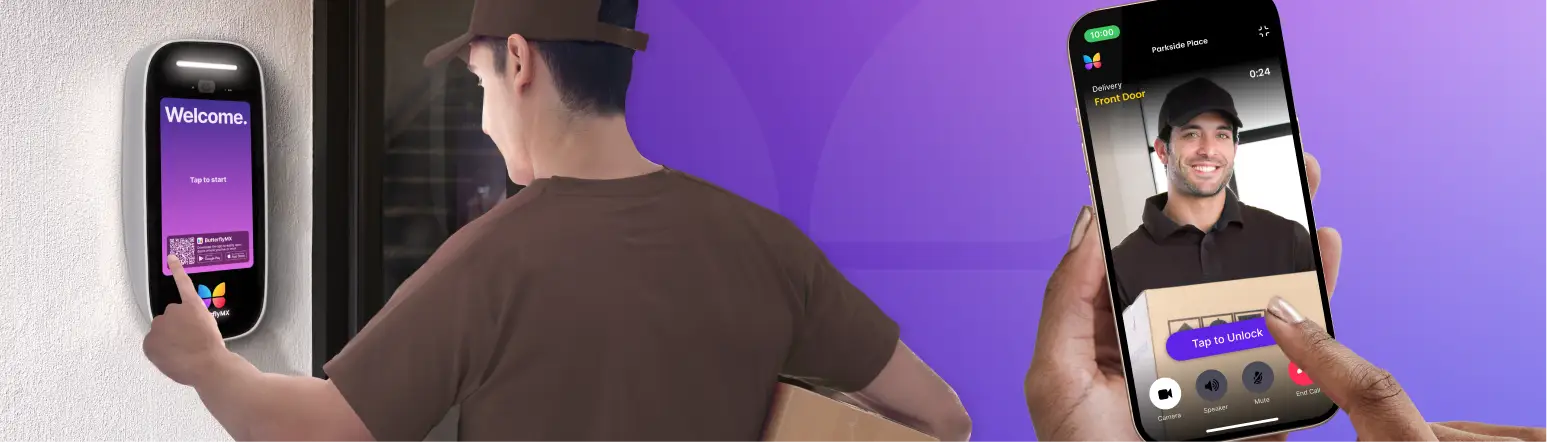
Consider a visitor who requests access through an intercom after business hours. A timestamped visitor photo can help the property team confirm who requested entry and when the request happened. That can be useful if a tenant later asks whether a specific guest arrived or if your team needs to review a visitor-related issue.
Photos should be treated as one part of the access record, not the only record. The stronger workflow combines visual context with other details, such as door activity, user permissions, entry time, and the access method used.
Where photos fit within a broader access record
Not every access event needs or produces the same type of record. An employee using an assigned fob may create a credential log, while a visitor using an intercom may create a different type of access event. The system should make those records easy to understand without forcing your team to piece together information from separate tools.
When evaluating access control, ask how the system connects the details your team actually needs. Can you review the entry point? Can you identify the assigned user or visitor event? Can you see when the event happened? Those questions matter more than a long list of features that do not support real review workflows.
Discover how ButterflyMX works:
How to track fob, PIN, and credential usage
Many commercial buildings need to track which fob, PIN, or credential was used and when. This is especially important when multiple tenants, employees, vendors, and staff members share the same entrances.
A commercial access control system with an entry audit trail can help your team review credential activity by assigned user, access point, and time. That makes it easier to answer practical questions, such as whether an employee entered before their scheduled shift, whether a vendor used the correct entrance, or whether a credential should be updated or removed.
Tracking employee and tenant access
In a commercial building, access management often involves more than the property team. Tenants may need to add new employees, remove former staff, or update permissions when roles change. If every request has to go through the property manager manually, the process can become slow and inconsistent.
Tenant-level access management can help reduce that back-and-forth when the system supports it. A tenant administrator may be able to manage access for their own employees, while the property team maintains broader control over the building. The key is making sure permissions are clear, limited to the right users, and easy to review.
Reviewing access by door, time, or user
Searchability is what makes access logs useful. A long list of events is difficult to act on if your team cannot filter or review it by the details that matter.
For instance, a facilities leader may want to see all activity at a loading entrance between 6 p.m. and 9 p.m. A property manager may want to review which credential was used at a specific door. A tenant administrator may need to confirm whether a former employee still has access. These are everyday access questions, and your system should make them easier to answer.
What to look for in access control logs
When comparing access control systems, do not stop at whether the system has logs. Look at how those logs work for your property team, your tenants, and the types of access events you need to review.
The best audit trail for your property is the one your team can actually use. If logs are buried, hard to search, or disconnected from visitor activity, they may not help when you need answers quickly.
Searchable access history
Look for access history that can be reviewed by practical criteria, such as person, door, credential, time, or event type. This helps your team move from a broad concern to a specific answer.
For example, if a tenant reports that someone entered a shared amenity or office area outside approved hours, your team should not have to scan every access event manually. Searchable history gives you a faster path to the relevant entry activity.
Centralized access management
Access logs are more useful when they are part of a centralized access management system. If your video intercom, access control, keypads, and visitor access tools are disconnected, your team may have to check multiple dashboards to understand one access event.
A centralized system can make it easier to manage users, credentials, doors, and visitor activity from one place. For commercial properties with multiple entrances or multiple tenants, that can reduce manual work and help the team keep access permissions current.
How ButterflyMX supports access visibility
ButterflyMX helps property teams manage access from a unified platform. For commercial buildings, that means access control, video intercoms, keypads, visitor access, and centralized access management can work together to support clearer entry workflows.
Rather than thinking about access logs as a standalone feature, it is more helpful to think about visibility across the full access experience. Who needs access? Which doors should they use? What credential should they have? How should your team review activity when a question comes up?
A unified platform for property access
With ButterflyMX, the product angle should focus on helping property teams manage entry activity and permissions more easily from a centralized system. That can support better accountability for staff, tenants, visitors, and vendors without turning the article into a technical security guide.
For example, a property manager may need to review access activity at a front entrance, while a tenant administrator may need to update employee access. A unified platform gives both workflows a clearer structure than disconnected tools.
Better visibility for property teams and tenants
The practical value of better access visibility is simple: fewer unanswered questions, less manual permission management, and clearer records when your team needs to review an event. That can help commercial properties support a safer, more organized entry experience for employees, tenants, visitors, and staff.
If you are evaluating an access control system with audit logs and timestamped photos, focus on the workflows your property actually needs to manage. Then choose a system that helps your team review access history, update permissions, and manage entry activity without unnecessary complexity.
Frequently asked questions
- Does an intercom or access control system provide an audit trail with timestamps and photos?
- How can I track which fob or PIN was used and when in a commercial building?
- Can tenants manage and see access logs for their employees?
- Why are audit logs useful for commercial properties?
- What should I look for in commercial access control with an entry audit trail?
Does an intercom or access control system provide an audit trail with timestamps and photos?
Many modern access control and intercom systems provide timestamped access records. Some systems may also include visitor photos or intercom-related images when that feature is supported. Property teams should confirm which events are logged, what details are included, and how long records are available.
How can I track which fob or PIN was used and when in a commercial building?
An access control system can help track credential activity by recording the assigned user, credential type, door, and timestamp. When comparing systems, ask whether logs are searchable by user, entry point, and time so your team can quickly review specific events.
Can tenants manage and see access logs for their employees?
Some commercial access systems support tenant-level access management, which may allow authorized tenant administrators to manage employee credentials or review activity tied to their users. The exact permissions depend on the system, so property teams should define what tenants can manage before implementation.
Why are audit logs useful for commercial properties?
Audit logs help commercial property teams answer access questions with a clear record instead of relying on memory or manual notes. They can support incident review, credential management, tenant requests, after-hours access checks, and general accountability.
What should I look for in commercial access control with an entry audit trail?
Look for searchable access history, credential tracking, timestamped events, centralized user management, and clear permission controls. If visitor activity matters at your property, also ask how the system records intercom events or visitor-related access details.
Get your free quote!
Fill in the form below, and we'll email you right back.
Want a free quote?
Fill in the form below, and we'll email you right back.
You’ll be redirected shortly...