
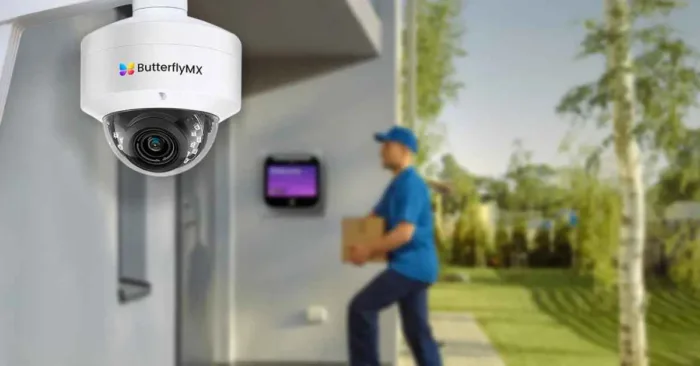





Key takeaways:
- Plan cameras by zone, lighting, distance, and whether staff need an overview or an identification-quality view. Megapixels alone are not enough.
- For managed whole-building coverage, wired IP cameras with PoE are often a strong default, but storage, power continuity, and network design still need separate decisions.
- Use cameras as one layer of security. Check privacy, audio, cybersecurity, procurement, and interoperability requirements before buying.
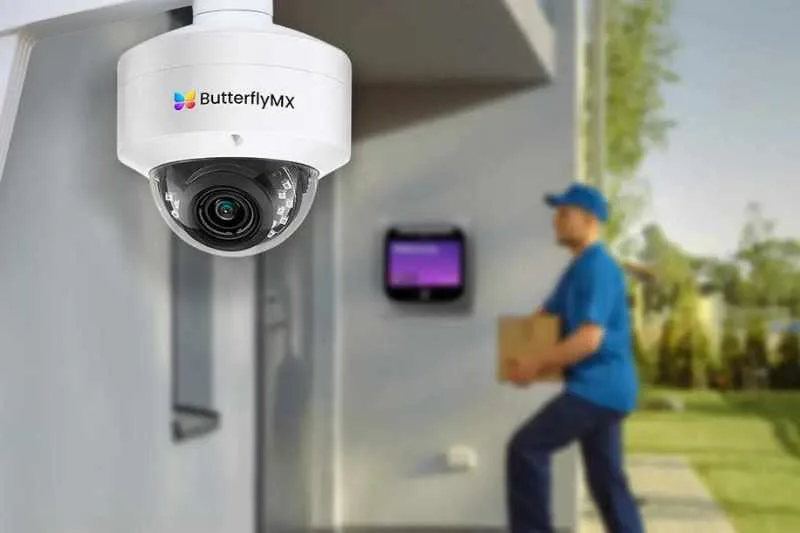
Building security cameras are most useful when they are planned as a system, not purchased as a list of devices. A strong plan starts with the activity each camera must capture in each area, such as identifying a person at an entrance or observing traffic in a garage. From there, property teams can choose the right camera types, power and network design, recording method, retention policy, and access-control connections.
For most managed properties, the practical goal is not to put a camera in every corner. It is to create dependable coverage of the moments and places that matter, while protecting privacy, controlling footage access, and keeping the security camera system manageable over time. This guide explains how to make those decisions for multifamily, commercial, HOA, and mixed-use properties.
This guide will answer:
- How to plan building camera coverage by zone
- How camera type and image design affect usable footage
- How to choose a building camera architecture
- How to plan storage, bandwidth, and footage governance
- How to connect cameras with access and intercom events
- How to assess existing cameras and retrofit paths
- What security cameras can and cannot prevent
- How to complete legal, procurement, and cybersecurity checks
- How to plan installation and total cost of ownership
- FAQs
Watch how ButterflyMX works:
How to plan building camera coverage by zone
Start with the view you need, not the camera brand or resolution. For every zone, decide whether staff need an observation view, which shows what is happening across an area, an identification view, which is intended to capture useful detail about a person at a known location, or both. A wide lobby view may show the direction someone traveled. A separate, properly placed entrance view may be needed to capture a usable face image.
The final number of building security cameras comes from a site survey, not a cameras-per-square-foot formula. Walk the property during the day and after dark. Document sightlines, blind spots, likely subject distance, glare, weather, vandal risk, mounting height, cable routes, and the access event that matters in each location. When an incident can move from one area to another, overlapping views can help preserve continuity.
Swipe to compare →
For multifamily properties, a separate guide to multifamily security camera placement can help teams think through apartments, shared entries, package areas, elevators, and garages. Whatever the property type, map each controlled door, intercom, package room, elevator destination, or vehicle gate to nearby camera coverage during planning. That map makes later integration decisions much clearer.
Site survey checklist
- Define the incident or activity each view should help staff understand.
- Mark where a person or vehicle will be when useful detail is needed.
- Review daytime glare, nighttime lighting, reflections, and infrared performance in the real scene.
- Check cable paths, network closets, switch ports, power capacity, and mounting surfaces.
- Identify private areas that must be excluded and confirm local privacy requirements.
- Record the access event, if any, that should be associated with the view.
How camera type and image design affect usable footage
No camera form factor is best everywhere. Dome cameras can be less visually prominent and work well in many indoor shared areas. Bullet cameras are often practical for visible outdoor coverage. Panoramic and fisheye cameras can show a large area, while multisensor cameras combine several views in one housing. PTZ cameras can move and zoom, but they may be looking elsewhere when activity occurs. License plate recognition cameras serve a narrower purpose and need a tested view of a vehicle path.
Usable footage depends on the lens, subject distance, mounting angle, lighting, wide dynamic range, frame and recording settings, and resolution working together. Commercial camera guidance also makes an important distinction: a stated infrared range is not an identification distance. A camera may illuminate a scene at night without producing enough detail to identify a person at the needed distance.
Design for the image objective
Use overview views to establish context: who approached, where they went, and what else was happening nearby. Use identification views at controlled choke points, such as entrances, where camera placement can be designed around a more predictable subject path. Test the actual image from the intended mounting point after dark. Higher resolution cannot correct an unsuitable lens, a distant subject, poor lighting, motion blur, or aggressive compression.
Visible cameras may influence behavior in some settings, while discreet cameras may better fit an indoor environment. Neither choice removes the need for good placement. Likewise, a PTZ camera or a wide-area camera may be a useful addition, but it should not replace fixed coverage of an entrance or another location where continuous identification-quality footage is needed.
How to choose a building camera architecture
For permanent, managed coverage across a building, wired IP cameras with Power over Ethernet, or PoE, are often a strong default. One Ethernet cable can carry network data and power from a managed PoE switch to the camera. Wi-Fi and battery cameras can fit a constrained retrofit, a temporary need, or a small number of hard-to-cable locations, but they add wireless, power, and maintenance questions that need testing at building scale.
Architecture has two separate layers. The connection layer describes how cameras receive power and send data. The recording layer describes where footage is stored: a local network video recorder, or NVR; a video management system, or VMS; cloud storage; or a hybrid of local and cloud services. A wired camera can still use cloud recording, and a wireless camera can still record locally if the design supports it.
Swipe to compare →
Apartment and condo camera planning guidance is useful here because it frames the system as more than cameras. Count PoE power budgets, switch ports, recorder or gateway capacity, cable distance, network segmentation, and future expansion before placing an order. Connection type alone does not determine resilience. You also need to verify power continuity, recording capacity, remote access, and the behavior of the exact system during an outage.
How to plan storage, bandwidth, and footage governance
Choose storage based on the property’s retention needs, internet dependency, remote-access needs, recurring fees, maintenance capacity, and administrative controls. Local NVR or DVR storage can support recording during an internet outage if local power, cameras, network equipment, and the recorder remain operational. Remote viewing generally still requires connectivity. Cloud storage can simplify remote access, but its continuity and recurring-cost profile depend on the configured service. Hybrid systems can combine local resilience with cloud access or selected cloud retention.
Storage sizing should be documented, not guessed. The basic planning formula is camera count multiplied by each camera’s verified bitrate and recording time, then converted to storage units with documented overhead. Bitrate is affected by the selected stream, resolution, frame rate, compression such as H.264, scene activity, and recording schedule. Use model-specific values and test the proposed settings. A numerical worksheet should be completed only after those inputs, the conversion method, retention period, and allowance for overhead are confirmed.
Footage governance is part of system design
A retention period means little without rules for who can view, export, share, or delete footage. Write a policy that addresses retention, role-based access, incident review, export procedures, and audit expectations. Limit access to staff with a defined operational need. The same planning should cover what happens when staff leave, when an incident requires preservation beyond normal retention, and when a resident, tenant, insurer, or law-enforcement agency requests video.
Storage is also a total-cost decision. Compare hardware replacement, maintenance, cloud or VMS licensing, network capacity, and administrative workload alongside the amount of footage retained. No storage model is automatically right for every property.
How to connect cameras with access and intercom events
Event-linked video can reduce the time staff spend searching a long timeline, but it only works when the camera view, clocks, permissions, and device compatibility are set up correctly. The neutral workflow is straightforward: a door reader, video intercom, package room, elevator control, or vehicle gate creates a timestamped event; a nearby camera captures the context; a compatible platform associates or filters the relevant footage; and authorized staff review or export the clip.
- A resident credential, visitor call, delivery event, or gate action creates a timestamp.
- A correctly positioned camera records the nearby activity.
- The access and video systems use aligned time settings and a configured association or filter.
- An authorized team member searches the event and reviews the related footage.
- The team follows the retention and export policy if a clip must be preserved or shared.
Integration cannot repair an unusable view. If a camera is too far from the door, faces strong backlight, or overlooks the wrong path, a matching timestamp will not turn the footage into useful evidence. Test event retrieval as part of commissioning, including denied access, visitor calls, door releases, and gate activity where applicable.
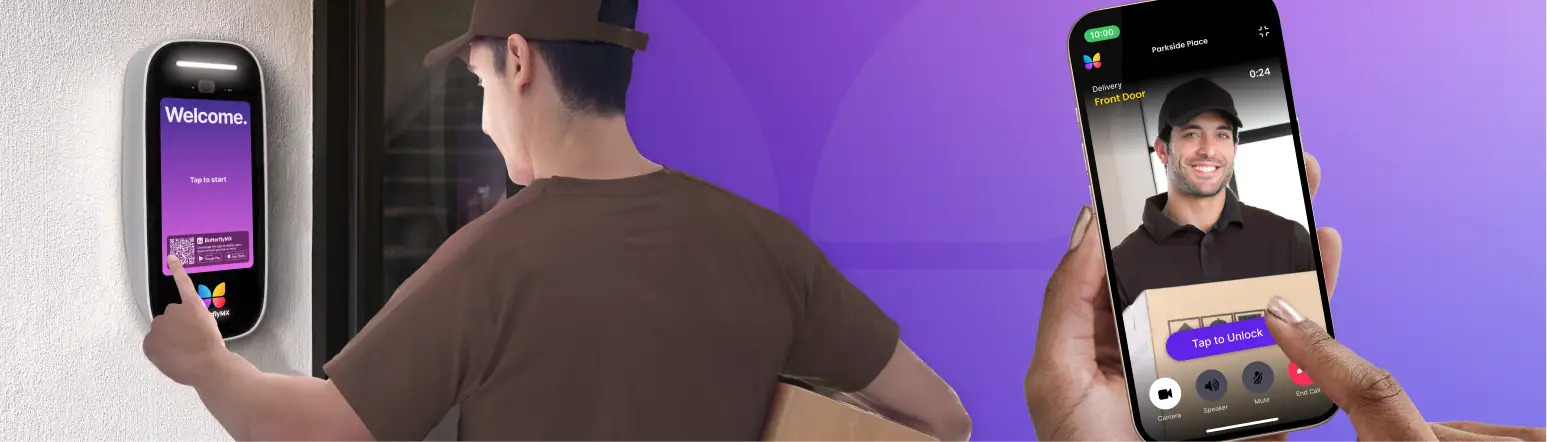
Some operators prefer a unified workflow; others keep separate best-of-breed access and video systems. Compare administration, interoperability, support ownership, permissions, and lock-in risk rather than assuming either model wins. ButterflyMX documents cameras and footage filtering by access events as part of its connected-access offering. Properties evaluating that approach can explore ButterflyMX security cameras and connected access workflows, while confirming current device compatibility, supported event types, permissions, and product limits for their specific project.
How to assess existing cameras and retrofit paths
A retrofit starts with an inventory, not a replacement order. Record every camera model, connection type, firmware status, credentials, recorder, stream format, cable condition, power source, required view, and known failure. Then separate IP equipment from HD-over-coax equipment. A property may be able to retain cameras, retain cabling while replacing cameras, add a gateway, replace the recorder, or replace the system. The correct path depends on whether the current equipment can meet the required image, security, capacity, and integration objectives.
Interoperability claims need careful review. Only products registered as conforming to a specific ONVIF profile should be described as ONVIF conformant. The ONVIF profile directory identifies profiles including S, T, G, and M. Registered profile conformance can support interoperability, but it does not guarantee that every feature will work across vendors, and it does not establish regulatory compliance.
Test at the model and feature level
Before committing to a retrofit, test the exact camera and recorder or platform combination. Check live streams, recording, playback, authentication, event behavior, desired analytics, exports, clock synchronization, and user permissions. Replace equipment when it cannot meet the required view, has unsupported firmware, creates insecure exposure, fails compatibility testing, or lacks enough capacity. Age alone is not a sufficient reason to replace a camera that still meets the property’s documented requirements.
ButterflyMX documents a Camera Gateway for certain existing-camera workflows, but compatibility remains a model-level question. Treat any gateway or integration discussion as a reason to test the actual devices before approving a final design.
What security cameras can and cannot prevent
Security cameras may contribute to crime reduction, but they do not guarantee a result for an individual building. A 2019 systematic review and meta-analysis of CCTV evaluations covered 80 studies, with 76 included in the meta-analysis. It reported an overall reduction of about 13% in CCTV areas, about 37% in car parks, and about 12% in residential areas.
Those findings need context. The evidence largely came from quasi-experimental studies of public-area CCTV, not individual private buildings. In the review, actively monitored systems were associated with about a 15% reduction, while passive systems showed no significant effect. The active-monitoring result is directional for property teams because the underlying studies generally involved staffed public CCTV, not routine alert review by a property manager. The review also found stronger results when CCTV was combined with multiple other interventions, and it found no significant effect across its US studies.
That is why cameras should sit inside a layered security plan. Access control, lighting, clear staff procedures, physical maintenance, incident response, and appropriate monitoring practices all affect the result. Cameras can help document events and support investigations. They should not be presented as a promise that crime will be prevented.
How to complete legal, procurement, and cybersecurity checks
Legal and procurement checks should happen before equipment is selected, not after it is installed. This section provides general information, not legal advice. Privacy, recording, notice, procurement, and placement rules can vary by jurisdiction and property type. Have qualified counsel or procurement reviewers assess the requirements that apply to your property.
- Use video-only as the lower-risk default. Do not place cameras in private spaces, and assess reasonable expectations of privacy in every proposed location.
- Review notice, signage, lease, policy, and local requirements. Audio is legally distinct from video. Federal law generally requires at least one-party consent for recording conversations, while state rules vary. The Reporters Committee recording guide explains why consent rules and context matter, especially when the recorder is not a party to the conversation.
- Check the current FCC Covered List and document project-specific procurement rules. On the FCC list updated October 30, 2026, certain Hikvision, Dahua, and Hytera equipment is covered only for specified uses, while Huawei and ZTE appear without that purpose limitation. Do not describe any of these brands as universally banned for private buildings. Review the FCC Covered List again immediately before purchase and seek legal or procurement guidance on applicability.
- Qualify NDAA claims. Ask what a vendor means by the claim, which product models it covers, and whether it satisfies the requirements of your particular project.
- Verify registered ONVIF profile conformance and the exact features required for the deployment. Marketing language that says compatible is not a substitute for a model-level test.
- Require unique credentials, supported firmware, network segmentation, restricted user roles, secure remote access, and regular access reviews. Avoid direct port forwarding and unnecessary UPnP exposure. These are enduring security practices highlighted in IP camera security guidance.
Cybersecurity is an operating responsibility, not a setup checkbox. Include firmware review, password and credential management, account offboarding, network review, and exposure testing in the ongoing maintenance plan.
How to plan installation and total cost of ownership
A realistic budget accounts for more than cameras. Cost drivers include mounts, cabling, PoE switches, recorders or gateways, storage, cloud or VMS licensing, installation labor, network work, maintenance, replacements, and staff administration. Installed-price ranges are not reliable without current, site-specific information, so compare total ownership factors instead of relying on a generic number.
A qualified security integrator or low-voltage installer can be especially useful for multi-building projects, new cabling, complex PoE and network design, regulated procurement, access integration, and model-level commissioning. Not every project requires an integrator. Scope, internal expertise, and local licensing or permit rules determine the right approach.
Commission the system before accepting it
- Confirm each field of view against the zone objective.
- Test daytime and after-dark image quality from the final mounting position.
- Verify PoE capacity, switch capacity, recorder capacity, storage policy, and outage behavior.
- Check timestamps, recording, playback, user permissions, exports, and retention settings.
- Test access-event retrieval where cameras connect with doors, intercoms, package rooms, elevators, or gates.
- Set an ownership schedule for camera cleaning, firmware review, credential management, storage monitoring, and periodic scene tests.
The buying sequence is simple, even if the implementation is not: approve zone objectives, confirm architecture and retention, test retrofit compatibility, complete legal and procurement review, compare total ownership factors, and commission the installed system. That sequence gives teams a defensible basis for choosing a vendor and a system design.
Frequently asked questions
What resolution is needed to identify faces at a building entrance?
No single megapixel value guarantees face identification at an entrance. The usable result depends on the lens, subject distance, lighting, mounting angle, WDR, recording settings, and an on-site test at the final mounting point. Infrared range is not the same as identification distance.
Will building cameras keep recording if the internet goes down?
A properly powered local NVR or DVR system may continue recording without internet. Remote viewing usually requires connectivity, and continuity also depends on power, network equipment, recorder health, and the exact camera design. Cloud-only recording follows the behavior of its configured internet path.
Do residents or tenants need notice about cameras in common areas?
Requirements vary by jurisdiction, so review privacy law, reasonable expectations of privacy, lease or policy obligations, and signage practices before deployment. Audio capture creates separate consent concerns. This is general information, not legal advice.
When should a property hire a security integrator?
An integrator can be useful for complex cabling, PoE and network design, multi-site work, access-control integration, model testing, commissioning, and local permit coordination. Smaller projects may not need one if the property has the right internal expertise and local rules allow the work.
How can staff find video associated with a door or gate entry?
Staff need a timestamped access or intercom event, a correctly positioned camera, and a compatible platform that can filter or associate related footage for authorized review. Camera placement, clock alignment, configured permissions, and device compatibility all affect whether the workflow is useful.
The best building camera system is the one that captures the right view at the right location, stores it according to a clear policy, and fits the property’s operational and legal requirements. Begin with a zone-by-zone site survey, then make architecture, storage, retrofit, and integration decisions around the documented objectives.
If connected access and video workflows are part of your plan, ButterflyMX may be worth evaluating alongside the other options you compare. See whether ButterflyMX fits your building security and access plan after confirming your required camera views, device compatibility, retention needs, and compliance requirements.
Get your free quote!
Fill in the form below, and we'll email you right back.
Want a free quote?
Fill in the form below, and we'll email you right back.
Redirecting you in 5 seconds.