





Key takeaways
- Centrally managed smart thermostats help property teams control HVAC across multiple units from one platform.
- They can reduce energy waste, improve operations, and create a more consistent resident experience.
- The right solution should support centralized control, system integrations, and long-term scalability.
- For many multifamily properties, the long-term savings and efficiency gains can justify the upfront investment.
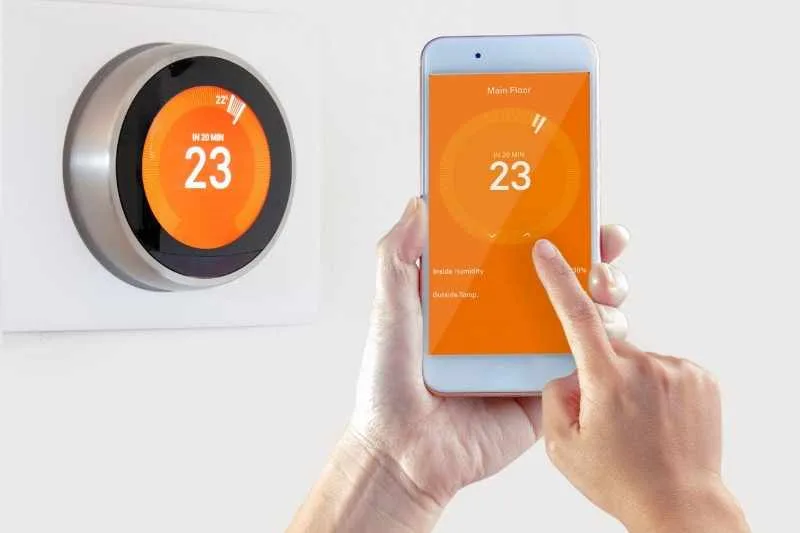
Managing heating and cooling across a multifamily property has always been a balancing act. On one hand, operators need to control energy costs and protect HVAC systems from overuse. On the other hand, residents expect a comfortable, modern living experience with the convenience of smart building technology. That’s where centrally managed smart thermostats come in.
Unlike traditional or standalone smart thermostats, these systems give property owners and managers the ability to monitor and control HVAC performance across every unit from a single platform. The result is greater efficiency, better visibility, and a more consistent experience for residents without adding operational complexity.
As smart building technology continues to evolve, centrally managed smart thermostats are quickly becoming a standard feature in multifamily, gated communities, and commercial properties. In this guide, we’ll break down how they work, their pros and cons, and how to choose the right solution for your building.
This post covers:
- What are centrally managed smart thermostats?
- How centrally managed smart thermostats work
- Pros of centrally managed smart thermostats
- Cons of centrally managed smart thermostats
- Key considerations before installation
- Evaluating ROI: Is it worth the investment?
- How to choose the right solution
What are centrally managed smart thermostats?
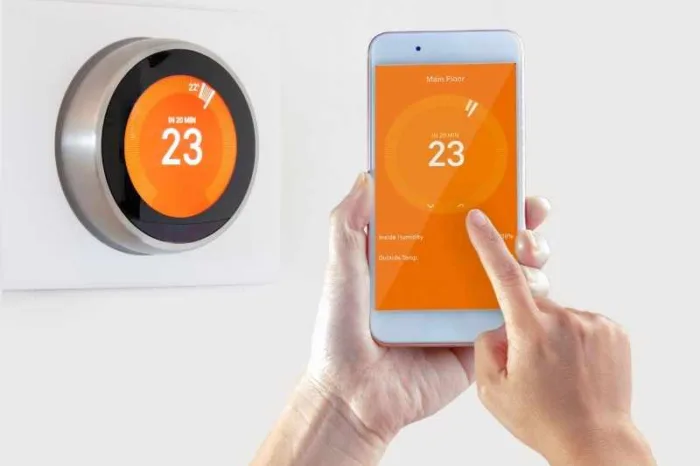
Centrally managed smart thermostats are internet-connected devices that allow property owners and operators to control and monitor HVAC systems across multiple units from a single, centralized platform.
Unlike traditional thermostats or even standalone smart thermostats designed for individual homes, these systems are built specifically for multifamily, commercial, and large-scale properties. Instead of adjusting temperatures unit by unit, property teams can oversee and optimize heating and cooling across an entire portfolio in real time.
At their core, centrally managed smart thermostats combine hardware (the thermostat itself) with cloud-based software that provides remote access, automation, and data insights.
Key capabilities include:
- Remote access. Adjust temperatures across units without being onsite.
- Portfolio-wide control. Apply settings to one unit, a group of units, or an entire building.
- Automated schedules. Reduce energy use with preset heating and cooling rules.
- Usage insights. Track performance and identify inefficiencies.
- System alerts. Get notified of HVAC issues before they become costly repairs.
For property managers, this means fewer manual adjustments and more control. For residents, it means consistent comfort. And for owners, it means lower operating costs and more efficient building performance.
Discover how ButterflyMX works:
How centrally managed smart thermostats work
Centrally managed smart thermostats connect every unit’s HVAC system to a shared, cloud-based platform, giving property teams real-time visibility and control across an entire building or portfolio.
Here’s how the system typically works:
- Connected devices in every unit
- A centralized management dashboard
- Automation and smart rules
- Real-time data and alerts
- Integration with smart building systems
Connected devices in every unit
Each apartment, office, or common area is equipped with a smart thermostat that connects to WiFi or a secure building network. These devices replace or integrate with existing thermostats and communicate continuously with a central system.
A centralized management dashboard
All thermostats feed data into a single dashboard, which can be accessed by property managers, operators, or maintenance teams from any device.
From this dashboard, teams can:
- View current temperatures across all units
- Adjust settings remotely
- Create schedules for individual units or entire buildings
- Set temperature thresholds to prevent excessive usage
This eliminates the need to enter units for manual adjustments, saving time and operational effort.
Automation and smart rules
One of the biggest advantages of centrally managed systems is automation.
Property managers can set rules such as:
- Adjusting temperatures in vacant units
- Reducing HVAC usage during off-peak hours
- Enforcing minimum and maximum temperature limits
Some systems also integrate with occupancy data, automatically switching to energy-saving modes when a unit is unoccupied.
Real-time data and alerts
Centrally managed smart thermostats continuously collect data on HVAC performance and energy usage.
This allows operators to:
- Identify inefficiencies or unusual usage patterns
- Receive alerts for potential maintenance issues
- Make data-driven decisions to improve building performance
Integration with smart building systems
In more advanced deployments, thermostats integrate with other property technologies.
Proptech that can integrate with smart thermostats includes:
- Access control systems
- Property management software
- IoT sensors and automation platforms
For example, when a resident unlocks their door, the system can automatically adjust the temperature for comfort, creating a seamless smart living experience.
Pros of centrally managed smart thermostats
For many property owners and operators, the benefits of centrally managed smart thermostats go beyond convenience. These systems can reduce costs, improve operations, and support a better resident experience across an entire building or portfolio.
Lower energy costs across the property
One of the biggest reasons owners invest in centrally managed smart thermostats is to reduce heating and cooling waste. Instead of leaving temperature control entirely up to chance, property teams can set limits, automate schedules, and adjust settings in vacant units. Across a multifamily portfolio, those efficiencies can add up to meaningful savings on utility bills and help operators control one of their largest recurring expenses.
Easier remote management
Centrally managed smart thermostats make it possible to monitor and adjust HVAC settings without visiting each unit in person. That saves time for onsite teams and makes it easier to respond quickly when issues come up. For example, if a resident reports a comfort problem or a vacant unit needs to be prepared for a tour, staff can often make changes immediately from a centralized dashboard.
More consistent resident comfort
Comfort matters to residents, and smart thermostats can help create a more predictable indoor experience. Centralized management gives operators a way to support resident comfort while still maintaining building-wide standards. That balance is important because it allows residents to enjoy a modern, convenient amenity while ownership keeps systems running efficiently.
Better visibility into HVAC performance
These systems do more than control temperature. They also give property teams access to real-time data about usage patterns, system behavior, and potential issues. That visibility can help teams catch problems earlier, reduce unnecessary wear on HVAC equipment, and make more informed decisions about maintenance and operations.
Scalability for multifamily portfolios
As owners expand from one property to several, managing HVAC manually becomes increasingly difficult. Centrally managed smart thermostats create a repeatable system that can scale across buildings, unit types, and even entire portfolios. That makes them especially valuable for operators who want more standardization as they grow.
Cons of centrally managed smart thermostats
Like any property technology investment, centrally managed smart thermostats also come with tradeoffs. Understanding the potential challenges upfront can help owners plan for a smoother rollout and choose a solution that fits their building’s needs.
Upfront installation costs
While the long-term savings can be compelling, the initial investment is still an important consideration. Costs may include the thermostats themselves, labor for installation, and any infrastructure improvements needed to support connectivity. For some properties, especially older ones, that upfront spend can be a barrier, even if the return on investment is strong over time.
Compatibility challenges in older buildings
Not every property is set up for a smooth rollout. Some older HVAC systems may require adapters, upgrades, or additional planning before smart thermostats can be installed successfully. This is particularly important in buildings with legacy equipment, mini splits, or specialty heating systems, where compatibility needs to be evaluated early in the process.
Reliance on the internet and network performance
Because centrally managed smart thermostats depend on connectivity, their performance is closely tied to the strength and reliability of the building’s network. If WiFi coverage is weak or the network goes down, remote management can become more limited. That means operators need to think about connectivity as part of the overall implementation strategy, not as a separate issue.
Training and operational adoption
Even the best system needs buy-in from the people using it every day. Property managers, maintenance staff, and operators may need time to learn the platform and adjust their workflows. While most modern systems are designed to be user-friendly, successful adoption still depends on clear processes, training, and ongoing support.
Key considerations before installation
Before deploying centrally managed smart thermostats, it’s important to evaluate how well a solution will fit your building, infrastructure, and long-term operational goals. A thoughtful approach upfront can help avoid compatibility issues, reduce installation friction, and ensure you get the most value from your investment.
Considerations include:
- HVAC compatibility
- Support for mini splits and ductless systems
- True centralized control capabilities
- Network and connectivity requirements
- Integration with existing systems
- Installation and scalability planning
HVAC compatibility
Not all HVAC systems are created equal, and not all smart thermostats work with every setup. Before installation, confirm that your chosen solution is compatible with your building’s equipment, whether that includes central HVAC, heat pumps, ductless mini splits, or specialty systems.
For example, gas fireplaces often require low-voltage or millivolt-compatible thermostats, which not all smart models support. Identifying these requirements early can prevent costly adjustments later in the process.
Support for mini splits and ductless systems
Many multifamily properties, especially newer developments or retrofits, use ductless mini split systems. While there are smart thermostat options that work with these systems, they may require additional components such as IR controllers or manufacturer-specific integrations.
If your property relies on ductless HVAC, prioritize solutions that are designed to support these systems at scale.
True centralized control capabilities
Not every “smart” thermostat offers true centralized management. Some are designed primarily for single-family use and lack the tools needed for portfolio-wide control.
Look for platforms that provide:
- A unified dashboard for all devices
- Bulk configuration and policy setting
- Role-based access for different team members
These features are essential for efficiently managing multiple units and buildings.
Network and connectivity requirements
Because centrally managed smart thermostats rely on cloud-based communication, a strong and reliable network is critical.
Before installation, assess your property’s:
- WiFi coverage across all units and common areas
- Network security protocols
- Ability to support multiple connected devices
Addressing connectivity gaps ahead of time will help ensure consistent performance after deployment.
Integration with existing systems
To unlock the full value of centrally managed smart thermostats, they should integrate with your broader property technology stack.
This may include:
- Access control systems
- Property management software
- Smart building platforms and IoT devices
For example, integrating HVAC with access control can allow temperatures to automatically adjust based on occupancy, improving both efficiency and resident experience.
Installation and scalability planning
Finally, consider how the system will be installed and scaled over time. Will you deploy across one building first, or roll out across your entire portfolio? Do you need a solution that can grow with future developments?
Working with experienced installers and choosing a scalable platform can help ensure a smoother rollout and long-term success.
Evaluating ROI: Is it worth the investment?
For most multifamily owners and operators, the decision to invest in centrally managed smart thermostats ultimately comes down to return on investment. While the upfront costs can be significant, the long-term financial and operational benefits often outweigh the initial spend.
The most immediate impact typically comes from energy savings. Heating and cooling are among the largest utility expenses in any building, and even small inefficiencies can add up quickly across dozens or hundreds of units. By automating temperature settings, limiting extreme usage, and reducing HVAC runtime in vacant units, centrally managed systems can significantly lower monthly energy bills.
Beyond utilities, there are also meaningful operational savings. Property teams spend less time adjusting thermostats manually or responding to routine comfort complaints. Maintenance teams can identify issues earlier using system data, which helps reduce emergency repairs and extend the lifespan of HVAC equipment. Over time, this shift from reactive to proactive maintenance can lead to lower service costs and fewer disruptions.
There’s also a revenue and retention component to consider. Today’s residents increasingly expect smart home features, and properties that offer modern, tech-enabled living experiences often have a competitive edge. Centrally managed smart thermostats contribute to higher resident satisfaction, which can support stronger retention rates and reduce turnover-related costs.
When you combine these factors, including energy savings, operational efficiency, and improved resident experience, many properties see a relatively fast payback period. In many cases, owners can achieve ROI within one to three years, depending on the size of the property and the scope of deployment.
Ultimately, centrally managed smart thermostats are an investment in more efficient, scalable, and future-ready building operations.
How to choose the right solution
Not all centrally managed smart thermostats are built for the same use case. While many devices offer smart features, fewer are designed to support the scale, complexity, and operational needs of multifamily and commercial properties. Choosing the right solution starts with understanding what matters most for your building and your team.
How to choose the right smart intercom for your property:
- Prioritize centralized control, not just smart features
- Consider your property type and scale
- Evaluate integration capabilities
- Assess installation and support
- Look for data and reporting capabilities
- Think long-term
Prioritize centralized control, not just smart features
Many well-known devices are designed primarily for single-family homes. While they offer strong individual features, they may lack the robust, portfolio-wide management tools needed for multifamily operations.
Look for a solution that goes beyond basic app control and provides:
- A single dashboard for all units and buildings
- Bulk configuration and scheduling
- The ability to set property-wide temperature policies
Consider your property type and scale
The right solution should align with how your property operates today, and how it will grow in the future.
For property managers, focus on ease of use, remote access, and visibility across units. For developers, look for scalability, system integrations, and long-term flexibility. And for large portfolios, prioritize standardization and the ability to manage multiple properties from one platform. A system that works for a 20-unit building may not be sufficient for a 2,000-unit portfolio.
Evaluate integration capabilities
Centrally managed smart thermostats deliver the most value when they’re part of a broader smart building ecosystem.
Make sure your solution can integrate with:
- Access control systems
- Property management software
- IoT devices and automation platforms
For example, pairing HVAC control with access systems can enable automated temperature adjustments based on occupancy, helping reduce energy waste while improving comfort.
Assess installation and support
Implementation is just as important as the technology itself.
A strong solution should come with:
- Clear installation guidelines
- Compatibility with your existing HVAC systems
- Ongoing support from the provider or installer
If your property includes older infrastructure, mini splits, or mixed HVAC systems, it’s especially important to choose a vendor experienced in those environments.
Look for data and reporting capabilities
Data is what turns smart thermostats into a strategic tool.
Choose a platform that offers:
- Real-time performance insights
- Energy usage reporting
- Alerts for unusual activity or maintenance issues
Think long-term
Finally, consider how the solution will support your property over time. Technology evolves quickly, and your building’s needs may change as you expand or adopt new systems.
The right centrally managed smart thermostat solution should be:
- Scalable across future properties
- Flexible enough to integrate with new technologies
- Designed to support long-term operational efficiency
Get your free quote!
Fill in the form below, and we'll email you right back.
Want a free quote?
Fill in the form below, and we'll email you right back.
You’ll be redirected shortly...