





Key takeaways:
- A gate intercom system with a camera handles visitor communication and visual verification; the gate operator is the equipment that physically moves the gate.
- Connectivity is a site decision. Wired, Wi-Fi, cellular, and radio options all depend on power, distance, signal quality, infrastructure, outage planning, and recurring costs.
- For vehicle entrances, camera placement, viewing angle, Wide Dynamic Range, night performance, and weather resistance usually matter more than resolution alone.
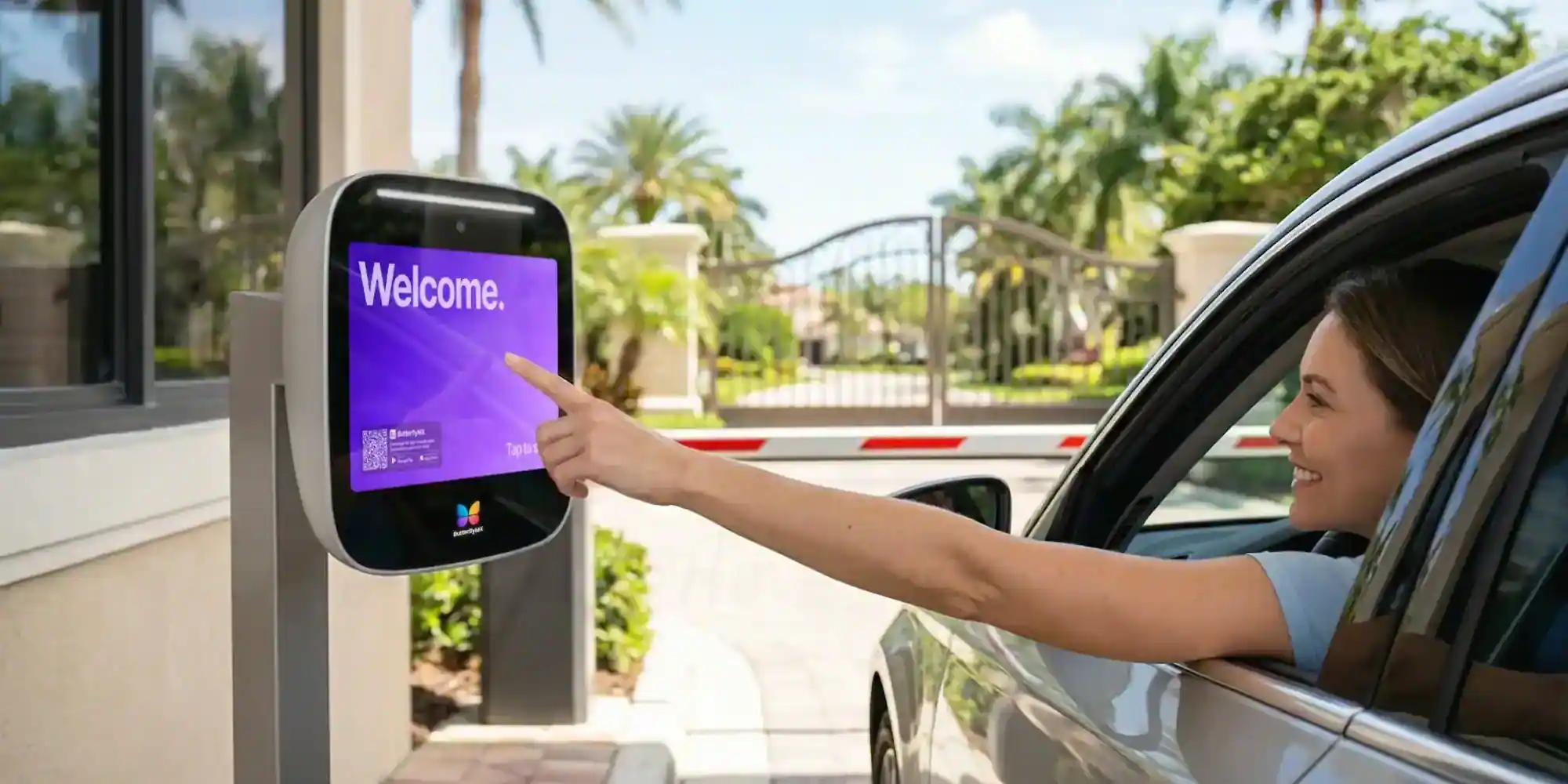
At a gated entrance, the camera is only one part of the decision. A gate intercom system with a camera lets a visitor call an authorized person, provides a live visual view, and can send an approved release signal to a compatible gate operator. The operator, not the intercom, is what physically opens and closes the gate.
That separation matters when you are comparing products. A strong buying process looks at the whole entrance: the lane layout, available power, communications path, gate-operator compatibility, resident or staff access, outage behavior, privacy controls, and total cost. This guide walks through those decisions so you can evaluate a video gate intercom as part of a working entrance, not as a standalone camera.
This guide will answer:
- What a gate intercom system with a camera is
- How visitor calls become gate access
- How to choose connectivity for the site
- What matters in a vehicle gate camera
- How to plan power, wiring, and integration
- How to match the system to the property
- How to plan for outages, privacy, and daily operations
- How gate safety standards apply
- How to compare cost and total ownership
- How to build a shortlist and assess platform fit
- FAQs
Watch how ButterflyMX works:
What a gate intercom system with a camera is
A gate intercom system with a camera is the communication and visual-verification layer at a gated entrance. It routes a visitor call to an authorized person, shows video from the gate, and, when properly integrated, can trigger a compatible gate operator after access is approved.
It is not the same thing as the gate operator. The operator opens and closes the sliding, swinging, or barrier gate. The intercom also is not always the full access-control system. A broader access-control system may manage resident directories, mobile credentials, PINs, fobs, entry logs, and other entrances across the property.
Keeping those roles separate helps you ask better questions. The intercom handles the call and approval step. The gate operator handles movement. The access-control system may handle users, credentials, permissions, logs, and administration. Some products combine several of those functions, but buyers should still confirm what each piece is doing.
Video is a capability, not a connectivity type. A camera-equipped gate intercom may use wired infrastructure, Wi-Fi or IP networking, cellular service, or a radio-based connection. One-way video usually means the answering party can see the visitor. Two-way video means both parties can see each other. Before choosing a system, confirm the actual call experience, display hardware, bandwidth needs, and privacy settings.
Compared with an audio-only call, video gives the person answering more context for a visitor decision. If recording and permissions are configured, video may also support later review of an event. It does not, by itself, prevent unauthorized entry or guarantee that tailgating will not happen.
How visitor calls become gate access
A visitor call involves several handoffs, and each one should be checked before installation. In a typical setup:
- A visitor arrives at the entrance and starts a call at the gate station.
- The system routes the call through the configured directory or call rules to a resident, staff member, guard, or other authorized recipient.
- The recipient speaks with the visitor and, with a video system, views the camera feed available for that call.
- If access is approved, the intercom or access system sends a release command through a compatible relay or integration.
- The gate operator runs its configured opening sequence, subject to its controls and safety equipment.
That call-to-release path is only one way people use a gated entrance. Residents, staff, vendors, or approved guests may also use mobile access, PINs, cards, fobs, license plate recognition, or another credential method, depending on the system. The more users and entrances a property has, the more important administration becomes.
Before you compare feature lists, decide who will maintain the directory, who can change permissions, how after-hours calls should route, and which entry events should appear in logs. A simple driveway setup may not need the same administrative tools as a multifamily community, HOA, or commercial property with frequent visitor traffic.
How to choose connectivity for the site
Choose connectivity based on the entrance, not on the product label. Power availability, distance from buildings, conduit paths, signal quality, outage needs, installation limits, and recurring fees all shape the decision. A wireless gate intercom with camera is not automatically wire-free; the station may still need power, mounting hardware, relay wiring, network equipment, or other infrastructure.
Wired, Wi-Fi, cellular, and radio systems have different dependencies. Supplier guidance often groups gate intercoms into these categories, and gate intercom connectivity categories and product dependencies can be a useful starting point. Still, practical performance depends on the exact equipment and site conditions, not on a universal range claim.
The table should narrow the field, not name a winner. A wired system may suit a property that can support cable paths and conduit. Cellular may be attractive when a data connection back to a building is difficult, but only if carrier coverage is reliable at the gate. Wi-Fi depends on outdoor network design, not just whether the nearest building has internet. Radio-based systems also need a site-specific check for distance, obstructions, and interference.
Before committing, validate power, signal, cable paths, operator compatibility, outage behavior, and service costs. Product-specific guidance is useful for scoping the work, but the final choice should reflect the actual entrance.
What matters in a vehicle gate camera
For a vehicle lane, the most useful camera is the one that captures the right view in the real conditions of the entrance. Start with placement, viewing angle, Wide Dynamic Range, night performance, and weather resistance. Resolution matters, but it cannot fix glare, poor aim, weak low-light performance, or a camera that misses the driver-side window.
Wide Dynamic Range, or WDR, is a camera capability that helps handle bright and dark areas in the same scene. At a gate, that can mean headlights, shade, backlighting, or a visitor framed against a bright sky. Night performance matters for the same reason: many gates are used when lighting is uneven, limited, or changing.
Evaluate the camera view where vehicles will actually stop. Lane geometry, the expected stopping point, the driver-side viewing area, nearby light sources, landscaping, signage, and other obstructions all affect whether the video is useful. If you create a site plan or diagram, it should show the camera location, the expected vehicle position, the driver-side viewing zone, likely glare or light sources, and any objects that could block the view.
Ask an installer to review the proposed view during the times of day that matter most to the property. Also verify the unit’s outdoor environmental rating and low-light performance for the installation location. Avoid relying on universal mounting heights or angles without site review, because lane design and local conditions can change the right setup.
How to plan power, wiring, and integration
A gate intercom comparison becomes an installation plan once it reaches the entrance. The site survey should identify available power, possible conduit or trenching routes, network or carrier conditions, the gate operator input, and the intended release sequence.
- Determine whether the project needs new electrical work, conduit, trenching, backup power, or another approved power design.
- Confirm the gate operator input, relay logic, and opening sequence before selecting the intercom.
- Do not assume the intercom can share power with the gate operator; capacity and compatibility need project-specific review.
- Test Wi-Fi or cellular service at the proposed mounting point, not only from a nearby office, clubhouse, or building.
- Ask vendors to document compatibility with existing cameras, NVRs, credentials, and access-control equipment for the exact hardware, software version, and configuration.
- Have qualified professionals identify applicable electrical, building, accessibility, and site requirements before installation.
Broad integration labels can hide important limits. A device may be able to send a release signal and still not support the desired call routing, recording behavior, credential setup, or emergency procedure. Written documentation should state what is included, which equipment stays in place, what the property owner must provide, and who is responsible for configuration.
How to match the system to the property
Property type is a helpful starting point, but it is not a product recommendation. Traffic volume, staffing, user count, distance, power, and administration can matter more than the category name on the property.
Multifamily and managed communities
Evaluate resident count, directory administration, visitor volume, multiple entrances, mobile access, and audit needs. A 2025 Pew Research Center mobile fact sheet reported that 91% of U.S. adults owned a smartphone and 98% owned a cellphone. That context can support smartphone gate access planning, but it does not mean every resident will use an app or that alternative credentials should be removed.
HOAs and gated communities
For an HOA gate intercom, pay close attention to peak lane volume, guest workflows, remote administration, coverage at the gate, and the community’s tolerance for recurring service fees. The board also needs a practical plan for keeping directories, guest permissions, and access rules current.
Commercial and industrial sites
Commercial gate access often involves deliveries, contractors, staff changes, noisy environments, and different rules for different users. A gate station that works for occasional visitor calls may not fit a busy delivery entrance unless credential governance, call routing, and integration needs are addressed up front.
Estates and long-driveway sites
Long-driveway entrances can be shaped by distance more than by product features. Validate power, trenching feasibility, radio conditions, cellular service, and Wi-Fi coverage before comparing camera specifications or convenience features.
Before requesting proposals, document the property’s entrances, traffic patterns, user groups, access methods, and site constraints. A clear site brief gives every vendor the same conditions to solve.
How to plan for outages, privacy, and daily operations
Normal-day features are only part of the decision. Ask vendors and installers what happens during a power outage, internet outage, cellular outage, or cloud-service disruption. The answer may change depending on the system, the connectivity method, and the installed configuration.
- Is there battery backup, and which functions does it support?
- Can the gate be operated locally if internet or cloud features are unavailable?
- What manual release procedure exists, who is authorized to use it, and where is it documented?
- How are fail-open or fail-closed behaviors determined for the installed gate system?
- What alerts, restoration steps, and responsible personnel are defined after service returns?
Fail-open and fail-closed decisions involve safety, security, code, and operating needs, so they require qualified, project-specific review. Cloud-dependent features may also be limited during an internet or power disruption unless the backup design accounts for that scenario.
Video also needs governance. Decide who may view live video, access recordings or logs, change permissions, and respond to incidents. Set retention, deletion, signage, and access policies based on the property’s requirements and applicable rules. Video may help an authorized person evaluate a visitor or review suspicious entry behavior, but it does not independently prevent tailgating.
How gate safety standards apply
UL 325 applies to automated gate-operator safety, not to the intercom camera itself. In the gate context, it addresses the operator and entrapment-protection considerations. ASTM F2200 addresses automated vehicular gate construction. DASMA guidance on gate operators and ANSI UL 325 discusses these standards together in the context of automated vehicular gates.
That scope distinction is important. A camera intercom may send an approved release signal, but it is not a substitute for the gate operator’s safety system. It also is not proof that the complete installed gate system satisfies every applicable requirement. Entrapment protection belongs in the gate-operator safety discussion, not in the list of camera features.
Verify any separate listing, certification, or environmental claim made for the intercom hardware itself. Have an access-control or compliance specialist confirm the current standards, local requirements, and installed-system responsibilities before publication or installation decisions rely on them.
How to compare cost and total ownership
The cost of a gate intercom system with a camera is more than the device price. A complete comparison should separate equipment, installation labor, electrical work, conduit or trenching, network or cellular service, subscriptions, maintenance, support, and eventual replacement.
Site conditions can change the project quickly. Missing power, difficult trenching, long distances, multiple entrances, and custom integration work may add scope. A lower hardware quote can become the more expensive project if it excludes the infrastructure needed for the entrance to work as planned.
Do not treat vendor price ranges as independent market benchmarks. Pricing changes by year, market, product, and project scope, and a published range may exclude infrastructure work. Commercial buying guidance such as this discussion of gate-intercom costs and installation factors can help identify quote line items, but any figures should be dated, attributed, and checked against the property’s actual scope.
- List included hardware, mounting equipment, labor, and commissioning.
- Identify electrical, conduit, trenching, network-extension, and operator-integration work that is excluded or assumed.
- Separate cellular, cloud, platform, support, and maintenance charges from one-time costs.
- Compare administrative effort, service terms, replacement planning, and expected lifecycle alongside the initial proposal.
The most useful proposal makes assumptions visible. It should state what the vendor tested on site, which dependencies remain the owner’s responsibility, and what recurring services are required for the intended use.
How to build a shortlist and assess platform fit
A good shortlist starts with the entrance, not with a feature catalog. Use the same evaluation sequence for every vendor:
- Document entrances, lane volume, visitor patterns, resident or staff count, and administrative responsibilities.
- Complete a site survey for power, cable paths, conduit or trenching, Wi-Fi, cellular, or radio performance.
- Review camera placement for the expected stopping point, driver view, glare, weather, and nighttime conditions.
- Confirm the gate-operator connection, relay logic, credentials, existing cameras or NVRs, and other access-control integrations.
- Review outage behavior, manual procedures, permissions, recording practices, privacy policies, and support responsibilities.
- Compare full ownership costs, including infrastructure work and recurring services, not just station hardware.
Ask shortlisted vendors to document scalability, administration, credential options, integrations, recording behavior, service dependencies, and support boundaries. A site-specific proposal is more useful than a generic recommendation based only on property type.
For managed properties evaluating smartphone visitor calls, remote administration, video intercom capability, vehicle access, and access management beyond the main entrance, ButterflyMX is one option to compare against that checklist. ButterflyMX video intercoms do not rely on traditional POTS telephone lines. Residents can receive visitor calls and grant access through their smartphones, while property teams can remotely manage residents, visitors, credentials, and access.
As with any platform, confirm the proposed connectivity, gate-operator integration, outage behavior, privacy controls, and complete service costs for the specific property. The best fit is the one that matches the entrance and operating plan you have documented.
Frequently asked questions
Is a wireless gate intercom with a camera completely wire-free?
No. Wireless usually describes the communication path, not the entire installation. The station may still need power, mounting hardware, relay wiring, network equipment, or other site infrastructure, so review the installation design for the exact product.
Can residents or staff open the gate with a smartphone?
Some systems support smartphone gate access, but it depends on the approved app, user permissions, connectivity, and gate-operator integration. Confirm that the proposed configuration supports the users, credentials, and access rules your property needs.
Can a gate intercom use an existing security camera or NVR?
Possibly, but compatibility is product- and configuration-specific. Verify the required video protocol, recording workflow, software version, credentials, and whether a separate camera can participate in live calls or only provide a supplemental view.
Does UL 325 apply to the intercom camera?
No. UL 325 applies to automated gate-operator safety, while ASTM F2200 addresses automated vehicular gate construction. Verify any separate listing, certification, or environmental claim made for the intercom hardware itself.
The right gate intercom system with a camera is the one that fits the property, lane, infrastructure, operator, and daily access needs. Start with a verified site survey, give camera placement and outage behavior the same attention as connectivity, and compare total ownership costs before choosing a vendor.
For managed properties assessing smartphone visitor calls, remote administration, video intercoms, and vehicle access, discuss your property access requirements with ButterflyMX after documenting those criteria.

Get your free quote!
Fill in the form below, and we'll email you right back.
Want a free quote?
Fill in the form below, and we'll email you right back.
You’ll be redirected shortly...