





Key takeaways:
- Replacing a master key system works best when you plan access by door, user, and workflow, not just by lock type.
- A video intercom, smart locks, and temporary credentials can help you manage tenants, visitors, deliveries, and vendors from one system.
- Property management software integrations can simplify move-ins and move-outs when the platform supports your existing tools.
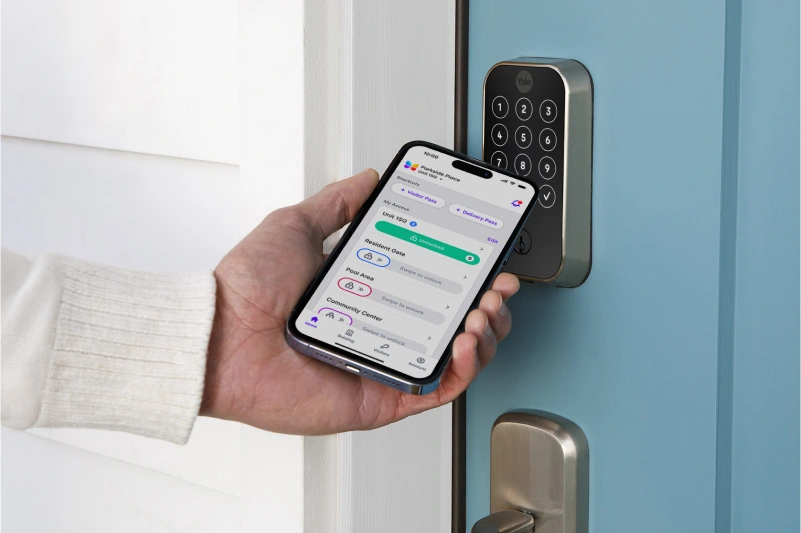
If you manage a small apartment building or rental portfolio, physical keys create constant admin work. Lost keys, rekeying after move-outs, vendor handoffs, and late-night visitor calls all add up fast.
To replace a master key system with smart locks and intercom, start by auditing every door and every user, then choose compatible smart locks and a video intercom, centralize access permissions, set up tenant credentials, create visitor and vendor PIN workflows, and connect property management software if supported. The goal is not just to remove keys. It is to make everyday access easier to manage.
For small multifamily properties, that usually means giving residents a simpler way to enter, letting staff manage permissions from one place, and reducing manual coordination for guests, deliveries, and contractors.
This guide covers:
- How to replace a master key system with smart locks and an intercom
- Map every access point before choosing hardware
- Choose smart locks and an intercom that work as one access system
- Plan tenant onboarding, deliveries, and vendor access
- How ButterflyMX helps replace keys with centralized property access
- FAQs
How to replace a master key system with smart locks and an intercom
Replacing a master key system is not a one-for-one hardware swap. It is a workflow change.
With a traditional setup, control depends on who has a key, who copied a key, and whether your records are current. With a digital setup, control shifts to credentials and permissions. You decide who can enter, which doors they can use, and how long that access should last.
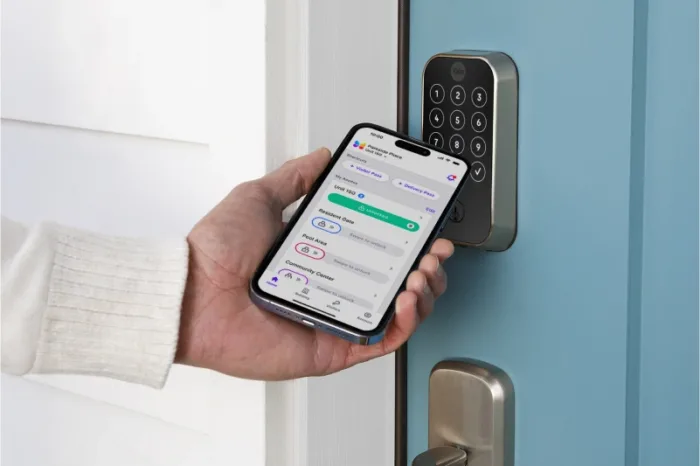
For a small multifamily property, that often means combining three pieces: smart locks on the doors you want to control, a video intercom at the main entrance or gate, and a central dashboard for managing residents, staff, visitors, deliveries, and vendors.
Why owner-managed properties outgrow master keys
Master keys can work for a while, especially in duplexes, triplexes, and smaller walk-up buildings. But they become harder to manage as the number of units, entrances, and service needs grows.
A tenant moves out and you need to decide whether to rekey. A contractor needs access for two hours, but the only option is handing off a physical key. A delivery driver arrives at the front door while you are off-site. You may also end up using separate apps for separate locks, which creates a different kind of mess.
The issue is not just convenience. It is visibility. Physical keys do not give you an easy way to adjust permissions, review activity, or handle short-term access without extra coordination.
What changes when access becomes digital
Once access becomes digital, you are no longer relying on one master key to solve every situation.
Residents might use a mobile credential, PIN, or key fob to enter approved doors. Visitors can call from a video intercom so tenants can see and speak with them before granting access. Vendors can receive temporary PINs that expire after the job is done. Delivery drivers can use limited-use credentials based on property rules.
That is the real difference. Instead of one tool for all users, you assign the right type of access for each use case.
Map every access point before choosing hardware
Before you compare products, make a simple access map for the property. List every entry point, who needs to use it, and whether access should be permanent, scheduled, or temporary.
This step matters because many small properties have more complexity than they appear to have at first glance.
Building entrances, unit doors, and separate entrances
Start with the front door, side entrances, unit doors, package rooms, laundry rooms, storage areas, and gates if the property has them. Then think about properties with unusual layouts, such as a duplex with separate entrances, a small courtyard building, or a mixed setup with one shared lobby and several direct-entry units.
Some owners ask whether one intercom screen can control multiple separate unit entrances. In some cases, yes, but that depends on the system configuration, supported hardware, and how each door is set up. That is something to verify with the provider and a qualified installer before you buy.
Do not assume every door needs the same device. Your main entrance may need a video intercom, while unit doors may be better suited to integrated smart locks. A side gate might need a different access method entirely.
Resident, owner, vendor, delivery, and visitor access
Next, identify your user groups. For most owner-managed properties, that includes residents, leasing staff, maintenance staff, cleaners, vendors, delivery drivers, guests, and the owner or property manager.
Each group usually needs a different kind of access. Residents need recurring entry. Guests need short-term visitor access. Vendors may need temporary PINs during scheduled service windows. Delivery drivers may need a one-time code or a limited-use pass for a package area or front entrance.
If you skip this exercise, you risk buying smart locks that open doors but do not support the real workflows that happen every week at your property.
- Resident access: Ongoing access to building and unit entry points
- Visitor access: Tenant-approved entry through the intercom or Visitor Passes
- Delivery access: Limited-use credentials for package drop-off workflows
- Vendor access: Temporary PINs or scheduled credentials for maintenance and contractors
- Staff access: Broader permissions for approved operational needs
Choose smart locks and an intercom that work as one access system
The biggest mistake is treating the intercom and the locks as separate purchases.
If the front entrance runs on one platform, the unit locks run on another, and visitor access lives somewhere else, you may still reduce keys, but you will not really simplify management. The stronger approach is to choose a system that connects front-door entry, resident credentials, smart lock integrations, and temporary access workflows in one place.
Smart lock integration with property management software
For owner-managers and small operators, onboarding is where digital access can save the most time. If your access platform supports integration with property management software such as Yardi, RealPage, or AppFolio, tenant records and access setup may be easier to manage during move-ins and move-outs.
For example, when a new resident is added in your property management software, their access setup may be faster and more consistent if your systems work together. When they move out, staff can remove access without collecting physical keys or scheduling rekeying for every affected door.
That said, compatibility is not universal. Ask which integrations are supported today, what data actually syncs, and whether your current software version is included.
Video intercoms, key fobs, PINs, and mobile access
A video intercom solves a different problem than a smart lock. Smart locks help control a specific door. A video intercom helps manage visitor entry at the property entrance by letting residents or staff see who is there and grant access remotely when appropriate.
That combination matters in small multifamily buildings. A resident can unlock their unit door with an approved credential, then let a guest into the front entrance from their phone without walking downstairs. Staff can issue key fobs for users who prefer them, while still supporting PINs or mobile access for others.
The question is not which credential type is best in the abstract. It is which mix fits your residents, your staff, and your building layout.
Plan tenant onboarding, deliveries, and vendor access
This is where a digital system proves its value. If daily access is still hard to manage, replacing the master key system will not feel like much of an upgrade.
Tenant onboarding and move-outs without rekeying
Think about a common turnover scenario. A tenant moves out on Friday. A cleaner and painter need access over the weekend. A new resident moves in on Monday.
With physical keys, that can mean collecting missing copies, coordinating lockbox access, deciding whether to rekey, and handing off a new set of keys. With centralized access management, you can revoke the former tenant’s credentials, issue temporary access for vendors, and set up the incoming resident without changing every cylinder on the property.
That does not remove the need for planning, but it does give you more control over timing and permissions. It can also reduce the number of manual steps across multiple buildings if you manage a small portfolio.
Delivery PINs, one-time visitor passes, and temporary vendor PINs
Small buildings deal with access interruptions all day. A package arrives when no one is on-site. A guest gets to the front door early. A plumber needs entry to a common area while the owner is across town.
Digital credentials help you handle these moments without relying on spare keys or lockboxes. Depending on the system, a delivery driver may receive a limited-use PIN or QR code for an approved drop-off point. A resident may send a guest a Visitor Pass for temporary entry. A maintenance vendor may get a PIN that only works during a scheduled service window.
These workflows are useful because they narrow access to a person, a place, and a period of time. That is much more controlled than leaving a master key under a mat, handing one to a contractor, or asking a resident to prop open the front door.
Before choosing a platform, ask how temporary access is created, how it expires, and whether you can review activity later if there is a question about who entered and when.
Discover how ButterflyMX works:
How ButterflyMX helps replace keys with centralized property access
If your goal is to replace keys with one more manageable system, ButterflyMX can help you bring several access workflows together instead of piecing them together across disconnected tools.
A unified platform for intercoms, smart lock integrations, and visitor access
ButterflyMX offers Video Intercoms, smart lock integrations, Visitor Passes, delivery PIN and QR code workflows, key fob readers, and centralized access management designed for real property operations.
For a small multifamily building, that can look like this: residents use approved credentials to enter the property, visitors call through the video intercom, tenants grant entry from their phones, property staff manage permissions from a central system, and vendors receive temporary access without key handoffs.
If you use property management software, ButterflyMX also offers integrations with platforms such as Yardi, RealPage, and AppFolio where supported. That can help reduce duplicate admin work during move-ins, move-outs, and day-to-day resident management.
The value is not just having more features. It is having fewer disconnected access processes to manage.
Questions to ask before you switch from master keys
Before you choose a platform, build your shortlist around the workflows that matter most at your property.
- Which doors actually need access control right now?
- Do you need a video intercom at the main entrance, smart locks at unit doors, or both?
- Which smart locks and credential types are supported?
- Can the system support separate entrances in a duplex or small multifamily layout?
- Do you want property management software integration for resident onboarding?
- How will guests, deliveries, and vendors get temporary access?
- Who on your team will manage permissions and access changes?
- Are battery backup, installer requirements, or other property-specific considerations relevant?
For configuration, installation, and property-specific system planning, work with the access control provider, a qualified installer, and other appropriate professionals when needed.
FAQs
How do I replace a master key system with smart locks and a video intercom?
Start by auditing every door, every user group, and every access scenario. Then choose compatible smart locks and a video intercom, centralize permissions, set up resident credentials, and create temporary access workflows for guests, deliveries, and vendors.
Can smart locks and intercoms sync with Yardi, RealPage, or AppFolio?
Some platforms support integrations with property management software, which can help streamline onboarding and offboarding. Support varies by provider, product, and configuration, so confirm exactly which integrations are available for your property.
How do delivery PINs and one-time visitor passes work for small apartment buildings?
They give approved users temporary access based on rules you set. A delivery credential may be limited to a single use or short time window, while a Visitor Pass can give a guest temporary entry without sharing a permanent credential.
Can one intercom control multiple separate entrances?
Sometimes, but it depends on the system setup and supported hardware. If you manage a duplex or a small property with separate entry paths, ask the provider how those doors can be configured before moving forward.
What should owner-managers consider before replacing physical keys?
Focus on doors, users, and daily workflows first. Make sure the system supports the way your tenants, staff, vendors, and deliveries actually move through the property, and verify compatibility, credential options, and admin tools before you buy.

Get your free quote!
Fill in the form below, and we'll email you right back.
Want a free quote?
Fill in the form below, and we'll email you right back.
You’ll be redirected shortly...