





Key takeaways:
- You may be able to keep existing fobs or keycards if the new system supports your reader, credential format, or a compatible converter setup.
- Reusing credentials can reduce disruption for employees, tenants, vendors, and other authorized users during an access control switch.
- Before replacing an intercom or access controller, document your doors, readers, credentials, and visitor access workflow so vendors can confirm compatibility.
You want to upgrade access at your commercial property or warehouse, but you do not want to hand out new fobs to every employee, tenant, vendor, or authorized user. Maybe the front entrance needs a video intercom for visitors, while the employee entrance already has a working fob reader. The challenge is figuring out whether the new system can fit into that workflow without creating extra work for your team.
In some cases, you can use existing key fobs when switching access control systems, but it depends on reader compatibility, credential format, and whether the new platform can support your existing hardware through compatible readers or an access-control converter. Before switching, confirm compatibility so you can avoid reissuing credentials or managing two systems.
This guide will cover:
- Can you use existing key fobs when switching access control systems?
- Why keeping existing fobs matters during a switch
- Your main options for migrating key fobs to a new system
- What to check before replacing an intercom or access controller
- How ButterflyMX can help simplify the switch
- FAQs

Can you use existing key fobs when switching access control systems?
Yes, you may be able to use existing key fobs when switching access control systems, but it is not something to assume before a site review. Fobs and keycards are only one part of the access workflow. The reader at the door, the controller behind the system, the credential technology, and the new platform all affect whether your current credentials can continue working.
For a small commercial building, that distinction matters. If employees already badge into a side entrance every morning, you may not want to change that routine just because you are adding a new intercom at the visitor entrance. But if the existing reader cannot communicate with the new access platform, your team may need a different migration plan.
When existing fobs may be reusable
Existing fobs or keycards may be reusable when the new access control system supports the same credential technology, can work with compatible readers, or can connect to existing reader hardware through an approved converter setup. In that scenario, users may continue presenting the same fob at the door while managers move toward a newer software experience for permissions and access management.
For example, a warehouse might have employees using keycards at a staff entrance and delivery supervisors using fobs at a loading-area door. If the new system can support those credentials or readers, the property may be able to modernize management without forcing every authorized user to immediately learn a new entry process.
When you may need new credentials
New credentials may be necessary if the existing fobs, cards, or readers are not compatible with the new platform. They may also be worth considering if the current credentials are difficult to administer, tied to a system you are trying to retire, or unable to support the access experience you want going forward.
The tradeoff is practical. Reissuing credentials can be disruptive, but keeping old credentials just to avoid change can limit your new system. If your facilities team cannot easily remove a former employee, update tenant permissions, or review access activity, keeping the current setup may preserve a familiar workflow while leaving the underlying management problem unresolved.
Why keeping existing fobs matters during a switch
The real concern is usually not the fob itself. It is the work created when a property changes access routines. Someone has to collect old credentials, issue new ones, update records, answer user questions, and make sure the right people can still get through the right doors on the first day the new system is active.
At a warehouse or small commercial property, access changes can affect shift workers, office tenants, cleaning crews, delivery vendors, maintenance technicians, and managers. If those groups arrive at different times or use different entrances, even a well-intentioned upgrade can create confusion unless the migration is planned around how people actually move through the property.
Avoid reissuing fobs or keycards to every user
Replacing credentials is more than a handout task. Your team may need to verify who should still have access, remove outdated users, distribute new fobs, copy existing fobs, explain new entry procedures, and handle exceptions for people who are off-site or on a different shift. If you have vendors who only visit after hours, credential replacement can become harder to coordinate.
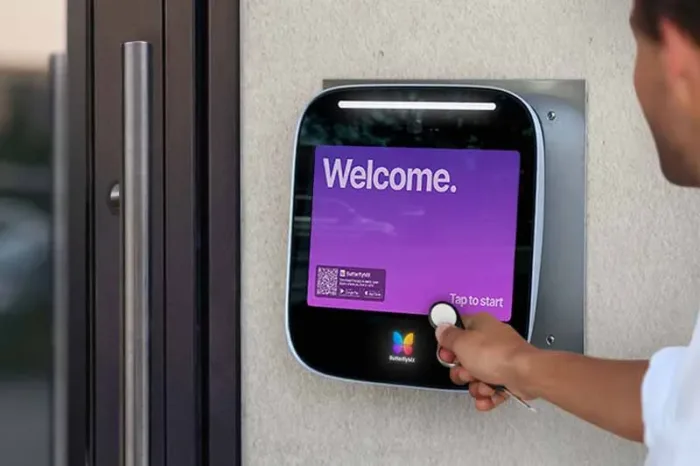
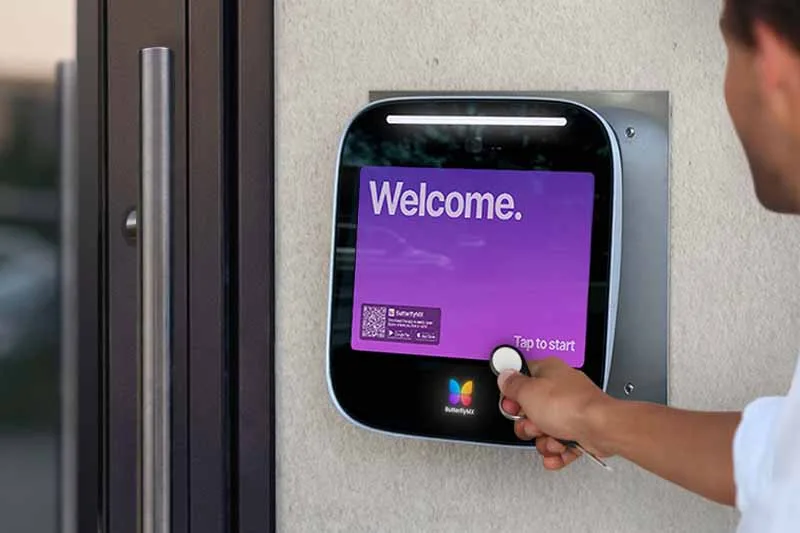
Keeping existing keycards when installing a new intercom can reduce that burden if compatibility is confirmed. Employees can keep using the same credential at the employee entrance, while the property adds a better visitor workflow at the front door. That lets the access upgrade focus on the problem you are actually trying to solve instead of turning into a full credential replacement project.
Avoid managing two separate access control systems
Another common migration mistake is adding a new intercom while leaving the existing fob system completely separate. On paper, this can look like the fastest path. In practice, it often means one platform for visitor entry and another for employee or tenant access.
That split creates administrative gaps. A manager might remove a former employee from one system but forget to update the other. A facilities lead may need to check two places to understand who accessed a door. A tenant may call the property team because their visitor workflow and employee entrance workflow follow different rules. If your goal is to avoid managing two separate access control systems, ask early whether the new solution can support a cleaner credential and visitor access workflow.
Your main options for migrating key fobs to a new system
There are a few ways to migrate key fobs to a new intercom or access platform. The right path depends on what is already installed, what you want the new system to manage, and how much change your users can tolerate during the transition. Treat this as a decision framework, not an installation guide.
Option 1: Use a compatible reader or credential format
One option is to choose access hardware and software that can support your existing credential format or a reader configuration that works with your current credentials. This is the cleanest path when it is available because it can let authorized users continue using familiar fobs or keycards while your property gains a newer management interface.
Before you buy, ask the vendor or installer to review the credentials in use, the readers at each door, and the way those doors are controlled. Do not rely on the fact that a fob looks similar to another fob. Two credentials may look alike but behave differently behind the scenes. A compatibility review helps prevent the unpleasant discovery that your current fobs cannot be enrolled after installation.
Option 2: Use an access-control converter for a legacy reader
In some cases, an access-control converter for legacy RFID readers may help bridge existing reader hardware to a new access platform. This can be useful when the reader outside the door is in good condition, the users are already trained on the credential, and the property wants to modernize the software or add an intercom without replacing every reader immediately.
The buyer consideration is supportability. A converter may simplify migration, but it still needs to be compatible with your existing reader, controller setup, and desired access workflow. Your access control provider, installer, and any other qualified professionals involved should confirm whether this approach is appropriate for your property before you commit to it.
Option 3: Phase in new credentials where they make sense
Sometimes the practical answer is a phased migration. You might reuse existing access credentials with a new system for employee entrances, then issue new credentials only to certain user groups or doors over time. This can be helpful if one building entrance is ready for a new access workflow while another area still depends on legacy hardware.
For instance, a facilities manager may decide to replace an intercom without reissuing key fobs to every employee immediately. Visitors use the new front-door intercom, employees continue using fobs at the staff entrance, and the property plans credential updates during a quieter operational window. The key is to avoid creating a long-term patchwork that your team cannot easily manage.
What to check before replacing an intercom or access controller
Before replacing an intercom or access controller, gather enough information for a vendor or installer to give you a realistic compatibility answer. You do not need to become a credential-format expert, but you do need a clear inventory of what users do today and what you want them to do after the switch.
Check your current fobs, keycards, and readers
Start with a simple access inventory. Identify which doors have readers, which users have fobs or cards, who manages those credentials, and which areas each credential opens. Note any special groups, such as cleaning crews, delivery vendors, tenant managers, contractors, or staff who need after-hours entry.
Then ask your vendor or installer to evaluate legacy RFID reader compatibility and credential support. Useful questions include:
- Can the new system support our existing fobs or keycards?
- Can our current readers be reused, or do they need to be replaced?
- Is a converter available and appropriate for our setup?
- Will managers be able to add, revoke, and update users from one place?
- What happens if we keep some existing credentials and issue new ones later?
Check how visitor and employee access should work
Next, map the actual access workflow. A small commercial property may have visitors arriving at a public entrance, employees entering through a side door, and delivery drivers going to a warehouse or loading area. Each group needs a different path, and your access system should reflect that.
If you are adding a video intercom, decide who should receive visitor calls, who can unlock the door remotely, and whether employees should continue using fobs or keycards at their regular entrance.
If you are trying to keep the existing employee workflow, make sure the new system does not force staff to manage visitor permissions in one platform and employee credentials in another.
Also consider the transition day.
Who will test each door? How will managers know whether a credential issue is related to the fob, reader, controller, or software? Who communicates the new visitor process to tenants or staff? A good migration plan answers these questions before the first user is standing outside a locked door.
Discover how ButterflyMX works:
How ButterflyMX can help simplify the switch
ButterflyMX helps properties modernize access by combining visitor entry, credential-based access, remote unlock, and software-based management. For a commercial property or warehouse, that can mean adding a video intercom at the visitor entrance while continuing to support key fob or keycard workflows for authorized users where appropriate.
ButterflyMX helps manage the access and authorization workflow. It does not replace every piece of existing access hardware by default, and compatibility with existing readers, fobs, keycards, or converter options should be reviewed during the evaluation process with the appropriate professionals.
Combine front-door visitor access with credential-based entry
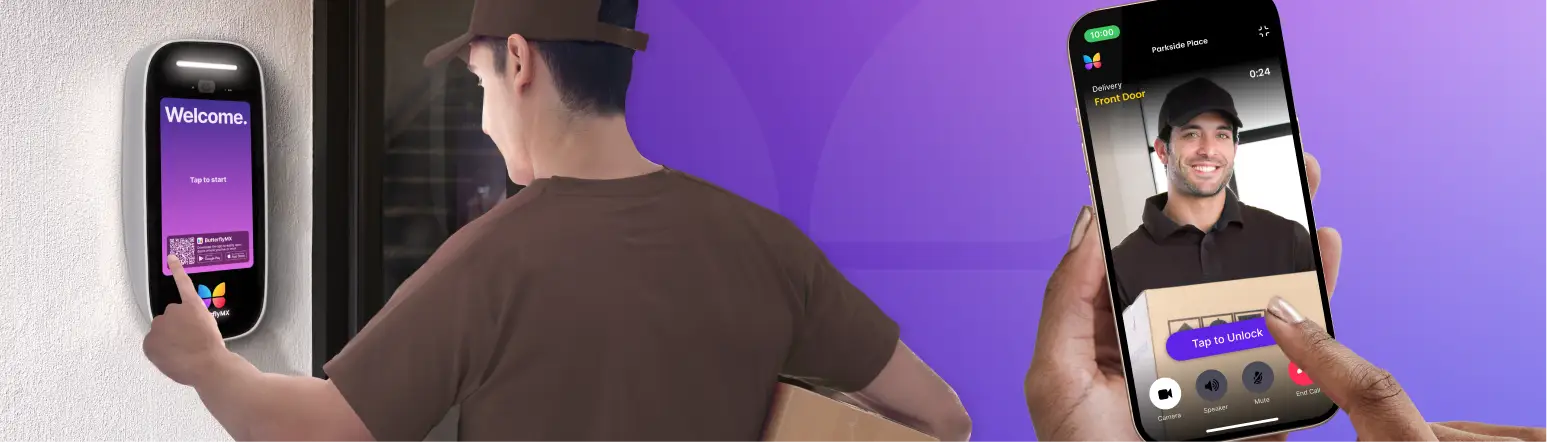
With a ButterflyMX Video Intercom, visitors can request access at the front door, and authorized staff can see and speak with them before granting entry. That is useful when a vendor arrives for a scheduled repair, a delivery driver needs direction, or a guest comes to a tenant suite and there is no receptionist stationed at the entrance.
At the same property, authorized users may still need fast credential-based entry at employee doors, tenant entrances, or controlled interior areas.
Key fobs and keycards can support that routine when configured as part of the access plan. Mobile app remote unlock can also help approved users grant access without walking to the entrance, which is especially useful for managers covering multiple doors or staff who are not sitting near the front lobby.
Plan your migration before you install
The best time to discuss credential migration is before equipment is selected. Bring your current fobs, keycards, reader locations, door list, and visitor workflow into the conversation early.
That gives ButterflyMX and your installer a clearer picture of whether you can keep existing credentials, use compatible readers, explore a converter, or phase in new credentials.
If your main goal is to use existing key fobs when switching access control systems, make compatibility review part of your buying process. A thoughtful migration plan can help you modernize visitor access, limit unnecessary credential changes, and give your team a clearer way to manage permissions as users, tenants, vendors, and access policies change.
Frequently asked questions
Can I use my existing key fobs with a new intercom?
Sometimes. Existing fobs may work if the new system supports the credential format, compatible readers, or a converter setup. Confirm compatibility before purchasing or installing the new intercom.
Do I need to reissue keycards when replacing an access controller?
Not always. If your keycards, readers, and new platform are compatible, you may be able to keep current credentials. If they are not compatible or are difficult to manage, reissuing may be the cleaner long-term option.
How can a legacy fob reader work with a new access platform?
In some situations, a compatible reader setup or access-control converter can help connect a legacy reader to a newer platform. Your vendor or installer should verify whether your specific reader and system architecture support that approach.
How do I avoid managing two access control systems?
Ask whether the new solution can manage visitor access and credential-based entry within a unified workflow. Also confirm how users are added, removed, and updated so your team is not maintaining separate permission lists.
What should I confirm before switching systems?
Confirm which credentials are in use, which doors have readers, who needs access, how visitors should enter, whether existing hardware is compatible, and what your migration plan looks like if some credentials need to change.
Get your free quote!
Fill in the form below, and we'll email you right back.
Want a free quote?
Fill in the form below, and we'll email you right back.
You’ll be redirected shortly...