





Key takeaways:
- Remote deactivation lets you revoke a lost or unreturned key fob without rekeying the office.
- Small offices can mix key fobs, PINs, and mobile access to fit staff, vendors, and visitor workflows.
- Access logs help office managers review after-hours entry and answer day-to-day access questions faster.
If you have ever had an employee leave without returning a key, you already know the problem. A small office can end up guessing who still has access, whether copies were made, and whether it is time to rekey the front door.
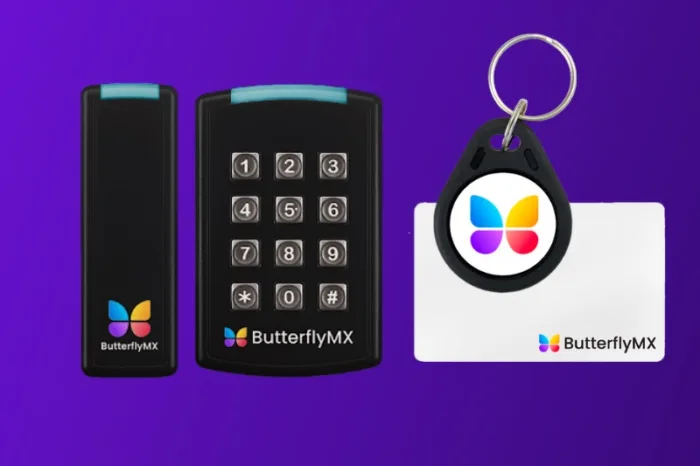
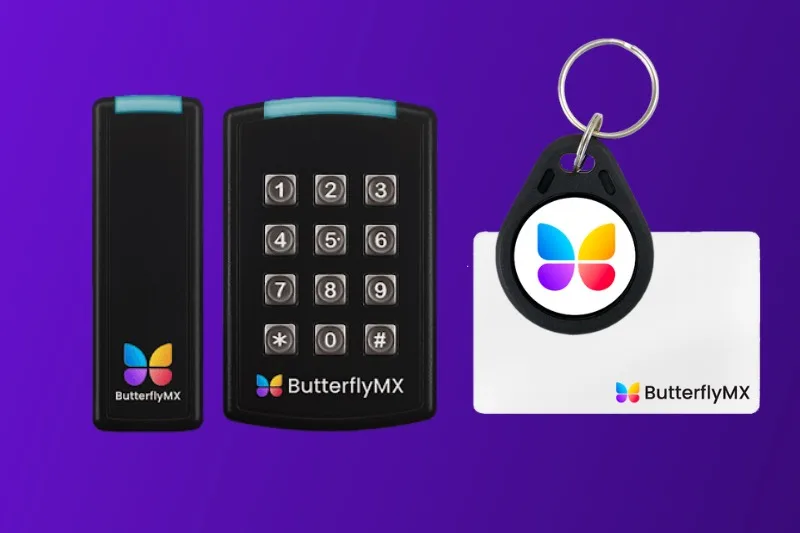
A key fob system for small office with remote deactivation gives you a more controlled way to manage entry. Instead of relying on physical keys, you issue electronic credentials that can be removed when a fob is lost, an employee leaves, or a visitor only needs short-term access.
That matters for offices with lean teams, especially dental offices, small medical practices, and other businesses that do not have a dedicated security department. You need a system that is simple to manage, flexible for daily operations, and clear enough to show who came in and when.
This guide covers:
- Why small offices need remote deactivation
- How the system works
- Keyless entry options for small offices
- How to handle visitors and temporary access
- How to choose a system that fits your office
- FAQs
Why small offices need remote deactivation
Physical keys are easy to hand out, but they create a long tail of follow-up work. If an employee quits, a contractor stops coming on site, or a staff member loses a key ring, your office is left with a messy question: who can still get in?
That issue hits small businesses harder because there is usually no full-time security team to manage it. The office manager, practice administrator, owner, or facilities lead ends up chasing keys, changing locks, or making judgment calls with incomplete information.
The problem with unreturned physical keys
Unreturned keys create both risk and hassle. You may not know whether the key is sitting in a drawer, was copied, or was passed between employees for convenience.
Think about a dental office with an early cleaning crew, front desk staff, and a vendor who occasionally services equipment. Over time, extra keys tend to circulate. Even if everyone acts in good faith, the office can lose track of who should still have access to the front entrance, staff door, or storage area.
Rekeying may solve part of the problem, but it adds cost and disruption. Then you have to redistribute new keys and hope the same issue does not happen again a few months later.
What remote deactivation changes
Remote deactivation replaces that scramble with a simpler workflow. Instead of recovering every physical key before you can feel confident about access, you remove the credential from the system so that fob, PIN, or key card no longer opens the door.
That does not mean access control solves every security concern by itself. But it does give you a faster way to respond when access should end.
For a small office, that shift is practical. If a staff member leaves on Friday, an authorized manager can deactivate access right away rather than waiting for someone to drop off a key on Monday.
How the system works
At a basic level, a key fob system for small office with remote deactivation lets you assign an electronic credential to a person, decide which door that credential should open, and remove it when needed. Many offices also want the option to issue PINs or mobile credentials alongside fobs.
The day-to-day workflow is usually straightforward. You add an employee, give them a fob or another approved credential, and set their access based on the office routine. If they work regular hours, you manage access around that schedule. If they should no longer enter the office, you deactivate the credential.
How to remotely deactivate a lost or unreturned key fob
If a staff member reports a lost fob, an authorized manager signs into the access system and disables that credential. Once it is removed from active use, the lost key or fob should no longer unlock the office door.
The same approach applies when someone leaves and does not return their fob. Instead of waiting to physically recover it, you revoke access in the system. That is the main reason many small offices move away from traditional keys.
This matters in offices where turnover, part-time staffing, or shared responsibilities are common. A small medical office, for example, may have rotating administrative staff, cleaning vendors, and service providers who do not all need permanent credentials.
Why access logs and audit trails matter
Access logs give office managers a record of entry activity. If there is a question about who entered after hours, whether a former employee attempted access, or when a vendor arrived, the log helps you review what happened.
That visibility is useful even for routine management. If the first employee opens the office each morning, you can confirm the usual entry pattern. If someone says they could not get in, you have a starting point for troubleshooting.
An access log is not just a security feature. It is also an operations tool. It can help you answer practical questions without relying on memory, text messages, or a handwritten key sign-out sheet.
Keyless entry options for small offices
Not every office wants to rely on one credential type. In many cases, the best setup combines key fobs with keypad PINs or mobile access so different users can enter in different ways.
Key fobs and keypad PINs
Key fobs work well for regular employees who come and go through the same entrance every day. They are familiar, simple to distribute, and easy to replace in the system if one is lost.
PINs are often useful when you want access without handing out another physical item. A small office might use a keypad PIN for part-time staff, a cleaner, or a temporary worker who needs access for a limited period.
This can also be a practical form of keyless entry for a dental office. Staff can use fobs for daily access, while a temporary PIN can be assigned to a service technician arriving before patients or after the office closes.
Some offices prefer PINs for back-of-house doors and fobs for the main entry. Others want both options available so they are not relying on a single method.
Mobile app door access for small offices
Mobile access can reduce the need to issue additional physical credentials. If an office manager, owner, or clinician already carries a phone at all times, mobile app door access may be easier to manage than another key or fob.
It can also help when you need to change access quickly. Instead of collecting a physical credential first, you can update the person’s permissions in the system.
For small teams, flexibility matters. Some employees may prefer a fob. Others may want mobile access. The important question is whether the system gives you options without making management harder.
How to handle visitors and temporary access
One of the clearest advantages of moving away from physical keys is that you no longer have to treat every short-term visitor like a permanent user. That matters for offices with vendors, cleaners, contractors, or temporary staff.
Temporary PIN visitor passes for small business
Temporary PIN visitor passes for small business give you a way to grant short-term access without handing over a key that may never come back. Instead of maintaining a spare key in a drawer, you create a limited credential for the person who needs entry.
That is often easier to control. Once the visit is over, the temporary credential can expire or be removed so it is not still active weeks later.
For a small office, this is useful for routine but occasional access. Examples include a copier technician, an IT vendor, a weekend cleaner, or a contractor handling a short project.
Examples of temporary access workflows
Imagine a vendor scheduled to arrive after business hours. Rather than asking a staff member to stay late or leaving a key hidden somewhere, the office can issue a temporary PIN for that visit.
A dental practice might do something similar for a technician servicing equipment before the first patient arrives. The technician gets approved access for the visit without receiving a permanent credential.
Short-term workflows also help with staffing changes. If you bring in a temporary front desk employee for two weeks, you can give them the access they need without creating another long-term key recovery problem.
Visitor access is where many small offices feel the difference right away. The process becomes more deliberate, easier to track, and less dependent on spare keys that pass from hand to hand.
How to choose a system that fits your office
If you are comparing systems, focus less on feature overload and more on whether the setup matches your daily access routines. A small office keyless entry system should be easy to manage without a large admin team.
Features to prioritize
Look for features that solve the actual problem you are trying to fix:
- Remote credential deactivation so you can disable a lost or unreturned fob quickly
- Multiple credential options such as key fobs, PINs, and mobile access
- Temporary access tools for visitors, vendors, and short-term staff
- Access logs that show who entered and when
- Simple management so office staff can update permissions without a complicated process
- Room to scale if your team grows or you add more doors later
You should also think about your specific office environment. A dental or small medical office may want a straightforward front-door workflow for employees while limiting access to storage or staff-only areas. The best choice depends on who needs access, how often they need it, and how quickly your team can update permissions when something changes.
Discover how ButterflyMX works:
How ButterflyMX supports small office access management
ButterflyMX gives small commercial offices a more flexible way to manage access from one cloud-based platform. Authorized staff can add or remove users, update permissions, and review entry activity from a smartphone or computer.
Depending on the office’s hardware and configuration, employees can enter using the ButterflyMX mobile app, a key fob or keycard, or a PIN code. When an employee leaves or a credential is lost, staff can revoke or update access without replacing every physical key.
For visitors, vendors, and temporary staff, ButterflyMX supports time-limited Visitor Passes and PINs. This allows an office to provide access for a specific visit or approved period instead of issuing a permanent credential.
By centralizing permissions, temporary access, and entry logs, ButterflyMX helps office teams spend less time tracking keys and gives them clearer control over who can enter the property.
Frequently asked questions
What is a key fob system for a small office with remote deactivation?
It is an access control system that lets you issue electronic credentials instead of physical keys. If a fob is lost or an employee leaves, an authorized manager can deactivate that credential so it no longer opens the door.
How can I remotely deactivate a lost key fob for my small office?
In most systems, a manager signs into the admin dashboard and disables the lost credential. That lets you stop access without waiting to recover the fob or rekey the lock.
Can I use PIN codes or visitor passes instead of giving out keys?
Yes. Many small offices use PINs for temporary staff, vendors, or visitors who need short-term entry. This can be easier to control than handing out a spare key that may not be returned.
What keyless entry options work well for a dental or small medical office?
Many offices use a mix of key fobs, keypad PINs, and mobile access. The right setup depends on how your staff enters the building, whether vendors need occasional access, and which areas should remain limited to approved personnel.
How do access logs help office managers track employee entry?
Access logs show who entered and when. They help managers review after-hours activity, investigate access questions, and maintain clearer accountability than a manual key tracking process.

Get your free quote!
Fill in the form below, and we'll email you right back.
Want a free quote?
Fill in the form below, and we'll email you right back.
You’ll be redirected shortly...