






Key takeaways
- Modern access control systems are essential for managing secure, flexible entry for maintenance teams across multifamily, commercial, and gated properties.
- Role-based and attribute-based access models offer property managers the best balance of control, convenience, and accountability.
- Digital tools like keypads, intercoms, and visitor passes provide real-time visibility and reduce the risks associated with traditional keys and badges.
- ButterflyMX’s integrated solutions streamline maintenance staff access management, improving security while saving time and operational costs.
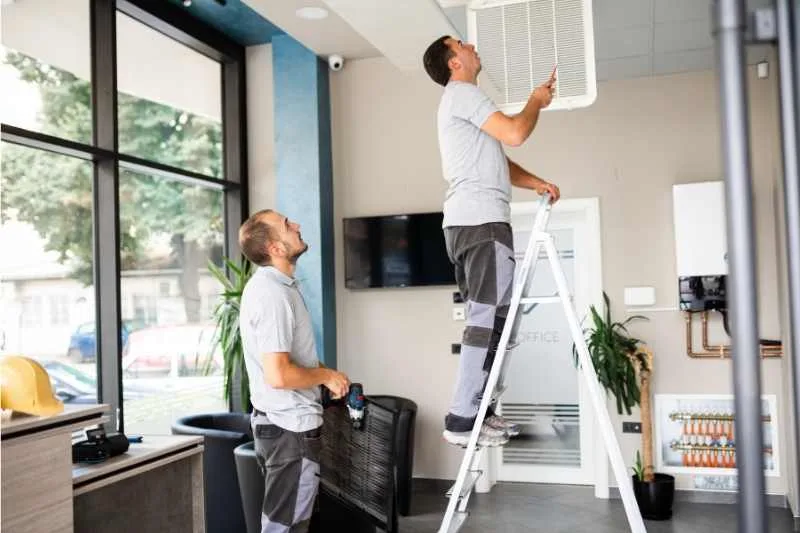
Maintenance staff play a critical role in keeping properties safe, functional, and well-maintained, often working behind the scenes and during off-hours. Yet despite their importance, managing when and how maintenance personnel access your building can be a major security and operational challenge. Whether you’re overseeing a multifamily community, a commercial complex, or a gated property, giving the right people the right access at the right time is essential.
Without a clear access management system, property managers risk unauthorized entry, lost keys, inefficient workflows, and costly delays. That’s why modern access control tools, like smart intercoms, keypads, and digital visitor passes, are becoming essential for maintaining both security and efficiency.
In this post, you’ll learn what maintenance staff access management really means, explore the pros and cons of traditional vs. modern methods, and walk through best practices and technologies that can streamline your operations.
Navigate this post:
- What is maintenance staff access management?
- The 4 types of access control explained
- How access management applies to maintenance teams
- Pros & cons of traditional vs. modern access methods
- Evaluating access control systems for maintenance use
- Best practices for maintenance staff access management
- ButterflyMX solutions for streamlined access
- How to choose the right access setup for your property
- Maintenance staff access management FAQs
More than 100K, 5-star reviews!
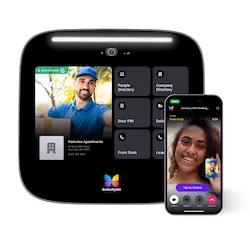
Video Intercoms
Open doors, gates & garages from anywhere.

QR Code Intercom
Smartphone-based visitor access.
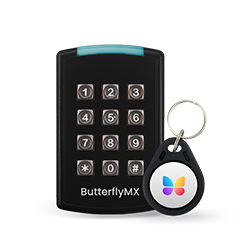
Access Control
Fob, key cards, PINs, and mobile apps.
Security Cameras
Visibility throughout your property.
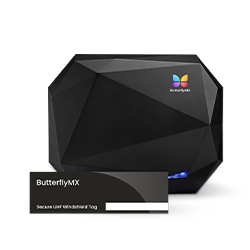
Vehicle Access
Hands-free access for gates & garages.
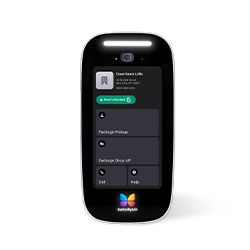
Package Room
Receive, store, and manage deliveries.
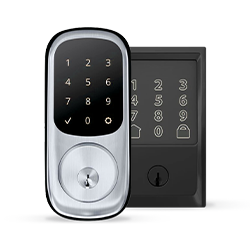
Smart Locks
Connect to all major brands and models.
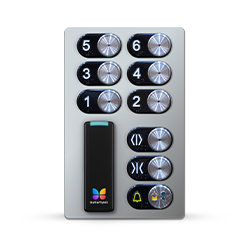
Elevator Controls
Unlock key-fobbed elevators for anyone.
Front Desk Station
See all your doors and cameras in one place.
What is maintenance staff access management?
Maintenance staff access management refers to the systems and processes used to control, monitor, and grant entry permissions to personnel responsible for maintaining building infrastructure, including HVAC, plumbing, electrical, and general repairs. Unlike general staff access, which typically follows standard business hours and fixed permissions, maintenance access often requires greater flexibility. Technicians may need to enter secure areas after hours, coordinate with third-party vendors, or respond to emergency service calls at a moment’s notice.
Effective access management ensures that maintenance teams can do their jobs without compromising building security. It involves assigning appropriate credentials, limiting access to only necessary areas, and maintaining an audit trail of who accessed what and when.
Thanks to advancements in property technology, access management is shifting from physical keys and manual check-ins to cloud-based systems that offer real-time control and visibility. Property managers can now issue temporary digital credentials, automate access schedules, and integrate access control with maintenance software, all from a centralized dashboard. This evolution not only improves security but also streamlines operations, reduces administrative overhead, and enhances the resident or tenant experience.
The 4 types of access control explained
When it comes to managing who can enter certain areas of a property and under what conditions, understanding the different types of access control models is essential. Each model offers a unique approach to security, flexibility, and user permissions. For property managers overseeing maintenance teams, selecting the right model can make a significant difference in both operational efficiency and risk reduction.
The four types of access control include:
- Discretionary Access Control (DAC)
- Mandatory Access Control (MAC)
- Role-Based Access Control (RBAC)
- Attribute-Based Access Control (ABAC)
1. Discretionary Access Control (DAC)
In a DAC system, the owner of the resource (such as a room or system) decides who has access. While flexible, DAC is generally less secure because it allows users to transfer access privileges to others.
Use case: Rarely ideal for maintenance teams due to limited control and high security risk.
2. Mandatory Access Control (MAC)
MAC enforces strict access rules based on classifications. Only administrators can grant or modify permissions, making it highly secure but inflexible.
Use case: Best suited for industrial or government properties where strict access control is needed, but may be too rigid for day-to-day property maintenance operations.
3. Role-Based Access Control (RBAC)
RBAC assigns access based on job roles. For example, all maintenance personnel might have access to utility rooms, but only the lead technician can enter server or control rooms.
Use case: Ideal for multifamily and commercial properties where access needs vary by role. It simplifies administration while maintaining security.
4. Attribute-Based Access Control (ABAC)
ABAC goes beyond roles and uses attributes (like time of day, location, or job type) to determine access. It’s the most dynamic model, supporting fine-grained control.
Use case: Excellent for properties needing flexible, time-based access, such as granting temporary entry to third-party maintenance vendors after hours.
How access management applies to maintenance teams
Maintenance teams are essential to the smooth operation of any property. They’re responsible for a wide range of tasks, from routine inspections and preventive maintenance to handling urgent issues like HVAC failures, plumbing leaks, and electrical outages. These responsibilities often require access to restricted or sensitive areas that aren’t open to residents, tenants, or general staff.
This is where access management becomes critical. Maintenance staff need secure, flexible, and trackable access to perform their duties efficiently, often outside of standard business hours or in response to emergencies. Without a streamlined system, property managers face delays, security risks, and logistical headaches.
Common access points for maintenance personnel include:
- Mechanical and utility rooms
- Rooftop HVAC units
- Electrical and control rooms
- Parking garages or loading docks
- Storage areas for tools and supplies
- Gated entries for vendor vehicle access
Granting physical keys or generic fobs often leads to lost items, unauthorized duplication, or a lack of accountability. Modern access control solutions, such as mobile credentials, keypads with unique PINs, and intercom-based access requests, offer a more secure, auditable way to manage who goes where and when.
With the right access system in place, property managers can empower maintenance teams to do their jobs quickly and safely, while maintaining full control over the property’s security.
Pros & cons of traditional vs. modern access methods
Choosing the right access method for your maintenance staff can impact everything from operational efficiency to building security. Property managers often have to decide between sticking with familiar, traditional tools or upgrading to more advanced digital systems.
Here’s a breakdown of the pros and cons of each approach:
Traditional access methods
Examples: Physical keys, ID badges, manual sign-in logs
Pros:
- Simple and widely understood by staff and vendors
- No training or technology investment needed
- Low upfront cost
Cons:
- Easy to misplace, duplicate, or misuse
- No real-time visibility into who accessed what and when
- Rekeying or replacing badges is costly and time-consuming
- No centralized control or remote management capabilities
Modern digital access methods
Examples: Smart intercoms, keypads with PIN codes, mobile credentials via smartphone apps
Pros:
- Remote access control from a dashboard or mobile app
- Audit logs and real-time tracking of entry events
- Ability to issue time-limited or single-use credentials
- Enhanced security and reduced risk of unauthorized entry
Cons:
- Higher initial investment in hardware and setup
- May require training for staff and vendors unfamiliar with the tech
- Dependent on network connectivity and system uptime
Evaluating access control systems for maintenance use
Not all access control systems are created equal, especially when it comes to managing maintenance teams. Property managers need to evaluate solutions based on more than just security. The right system should also improve usability, deliver a strong return on investment, and integrate seamlessly with existing tools.
Here’s what to consider:
Security
Prevent unauthorized access. Maintenance areas often house sensitive equipment and infrastructure. A strong access control system helps restrict entry to only authorized personnel.
Time-based or zone-specific access. Grant access only during certain hours or to specific parts of the building, ideal for third-party vendors or after-hours service.
Usability
User-friendly for staff and vendors. Maintenance teams need quick, intuitive access without a steep learning curve.
Rapid onboarding. Look for systems that let you add or remove users instantly, so you’re not held up waiting for physical keys or badges.
Cost & ROI
Reduced rekeying and replacements. Digital credentials eliminate the need for physical key management, saving time and money.
Operational efficiency = labor savings. Faster access, better coordination, and fewer interruptions free up staff time and reduce emergency response delays.
Integrations
Work order systems and staff directories. Connecting access control with your maintenance management software ensures permissions are always aligned with staff roles and assignments.
Compatibility with intercoms and visitor systems. A unified ecosystem allows seamless coordination between entry points, staff access, and vendor visits.
Best practices for maintenance staff access management
To maintain both security and efficiency, property managers should implement a structured approach to managing access for maintenance personnel.
Here are key best practices that help protect your property while empowering your maintenance team to work effectively:
- Assign role-based permissions. Not every technician needs access to every part of the building. Use role-based access control (RBAC) to assign permissions based on job function, such as limiting access to mechanical rooms or server areas to only senior maintenance staff.
- Use keypads or mobile credentials. Replace physical keys with digital access tools like keypads and mobile credentials. These allow for real-time access control, unique user identification, and easy credential updates without reissuing hardware.
- Issue visitor passes to third-party vendors. For external contractors or one-time service providers, use visitor passes with limited-time or single-use access. This minimizes risk while allowing necessary work to be completed without delay.
- Track and audit all access events. Choose systems that log entry events, including who accessed which area and when. This audit trail is invaluable for investigating incidents, verifying service work, and ensuring compliance.
- Revoke access quickly when needed. Ensure your system allows instant deactivation of credentials for employees who leave or vendors who no longer need access. Fast revocation prevents unauthorized entry and protects sensitive areas.
ButterflyMX solutions for streamlined access
ButterflyMX offers a suite of access control products designed to simplify and secure maintenance staff access across multifamily, commercial, and gated properties. By replacing outdated systems with smart, cloud-based solutions, property managers can gain full control over who enters their buildings and when.
Video Intercoms
Allow maintenance staff or third-party vendors to request access remotely via video intercom. With mobile app integration, property managers can grant entry from anywhere, ensuring urgent service calls or deliveries aren’t delayed.
Keypads
Assign unique PIN codes to maintenance personnel for secure and auditable entry. Codes can be created, modified, or deactivated instantly, reducing the risk of unauthorized access and eliminating the need for physical keys.
Visitor Passes
Issue temporary digital passes to external contractors or service providers. These passes include expiration times and access restrictions, providing a safe and efficient way to manage short-term access without compromising security.
Why property managers choose ButterflyMX
- Control. Manage access remotely and in real time.
- Convenience. Eliminate the need for in-person key handoffs or rekeying.
- Compliance. Maintain a detailed log of all entry activity for audits and liability protection.
ButterflyMX’s solutions make maintenance staff access management smarter, safer, and more efficient, helping you protect your property while keeping operations running smoothly.
How to choose the right access setup for your property
Selecting the right access control setup for maintenance staff isn’t a one-size-fits-all decision. Your property’s layout, usage patterns, and service demands all play a role.
Here’s how to make the best choice:
- Consider property type
- Evaluate traffic patterns and service needs
- Think long-term: Scalability and system management
Consider property type
Multifamily buildings may require flexible, resident-friendly systems that allow maintenance to access units or amenity spaces efficiently.
Commercial properties often have stricter access requirements for areas such as server rooms or HVAC zones and may require time-restricted entry.
Industrial facilities typically need higher security, with access divided by zones and roles to protect sensitive equipment or inventory.
Evaluate traffic patterns and service needs
Understand how frequently maintenance personnel, both internal and external, access different areas of your property. If your team responds to regular service calls or emergencies, you’ll benefit from a system that supports real-time remote access and fast credential updates.
Think long-term: Scalability and system management
Choose a system that can scale with your property. As your team grows or vendor needs evolve, you’ll want the ability to add new users, update access schedules, and integrate with other platforms (like intercoms or work order systems) without replacing your entire setup.
Maintenance staff access management FAQs
- What are the 4 types of access control?
- What is the job description of access management?
- What are the 4 principles of access control?
- What is access control maintenance?
What are the 4 types of access control?
The four main types are Discretionary Access Control (DAC), Mandatory Access Control (MAC), Role-Based Access Control (RBAC), and Attribute-Based Access Control (ABAC). Each offers different levels of flexibility and security.
What is the job description of access management?
Access management involves overseeing who can enter specific areas of a building, when, and under what conditions. It’s a critical role in maintaining both security and operational efficiency.
What are the 4 principles of access control?
The core principles are:
- Identification. Recognizing the user.
- Authentication. Verifying the user’s identity.
- Authorization. Granting appropriate access.
- Accountability. Tracking and logging usage.
What is access control maintenance?
It refers to the regular maintenance of access control systems, including software updates, hardware checks, and reviews
Get your free quote!
Fill in the form below, and we'll email you right back.
Want a free quote?
Fill in the form below, and we'll email you right back.
You’ll be redirected shortly...