





Key takeaways:
- A one-time delivery code is a temporary PIN, QR credential, or digital pass that gives a courier limited entry under the building system’s rules.
- Temporary delivery credentials reduce the exposure that comes with sharing a reusable gate, buzzer, or resident code, but they do not protect a package after drop-off.
- Resident-issued passes, carrier-specific access, staff-mediated entry, and package rooms solve different parts of the delivery problem.
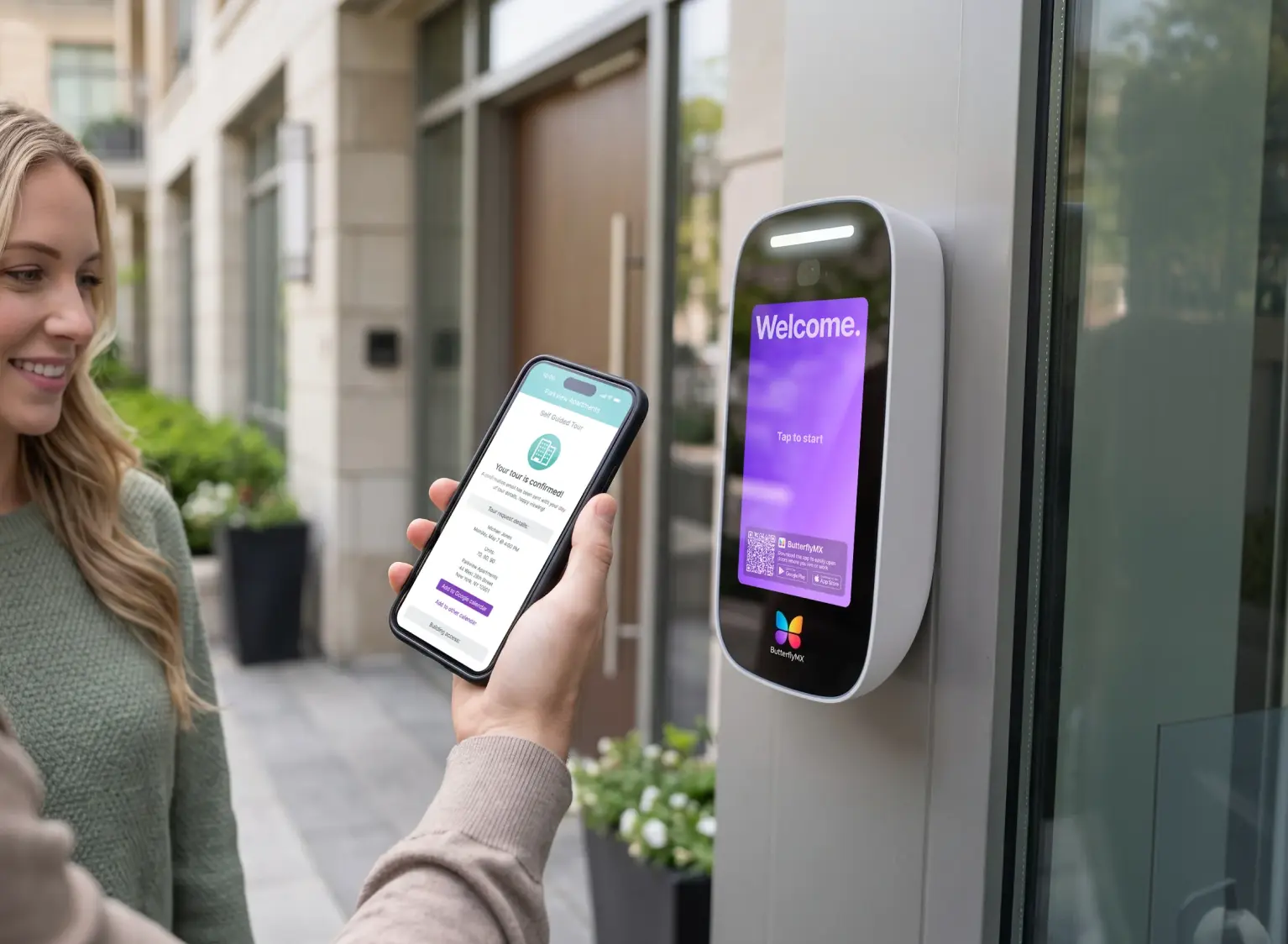
A locked apartment building creates a simple delivery problem: the courier needs to get in, but the resident should not have to give out a permanent building code. A one-time delivery code for an apartment building solves that problem by giving the courier a temporary way to enter for a specific delivery.
In practice, that credential may be a numeric PIN, a QR credential, or an app-generated digital pass. The access system checks the credential at the door and then expires it, disables it, or limits it according to the property’s settings. That makes it different from a shared gate code, a resident credential, or emergency responder access.
The details matter because not every building supports the same kind of delivery access. Residents need to know what they can safely share, and property teams need to choose an approach that fits their carriers, entrances, and package-handling process.
This guide will answer:
- What is a one-time delivery code?
- How delivery codes differ from other access methods
- Why controlled delivery access matters
- How to create and share a one-time delivery code
- How delivery access options compare
- Is it safe to share a delivery code?
- What to do when the driver cannot get in
- When the building does not offer temporary delivery access
- FAQs
Watch how ButterflyMX works:
What is a one-time delivery code?
A one-time delivery code is a limited-use credential that lets a delivery person enter a locked apartment building. Depending on the access system, it may be a numeric PIN, a scannable QR credential, or a digital pass created in an app.
The basic lifecycle is simple: an authorized resident or property team member creates the credential, shares it with the courier, the courier uses it at the approved entrance, and the access system applies its configured rules. Those rules may expire the credential after one successful entry, after a set time window, after a certain number of uses, or under another property-specific setting.
That last point is important. One-time does not mean the same thing in every system. Some credentials are truly single-use, while others are temporary or scheduled. Availability, entry logging, revocation, and who can create the credential all depend on the installed access-control system and the permissions set by the property.
Delivery pass can also be both a general category term and a branded feature name. For example, ButterflyMX Delivery Pass is one product feature designed for temporary delivery access. But the broader idea is not limited to one provider, and it should not be confused with a permanent resident credential or a reusable building code.
How delivery codes differ from other access methods
From a driver’s point of view, many access methods may look alike: enter a code, scan something, call a resident, or use an app. From a security and operations point of view, they are very different. The main questions are who issued the credential, how long it works, who can use it, and whether the property can review or revoke access.
A shared gate or buzzer code is usually reusable. Once it spreads beyond the intended audience, the property may have little control over who continues to use it unless the code is changed. A permanent resident credential is even more specific: it belongs to the resident and should not be treated as a delivery tool.
A recurring visitor PIN sits somewhere in between. It may let a housekeeper, caregiver, or regular visitor enter during approved times, but it is not the same as a single-use delivery credential. The risk and the right settings change when a credential can be used more than once.
Amazon Key for Business is different again. It is a carrier-specific, app-mediated approach for eligible enrolled delivery workflows, not a conventional code that a resident can give to any courier. A resident-issued delivery pass, by contrast, may be more carrier-agnostic when the building system allows residents to create and share temporary credentials themselves.
Emergency responder access is a separate category. Knox Box and Knox Gate equipment are used for first responders, not as a general requirement to admit couriers. Local code questions are site-specific, so property teams should check with the local authority instead of treating emergency-access equipment as a delivery-access policy.
Why controlled delivery access matters
Controlled delivery access matters because the front door is often the first weak point in an apartment delivery. If residents repeatedly share the same building code in delivery notes, texts, or labels, that reusable credential can travel far beyond the original package. A temporary credential limits that exposure because it is meant to work only within the system’s rules.
That does not make a delivery code a package-theft cure. A 2025 USPS Office of Inspector General report cited at least 58 million packages stolen in the United States during 2024. Security.org’s 2025 package-theft reporting also found that apartment and condo residents faced meaningfully higher exposure than residents of single-family homes.
A one-time code can help a courier get to the right door, lobby, package room, or handoff point without revealing a permanent code. But once the package is left behind, the delivery location still matters. A staffed handoff, package room, locker, or other approved package process may be needed to protect the item after entry.
How to create and share a one-time delivery code
The exact steps depend on the building’s access system, but the safest process is not complicated. Create a limited credential, give the driver only the instructions they need, and avoid exposing a permanent code.
- Confirm that your building supports delivery credentials. Check whether residents can create them directly or whether property staff must issue them.
- Create the PIN, QR credential, or digital pass. Before sending it, review the allowed entrance, validity window, entry limit, and any revocation options.
- Add short, clear delivery instructions. Name the correct entrance and explain where the package should go, but do not include a permanent resident, gate, or shared building code.
- Use the right delivery-instructions field. Notes entered at checkout or in a merchant app do not always transfer cleanly to the device used by the assigned driver.
- Provide an approved backup path when possible. That may be a buzzer call, resident phone call, staff handoff, or remote assistance option allowed by the property.
- After delivery, check the activity record if your system provides one and revoke any credential that remains active when plans change.
Good instructions are short enough for a driver to use while standing at the entrance. For example, a useful note might identify the correct door, say that a temporary pass is included, and explain where packages should be left. It should not include a permanent building code or ask the driver to wait for another resident to open the door.
At properties using ButterflyMX, residents can receive visitor calls and grant access from their smartphones, while property teams can remotely manage residents, visitors, credentials, and access. ButterflyMX Delivery Pass is one example of a temporary delivery-access feature, but product-specific steps and permissions should always be checked against the current property setup.
How delivery access options compare
The best delivery-access method depends on which problem the property is trying to solve. A temporary PIN or QR pass helps with resident-managed entry. Carrier-specific access may work well for an eligible delivery program, but it may not cover food, grocery, or other couriers. Staff-mediated entry adds human review. Package rooms and lockers address what happens after the courier is already inside.
For residents, the practical question is, What can I use today without giving away a reusable credential? For property teams, the bigger question is, Which system can handle repeat deliveries without creating a code-sharing habit?
Questions for property teams
- Which carriers and delivery types need access: parcels, groceries, food delivery, contractors, or all of the above?
- Does the current intercom, keypad, access-control system, or package area support the selected approach?
- Can residents create and revoke limited credentials themselves, or does staff need to manage every delivery?
- How do expiration, reuse, allowed entrances, and activity records work in this specific system?
- Where should packages go after entry: a unit door, lobby, package room, locker, or staffed desk?
- What happens when instructions do not reach the assigned driver?
Those answers often point to a tradeoff. A resident-issued pass can be flexible because it can be shared with different types of couriers, if the system and property rules allow it. A carrier-specific program can reduce resident involvement for supported deliveries, but it may not help with every driver. A staffed or remote doorman approach can add review, but only when that service is available.
ButterflyMX becomes relevant when a property wants to manage visitor and delivery access without relying on a legacy shared-code process. Depending on the property configuration, ButterflyMX video intercoms, mobile access, visitor access, Delivery Pass, and package-room options can support different parts of the delivery path: entry, permission, activity review, and package placement.
Is it safe to share a delivery code?
It is generally safer to share a system-issued temporary delivery credential than to share a reusable gate, buzzer, or resident code. The temporary credential is designed for limited use, while a reusable code can keep working long after the original delivery is complete.
Still, temporary does not mean risk-free. A delivery code does not prove who is holding the phone, guarantee that the driver will follow the instructions, or secure the package after drop-off. Treat it as one control in a larger delivery process.
- Confirm the delivery and recipient before sharing the credential.
- Check the validity period, allowed entrance, and reuse rules.
- Use revocation controls if plans change or misuse is suspected.
- Review available logs, timestamps, photos, or other verification only when your system provides them.
- Do not place a permanent credential on a public label, in widely visible notes, or in a message that can be reused later.
The safest pattern is to share the least access needed for the shortest practical time, then rely on an approved package location once the courier enters.
What to do when the driver cannot get in
Failed entry does not always mean the code is wrong. The driver may be at the wrong entrance, the pass may have expired, the credential may have already been used, or the access instructions may never have reached the final delivery app.
- Check the entrance name, code format, validity window, and whether the code or pass has already been used.
- Confirm that the driver received the instructions. A handoff gap between checkout notes and the carrier workflow can cause correct directions to disappear.
- Use an approved backup method, such as a buzzer, resident call, staff handoff, or remote assistance. Do not solve the problem by sending a permanent building code.
- Choose an approved pickup point, locker, package room, or redelivery option if entry cannot be arranged.
- Report repeat failures to property management. The issue may be unclear entrance labeling, missing delivery instructions, a property policy gap, or a need for a better access method.
Drivers also need instructions they can act on quickly. A long note full of exceptions is easy to miss. A short note that names the entrance, explains the temporary credential, and gives an approved fallback is more useful.
When the building does not offer temporary delivery access
If your building cannot issue a temporary delivery credential, use the safest approved alternative available. That may mean coordinating a buzzer call, arranging a staff handoff, sending the package to a pickup point, using a package locker or package room, or choosing redelivery. The right option depends on property policy and what the carrier or merchant supports.
Carrier-specific access, such as Amazon Key for Business, may be worth considering for eligible enrolled delivery workflows, but it is not a universal option for every courier. Food delivery, grocery delivery, independent couriers, and parcel carriers may each follow different processes.
If failed deliveries are a recurring building-wide issue, residents can ask management about visitor credentials, controlled delivery access, remote intercom access, or package-handling improvements instead of asking for a shared code to be published more widely. Property teams should weigh compatibility, carrier coverage, resident self-service, activity records, revocation controls, and the final package destination before choosing an upgrade.
Renter interest in smart access can support that evaluation, but dated survey findings should be treated as context rather than a guarantee of return on investment. The stronger case is operational: fewer reusable codes in circulation, clearer delivery instructions, and a better plan for where packages go after the front door opens.
Frequently asked questions
How long does a one-time delivery code last?
It lasts according to the access system and property settings. Some credentials expire after one use, some expire after a time window, and others follow rules set by the property or provider.
Can one code cover multiple deliveries on the same day?
Only if the system creates a time-limited or recurring credential rather than a true single-use code. When in doubt, create separate credentials for separate deliveries and follow the rules shown in the app or access system.
Can I use a delivery pass for food or grocery couriers?
Possibly, if your property policy and access system allow it. Use the same safeguards you would use for a package courier: confirm the recipient, limit the validity window, name the correct entrance, and provide an approved backup contact method.
Can property managers see when a code was used?
Sometimes, but it depends on the product and permissions. Some systems provide logs, timestamps, photos, or other verification, while others offer less detail or limit who can view activity.
A one-time delivery code is useful because it gives a courier limited entry without turning a permanent building code into a delivery instruction. The most important details are how the credential expires, who can issue it, which entrance it opens, and where the package goes after the door unlocks.
For properties dealing with repeat delivery-access problems, ButterflyMX offers tools for remotely managed visitor and delivery access, including video intercoms, mobile access, Delivery Pass, and package workflow options. See how modern property access can simplify deliveries without relying on shared codes.

Get your free quote!
Fill in the form below, and we'll email you right back.
Want a free quote?
Fill in the form below, and we'll email you right back.
You’ll be redirected shortly...