





Key takeaways:
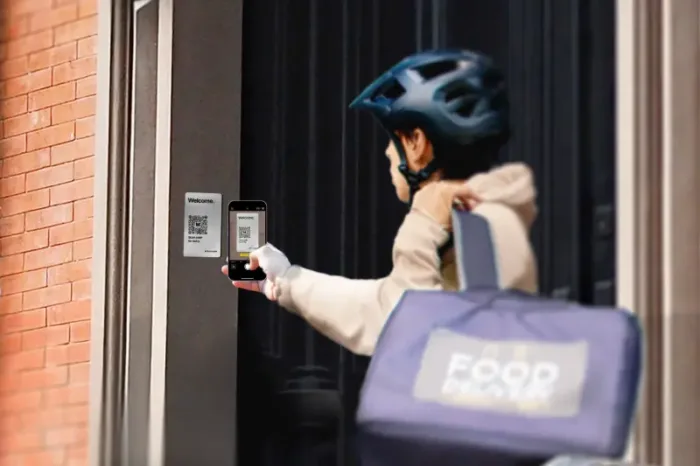
- A QR code intercom for an apartment walk-in gate lets visitors scan a mounted code, open a browser-based directory or calling screen, contact a resident, and request a remote gate unlock.
- Pedestrian gates should be evaluated separately from vehicle gates because sign placement, visitor flow, accessibility, verification needs, and fallback entry methods are different.
- Before replacing or supplementing a callbox, confirm gate-controller compatibility, power, connectivity, mounting conditions, visitor volume, security controls, and a non-smartphone backup method.
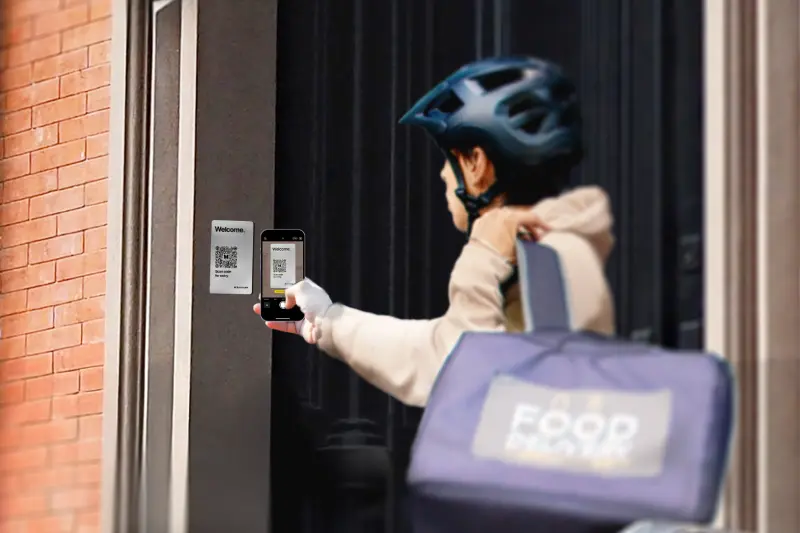
A QR code intercom can look simple from the outside: a visitor walks up to an apartment gate, scans a code, calls a resident, and gets buzzed in. But at a walk-in gate, that small plaque is tied to a bigger access decision. The system has to work with the gate controller, depend on phones and connectivity, resist QR tampering, and still give visitors a way in when the normal scan process does not work.
For many properties, a QR code intercom for an apartment walk-in gate can reduce entrance-panel hardware and make visitor access easier to manage. It is not, however, a universal replacement for every callbox or video intercom. The right choice of a QR code access control solution depends on the role of the pedestrian gate, how often visitors use it, how much identity verification the entrance needs, and what backup process the property can support.
This guide will answer:
- What is a QR code intercom?
- Why walk-in gates need a different access plan
- How a QR code intercom works at a walk-in gate
- Is a QR code intercom secure?
- QR code intercom vs. callbox vs. video intercom
- Can you add a QR code intercom to an existing walk-in gate?
- Cost and total cost factors
- Who should consider a QR code intercom?
- FAQs
Watch how ButterflyMX works:
What is a QR code intercom?
A QR code intercom is a visitor-entry system that uses a scannable code in place of, or alongside, a conventional callbox panel. A visitor scans the mounted code with a smartphone, opens a browser-based interface, finds or contacts a resident, and requests entry. If the resident approves the visit, the system sends a release signal to the gate controller or access-control relay so the pedestrian gate can unlock or open.
That means the QR plaque is only the visible part of the system. A complete setup typically includes the plaque, a cloud-based visitor interface, resident calling, compatible gate-control equipment, and the power and network connection required by the selected product. It should not be described as hardware-free because the gate still needs the right controller, lock, relay, and supporting infrastructure.
It is also worth separating a QR code intercom from credential-only QR access control. A QR intercom is built around communication and an unlock decision. Credential-only QR access may let an authorized person enter with a code without calling a resident. For more context on that distinction, see QR code access control pros and cons.
ButterflyMX offers a QR Code Intercom designed for visitor calling and remote entry decisions. As with any access product, the specific calling options, security controls, and gate-integration requirements should be reviewed for the property before purchase.
Why walk-in gates need a different access plan
A walk-in gate is a pedestrian gate, not a vehicle gate. People approach it on foot, pause near the entrance, and need enough room and visibility to find the sign, scan it, and wait for a response. That is a different use case from a driveway gate, garage entrance, or building lobby door. You can learn more about pedestrian walk-in gates and other gate types.
This difference matters because the same access technology can feel very different depending on where it is used. A QR-first process may make sense at a secondary side gate with predictable foot traffic. At a busy primary entrance, the same process may create more friction if visitors have to stop, unlock their phones, scan, search a directory, and place a call while others wait behind them.
So, start with the job of the gate. Ask whether the entrance is mainly for residents, guests, deliveries, vendors, or a mix of users. Then consider visitor volume, queue tolerance, the need for visual verification, phone accessibility, lighting, and safe sign placement. Those factors matter more than property size alone.
How a QR code intercom works at a walk-in gate
Product details vary, but the basic scan-to-unlock sequence is usually straightforward:
- The visitor arrives at the pedestrian gate and scans the displayed QR code with a smartphone camera.
- A browser-based screen opens so the visitor can find a unit, destination, or resident without downloading a visitor app.
- The visitor places a call through the system.
- The resident verifies the visit using the options available in that product, such as audio or other supported calling features.
- If the resident approves entry, the platform sends a release signal to the compatible gate controller or relay.
- The gate unlocks or opens according to its configured release behavior. If the selected product provides access records, the property team may be able to review the event later.
This is why a QR intercom should be evaluated as both a visitor-communication tool and an access-control integration. It does not replace the mechanical gate operator. Instead, it provides the calling and authorization path that can trigger the gate-release hardware already serving that entrance.
The phone-led part of the process is also the main limitation. If a visitor has no smartphone, a dead battery, an incompatible device, or no working connection, the standard scan workflow cannot function. The property needs another approved way to handle those visitors before the system goes live.
Is a QR code intercom secure?
A QR code intercom can be part of a secure visitor-entry process, but security depends on both the product and the way the property manages it. Public QR codes create a specific risk: the FBI Internet Crime Complaint Center warned in January 2022 that criminals can alter QR codes to send people to malicious websites or collect information. That warning was about QR fraud in general, not apartment intercoms specifically, but it is relevant to any code displayed in public.
- Check the physical plaque. Staff should inspect the sign for overlays, damage, or replacement, especially at public-facing entrances.
- Make the destination recognizable. Visitors should be able to notice whether the QR code opens the expected domain before entering information.
- Separate QR tampering from QR sharing. A photo or screenshot of a displayed code is not the same as authorized entry, but products should still limit how a remotely opened session can be reused.
- Review product-specific controls. ButterflyMX documents QR Code Intercom safeguards that include geofencing, time-limited sessions, encryption, and access records. These controls can reduce certain risks, but they do not make any entry system risk-free.
- Plan for reliability, not just security. Visitor phones, visitor connectivity, gate-controller power, and the system network path all affect whether the entry process works when someone is standing at the gate.
A practical security plan is layered. The property maintains the plaque, chooses a purpose-built system, protects resident accounts, reviews access records when available, and gives staff clear instructions for outages or suspicious QR-code tampering.
QR code intercom vs. callbox vs. video intercom
The best entrance technology depends on what the gate has to do. A QR code intercom reduces the need for a large visitor-facing panel, but it moves more of the interaction onto the visitor’s phone. A callbox or video intercom keeps the calling device at the entrance, which may be important when visitors cannot or should not rely on their own phones.
The table is not a ranking. It is a way to match the entrance to the access method. A QR intercom may be attractive when a property wants a lighter visitor-facing setup at a compatible pedestrian gate. A full video intercom may be the better fit when the entrance needs a dedicated device with visual verification. A keypad or credential reader can support resident access or backup entry, but it does not replace visitor-to-resident communication.
Properties evaluating mobile visitor access at a gated property may also want to review this guide to a mobile-enabled gate intercom.
Can you add a QR code intercom to an existing walk-in gate?
Yes, a QR intercom may replace or supplement an existing callbox when the gate equipment, power, connectivity, mounting location, and fallback plan are compatible. But compatibility cannot be confirmed from an article alone. A site review with the right installer and a property accessibility review should come before any purchase decision.
The most important question is whether the QR intercom can reliably trigger the existing gate release. That depends on the operator, lock, controller, relay inputs, release behavior, and the network path the selected system requires. Placement matters too. Visitors must be able to reach and scan the plaque safely, in normal lighting and weather conditions, without blocking the path.
Walk-in gate retrofit checklist
- Identify the gate operator, lock, controller, relay inputs, and current release behavior.
- Confirm the power source and the network or cellular connection required by the chosen system.
- Review the mounting surface, weather exposure, lighting, sightlines, scan distance, and accessible placement.
- Test the full visitor call and gate-release process under the traffic the entrance is likely to see.
- Document the backup-entry method for visitors without working smartphones.
- Assign responsibility for outage procedures, maintenance, access-record review when available, and plaque inspections.
For a broader look at the hardware and decisions involved, review gate access control systems. If the walk-in gate appears to be a fit, the next step is a site-specific compatibility review rather than a generic product comparison.
Cost and total cost factors
QR intercom pricing is site-specific, so a universal price range would be misleading. Build the budget around the work your entrance actually needs, including the plaque or entrance hardware, controller or relay integration, power and networking, installation labor, software, support, maintenance, and any backup equipment.
It also helps to define the project clearly. Replacing a legacy callbox is different from adding QR visitor access to a gate that already has functioning access-control hardware. A QR-based system may reduce the entrance hardware and wiring associated with a conventional panel, but it does not remove every recurring cost. Software, connectivity, inspections, support, and fallback procedures still have to be planned.
Where ButterflyMX replaces a legacy telephone-entry intercom, it may eliminate the POTS-line expense tied to that intercom. That does not mean every property-access expense disappears. The more useful question is whether the selected system fits the gate, the visitor volume, and the property’s long-term support plan.
Who should consider a QR code intercom?
A QR code intercom can be a practical choice for a managed pedestrian entrance where visitors can safely scan a code, contact residents, and wait for approval without creating an access problem. It is most compelling when the gate-control equipment is compatible and the property is comfortable with a phone-led visitor process.
Use more caution at high-volume primary entrances, locations with weak connectivity, or properties where many visitors may not have a working smartphone. If the gate needs visual verification, an on-panel calling device, or a strong non-smartphone entry option, a full video intercom or hybrid approach may fit better.
The gate should also be considered as part of the whole property, not as an isolated opening. Resident credentials, vehicle gates, elevators, package areas, and other controlled spaces may all affect how visitors, residents, vendors, and staff move through the property. For community-wide planning, see gated community access control.
Decision checklist
- What role does this gate play: primary entrance, secondary entrance, resident-only route, visitor route, or delivery point?
- Can visitors safely find, scan, and use the QR plaque without creating a queue or access barrier?
- Is resident approval enough, or does the entrance require visual verification?
- Are power, network connectivity, the controller, and relay integration dependable and compatible?
- What happens if a visitor has no smartphone, a dead battery, or no connection?
- Who will inspect the plaque, manage access records when available, and support the system over time?
Frequently asked questions
Does a visitor need to download an app to use a QR code intercom?
No, the commonly documented visitor process opens in a smartphone browser after the QR code is scanned. Resident app requirements and calling options depend on the provider and configuration.
Can someone use a screenshot of the QR code from another location?
A screenshot can copy the displayed code, but it does not automatically grant entry. Product controls such as geofencing and expiring sessions may limit remote reuse when offered, but they should not be treated as perfect prevention.
What backup should a property provide for visitors without smartphones?
The property should provide an approved alternative, such as a staffed process, keypad, credential, or dedicated intercom. The standard scan process cannot work for a visitor without a compatible, powered, connected phone.
Will a QR code intercom work during an internet or power outage?
The normal QR process depends on visitor-phone connectivity and the power and network path for the gate-control system. Confirm the gate’s fail-safe or fail-secure behavior and outage procedures with the installer before deployment.
A QR code intercom can be a strong fit for an apartment walk-in gate when the entrance supports a safe scan-and-call process, the gate controls are compatible, and the property has a clear backup method. The decision is not simply whether QR access is modern or convenient. It is whether that specific pedestrian gate can support the visitor experience, security controls, and reliability the property needs.
ButterflyMX is relevant for properties that want smartphone-based visitor calls, remote access management, and a coordinated approach to property access. Request a free quote for a modern walk-in-gate access solution.

Get your free quote!
Fill in the form below, and we'll email you right back.
Want a free quote?
Fill in the form below, and we'll email you right back.
You’ll be redirected shortly...