





Key takeaways:
- Reducing legacy video intercom costs starts with finding the expenses that do not always appear in the intercom budget, such as staff time, service calls, connectivity charges, and access problems.
- Repair, retrofit, and replacement should be compared by total cost of ownership, not by the next invoice alone.
- Properties can often control upgrade costs by assessing existing wiring, limiting unnecessary scope, phasing the rollout, and choosing a system that fits how the building is managed.
An older video intercom can look affordable right up until the repair calls, phone-line charges, directory updates, and resident complaints start piling up. At that point, the question is no longer just how much the next service visit will cost. It is whether the system is still worth keeping in its current form.
The practical path to reducing legacy video intercom costs is to audit the system’s full total cost of ownership, cut avoidable recurring expenses, reuse infrastructure when it is viable, and compare repair, retrofit, and replacement options based on long-term cost rather than upfront price alone. A small repair may be the right move for a stable system. A retrofit may make sense when wiring can be reused. A full replacement may be more practical when the old system keeps creating the same expensive problems.
This guide walks through how to find the hidden costs, decide which expenses are worth reducing first, and evaluate intercom system modernization options without assuming that every building needs the same solution.
This guide will answer:
- Why legacy video intercoms often cost more than expected
- How to audit your current intercom costs
- Ways to reduce legacy intercom costs before a full replacement
- Repair, retrofit, or replace: how to choose the right path
- How to reduce upgrade and installation costs
- Which modern intercom options can lower long-term costs
- FAQs
More than 100K, 5-star ratings!
Video Intercoms
Open doors, gates & garages from anywhere.

QR Code Intercom
Smartphone-based visitor access.
Access Control
Fob, key cards, PINs, and mobile apps.
Security Cameras
Visibility throughout your property.

Vehicle Access
Hands-free access for gates & garages.
Package Room
Receive, store, and manage deliveries.
Smart Locks
Connect to all major brands and models.
Elevator Controls
Unlock key-fobbed elevators for anyone.
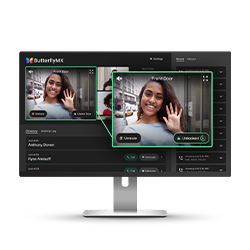
Front Desk Station
See all your doors and cameras in one place.
Why legacy video intercoms often cost more than expected
Legacy video intercoms often become expensive because the real cost is bigger than the repair invoice. An old entry panel, camera, directory, or wiring run may still function, but keeping it in place can require service visits, manual work, outdated connectivity, and workarounds that staff and residents feel every day.
That broader view is called total cost of ownership. For a video intercom, it includes direct costs such as parts, labor, maintenance contracts, and recurring service fees. It also includes indirect costs, such as staff time spent updating directories by hand, helping visitors enter, answering access complaints, or dealing with lockouts when the system is unreliable.
Hidden costs usually fall into a few clear categories:
- Recurring repairs and service calls for aging entry panels, cameras, directory components, wiring, and related hardware
- Outdated infrastructure costs, including older wiring limitations, legacy telephone-entry dependencies, and parts that are difficult to source
- Connectivity charges, such as POTS lines or other recurring services tied to older intercom setups
- Manual administration, including directory updates, resident changes, visitor coordination, and temporary access workarounds
- Operational disruption when residents, staff, delivery drivers, or visitors cannot enter smoothly
- Upgrade friction when the current system has limited compatibility with modern access control, mobile credentials, or remote management tools
Some of these costs are easy to find in a budget. Others are buried in payroll, front office interruptions, and resident support. If a staff member repeatedly has to help visitors because the entry system is confusing or unreliable, that labor may not show up as an intercom expense. It is still part of what the system costs to keep.
Resident experience also matters, even when it is harder to assign a number. Poor video quality, missed calls, slow guest access, and frequent outages can increase complaints and create more manual exceptions. Those issues may affect retention, leasing perception, or property value in some cases, but the safer way to evaluate them is as operational risk unless you have property-specific data. The first step is to see the full cost picture clearly.
How to audit your current intercom costs
A useful intercom cost audit separates what you pay directly from what the system costs the property to manage. That gives you a baseline for comparing three real options: keep repairing the current system, retrofit around infrastructure that still works, or replace the system with a modern video intercom.
Track direct system expenses
Start with the costs you can document. Review recent invoices and look for patterns, not just one expensive service call.
- Repair bills and emergency service visits
- Maintenance agreements or service contracts
- Replacement parts and component availability issues
- Connectivity charges, including legacy phone-line expenses where applicable
- Software, licensing, subscription, or support fees already tied to the current system
This review tells you whether the system is aging in a normal way or entering a cycle where each fix is followed by another problem. A one-time repair is different from a system that needs frequent attention just to stay usable.
Estimate indirect operating costs
Next, look at the work the intercom creates. Video intercom systems affect how residents, visitors, vendors, delivery drivers, and staff move through the property. When the system is hard to manage, those small interruptions can become part of the operating cost.
Document tasks such as updating resident directories, handling visitor access by phone, responding to delivery issues, helping residents with missed calls, managing temporary workarounds during outages, and making changes across separate systems. You do not need a perfect calculation to make the audit useful. Even a basic estimate of hours per week can show whether the old intercom is costing more in staff time than anyone realized.
Document infrastructure constraints
The technical side of the audit should focus on the conditions that can raise or lower future cost. Note the number of entry points, the condition of existing wiring, available network connectivity, mounting locations, building layout, and any access control equipment that may need to work with the intercom.
PoE, or Power over Ethernet, can carry power and data over one Ethernet cable for some IP video intercom deployments. A 2-wire retrofit approach may be worth exploring in some buildings where existing wiring can support the new system. Neither path should be assumed. Wiring condition, compatibility, performance needs, and installation limits all affect whether infrastructure reuse is realistic.
Turn the audit into a decision tool
Once direct costs, staff time, recurring fees, and infrastructure constraints are in one place, the decision becomes clearer. A repair that looks cheap may not be cheap if it keeps a labor-heavy system in place. A replacement that looks expensive may be easier to justify if the current system is driving repeated failures, old connectivity costs, and manual access management.
The audit also prevents overcorrection. Some buildings do not need a full replacement right away. If the current system is mostly stable and the infrastructure supports a practical retrofit, a lower-disruption path may reduce costs without turning the project into a full tear-out.
Watch how ButterflyMX works:
Ways to reduce legacy intercom costs before a full replacement
Not every property is ready to replace its intercom immediately. That does not mean you have to accept every cost attached to the current system. The goal is to reduce waste while avoiding major spending on equipment that no longer supports the property well.
Review recurring service and connectivity costs
Start with the charges that repeat every month, quarter, or year. Maintenance terms, support agreements, connectivity charges, and older telephone-entry dependencies can continue long after they stop delivering enough value. If the system depends on legacy POTS service, review whether that cost is still necessary for the entry setup you plan to keep.
Recurring fees are not automatically bad. A useful support plan or software subscription can be worth paying for. The question is whether each charge supports a system that still meets the property’s needs, or whether it is preserving an outdated setup out of habit.
Prioritize repairs that stabilize the system
Some repairs are still sensible. If a targeted fix solves a clear point of failure and gives the property time to plan, it may be the least disruptive choice. But there is a difference between stabilizing a working system and repeatedly patching a system that is past its useful fit.
Before approving another repair, ask what problem it solves, how long that repair is likely to matter, and whether it addresses the reason costs are rising. Replacing a failing component may buy time. Paying for another temporary workaround may only delay a better decision.
Reduce manual administration where possible
Even before modernization, you can often reduce the staff time hidden inside legacy intercom costs. Look for repetitive access tasks that can be cleaned up, documented, or assigned more consistently. Common examples include resident move-in and move-out updates, directory changes, visitor instructions, after-hours access requests, and vendor entry procedures.
This process will not fix an aging entry panel or bad wiring. But it can reduce avoidable interruptions and reveal which access tasks would benefit most from remote management, cloud-based directory updates, mobile credentials, or integration with other property access tools.
Assess infrastructure reuse opportunities
One of the best ways to control intercom upgrade cost is to find out what can safely stay. Existing wiring pathways, mounting locations, conduit, network access, or entry-door hardware conditions may affect whether a retrofit is possible. The answer can differ from one entrance to another.
Some buildings may be candidates for a 2-wire retrofit. Others may be better suited to an IP video intercom using Ethernet and PoE. Some properties may need a hybrid plan, such as reusing infrastructure at the main entrance while planning a fuller rebuild at a gate, service entrance, or remote door. A wiring assessment helps avoid two expensive assumptions: that everything must be replaced, or that old infrastructure can support new requirements without testing.
Avoid overbuying features the property will not use
Cost control is not only about installation. It is also about scope. A small building with simple access needs may not need the same feature set as a mixed-use property with multiple entrances, commercial tenants, resident amenity spaces, and vendor access schedules. Feature richness has value only when it solves a real operating need.
Before comparing quotes, decide which capabilities are required, which are useful but optional, and which would add cost without changing daily management. This makes it easier to compare systems on fit rather than on the longest feature list.
Use phased improvements when budgets are tight
A phased upgrade can help properties reduce the worst cost drivers first. Instead of replacing every entry point at once, a property may start with the entrance that creates the most complaints, the panel that fails most often, or the location that consumes the most staff time.
Phasing can be useful for multifamily buildings with busy lobbies, mixed-use properties with different residential and commercial access needs, gated communities with separate vehicle and pedestrian entrances, and portfolios that need to spread capital spending across multiple buildings. Phasing does require planning, but it can make modernization more realistic when budget timing matters.
Repair, retrofit, or replace: how to choose the right path
The right path depends on system condition, cost trajectory, building constraints, budget, and what the property needs the intercom to do. A single repair invoice rarely tells the whole story. The better question is whether the current system is still reliable, compatible, and cost-effective over time.
When repair still makes sense
Repair is often the right short-term choice when the system is generally stable, failures are rare, parts are available, and the current setup still fits the property’s access needs. This can be true for smaller properties, buildings with simple visitor patterns, or owners who need time to plan a larger capital project.
Repair becomes less attractive when problems keep returning, replacement parts are harder to source, or the system cannot support basic administrative needs. A low repair cost can still be a poor value if it preserves high staff time, old phone-line costs, or limited access control integration.
When a retrofit may be the better balance
A retrofit can make sense when the building has usable infrastructure and the property needs modernization without the cost or disruption of a full replacement. In practice, that may mean reusing wiring, mounting locations, or certain entry conditions while replacing the components that are driving cost or limiting function.
This path can be especially useful for multifamily buildings, student housing, and senior living communities where disruption needs to be managed carefully. It can also help properties that want better video, mobile access, or remote administration without rebuilding every part of the entrance system at once.
When replacement becomes the stronger decision
Full replacement becomes more compelling when repairs are frequent, the system is unreliable, and long-term costs keep rising without solving the underlying problem. Warning signs include repeated outages, obsolete telephone-entry hardware, poor video performance, difficult directory management, and limited compatibility with broader access control needs.
Replacement may also make sense when the property’s goals have changed. A building that now needs smartphone-based resident entry, remote access management, cloud-based directory management, or tighter access control integration may have outgrown a legacy intercom even if the old hardware can still be patched.
Compare the paths side by side
The table below frames the main tradeoffs. The lowest upfront option is not always the lowest long-term-cost option.
Building conditions, door count, wiring, and integration needs heavily affect the real cost of each option. Ongoing fees should be compared against the expenses they may offset, such as maintenance burden, staff time, and legacy line charges. There is no universal winner. The right choice is the one that fits the property’s condition, management model, and long-term cost profile.
How to reduce upgrade and installation costs
Video intercom upgrade cost depends on more than the device at the entrance. Door count, wiring, labor, network readiness, software, staff training, and integration scope all affect the final project. Cost control starts before the first quote is written.
Define the real project scope
List every entry point that matters: lobby doors, gates, service entrances, amenity areas, package areas, commercial tenant entrances, or shared spaces. Then decide what each entry point needs to do. A single multifamily lobby entrance is a different project from a mixed-use building with multiple vestibules and separate tenant access rules.
Scope also includes the type of system being replaced. Audio-only intercoms, legacy wired video intercoms, telephone-entry systems, IP video intercoms, and hybrid systems can all create different upgrade paths. Clear scope helps you avoid paying for unnecessary complexity while still planning for the parts of the property that actually need modern access.
Understand what changes installation cost
Installation cost often turns on a few major variables: whether existing wiring can be reused, how hard each entry point is to reach, whether the network is ready, how much labor is needed, and how much integration work is involved. Wired and wireless planning can affect cost in different ways. Avoiding a new cable run may reduce one cost, while limited connectivity may create another.
Per-door pricing can be helpful for rough comparison, but it should not be treated as the whole answer. A per-door number does not always reflect labor, infrastructure, software licensing, training, or building-specific limits. Ask what is included and what could change the price after installation begins.
Compare capital expense and operating expense together
Intercom costs can move between budget categories. A lower upfront purchase may still bring higher maintenance needs, manual administration, or recurring service costs. A system with subscription fees may still deserve consideration if it reduces legacy hardware burden, supports remote updates, or replaces telephone-entry costs tied to old POTS-dependent equipment.
That is the capital expense versus operating expense tradeoff. One option may cost more to install but less to manage. Another may be cheaper to buy but more expensive to support over time. The right comparison is total cost of ownership, not one-time purchase price versus monthly fee in isolation.
Use a quote review checklist
When comparing vendors or installers, ask the same questions each time:
- What existing wiring, mounting locations, or infrastructure can realistically be reused?
- What hardware is being replaced, and what stays in place?
- What recurring software, support, subscription, or connectivity fees apply?
- What access control or property management software integration work is included, and what is extra?
- What setup or staff training is required before the system is useful?
- What building conditions could change the installation scope, cost, or timeline?
These questions make proposals easier to compare. They also help you spot quotes that look inexpensive because they leave out work the property will still need.
Use phased rollout to control budget
If budget is the main constraint, a phased rollout can reduce financial pressure while moving the property away from the costliest parts of the legacy system. You might upgrade the main entrance first, group similar buildings in a portfolio, or separate vehicle gates from pedestrian entrances in a gated community.
Phasing does not guarantee a lower total project cost. It can, however, align modernization with capital planning and reduce disruption by tackling the highest-priority access points first.
Which modern intercom options can lower long-term costs
Modern intercom options can lower long-term costs when they reduce maintenance burden, simplify administration, and fit the property’s infrastructure. The best choice depends on how the building is wired, how many entrances it has, how staff manages access today, and what the property needs to integrate later.
Cloud-based vs on-premise cost structure
Cloud-based intercoms and on-premise intercoms often create different cost structures. On-premise systems may keep more management tied to local hardware and site-specific maintenance. Cloud-based systems may include recurring fees, but they can also support remote updates, centralized directory management, and easier changes across properties or entry points.
That does not make cloud-based systems automatically cheaper. It means the comparison should include maintenance expectations, management time, upgrade flexibility, connectivity needs, and any legacy line expenses the new system may replace. For properties with frequent turnover or multiple buildings, remote access management may matter as much as hardware cost.
Where IP video intercoms, PoE, and retrofit systems fit
IP video intercoms use internet protocol networking to support video calling, administration, and, in some cases, access control integration. When paired with PoE, one Ethernet cable can carry both power and data to the device, which may simplify some installations where network infrastructure already exists.
Retrofit-oriented systems can be useful when a property wants modernization without opening walls or replacing every cable run. A 2-wire retrofit path may be worth exploring in some older buildings, but it depends on wiring condition, compatibility, and performance goals. Hybrid approaches can also make sense when one entrance can reuse infrastructure and another needs more extensive work.
Why mobile credentials and remote management can matter
Administrative time is part of intercom cost. Systems that support mobile credentials, remote access management, and cloud-based directory updates may reduce the need for on-site changes and manual workarounds. That can matter for multifamily operators with frequent resident turnover, commercial properties with changing tenant access needs, and mixed-use buildings where different user groups need different permissions.
These savings vary by property and staffing model, so they should not be treated as guaranteed. The important point is practical: if your team spends a lot of time maintaining access information, a system that is easier to update can change the cost equation.
How ButterflyMX fits into the modernization decision
For properties comparing modernization options, ButterflyMX is relevant as a cloud-based alternative to legacy telephone-entry hardware. In the right setting, a cloud-based video intercom can give residents smartphone-based entry, let staff manage access remotely, and simplify directory administration without relying on the same legacy infrastructure burdens that often make older systems expensive to keep.
This can be especially relevant when the existing intercom is tied to outdated phone-line costs, requires frequent manual updates, or no longer fits how the property wants to manage entry. It does not mean every building needs the same upgrade path, and it does not remove every recurring cost. But for properties seeking a more manageable long-term setup, ButterflyMX may be worth evaluating as part of a broader property access plan.
Property-specific considerations that affect the best fit
The best modernization path changes by property type. Multifamily buildings often care most about resident access, delivery flow, and directory management. Commercial properties may focus on visitor routing, tenant administration, and access control integration. Mixed-use developments may need separate rules for residents, retail tenants, vendors, and guests.
Gated communities may need different planning for vehicle gates and pedestrian entries. Student housing often has high turnover, which can make credential and directory administration a bigger cost factor. Senior living communities may place more weight on reliability, ease of use, and lower-disruption installation planning.
Some properties need extra caution. Historic buildings may have installation restrictions. Buildings with limited internet connectivity may not be ready for every cloud-based option without additional planning. Very small properties may find that a major upgrade takes longer to justify because the administrative savings are smaller. These exceptions do not rule out modernization, but they do make a careful cost audit more important.
Frequently asked questions
What are the biggest hidden costs of legacy video intercoms?
The biggest hidden costs are usually recurring repairs, outdated infrastructure, phone-line or connectivity charges, staff time spent on manual access tasks, and disruption from unreliable entry. The exact mix depends on the property’s size, system condition, and how often staff must compensate for the intercom’s limits.
Can I upgrade my intercom without rewiring the building?
Sometimes, because some retrofit options can reuse existing wiring. Whether that works depends on wiring condition, system compatibility, performance needs, and the building’s layout, so a wiring assessment should come before choosing a retrofit path.
Are cloud-based video intercoms more expensive than traditional systems?
Not necessarily, because the better comparison is total cost of ownership. A cloud-based intercom may include recurring fees, but it may also reduce some maintenance, manual administration, or legacy telephone-entry costs depending on the property and the system being replaced.
How do I know when to replace instead of repair my intercom?
Replacement is usually worth evaluating when repairs are frequent, the system no longer supports daily operations, or long-term costs keep rising without improving reliability. If your audit shows repeated service calls, high staff time, outdated connectivity costs, or limited compatibility, retrofit or replacement may be more practical than another repair.
Reducing legacy video intercom costs starts with a clear view of what the current system truly costs to own and manage. If the system is stable and inexpensive to maintain, targeted repairs may be enough for now. If costs are spreading into staff time, connectivity charges, repeat failures, and outdated administration, a retrofit or replacement path may offer stronger long-term value.
The best decision comes from matching the upgrade path to the building’s wiring, entry points, management needs, budget, and long-term access goals. For properties that want remote administration, smartphone-based entry, and a cloud-based alternative to legacy telephone-entry hardware, ButterflyMX may be a practical option to evaluate.
Talk with ButterflyMX about reducing legacy intercom costs at your property and identifying the upgrade path that best fits your building.

Get your free quote!
Fill in the form below, and we'll email you right back.
Want a free quote?
Fill in the form below, and we'll email you right back.
You’ll be redirected shortly...