





Key takeaways:
- A complete gate setup has two parts: an access-control layer that authorizes entry and a gate-operator and safety layer that physically moves the gate.
- Communities with five or more residences typically need to evaluate Class II gate-operator requirements rather than Class I residential equipment.
- The best system is not the most complex one. Choose the simplest resident, visitor, and vehicle-entry plan that fits the site, budget, connectivity, and safety requirements.
A remote gate entry system for a small gated community has to solve a very practical problem: residents need reliable daily access, visitors and deliveries need a way in, and the board or manager needs to control permissions without turning gate administration into a second job.
There is no one-size-fits-all best gate intercom system. A small HOA, condo association, or private-street community should choose the simplest remotely managed setup that fits its traffic, visitor needs, existing gate equipment, power, connectivity, budget, and safety obligations.
The most important thing to understand is that entry technology and gate machinery are not the same. A keypad, video intercom, mobile credential, or cloud-based access system can authorize entry, but the gate operator and safety devices still control how the gate moves. Keeping those layers separate makes it easier to compare options, plan a retrofit, and request a useful quote.
This guide will answer:
- What is a remote gate entry system for a small gated community?
- How access control and physical gate equipment work together
- Types of remote gate entry systems for small communities
- How to plan resident, visitor, and vehicle entry
- Can you add remote access to an existing gate?
- Safety and compliance basics for automated community gates
- How much does a remote gate entry system cost?
- How to choose the right system for a small gated community
- FAQs
Watch how ButterflyMX works:
What is a remote gate entry system for a small gated community?
A remote gate entry system is a connected set of access-control and gate equipment that lets authorized residents, visitors, vendors, or vehicles enter a gated property. It may include a credential reader, keypad, video intercom, controller, software, communication service, gate operator, and safety devices.
For a small gated community, the point is not to buy the most advanced system on the market. The point is to match the entry setup to a low-traffic property with one or two entrances, limited staff, and a board or manager who may not have in-house IT support.
A complete system usually includes two layers:
- The access-control layer, which checks a PIN, fob, mobile credential, visitor request, or vehicle identifier and decides whether access should be granted.
- The gate-operator and safety layer, which physically opens or closes the gate and works with safety equipment such as photo eyes or contact edges.
That distinction matters for both budgeting and responsibility. Remote administration can make it easier to add a resident, remove an old credential, or manage visitor access. But remote software does not replace a compatible gate operator, a safe gate installation, emergency-access planning, or required entrapment protection.
Core components to map before requesting quotes
- A resident credential or visitor trigger, such as a PIN, RFID fob, mobile credential, video call, or registered license plate.
- A keypad, reader, intercom, camera, or entry panel that captures the request.
- A controller and, where applicable, software that authorizes the request and sends an opening command.
- A communication path, such as wired network service, WiFi, or cellular service.
- A compatible gate operator, gate controls, and entrapment-protection devices.
- Power, backup power, emergency-access, and service arrangements for the full installation.
How access control and physical gate equipment work together
The access-control layer answers one question: should this person or vehicle be allowed in? A resident might present a fob, enter a PIN, use a mobile credential, answer a visitor call, or arrive in a registered vehicle. If the system approves the request, it sends a command to the connected gate controls.
The gate-operator and safety layer has a different job. It moves the gate and responds to safety inputs along the gate’s travel path. Entrapment protection can include devices such as photo eyes and contact edges. A reader, app, or video intercom can start the access process, but it does not make a moving gate safe by itself.
- A resident, visitor, vendor, or vehicle starts an entry request.
- The entry device and controller validate the credential or route the visitor request.
- An approved request sends an opening command through the installed gate-control interface.
- The gate operator moves the gate while its safety devices monitor the applicable path of travel.
On many projects, different companies provide different parts of this chain. Some vendors focus on intercoms, readers, software, and remote administration. Others install or service gate operators, controls, and safety devices. There are also manufacturers that offer products across more than one category, including DoorKing product information for gated communities and LiftMaster community-management information.
Before a small community approves a proposal, it should know who is responsible for installation, integration, programming, safety-device testing, warranties, subscriptions, and service calls. If something stops working later, the board should not have to guess whether to call the access-control provider, the gate installer, the network provider, or the operator service company.
Types of remote gate entry systems for small communities
Small communities usually compare entry methods before they compare brands. The table below is a workflow comparison, not a ranking. Many properties combine methods, such as mobile credentials for residents, a video intercom for guests, and a managed vehicle option for repeat service providers.
A keypad can be simple, but codes must be issued, changed, and removed. Fobs are familiar, but lost fobs need to be disabled and replaced. A callbox or video intercom is useful when visitors need to reach a resident before entry. Mobile credentials can reduce physical credential handling, but the community still needs to think about phone access, connectivity, and fallback entry.
Connectivity is often the hidden tradeoff. A wired connection may be reliable where the infrastructure already exists. WiFi or cellular service can be more flexible at a remote entrance, but signal quality, installation conditions, and recurring service costs should be checked at the actual gate. For a broader explanation of entry devices and credential categories, see how gate access control systems work.
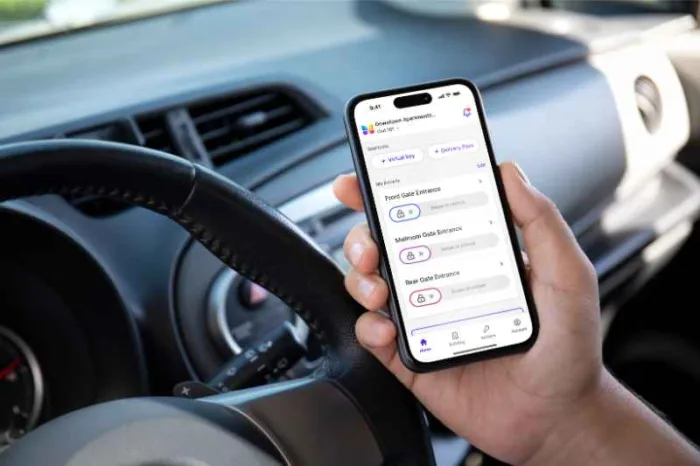
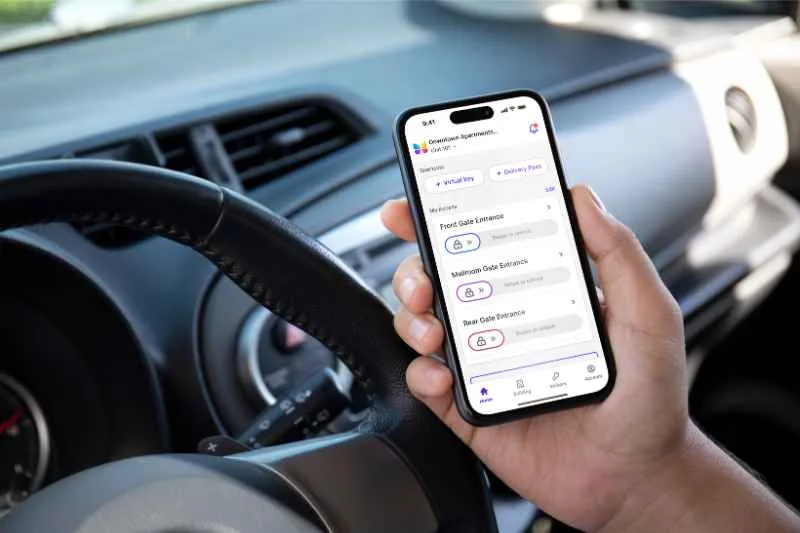
ButterflyMX is one option to evaluate when a small community wants smartphone visitor calls, mobile credentials, remote administration, access control, or vehicle access. ButterflyMX video intercoms do not require a traditional POTS telephone line, and residents can receive visitor calls and grant access from a smartphone when the system is configured for that use. Those capabilities belong to the entry and access-control layer; they do not supply or replace the physical gate operator.
How to plan resident, visitor, and vehicle entry
An unstaffed entrance works best when the community plans separate entry paths for residents, visitors, vendors, deliveries, and vehicles. One method rarely fits every use case cleanly.
Resident entry
Start with the credential residents will use most often: a mobile credential, RFID fob, individual PIN, or registered vehicle credential. Then ask how permissions are issued, who can update them, and how quickly a lost or outdated credential can be revoked. A system that requires a volunteer to visit the gate every time someone moves in or out can become hard to manage.
Visitor and vendor entry
Visitors can enter an unmanned gate in several ways, depending on the system. Common options include a resident receiving a video or audio call and remotely releasing the gate, a temporary digital credential, a time-limited PIN, or pre-managed vehicle access. Because feature support varies by configuration, a community should confirm the exact visitor steps during a demo or site assessment.
A shared permanent visitor code may look simple, but it is difficult to control once it spreads beyond the intended users. Small communities should decide in advance how guest access expires, how vendors are handled, and which administrators can create or remove access.
Vehicle entry and exceptions
Registered vehicle credentials or license plate recognition can work well for predictable resident or service traffic. They should still be paired with an exception plan for guests, deliveries, rental cars, replacement vehicles, and residents whose preferred credential is unavailable.
The community should also document a fallback before launch. If an app is unavailable, a network connection drops, or power is interrupted, residents and approved visitors still need a defined path. That fallback depends on the installed equipment, not on the access-control category alone.
Can you add remote access to an existing gate?
Remote access can often be added to an existing gate, but only when the operator, control inputs, wiring, power, communication path, gate construction, and safety equipment are compatible. A qualified installer should inspect the site before the community assumes that an old keypad, fob reader, intercom, or operator can stay in service.
A retrofit is not just a hardware swap. The installer should document what can remain, what must be replaced, who will support each retained component, and whether the project changes warranty or inspection responsibilities. Reuse depends on control compatibility, available power, wiring condition, software support, and the installer’s willingness to stand behind the completed system.
Retrofit and outage checklist
- Verify the gate operator model, available control interface, and condition of existing wiring.
- Assess whether wired network service, WiFi, or cellular coverage is dependable at the gate location.
- Confirm the required power source and whether backup power is included in the proposed scope.
- Document whether local credential processing, cellular fallback, manual release, or another method applies during an internet outage.
- Define the installed fail-safe or fail-secure behavior with the qualified installer and local requirements in mind. Neither is a universal default.
- Confirm the accepted emergency-responder override or access method with the authority having jurisdiction or local fire official before finalizing the design.
Outage behavior is a site-specific design question. It depends on the complete installed configuration, including backup power, connectivity, controller behavior, gate controls, and manual-release procedures. A small community should test the scenarios it expects to face instead of assuming that every system behaves the same way when power or internet service fails.
Safety and compliance basics for automated community gates
Communities with five or more residences typically fall under the Class II gate-operator category rather than the Class I category used for one-to-four-family residential properties. The correct classification and requirements still need to be verified for the specific site by a qualified gate professional and the authority having jurisdiction.
UL 325 Edition 7, listed with a September 15, 2025 revision date, addresses door, gate, and related operator systems. In the standards guidance reflected in the brief, UL 325 requires at least two independent means of entrapment protection for each entrapment zone and direction of travel. That requirement applies to the operator and safety system, not to the access credential, app, or cloud software.
Vehicular gate-operator usage classes
- Class I: Residential vehicular gate operators for one-to-four-family residential use.
- Class II: Commercial or general-access gate operators, commonly relevant to multifamily properties and communities with five or more residences.
- Class III: Industrial or limited-access gate operators.
- Class IV: Guarded or restricted-access gate operators.
The DASMA technical data sheet on vehicular gate operators and ANSI/CAN/UL 325 helps explain operator usage classes and safety considerations. ASTM F2200 addresses gate construction, while UL 325 addresses the operator and entrapment-protection scope. A property can therefore need attention to both the physical gate and the installed operator safety system.
Before a purchase or retrofit, ask who will evaluate the operator class, safety devices, gate construction, warning signage, service history, and emergency responder access. Local code adoption and fire-access requirements vary. Access-control software, including a visitor-entry system, does not independently establish UL 325 compliance.
How much does a remote gate entry system cost?
Remote gate entry system costs vary by region, gate condition, civil work, hardware, connectivity, and installation date. As directional vendor-published examples from 2025, Gate Sentry lists keypads at $1,500 to $5,000 per gate, callboxes at $3,000 to $10,000 per gate, and fob systems at $5,000 to $15,000 per gate plus $25 to $50 per fob. These figures are not neutral market benchmarks or ButterflyMX prices, but they help show why a site-specific quote matters. See the Gate Sentry community gate access buyer guide for the cited category examples.
The device price is only one part of the budget. A useful proposal separates the access-control layer from the gate-operator and safety layer so the community can see which work is included and which vendor owns it.
Quote line items to request
- Entry hardware, readers, intercom panels, cameras, controllers, and credentials.
- Installation labor, wiring, trenching, conduit, concrete, mounting, and other site work.
- Power upgrades, network equipment, wired service, WiFi, or cellular connectivity.
- Gate-operator repairs or replacement, safety devices, and related testing.
- Software, subscriptions, connectivity fees, credential replacements, and maintenance.
- Warranty boundaries, service response, and responsibility for integration issues.
Compare recurring costs alongside upfront spending. A lower equipment price can still leave a small HOA with ongoing connectivity fees, credential replacements, maintenance, or software costs. Request a site-specific quote that separates access control, installation, connectivity, safety equipment, gate-operator work, and recurring fees.
How to choose the right system for a small gated community
The right system is the one the community can actually manage. Before comparing vendors, define how the entrance needs to work on an ordinary day and during exceptions.
- Count gates, estimate daily traffic, and identify peak periods such as morning departures, deliveries, or events.
- Choose resident credentials and visitor access separately. Consider guests, contractors, deliveries, and registered vehicles.
- Assess available power, wired connectivity, WiFi coverage, and cellular signal at each entrance.
- Determine whether the project is a new installation or a retrofit, then verify compatibility through a site assessment.
- Document expected behavior during power and internet outages, including backup power, local access, manual release, and emergency access.
- Budget for installation, site work, safety devices, connectivity, subscriptions, credentials, maintenance, and future expansion.
- Confirm who supports access control, gate hardware, safety testing, warranties, and service after installation.
After that work is done, ButterflyMX may be a fit to evaluate for communities that want smartphone visitor calls, mobile credentials, remote administration, access control, or vehicle access. For readers comparing a broader set of options after completing this small-community checklist, ButterflyMX also offers a guide to gated community access control systems.
A strong proposal does not blur responsibilities. It identifies the access-control equipment, physical gate equipment, safety devices, installation scope, connectivity, subscriptions, maintenance expectations, and responsible vendor for each part of the system.
Frequently asked questions
Is facial recognition legal for gate access?
Facial recognition may be subject to biometric privacy rules that vary by jurisdiction. A community should get legal review of notice, consent, retention, deletion, and other requirements before selecting it, and should compare non-biometric credentials as alternatives.
Who supports the system when access control and the gate operator come from different vendors?
The community should assign support responsibilities in writing before purchase. The agreement should cover integration, installation, programming, safety testing, warranties, subscriptions, and service calls, especially when different vendors provide the access-control and gate-operator layers.
What should a small HOA request in a gate-system quote?
A small HOA should request separate line items for access hardware, gate-operator work, safety devices, wiring, power, connectivity, site work, credentials, software, installation, maintenance, and recurring fees. Published prices can provide context, but the actionable number is an itemized, site-specific quote.
Can existing resident fobs, keypads, or intercom equipment be reused?
Existing equipment may be reusable, but only after a physical and technical site assessment. Reuse depends on protocol compatibility, control inputs, equipment condition, wiring, power, software support, security needs, and the responsibilities accepted by the installer.
A small gated community does not need the most complex gate system. It needs a clear entry plan, dependable support for the installed site, and a clean separation between access control and the gate operator and safety layer. Start with a site assessment and an itemized scope, then evaluate whether ButterflyMX can support the resident, visitor, vehicle-access, and remote-management needs your community has defined. Discuss a right-sized ButterflyMX entry plan for your small community.

Get your free quote!
Fill in the form below, and we'll email you right back.
Want a free quote?
Fill in the form below, and we'll email you right back.
You’ll be redirected shortly...