
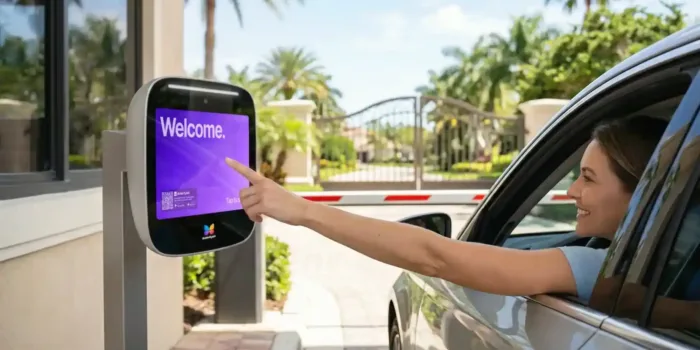





Key takeaways:
- Virtual monitoring can replace overnight gate guards for many properties when the entrance has reliable technology, clear access rules, and a realistic response plan.
- A hybrid model, with guards during busier daytime hours and remote monitoring overnight, is often the most practical way to lower staffing costs without making an abrupt change.
- The real decision is not only cost. Properties must weigh guard labor, monitoring fees, equipment upgrades, connectivity, resident expectations, and the limits of not having someone on site overnight.
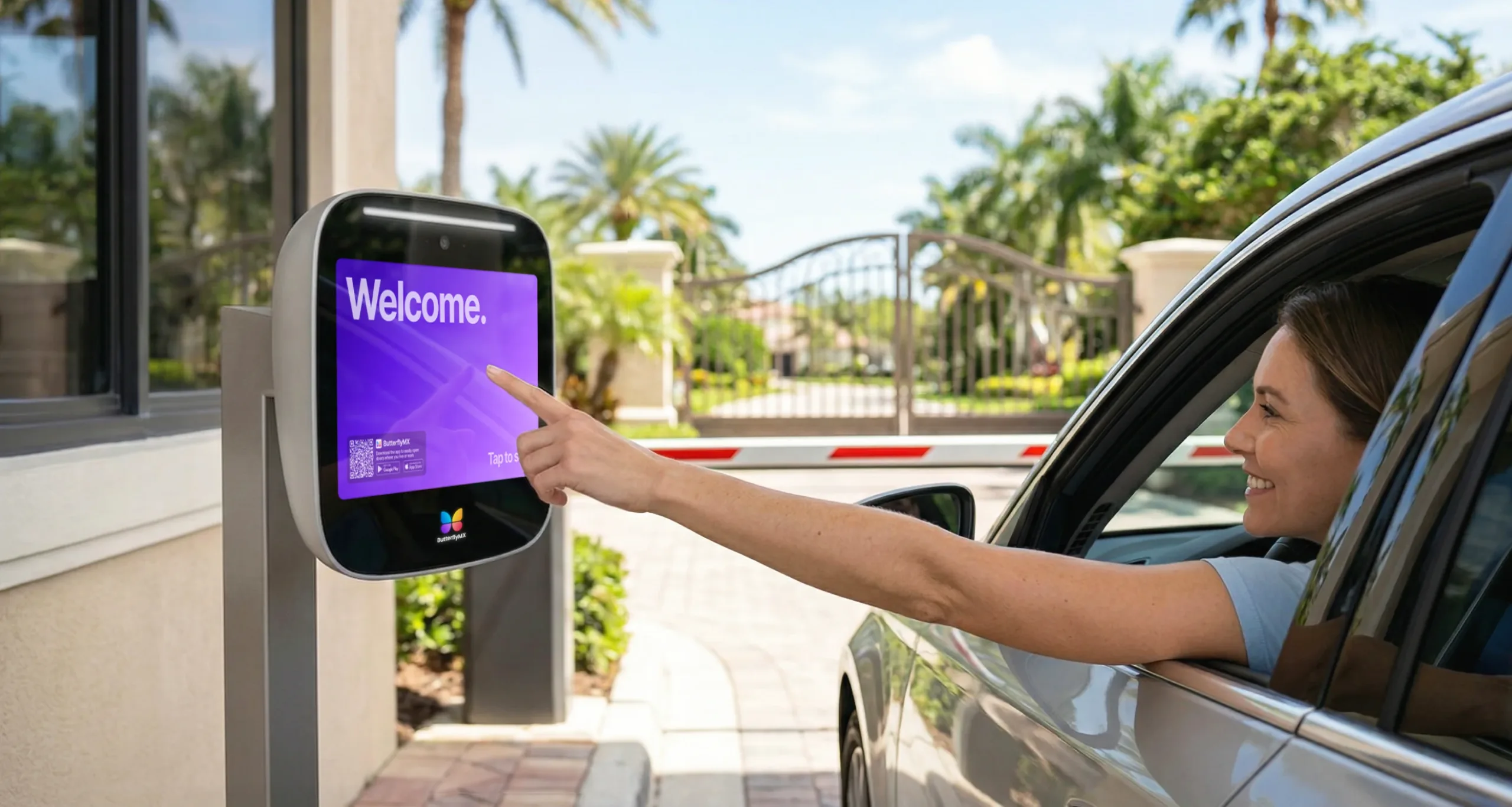
Replacing an overnight gate guard sounds simple until you map what that guard actually does. Some guards mostly verify guests, open the gate for approved vehicles, and write down incidents. Others handle disputes, calm down frustrated visitors, reset equipment, direct traffic, or provide a visible security presence residents expect to see.
That difference determines whether virtual monitoring is a smart replacement or a risky shortcut. Many gated communities, multifamily properties, HOAs, and commercial sites can replace overnight gate guards with virtual monitoring when nighttime traffic is predictable, gate technology is reliable, and escalation procedures are clear. But if the property often needs in-person judgment or immediate physical intervention, full replacement may leave a gap.
The better question is not, “Can cameras replace guards?” They cannot. The question is whether remote operators, video intercoms, access control, vehicle access tools, mobile credentials, and a documented response plan can handle your actual overnight entrance activity. This guide explains how that model works, where it fits, where it does not, and how to plan the transition without overpromising what remote monitoring can do.
This guide will answer:
- What virtual gate monitoring is
- How overnight guard replacement works
- Virtual monitoring vs overnight guards
- Is your property a good fit?
- When virtual monitoring works best and when it does not
- How to transition to virtual monitoring
- FAQs
Watch how ButterflyMX works:
What virtual gate monitoring is
Virtual gate monitoring is a remote service that manages after-hours gate access through connected entry technology instead of placing a guard at the entrance overnight. A remote operator, often working from a monitoring center or Security Operations Center, uses live video, two-way audio, gate controls, and written entry rules to verify visitors, respond to calls, and open the gate when access is approved.
That human review is what separates a virtual gate guard service from a simple automated gate. An automated-only system may let residents, approved vehicles, or code holders in without live review. But it does not give the property a person who can speak with a visitor, check instructions, handle an unusual situation, or document what happened. Virtual monitoring keeps a person in the process, just not physically at the guardhouse.
The access layer matters. A working setup usually includes cameras that cover vehicle lanes and approach areas, a video intercom or call station, access control connected to the gate controller, a database of residents and approved users, reliable internet, dependable power, and event logs. Some properties also use license plate recognition, or LPR, to support repeat-entry screening for known vehicles.
Virtual gate monitoring is most relevant overnight because many properties have fewer visitors, fewer service calls, and more predictable entry patterns at night than during the day. If overnight activity is structured enough, a remote operator may be able to handle the gatehouse function without a guard sitting at the entrance for every hour of coverage.
How overnight guard replacement works
Replacing overnight guards with virtual monitoring changes the gatehouse from an on-site staffing post into a remotely managed access process. The gate is still monitored. What changes is who answers after-hours calls, how approvals are made, and what happens when someone or something falls outside the normal rules.
Visitor verification after hours
A typical overnight visitor process starts when a guest arrives at the gate and uses the call station or directory. A remote operator answers through two-way audio and video, asks why the visitor is there, checks property rules or preauthorization notes, and then grants or denies access. If the property requires resident confirmation, the operator may contact the resident or route the call through the entry system before opening the gate.
This works best when guest policies are written down and the entry hardware is dependable. It works less well when the property relies on a guard’s personal memory of residents, vendors, recurring exceptions, or informal favors that were never put into a system.
Resident, vendor, and delivery entry
Resident entry usually becomes more self-service after the switch. Instead of waiting for a guard to recognize a vehicle or wave someone through, residents may use mobile credentials, access devices, gate codes, or approved vehicle recognition. That can reduce routine guardhouse interactions and make entry less dependent on one person knowing every resident.
Deliveries, contractors, and overnight vendors need more planning. Some properties use scheduled permissions, temporary credentials, PINs, preapproved vehicle lists, or access windows created by staff. Others require every after-hours service visit to be logged before arrival. The more consistent these rules are, the easier they are for a remote operator to follow. If overnight deliveries are frequent, irregular, and poorly documented, virtual monitoring may create too many judgment calls for full replacement.
Incidents and emergency escalation
Virtual monitoring can observe, communicate, document, and escalate. It cannot provide immediate on-site intervention by itself. That distinction should shape the whole decision.
If an access dispute, suspicious vehicle, denied-entry issue, or after-hours incident occurs, the remote operator can review camera views, speak to the person at the gate, follow site policy, notify property contacts, and coordinate with emergency services or a mobile response provider when that support is part of the plan. Event logs and recorded video can also make review easier than relying only on handwritten guard notes.
But a remote operator cannot physically separate people, walk the property, direct traffic in person, or intervene at the gate. If your overnight guard often handles those tasks, removing that role may create a serious gap unless another physical response option is in place.
Full replacement vs hybrid model
A full replacement means there is no overnight guard stationed at the gate. Remote operators handle gate communication and access approvals, while the property depends on technology, written rules, and escalation procedures to manage exceptions.
A hybrid model keeps physical staffing where it adds the most value and moves only the overnight gate function to remote monitoring. This can be a practical middle ground because daytime traffic often includes more vendors, tours, move-ins, deliveries, service issues, and resident questions. Overnight activity is often narrower and easier to standardize. Hybrid also gives boards and managers a lower-risk way to test remote coverage before making a larger change.
ButterflyMX fits into this discussion as part of the access infrastructure, not as a replacement for monitoring personnel or physical response. Video intercoms, mobile access, visitor entry tools, vehicle access tools, and cloud-based access control can give remote operators clearer information and give residents more reliable ways to enter without depending on a staffed gatehouse.
Virtual monitoring vs overnight guards
The table below is a decision framework, not a universal winner chart. The better option depends on overnight traffic, resident expectations, technology readiness, and whether the property needs a person physically present at the entrance.
The biggest cost mistake is comparing only the nightly guard invoice with the monitoring proposal. Overnight guards create recurring labor expense. Virtual monitoring may reduce that labor exposure, but it can also require cameras, intercom upgrades, gate integration, connectivity improvements, backup power planning, service fees, maintenance, and support. If your site already has modern access equipment, the economics may look different than they would at a property with outdated or fragmented gate hardware.
A fair comparison starts with the right inputs. Gather current guard costs, contract terms, overnight coverage hours, post orders, visitor volume, exception frequency, hardware condition, internet reliability, and any need for separate mobile response. These details matter more than a generic savings claim because each property is replacing a different mix of security, access control, and customer-service duties.
Price is only one tradeoff. A physical guard offers visible presence, site familiarity, and immediate in-person judgment. Virtual monitoring offers centralized review, digital records, and remote handling for routine overnight entry. If the overnight post is mostly visitor screening, a remote model may be enough. If the post regularly involves deterrence, patrol support, traffic control, or conflict handling, the savings may come with operational losses that need to be addressed.
Access technology can make or break the remote model. A video intercom lets operators see and speak with visitors. Access control lets managers update credentials and permissions without visiting the gate. License plate recognition can support screening for known vehicles. These tools do not replace a monitoring provider, a guard company, or an emergency response plan. They make the overnight access process more consistent and easier to manage remotely.
Is your property a good fit?
The best candidates for virtual gate monitoring usually share four traits: manageable overnight traffic, reliable infrastructure, clear entry rules, and limited need for immediate physical intervention. If one of those traits is missing, full replacement becomes harder to justify. If several are missing, a hybrid model or continued guard coverage may be the safer choice.
Signs your property may be a good fit
- Overnight visitor and vendor traffic is steady, predictable, and not chaotic.
- Residents can use mobile access, credentials, access devices, or approved vehicle entry without guard assistance.
- The property has, or can add, camera coverage, two-way gate communication, and access control integration.
- Internet and power are reliable enough for remote gate operations, with backup plans in place.
- After-hours access rules can be documented instead of relying on unwritten guard judgment.
- The site rarely needs someone at the gate to intervene physically.
Signs full replacement may not be the right move
- Frequent overnight disputes require in-person de-escalation.
- The entrance has blind spots, complicated lane patterns, or traffic design problems that make remote review difficult.
- Connectivity or power is unreliable.
- Residents, board members, or tenants strongly expect to see a guard at the gate.
- The property has a high-security profile or a history of incidents where immediate physical presence matters.
- Entry decisions depend on many informal exceptions that no system currently tracks well.
A practical readiness checklist
Before replacing overnight gate guards with virtual monitoring, make sure your property can answer yes to most of these questions:
- Can visitors be seen and heard clearly at every overnight entry point?
- Can remote operators open or deny gate access through integrated hardware instead of manual workarounds?
- Do residents have reliable self-entry methods?
- Can staff create and manage visitor, vendor, delivery, and contractor permissions before arrival?
- Does the property have written escalation rules for suspicious activity, denied entry, emergencies, and equipment problems?
- Is there a backup plan for internet outages, power loss, or gate equipment failure?
- Have you decided whether mobile response or another physical response option is needed?
- Are leaders prepared to explain the change clearly to residents, tenants, staff, and vendors?
Property type also changes the answer. HOA-governed gated communities may need board discussion and resident buy-in before changing a visible security practice. Multifamily properties need strong plans for guest access, food delivery, contractors, and late-night move-related activity. Commercial and mixed-use sites often have stricter tenant access rules and more complicated after-hours vendor patterns. Senior living communities may place more emphasis on reassurance, communication, and emergency escalation procedures.
This is where centralized access management can reduce friction. If property teams need to manage resident credentials, visitor permissions, vehicle access, and remote entry tools across one or more entrances, integrated access control and video intercom tools can make policies easier to apply. ButterflyMX can support that access layer, helping properties manage entry information more clearly while a monitoring provider handles live remote review.
When virtual monitoring works best and when it does not
Virtual monitoring works best when the overnight gate function is mainly about controlled access, not constant physical presence. That makes some properties strong candidates, some better suited to a hybrid model, and others poor candidates for replacement.
Best-fit scenarios
Strong candidates often include gated communities, multifamily properties, and commercial campuses where overnight traffic is limited enough to review remotely, residents or approved users have dependable self-entry methods, and visitor rules are consistent. These sites usually benefit from connected cameras, video intercoms, access control, and gate procedures that do not depend on one guard’s personal memory.
Where the hybrid model makes the most sense
Hybrid often works well when daytime and overnight needs are clearly different. A property may want a staffed presence during leasing traffic, deliveries, contractor visits, move-ins, or board-sensitive daytime hours, but not need the same staffing level after midnight. In that case, remote overnight monitoring can reduce labor exposure while preserving physical staffing when face-to-face service matters most.
Hybrid can also help leaders test resident acceptance, refine policies, and confirm that the technology performs reliably before removing overnight coverage completely. Instead of forcing an all-or-nothing decision, the property can learn from actual overnight activity and adjust the plan.
When virtual monitoring is not a good substitute
Some sites should keep physical guards overnight or delay replacement. That includes properties with frequent trespassing issues, repeated in-person conflicts, complicated multi-lane entrances with poor visibility, unreliable utility service, or security expectations that depend heavily on visible deterrence. High-security environments may also require capabilities beyond remote gate handling.
The important distinction is simple: monitoring access events is not the same as providing on-site intervention. A remote operator can verify, communicate, log, and escalate. If the overnight risk depends on someone physically stepping in right away, the property still needs a plan for that. Depending on the site, that may mean keeping guards, adding mobile response, or using a hybrid arrangement.
Outages, failover, and resident perception
Outages are not a side issue. They are part of the decision. If internet service fails, power drops, or a gate component stops responding, the property needs site-specific backup procedures. That may include backup power, connectivity redundancy, manual entry procedures, alternate contact paths, and clear instructions for staff, residents, vendors, and monitoring operators.
Resident perception matters too. Some residents may like the convenience of mobile access and faster routine entry. Others may feel less secure without seeing a guard at the gate. That does not automatically make virtual monitoring the wrong choice, but it does make communication part of the project. A technically sound transition can still struggle if residents do not understand what is changing, why it is changing, and how after-hours access and emergencies will be handled.
How to transition to virtual monitoring
The strongest transitions are phased, documented, and measured. Problems usually start when a property skips one of three steps: it does not audit current conditions honestly, it does not define exception handling clearly, or it removes guards before testing the overnight model.
1. Audit your current entrance and overnight duties
Start by documenting what the overnight guard actually does, not only what the post order says. Track visitor checks, resident entry assistance, delivery handling, vendor access, incident calls, gate resets, manual overrides, tailgating concerns, and recurring exceptions. Then review the entrance itself: camera coverage, line of sight, audio quality, lane layout, gate operator integration, credential methods, connectivity, and power resilience.
This audit shows whether you are replacing a security function, a customer-service function, an access-control function, or a mix of all three. It also shows which tasks can move remote and which still need a local response plan.
2. Review costs and contract boundaries
Next, compare your current guard arrangement with the proposed remote model in detail. Include labor cost, service hours, overtime exposure, supervision, training expectations, monitoring fees, hardware upgrades, support needs, and any separate physical response coverage. If you are under an existing guard contract, review notice periods, service obligations, and transition timing before making assumptions about short-term savings.
The point is not to chase a headline number. It is to understand the full operating cost of each model and the conditions each one needs in order to work.
3. Define vendor scope and escalation rules
Before launch, decide who handles each situation. What can the remote operator approve alone? When should they contact a resident, on-call manager, security supervisor, or board contact? What happens during suspicious activity, a denied-entry dispute, a tailgating event, a medical emergency, or a gate failure? If mobile response or dispatch support is part of the plan, the handoff needs to be clear before the first overnight shift changes.
This is also the right time to review insurance, liability, licensing, and service-model questions with the appropriate vendors, internal stakeholders, and qualified advisors. Requirements can vary by property, contract structure, jurisdiction, and service scope, so those reviews should happen before the overnight post changes.
4. Install, integrate, and test the technology
Virtual monitoring depends on the access layer working consistently. Cameras must cover the right angles. The intercom must provide usable audio and video. Access control must connect cleanly to the gate hardware. Residents need dependable credentials. Staff need administrative tools that let them manage permissions without confusion.
For many properties, this is where ButterflyMX becomes relevant. Video intercoms can support live visitor communication, mobile access can reduce dependence on gate staff for resident entry, vehicle access tools can help with repeat entry, and cloud-based administration can make permission changes easier for property teams. Those capabilities support the transition, but they still need to be tested with the monitoring process itself.
5. Communicate, pilot, and measure
Before launch, tell residents, tenants, staff, vendors, and recurring contractors exactly what will change at night. Explain how guests will be verified, how approved users should enter, what to do if something does not work, and who to contact with questions. Clear communication can prevent many complaints that later get blamed on the technology.
Whenever possible, start with a pilot. That might mean a limited overnight schedule, one entrance, or a hybrid period where guards remain available while remote procedures are tested. Measure entry delays, failed calls, incident handling, resident complaints, vendor confusion, and whether operators follow site policy. Then refine the setup before removing overnight staffing completely.
A successful transition is not just proof that the gate can open remotely. It is proof that the property can maintain order, clarity, and accountability after hours without depending on a person sitting at the entrance all night.
Frequently asked questions
Can virtual monitoring handle emergencies at night?
Yes, virtual monitoring can support emergency handling at night, but it works through observation, communication, documentation, and escalation rather than on-site physical intervention. Before replacing guards, review who the operator contacts, when emergency services may be called, and whether the property also needs mobile or on-site response support.
What happens if the internet or power goes out?
Outage handling depends on the property’s backup plan. Virtual monitoring needs failover measures such as backup power, connectivity redundancy, manual entry procedures, and clear instructions for staff, residents, vendors, and monitoring operators.
Do residents prefer virtual monitoring or physical guards?
It depends on the property and how the change is introduced. Some residents value mobile access and faster routine entry, while others feel more comfortable seeing a guard at the gate, so communication and expectation-setting matter.
Is the hybrid model of guards by day and virtual monitoring by night effective?
Yes, the hybrid model can be effective when daytime traffic, service needs, or resident expectations differ from overnight conditions. It lets properties reduce overnight staffing while keeping physical coverage during the hours when face-to-face support matters most.
Replacing overnight gate guards with virtual monitoring can be the right move when the overnight post is mostly about verifying visitors, managing entry, and documenting events. It is less appropriate when the property depends on visible presence, frequent in-person judgment, or immediate physical intervention.
The most reliable decision comes from looking at your overnight traffic, gate technology, resident expectations, and escalation needs together. ButterflyMX can support that evaluation by helping modernize the access layer with video intercoms, mobile access, vehicle access tools, and cloud-based access control. Review your gate entry process with a ButterflyMX expert to see whether your property is ready for virtual monitoring.

Get your free quote!
Fill in the form below, and we'll email you right back.
Want a free quote?
Fill in the form below, and we'll email you right back.
Redirecting you in 5 seconds.