





Key takeaways
- SSO in door access control centralizes authentication, while access control systems still manage door permissions.
- SSO improves security by supporting stronger authentication methods, like multi-factor authentication.
- It can be especially valuable for multifamily, commercial, and mixed-use properties with complex access needs.
- Successful implementation depends on system compatibility, integration, and clear role-based access policies.
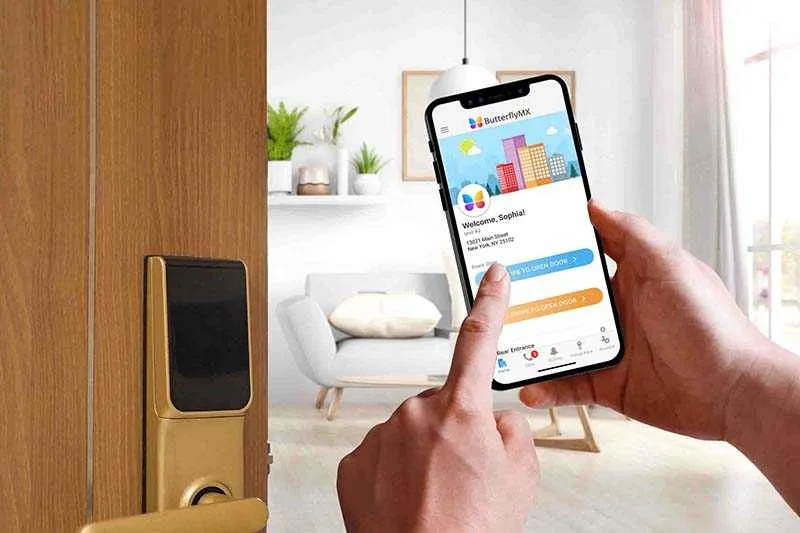
Building access control readers and security is no longer limited to keycards, fobs, or PIN codes. As property operations become more digital, authentication is increasingly tied to the same systems staff already use to manage buildings, tenants, and vendors. One of the most important developments in this shift is single sign-on (SSO).
For property managers evaluating modern security and operational tools, understanding SSO in door access control is less about adopting a new feature and more about understanding how identity, security, and building access control are becoming interconnected.
In this post:
- What is SSO in door access control?
- How SSO works in access control systems
- Why SSO is becoming relevant for property management
- Key benefits of SSO in door access control
- How SSO integrates with door access control
- Common use cases in multifamily and commercial properties
- Challenges and considerations of SSO in door access control
- FAQs about SSO in door access control
What is SSO in door access control?
Single sign-on (SSO) is an authentication method that allows users to log in once and access multiple systems using the same credentials.
In a traditional software environment, this might mean using a single account to access multiple platforms, including a property management system, accounting platform, and communication tools. In access control, SSO extends this concept to physical entry points like doors, gates, and amenity spaces.
SSO door access control connects a building’s access system to a centralized identity provider, such as a corporate directory or cloud-based authentication platform.
Once a user is verified, that identity can be used across multiple systems, including:
- Property management software
- Vendor management tools
- Security and surveillance platforms
- Physical access control systems
How SSO works in access control systems
SSO operates through a centralized authentication service, often referred to as an identity provider (IdP).
In a property context, the process typically looks like this:
- A staff member logs into a central system using their credentials
- The identity provider verifies the user and creates an authenticated session
- That session is shared across connected platforms, including door access control
- The user can unlock doors or manage access permissions without logging in again
This approach is part of a broader framework called federated identity management, where authentication is handled once and trusted across multiple systems. For property managers, the key takeaway is that SSO shifts access control from isolated systems to a unified identity-driven model.
Why SSO is becoming relevant for property management
The adoption of SSO in door access control is tied to broader changes in how properties are operated.
The top reasons why SSO might be relevant include:
Growth of connected systems
Modern properties rely on a growing number of software tools. Organizations now use dozens or even hundreds of applications to manage operations. Without SSO, each system requires separate login credentials, increasing complexity for both staff and administrators.
Shift toward centralized operations
Cloud-based access control allows property teams to manage multiple buildings and entry points from a single platform. SSO complements this by centralizing identity management, making it easier to scale operations across portfolios.
Increased security expectations
As buildings adopt digital systems, the risk profile changes. Password reuse, credential sharing, and manual access management create vulnerabilities. As such, SSO addresses these issues by consolidating authentication and enabling stronger security controls.
Key benefits of SSO door access control
For property managers, the value of SSO is not just technical. It directly impacts day-to-day operations, staff efficiency, and overall building security.
- Streamlined user management. SSO centralizes how users are created, updated, and removed across systems. New employees can be granted access to multiple platforms at once, while departing staff can be removed everywhere simultaneously. Role changes can also trigger automatic permission updates, reducing the need for manual adjustments and lowering the risk of access gaps.
- Reduced password fatigue. Managing multiple logins across systems is time-consuming and often leads to weak or reused passwords. SSO eliminates the need for separate credentials, making it easier for staff to access the tools they need while improving overall security through more consistent authentication practices.
- Faster onboarding and offboarding. Property operations often involve frequent staff changes, vendor turnover, and temporary access needs. With SSO, onboarding becomes more efficient because access is provisioned from a central system. Offboarding is also more secure, as access can be revoked immediately across all connected platforms without relying on manual updates.
- Improved security posture. SSO supports stronger authentication methods, including multi-factor authentication. This adds an extra layer of protection beyond passwords. Even if login credentials are compromised, additional verification steps help prevent unauthorized access to both systems and physical entry points.
- Better visibility and auditing. Centralized identity management provides clearer insight into access activity. Property managers can track who accessed specific systems or entry points and when. This level of visibility supports compliance requirements, simplifies incident investigations, and improves internal reporting across properties.
Discover how ButterflyMX works:
How SSO integrates with door access control
SSO does not replace your door access control system. Instead, it acts as the login layer that verifies who someone is before the access control system decides what they are allowed to do. The access control platform still handles door permissions, credentials, schedules, and entry logs.
A simple way to think about it is that SSO confirms identity, and the access control system enforces access.
A typical setup includes:
- An identity provider. This is the system that verifies a user’s identity when they log in. Examples include platforms like Okta or Microsoft Entra ID. Once a user is verified, that identity can be used across connected systems.
- An access control platform. This is the system that manages doors, permissions, and entry activity. It determines which doors a user can access at what times, and keeps a record of entry events.
- An integration between the two. This connection allows the identity provider and access control system to share information. It is often done through API integrations or identity federation, so verified users can seamlessly access physical spaces.
With this setup, access is typically assigned based on roles. This is known as role-based access control (RBAC). For example, a property manager may have full building access, a technician may only access maintenance areas, and a vendor may have limited, time-based access.
Common use cases in multifamily and commercial properties
SSO door access control is especially useful in properties with complex access needs, multiple user groups, and a growing number of connected systems.
Here is a list of common places you’ll find SSO in door access control configurations:
- Multifamily portfolios. Property managers overseeing multiple buildings can standardize how access is managed across locations. SSO allows teams to centralize staff access, maintain consistent onboarding processes, and reduce the administrative work required to manage users across different properties.
- Commercial offices. In office environments, SSO connects physical access with workplace technology. Employees can use the same credentials to enter the building and access work applications, while access permissions can be tied directly to employment status and updated in real time.
- Mixed-use developments. Properties that include residential, retail, and office spaces benefit from more flexible access control. SSO makes it easier to manage different user groups with distinct permissions while maintaining centralized oversight across all property types.
- Vendor and contractor management. Managing temporary access becomes more efficient with SSO. Property teams can assign time-based permissions, automatically expire access when it is no longer needed, and reduce the need to manually track or revoke credentials.
Challenges and considerations of SSO in door access control
While SSO offers clear advantages, it also introduces new considerations for property managers. Understanding these tradeoffs is important when evaluating how SSO fits into your overall access strategy.
Here are some of the considerations you should keep in mind when looking at SSO in door access control:
- Single point of failure
- Security risks if credentials are compromised
- Integration complexity
- User experience gaps
Single point of failure
Because SSO centralizes authentication, it also creates a dependency on the identity provider. If that system experiences downtime or login issues, it can impact multiple connected platforms at once. In some cases, users may be unable to access doors if authentication cannot be completed.
Security risks if credentials are compromised
SSO reduces password fatigue, but it also means one set of credentials unlocks multiple systems. If those credentials are compromised, the potential impact is broader. Pairing SSO with multi-factor authentication helps reduce this risk by adding an extra layer of verification.
Integration complexity
Not all access control systems support SSO out of the box. Property managers may need to evaluate whether their current systems are compatible, work with vendors to enable integrations, and factor in the time and cost of implementation or migration.
User experience gaps
SSO may not apply to every user type within a property. For example, residents or certain mobile app users may still use separate login methods. This can create inconsistencies in how access is managed and experienced across different groups.
FAQs about SSO door access control
- How is SSO different from traditional access control?
- Does SSO replace keycards or mobile credentials?
- Can SSO work with existing access control systems?
How is SSO different from traditional access control?
Traditional access control systems manage credentials separately, often requiring different logins or physical credentials like keycards and fobs. SSO centralizes authentication, so users rely on one set of credentials, while the access control system still determines what doors they can access and when.
Does SSO replace keycards or mobile credentials?
No, SSO does not replace physical or mobile credentials. Instead, it works alongside them by verifying a user’s identity behind the scenes. The access control system still issues and manages credentials such as mobile access, keycards, or PIN codes.
Can SSO work with existing access control systems?
In some cases, yes. Many modern access control platforms support SSO integrations, but older or legacy systems may not. Property managers should evaluate compatibility with their current systems and identity provider before implementing SSO.
Get your free quote!
Fill in the form below, and we'll email you right back.
Want a free quote?
Fill in the form below, and we'll email you right back.
You’ll be redirected shortly...