





Key takeaways:
- A camera-equipped call box may provide a separate CCTV feed, capture a still image, or deliver live video during a call. Verify what users see and where they see it.
- Many current systems use LTE or IP instead of a landline, but they still depend on power and either network availability or cellular coverage.
- Compare hardware, installation, cabling, service fees, maintenance, and backup power together. The panel price alone doesn’t show the total cost.
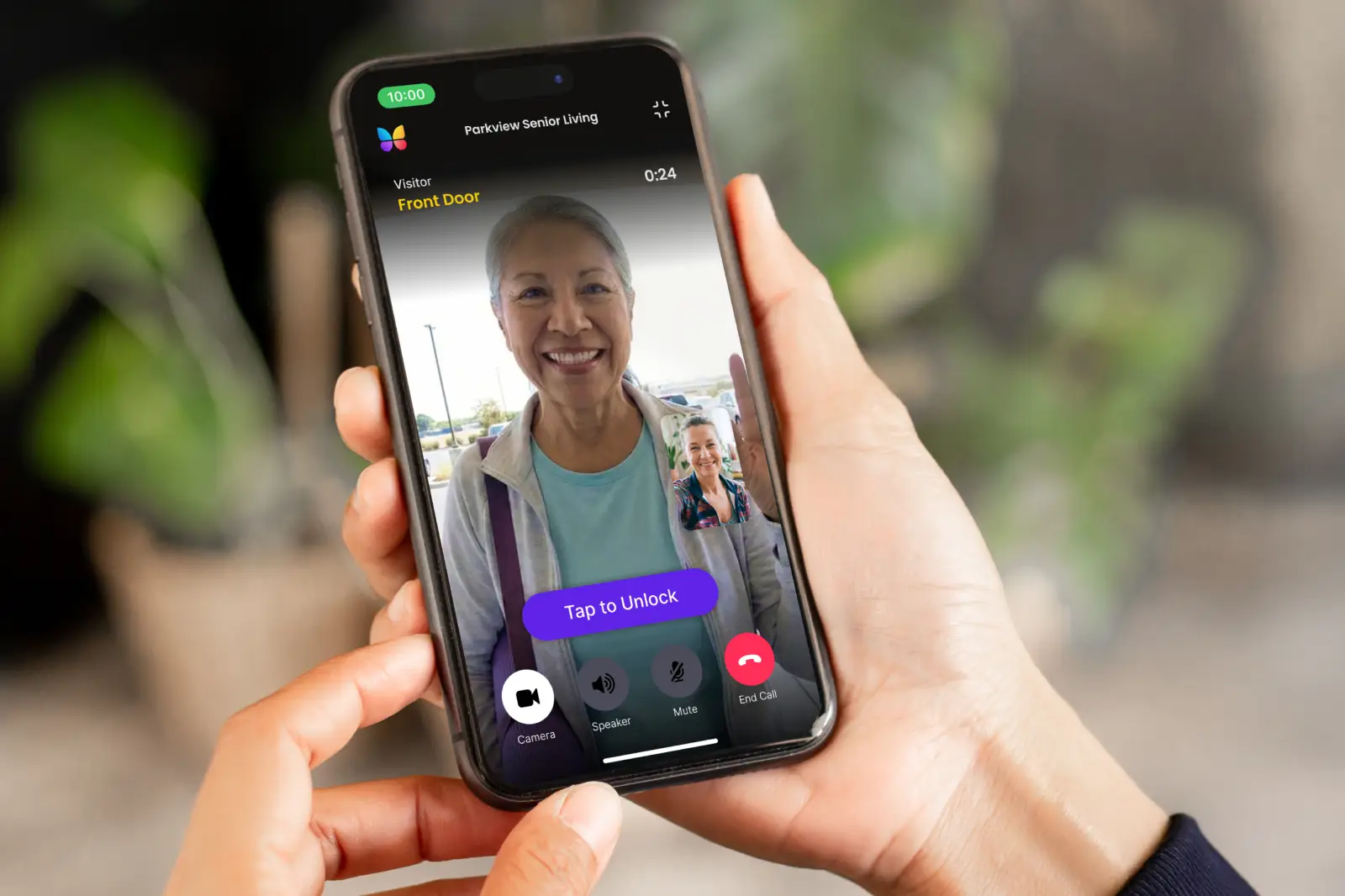
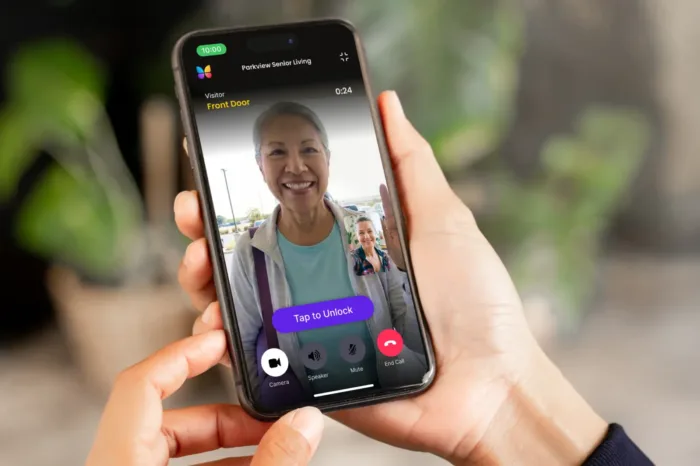
A camera on a telephone entry system can mean three very different things. It might send video to a separate security monitor, save a still image of the visitor, or provide live video through an app. Those systems may look similar at the entrance, but they give residents and staff different ways to verify a visitor.
A telephone entry system with a camera lets a visitor contact a resident or staff member, provides some form of visual verification, and can signal a connected door lock or gate operator after access is approved. The first question to ask isn’t simply whether the panel has a camera. It’s where the image goes, whether it’s live, and who can see it.
Once that distinction is clear, you can compare connectivity, installation requirements, recurring fees, outage plans, and the choice between repairing an existing call box and replacing it with a video-first system.
This guide will answer:
- What is a telephone entry system with a camera?
- What the camera actually provides
- How calls, video, and remote release work
- Does a camera-equipped telephone entry system need a landline?
- What a camera-equipped telephone entry system costs
- Telephone entry with a camera versus a video intercom
- Should you repair, retrofit, or replace the system?
- How to choose for a gate or building entrance
- Installation, compliance, resilience, and security checklist
- FAQs
Watch how ButterflyMX works:
What is a telephone entry system with a camera?
A camera-equipped telephone entry system is an entrance panel that lets a visitor call a resident, office, or guard while providing visual information about the person at the entrance. After speaking with and verifying the visitor, the recipient can send a command to a connected door lock or gate operator.
The system usually includes several parts:
- An entrance panel that contains the directory, call controls, microphone, speaker, and camera.
- A communication path, such as POTS, LTE, IP, or VoIP, that carries the call.
- An answering device, which may be a telephone, dedicated station, or supported app.
- A relay, sometimes called a dry-contact release, that signals compatible access hardware.
- An electric lock or mechanical gate operator that controls the physical opening.
The relay doesn’t secure a door or move a gate by itself. It sends a release signal to the connected hardware, which must be selected, installed, and configured for that entrance.
Visitor calling is also different from resident access. Visitors use the panel to request entry, while residents may enter with a PIN, card, mobile credential, or another authorized method.
Camera functions vary by model, product generation, configuration, and service plan. Before comparing panels, decide whether the property needs a local video feed, a saved event image, or live video on the device that answers the call.
What the camera actually provides
The word camera doesn’t reveal what the answering user will receive. A camera may follow a separate path from the visitor call, capture one image when an event occurs, or send live video as part of the conversation.
This distinction explains why installing a camera doesn’t necessarily put video on a resident’s phone. For example, some competitors describe kits for compatible systems that require additional CCTV equipment and cabling. That arrangement may work well at a staffed entrance, but the video follows the CCTV path rather than automatically joining the telephone call.
Live viewing, still-image capture, continuous recording, and event logs are separate capabilities. Ask about each one. A system can provide live video without recording it, while another may save a snapshot but never show a live stream. If the system stores images or video, confirm where the data is stored, who can retrieve it, and how long it is retained.
Video direction matters, too. With one-way video, one participant sees the other. With two-way video, both may be visible. One-way video isn’t automatically a shortcoming; it may reflect the system’s privacy design. Buyers should verify what the visitor and answering user each see when a call begins.
Choose the system by the required viewing destination and interaction, not by the presence of a camera in the product name.
How calls, video, and remote release work
The visitor interaction is straightforward, but the audio, video, and release signals don’t always travel together.
- The visitor selects a resident, staff member, or directory entry at the panel.
- The panel starts a call over its configured communication path, such as POTS, LTE, IP, or VoIP.
- The recipient speaks with the visitor and checks whatever visual information the system supports: a separate CCTV feed, an event image, or live video.
- If the visitor is authorized, the recipient sends a release command.
- The panel relay signals the compatible lock or gate operator to release or open according to its configuration.
In a traditional arrangement, the audio call may reach a telephone while the camera signal travels to a separate monitor. In an app-based video arrangement, audio and live video may arrive together in a supported interface. Some competitors, for example, describe a 4G LTE telephone entry unit with video calling and infrared support for low-light conditions. That’s a model-specific example, not a feature shared by every cellular call box.
Connectivity labels can also be misleading if they’re read too broadly. IP doesn’t automatically mean wireless; an IP intercom may require wired network infrastructure. LTE can avoid dependence on the property’s local internet connection, but it still needs adequate cellular coverage, active carrier service, and power.
Event logs, images, storage, and retention may add useful context after a call, but they aren’t guaranteed parts of the core call-and-release process. Confirm them separately for the exact model and plan.
Does a camera-equipped telephone entry system need a landline?
No. Many current telephone entry systems use LTE or IP instead of a traditional landline, although some legacy panels still rely on plain old telephone service, or POTS. The connection affects installation, monthly service, outage behavior, and the options for replacing older equipment.
- POTS: A copper telephone line can support older call boxes. Properties using one should confirm the line’s status with the carrier and plan for eventual migration.
- LTE or cellular: A cellular call box can be useful when running network cabling is impractical. Signal must be tested at the exact panel location.
- IP or VoIP: A network-connected system can support modern calling features, but it needs a suitable network design and a plan for powering the panel and related network equipment.
Copper retirement makes that planning more urgent, but it doesn’t create one shutdown date for every property. On March 26, 2026, the Federal Communications Commission adopted FCC 26-19 to streamline copper-network retirement and technology-transition processes. Carrier timelines and customer-notice requirements may vary, so property teams should confirm the status of each line with the carrier rather than relying on a general industry date.
In December 2024, AT&T said it planned to essentially retire its copper network by 2029, subject to implementation and approvals. That was a company plan, not a guaranteed nationwide cutoff date for every customer.
The change in connectivity also changes outage planning. The FCC notes that traditional copper service typically works during power outages, while modern replacements generally need deliberate backup power. Cellular service can avoid a local internet outage, but it can’t remove dependencies on electrical power, cellular signal, or the carrier network.
Before migrating a call box, inventory access-control lines separately from fire alarms, elevator phones, and other life-safety communications. Replacing a telephone entry line isn’t a replacement plan for those unrelated regulated systems.
What to plan for during an outage
- Identify which components stop working if utility power fails, including the panel, lock power supply, gate operator, network equipment, and cellular modem.
- Determine whether backup power is needed and how long it must support the intended entry process.
- Document an alternate authorized-entry method for residents and staff.
- Test the finished system instead of assuming every component will remain available.
What a camera-equipped telephone entry system costs
There isn’t a dependable universal price range for a telephone entry system with a camera. The panel is only one part of the project, and two installations using similar hardware may require very different cabling, mounting, connectivity, and integration work.
The camera architecture drives part of the cost. A separate CCTV feed may require dedicated cabling, power, a monitor or recorder, and a staffed viewing location. A cellular or cloud-connected system may avoid some local infrastructure while adding recurring service fees. Neither approach can be evaluated fairly from the hardware price alone.
Installation conditions matter just as much. A gate may require conduit or trenching, while a building entrance may require work on existing wiring, the lock, the network, or the panel opening. Backup power and migration away from a legacy telephone line can add more work even when the new panel itself is straightforward.
Request current quotes that separate hardware, installation assumptions, subscriptions, taxes, maintenance, and ongoing support. Compare equivalent camera and answering capabilities; an inexpensive camera feed isn’t equivalent to live video delivered to a resident’s phone.
Telephone entry with a camera versus a video intercom
A camera-equipped telephone entry system may still be built mainly around a telephone call. Its camera can provide a separate CCTV feed, a still image, or live video, depending on the product. A purpose-built video intercom is designed around video communication and an app or other supported video interface.
The practical difference is where the property wants the visitor interaction to happen. A staffed gatehouse may only need a local CCTV view and a reliable release control. A multifamily property may want residents to see and speak with visitors from their smartphones while staff manage directory and visitor information remotely.
A simpler call box or compatible camera retrofit can be the better fit when the property doesn’t need video delivered to each resident or broader remote administration. A video-first system becomes more relevant when app-based video communication and remote visitor management are defined requirements rather than optional features.
ButterflyMX is one option for properties following that second path. ButterflyMX video intercoms don’t rely on traditional POTS lines, and residents can receive visitor calls and grant access through their smartphones. Property teams can remotely manage residents, visitors, credentials, and access. After defining the property’s video, management, and connectivity requirements, explore the ButterflyMX video intercom.
Should you repair, retrofit, or replace the system?
Start with the outcome the property needs, then determine whether the existing equipment can provide it safely and reliably. Because compatibility is model-specific, this framework should guide a conversation with the manufacturer or a qualified installer rather than replace one.
Repair when the existing design still fits
Repair may make sense when the current calling, camera, release, and connectivity functions still meet the property’s needs. Confirm that replacement parts, technical support, and the required communication service remain available. Repairing a functioning system can be reasonable if the property doesn’t need a different video destination or a new management model.
Retrofit when one defined capability is missing
It may be possible to add a camera to an existing telephone entry system, but compatibility must be confirmed for the exact panel. Some camera kits require dedicated power, video cabling, separate CCTV equipment, and a specific place to view the feed. A retrofit can add useful visual verification without turning the call box into an app-based video intercom.
Before approving a camera retrofit, identify who needs to see the video, where that person will be, and whether the property wants live viewing, recording, or a still event image. If the required destination is a resident’s smartphone, a legacy CCTV camera kit alone may not meet the requirement.
Replace when the underlying design no longer works
Replacement deserves stronger consideration when the panel depends on a retiring copper line, manufacturer support has ended, the camera can’t deliver the required visual information, or the property needs remote administration and broader visitor features. Resilience gaps can also make further investment in the old panel impractical.
Before requesting proposals, document the panel model, wiring, power, connected locks or gate operator, cellular signal, network path, directory size, viewing destination, support status, and recurring fees. Properties replacing a landline-dependent panel can also review this guidance on POTS lines going away.
Any change to a lock or gate must be reviewed for the specific hardware, operating requirements, and applicable local rules.
How to choose for a gate or building entrance
The same panel can perform differently at a sheltered lobby and an exposed vehicle entrance. A site survey should test the conditions that affect the call, camera image, and release hardware rather than relying only on a product specification.
For vehicle gates
- Test cellular signal at the exact panel location, including the intended mounting height and position.
- Review camera angle, driver reach, lighting, glare, low-light performance, background noise, and weather exposure.
- Confirm how the relay connects to the gate operator. The intercom sends a command; it doesn’t replace the mechanical operator.
- Plan a fallback authorized-entry method for a power, carrier, or equipment outage.
- Review additional vehicle-entry considerations in this guide to a gate call box with camera.
For building entrances
- Evaluate directory capacity, resident turnover, visitor volume, and where residents will answer calls.
- Decide whether staff need remote administration and whether residents need app-based video.
- Review camera placement, accessibility, lighting, and the behavior of the connected lock.
- Keep visitor calling separate from resident entry by PIN, reader, card, or mobile credential.
- For broader housing applications, see this guide to a residential telephone entry system.
For either setting, verify user capacity, integrations, warranty, support, image storage, and retention rather than assuming they’re included. Product features and service requirements can vary by model, generation, configuration, and plan.
Installation, compliance, resilience, and security checklist
Product selection is only half the job. The panel, camera, communication path, release hardware, and outage plan have to work as one installed system.
- Test network or cellular service at the panel location. Don’t rely on signal readings taken elsewhere on the property.
- Identify the power needs of the panel, camera, network equipment, lock power supply, and gate operator. Define backup power and an alternate authorized-entry method.
- Verify camera cabling, power, monitor or recorder requirements, supported distances, and compatibility with the existing panel.
- Check the camera angle, visitor distance, glare, lighting, and infrared or low-light performance under actual site conditions.
- Confirm compatibility with the connected lock or gate operator and have a qualified access-control specialist review relay behavior and release safeguards.
- Review mounting height, reach, and operating-force considerations. The U.S. Access Board guidance on operable parts is a useful planning reference, but applicable requirements and local review determine the final installation.
- Have a qualified specialist review adopted egress rules, lock behavior, and any required authority having jurisdiction involvement. Requirements depend on the locking method and adopted code.
- Use unique credentials, remove default passwords, restrict administrator access, and document how firmware and security updates will be handled. CISA guidance on eliminating default passwords supports this basic security practice.
A camera doesn’t replace compliant locking, egress provisions, or required life-safety communications. Treat accessibility, code, electrical, and security information as planning guidance, then involve qualified professionals and the local authority having jurisdiction where appropriate.
Frequently asked questions
Can I add a camera to an existing telephone entry system?
Sometimes. Compatible camera kits are available for certain systems, but the retrofit may require dedicated power, video cabling, CCTV equipment, and a defined viewing location. Confirm compatibility for the exact panel before assuming the camera can send video to a resident’s phone.
Can visitors see residents when they answer?
It depends on whether the system uses one-way or two-way video. Verify what the visitor and answering user each see when a call starts because video direction varies by product, configuration, and privacy design.
Does the camera record video or only take a photo?
Either is possible, but neither should be assumed. Live viewing, continuous recording, event snapshots, and audit records are separate features, so confirm the storage location and retention period for the exact model and plan.
Do all camera-equipped telephone entry systems require a subscription?
No. Some cellular and cloud-connected products require recurring service, while local or legacy configurations may have different requirements. Request a current quote for the exact panel and service plan instead of relying on old fee examples.
The most important question isn’t whether a telephone entry system has a camera. It’s whether that camera sends a CCTV feed, saves a still image, or delivers live video where the person answering the call can use it. That answer shapes the cabling, connectivity, recurring costs, outage plan, and choice between repair, retrofit, and replacement.
If a legacy call box can no longer provide the video and remote visitor management your property needs, compare ButterflyMX video intercom options and discuss the entrance, connectivity, and access requirements with a ButterflyMX expert.
Get your free quote!
Fill in the form below, and we'll email you right back.
Want a free quote?
Fill in the form below, and we'll email you right back.
Redirecting you in 5 seconds.