





Key takeaways:
- A telephone entry system lets visitors call someone who can authorize entry through separate door-release hardware or a gate operator.
- The right connection depends on your entrance infrastructure, recurring service costs, and which functions must work during an outage.
- Repair dependable equipment, retrofit a compatible panel when its connection is the problem, or replace a system that no longer meets your needs.
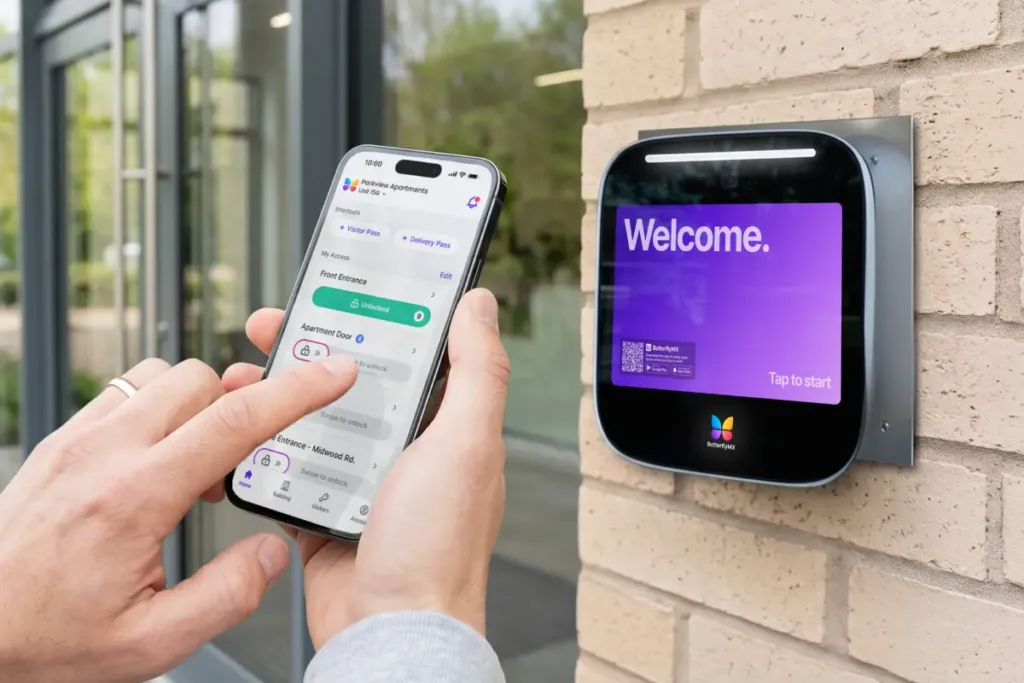
A telephone entry system lets visitors at a door or gate call a resident or staff member to request access. The person answering can approve entry remotely, and the system signals the door-release hardware or gate operator.
If you manage a property with an unreliable or hard-to-manage telephone entry system, call box, or video intercom, the next step isn’t always replacement. You may be able to repair the equipment or change its connection. This guide explains how telephone entry works, compares connection types and products, and breaks down the costs and installation requirements that help you choose.
This guide will answer:
- What is a telephone entry system?
- How does a telephone entry system work?
- Which telephone entry connection fits your property?
- Should you repair, retrofit, or replace an existing call box?
- How much does a telephone entry system cost?
- Telephone entry systems to consider
- Plan installation, outages, and ongoing management
Watch how ButterflyMX works:
What is a telephone entry system?
A telephone entry system connects a visitor at an entrance with someone who can authorize access by phone. Often called a call box, telephone door entry system, or entry phone, it serves apartment buildings, gated communities, offices, and mixed-use properties. Visitors select someone from a directory and request access without entering the property first.
Telephone-based systems can call a resident’s or employee’s phone rather than requiring a dedicated answering station inside each unit. Modern products may also offer mobile apps and video. The category name alone doesn’t tell you how people will answer calls or whether they’ll be able to see visitors.
The components behind the call box
The panel visitors use is only one part of the system. Six components work together to connect a call with permission to enter:
- Entry panel: The microphone, speaker, keypad, or touchscreen visitors use to place a call.
- Directory: The printed or digital contact list that helps visitors reach the right person.
- Communications path: The telephone, cellular, or network connection carrying the call.
- Answering device: A resident phone, desk phone, app, or compatible indoor station.
- Release hardware: The electric strike, lock, or gate-operator interface that responds to approval.
- Power: The supply for the panel and associated equipment, with backup where specified.
A relay is an electrically controlled switch. A relay or controller connects the approval command to the release hardware. Replacing the panel doesn’t automatically replace the lock, power supply, wiring, or gate operator, so each of those components needs its own assessment.
How does a telephone entry system work?
A telephone entry system connects a visitor’s call to a remote release command. The process follows five steps, although the answering device and command vary by system:
- The visitor selects a resident or staff contact from the directory.
- The panel places a call over its configured connection.
- The recipient answers and speaks with the visitor.
- The recipient authorizes entry using a phone command or app.
- The relay triggers compatible door-release hardware or signals the gate operator.
Pressing 9 is a common traditional release command, but it isn’t universal. Give residents instructions for the installed system so they know how to admit a visitor. At a door, the strike or locking hardware controls access. At a vehicle gate, a separate operator moves the gate; the intercom itself neither moves the gate nor provides entrapment protection.
Resident entry is a separate task from visitor calling. A system with configured resident credentials can let authorized people enter without placing or answering a call. Depending on the product, those credentials may include PINs, fobs, keycards, or app access. Include both visitor calling and resident entry in your requirements.
Which telephone entry connection fits your property?
A cellular or IP telephone entry system doesn’t need a traditional landline. The best call path, meaning the connection between the panel and the person answering, depends on the infrastructure at the entrance. A network connection in the management office doesn’t necessarily make that connection practical at a remote gate.
The three main connection types have different service costs and outage risks:
Swipe to compare →
Cellular can keep calls off the property’s internet connection, but it still depends on carrier service and power. Likewise, a working copper line doesn’t guarantee a working entrance if the panel or release equipment has lost power. Evaluate every component needed to complete a call and admit a visitor.
POTS and the limits of a legacy phone line
POTS stands for plain old telephone service, traditionally delivered over copper wiring. It supports many existing audio call boxes. The FCC’s telecommunications explainer describes how traditional copper telephone service typically remains available during a power outage, while modern alternatives generally need backup power. The entry panel, controller, lock, and gate operator may still lose power independently of the telephone line.
Cellular entry at a remote gate
Consider an HOA gate far from the clubhouse network. A cellular connection may avoid a new trench for communications wiring, but the entrance still needs power, mounting, and a connection to the gate operator. A wireless telephone entry system doesn’t eliminate those installation requirements.
Test cellular signal at the exact panel location with the intended enclosure and antenna. A coverage map or strong signal in the office isn’t enough. Carrier requirements also vary: DKS Cellular uses AT&T 4G LTE where available, but that requirement doesn’t apply to every brand. A cellular telephone entry system needs a compatible panel and gateway as well as suitable service at the entrance.
IP and VoIP on the property network
IP means Internet Protocol, and VoIP carries voice over an IP network. Neither term means Wi-Fi. A legacy panel may need an approved VoIP adapter and a wired Ethernet connection rather than a direct connection to a wireless network.
Your network team should establish the cable route, available bandwidth, and support responsibilities. Power over Ethernet, or PoE, supplies power through a network cable only when the equipment supports it, and the network switch must have enough capacity to power those devices. Network segmentation separates entry equipment from other network traffic. Traffic prioritization helps calls compete with other network uses.
DoorKing specifies a 330-foot (100-meter) wired Ethernet run limit for its internet adapters. Use the proposed equipment’s requirements when planning longer cable routes, rather than assuming every system has identical limits.
Telephone entry versus a video intercom
Video is a feature, not a fourth connection type. A camera may send a separate CCTV feed to a monitor, capture event snapshots, or provide live video to a resident’s phone. One-way video lets one party see the other; two-way video lets both parties see each other.
Audio may be sufficient if your property accepts voice verification. If residents need to see visitors before admitting them, specify live video at the answering device. When comparing telephone entry systems with a camera, check where the video appears and whether it’s live. Remote administration and audit records are separate features, and video doesn’t eliminate impersonation or tailgating.
Start by identifying usable wiring and equipment. If a network route is impractical, test cellular service. If IP is feasible, assign responsibility for network support. Then decide whether residents need voice calling, live video, or both.
Should you repair, retrofit, or replace an existing call box?
A working call box doesn’t automatically need replacement because it uses a landline. Repair addresses a faulty component. A connection retrofit keeps a compatible panel while changing how it communicates. Replacement changes the entry platform. Choose among them based on reliability, parts availability, service changes, and the features your property needs.
What copper retirement means for an entry system
In March 2026, the FCC adopted changes to streamline copper retirement and technology transitions. That action wasn’t a national landline cutoff. A December 2024 USA TODAY report described AT&T’s plan to retire traditional copper landline service across nearly all states in its footprint by 2029, excluding California. That was a company target, not a deadline for every property.
The FCC explainer describes at least 180 days of notice for non-residential customers and 90 days for residential customers for specified copper-to-fiber replacements. Those periods aren’t a universal rule for every service discontinuance. Your carrier notice and service address determine which transition affects your property.
DoorKing’s January 2026 reference guide also recommends against POTS for entry-system voice and programming, citing problems with modem communication over digital and fiber networks. Planning for POTS lines going away starts with identifying the services your property uses and the changes affecting them, rather than assuming one nationwide shutdown date.
Match the intervention to the problem
- Repair when the panel is otherwise dependable, replacement parts are available, and its features still meet your needs.
- Retrofit when the panel works well, but the phone connection is expensive, unreliable, or being withdrawn. A compatible cellular gateway or VoIP adapter may let you keep the panel.
- Replace when failures recur, parts are scarce, or the platform can’t provide the visitor verification or management features your property needs.
A connection gateway usually leaves the old panel’s audio and directory limitations in place. It won’t automatically add smartphone video or make directory updates easier. For DoorKing, compatibility depends on the exact model, circuit board revision, and adapter eligibility. For example, the 2334-080 adapter requires a REV Z or higher board and wired Ethernet.
If connectivity is the main problem, evaluate options for replacing a POTS line for an intercom before committing to a new platform. Have the installer identify the panel model and board revision so the proposal includes an eligible adapter, not just a compatible connection type.
Audit analog services before canceling a line
Identify everything each analog service supports before canceling it. Fire alarm communicators, elevator emergency phones, and other equipment may have separate service and code requirements. An access-control adapter isn’t automatically a replacement for those regulated communications services.
Establish and test the new entry connection before decommissioning the old one. If the service inventory includes emergency systems, have the responsible service providers address their requirements separately so an entry-system upgrade doesn’t interrupt those communications.
How much does a telephone entry system cost?
The installed cost of a telephone entry system depends on the number of entrances, directory size, connection type, and equipment you can keep. Replacing a panel on usable infrastructure is a different project from adding conduit, communications wiring, and door-release hardware. Define those requirements before comparing proposals.
Separate hardware, installation, service, and upkeep
Compare four cost categories rather than relying on the advertised panel price:
Swipe to compare →
A proposal should state whether the existing lock or gate operator will remain, whether resident credentials will be supplied, and who will perform initial programming. Without those details, two similar totals may cover substantially different work.
DoorKing recurring fees
DoorKing’s U.S. January 2026 subscription schedule, revised May 29, 2026, lists the following voice-plus-data service charges in U.S. dollars. These fees pay for connection services; hardware and installation cost extra.
Swipe to compare →
These configurations have different billing units and connection requirements. The cellular charge applies per control box, while the internet service requires an eligible adapter configuration and a separately supplied property internet connection. The price difference alone doesn’t establish which option costs less for your entrance.
Voice-only and data-only plans also cover different tasks. Calling a resident and transferring directory updates aren’t interchangeable services. DoorKing’s VoIP-only adapter, 1815-578, doesn’t support remote programming. If calls work but remote directory updates don’t, check the installed adapter and subscribed services before treating the panel as faulty.
Calculate first-year service costs
For one cellular control box on the lowest listed tier, with autopay and one activation charge, first-year service totals:
12 × ($49.95 − $2) + $45 = $620.40.
The recurring cellular charge already includes taxes and fees. Hardware and installation remain separate, and the chosen tier must suit the property’s usage.
For an eligible internet VoIP-plus-data configuration, monthly billing totals 12 × $38.95 = $467.40 for a year. The listed annual charge is $428.45, without applying an additional autopay discount. Both billing options exclude property internet service, hardware, and installation. Add those costs when building the project budget.
Telephone entry systems to consider
The following products serve different operating needs. ButterflyMX publishes this guide and offers one of the products compared. Use the table to identify options that fit your property, then review the model-specific requirements below.
Swipe to compare →
DoorKing is an option for larger properties that prioritize audio calling, while the EP-436 emphasizes networked control across multiple doors. Mircom combines a touchscreen directory with mobile video answering. Kantech connects visitor handling to an existing EntraPass management environment, and ButterflyMX combines smartphone video with remote permissions and visitor tools.
Capacity figures describe different things. Directory entries measure contacts, onboard doors describe the controller’s built-in support, and expanded door counts depend on additional equipment. For a multi-entrance property, use those distinctions to identify both the calling panels and controllers the installation will require.
DoorKing 1830 Series for larger multi-user properties
DoorKing positions its 1830 Series for larger multifamily, gated, and commercial properties. Its audio-focused entry workflow can use compatible cellular or internet connections, with cloud or desktop account management. Elevator control and other access-control extensions require additional hardware.
Select an exact model rather than relying on a family-level feature list. Controller-only equipment and calling panels perform different jobs, and directory capacity varies across the range. DoorKing’s telephone entry families also include smaller-property options such as 1812 and Standard/Access Plus. A closer look at DoorKing intercom models and features can help you narrow the options before an installer checks model and board compatibility.
Nice/Linear EP-436 for networked multi-door sites
The Nice/Linear EP-436 is a commercial telephone entry system for properties that need networked access across multiple openings. Two-way voice supports visitor calls, a sunlight-readable display helps visitors use the directory, and the included MegaCode receiver supports access from compatible transmitters.
Linear publishes a networked capacity of 36 doors and 72 readers, expandable to 64 doors and 128 readers. One panel doesn’t include all that equipment: its onboard configuration supports two doors and four readers. The proposal should identify the additional equipment needed for the intended door count.
The EP-436 supports compatible third-party VoIP adapters, but that doesn’t mean an adapter is included or that every adapter will work. Have the installer name the proposed adapter so the connection requirements and costs are clear.
Mircom TX3-T10 for touchscreen and mobile answering
The Mircom TX3-T10 has a 10-inch touchscreen directory and supports either the public switched telephone network, or PSTN, or Mircom’s MiVoIP service. MiEntry provides one-way video with two-way audio, allowing residents to see visitors while speaking with them. QR scanning supports temporary visitor access, and a built-in proximity reader supports credential entry.
The TX3-T10 includes a two-door controller and IP65-rated housing. It accepts PoE+ or 24–48 VDC power, which affects the network switch or power supply needed at the entrance. The proposal should identify app and cloud licensing rather than assume those services are included. These specifications apply to the TX3-T10, not every TX3 product.
Kantech KTES for an existing EntraPass environment
Kantech KTES is worth evaluating if your facilities team already manages access through EntraPass. Two-way voice and remote release handle visitor requests, while PIN keypad entry supports authorized users. EntraPass event logging brings entry activity into the access records staff already use.
Existing Kantech equipment doesn’t guarantee compatibility. The integrator should identify the supported connection, directory capacity, controller relationships, and software requirements for the proposed installation. Those details determine whether KTES will work with your existing management setup.
ButterflyMX for video calling and remote administration
The ButterflyMX Video Intercom suits properties that want residents to see visitors on their phones and staff to manage permissions remotely. Calls start as one-way video. Visitor Passes provide QR-based visitor access, while supported app, PIN, fob, and keycard methods handle resident entry.
The dashboard combines permission management with date- and time-stamped photo audit records, giving staff a record of entry activity. Supported property management system integrations can connect access administration with resident records. Check compatibility with your property’s software when evaluating how the system will fit your directory-management tasks.
The intercom requires internet, separate power, and compatible release connections; it isn’t PoE-powered. Local low-voltage professionals install the equipment, not ButterflyMX itself. Include backup power and model-specific outage behavior in the entrance design. Four dry-contact relays don’t support a four-entrance installation, so the installer must scope each entrance separately.
Plan installation, outages, and ongoing management
Prepare a brief for each entrance covering panel location, directory size, resident turnover, mounting, cable routes, power, connectivity, release connections, and support responsibility. This gives installers the information they need to propose a complete system, not just a panel.
Your property type helps set priorities. Multifamily and student housing often need frequent directory updates. Remote HOA gates place more emphasis on connectivity and gate-operator integration. Commercial sites may prioritize compatibility with an existing access platform, while senior living properties may emphasize directory readability and simple answering.
Confirm the door or gate interface
You may be able to retain an existing electric strike, magnetic lock, or gate operator if a qualified installer confirms its condition and compatibility. At a gate, the entry system’s release command is separate from the operator’s movement and entrapment protections. Those connections are central to choosing a gate intercom system.
Fail-safe hardware releases when lock power is lost. Fail-secure hardware remains locked from the secured side. Neither label alone establishes compliant egress, meaning the ability to leave. NFPA’s educational guidance on egress door locking explains that permitted arrangements depend on occupancy and door configuration. The installer and authority having jurisdiction must evaluate the actual opening, not just the lock label.
Write and test an outage plan
Have the installer document how the proposed configuration behaves during failures, then arrange a controlled acceptance test. The test plan should address:
- Utility power loss and eventual backup-power depletion.
- Internet failure and carrier service failure.
- Controller failure and release-hardware failure.
For each condition, record which visitor calls, resident credentials, and release functions remain available, and for how long. Don’t assume local functions survive an internet failure or that an uninterruptible power supply, or UPS, preserves every function. Backup power must support all the equipment needed for the functions you intend to keep working.
Assign directory ownership and compare installer proposals
Assign responsibility for move-ins, move-outs, staff permissions, and support escalation before handover. A remotely managed directory still needs someone to keep it accurate. Include initial directory setup and staff training in the installation scope so the system is ready to manage when it goes into service.
Each proposal should identify adapters, expansion equipment, release-hardware work, backup power, testing, warranty coverage, and support responsibilities. Keep recurring service charges itemized by billing unit and included functions, as shown in the DoorKing examples.
Find local candidates through manufacturer dealer or installer channels, then assess their relevant low-voltage, access-control, and gate experience. Give each candidate the same entrance brief and outage requirements. That makes proposals easier to compare and establishes what the installer must demonstrate before handover.
The right telephone entry system depends on how visitors reach residents, how staff manage access, and what the entrance must do during an outage. Repair equipment that remains dependable, retrofit a compatible panel when connectivity is the main problem, and replace a platform when recurring failures or missing features prevent it from meeting your needs.
Start with one entrance brief, identify the equipment you can retain, and request itemized proposals for the same work. If your priorities include video calling to resident phones and remote administration, explore the ButterflyMX Video Intercom alongside your property’s connection, power, and release-hardware requirements.

Get your free quote!
Fill in the form below, and we'll email you right back.
Want a free quote?
Fill in the form below, and we'll email you right back.
Redirecting you in 5 seconds.