





Key takeaways:
- Access control platform providers, hardware manufacturers, and systems integrators do different jobs, so buyers should identify the relationship they need before comparing proposals.
- The best-fit provider depends on property type, existing hardware, deployment model, integrations, credentials, resilience, support, and total cost.
- Managed-property platforms can be a strong fit for multifamily and similar properties, but they should not be treated as a universal replacement for enterprise or critical-infrastructure access control.
Searching for access control companies can quickly turn into an apples-to-oranges comparison. One company may sell the software that manages permissions. Another may make readers, locks, or credentials. A third may design and install an access control model using products from several manufacturers.
That distinction matters. A multifamily property replacing a telephone entry system has different needs from a multi-site organization with strict security governance, and both buyers need more than a generic vendor list. The useful question is not which company is best overall. It is which company, manufacturer, or integrator fits your property, existing hardware, deployment needs, integrations, support expectations, and budget.
This guide explains how to compare leading access control companies by role and buyer fit, then shows the practical questions to ask before you request quotes or build a shortlist.
This guide will answer:
- What is an access control company?
- Leading access control companies by buyer fit
- How deployment models affect operations and resilience
- Core components, credentials, and operational integrations
- Access control vs. intercom, surveillance, and visitor management
- Hardware compatibility, migration, and installation planning
- How to evaluate an access control company
- What drives access control cost?
- Standards, security, reliability, and support considerations
- Where ButterflyMX fits in a managed-property shortlist
- FAQs
Watch how ButterflyMX works:
What is an access control company?
An access control company may provide the software, services, and administration tools used to manage physical entry. An access control system, as defined by the NIST Computer Security Resource Center, uses automated procedures or processes to control access according to established policies.
In practice, buyers usually meet three kinds of organizations during procurement:
- Platform or service providers supply the management layer used to assign, revoke, audit, and administer access.
- Hardware manufacturers make readers, controllers, credentials, locks, and related equipment.
- Systems integrators or installers design, install, commission, and support an assembled system, often using technologies from several companies.
Those categories can overlap. A provider may sell software and branded hardware. A manufacturer may also offer a management platform. An integrator may become the main local contact even when another company makes the product. Before comparing access control system companies, confirm who is responsible for design, installation, software administration, warranties, service escalation, and ongoing support.
Leading access control companies by buyer fit
There is no single best access control company for every property. The right shortlist depends on security depth, property type, deployment preference, integration needs, existing hardware, and the support model your team expects. Use the categories below as a starting point, not a ranking. Provider capabilities, compatibility, and partnerships can change, so verify material requirements before publication or purchase.
Start with the category that most closely matches your operating model, then narrow the list to two or three candidates using the same evaluation criteria for each one. A provider may fit more than one row, so do not rely on category labels alone. Readers who want to focus specifically on the software layer can also compare access control software companies, while keeping hardware and installation decisions in view.
How deployment models affect operations and resilience
Deployment is more than a cloud-versus-on-premise choice. It shapes where administrators work, who maintains infrastructure, how updates happen, what happens during an outage, and how costs show up over time. Access control deployment models are often described as standalone, networked, local-cloud, cloud-hosted, and fully managed approaches.
- Standalone systems are usually limited to one opening or a small set of openings. They may be simple, but they often provide less centralized administration.
- Networked systems connect doors or controllers so an organization can manage multiple openings from a shared environment.
- Local-cloud approaches keep some infrastructure on site while enabling web-based administration or services.
- Cloud-hosted systems place software or data services in cloud infrastructure, but the buyer may still retain meaningful management responsibility.
- Fully managed services shift more operational responsibility to the provider, depending on the actual service agreement.
The difference between cloud-hosted and fully managed matters. In one model, the buyer may still own many administrative and maintenance tasks. In another, the provider may take on more monitoring, updates, backups, and support. Ask exactly who maintains the application, hosting environment, updates, incident response process, and backup plan.
Do not assume one deployment model is automatically more secure or more reliable than another. Resilience depends on architecture, local decision-making, connectivity, power protection, backup communications, update practices, and documented outage procedures. A hybrid access control design can make sense when a property has distinct requirements, but it should be chosen for those requirements, not because hybrid sounds like a safe compromise.
Core components, credentials, and operational integrations
A complete access control comparison has to look beyond one app, one reader, or one lock. A typical access control environment includes management software, controllers that apply access rules, readers that receive credential information, credentials such as cards or mobile passes, locks, and input or output modules that connect door hardware and signals.
Credentials are where the system meets the user. Options may include mobile credentials, wallet-based credentials, fobs, cards, keypads, and biometric methods. Each one raises practical questions: How are credentials issued? How are they revoked? What happens when a phone is lost, a fob is replaced, or a user needs a fallback method? Confirm current support and the actual enrollment and removal process for every credential type you plan to use.
For managed properties, property management software integrations can be just as important as the door hardware. A PMS connection may support access administration tied to resident or lease events, but the details matter. Buyers should ask what data moves between systems, which events trigger access changes, and who supports the integration if something breaks. Yardi, RealPage, Entrata, and ResMan are examples of systems a buyer may investigate; they are not a guarantee that every access control provider supports every PMS or every workflow.
Also separate native capabilities from third-party integrations. A partner-delivered feature can still be valuable, but it may involve a different contract, setup process, support path, and failure point than a native function.
Access control vs. intercom, surveillance, and visitor management
Access control authorizes and records entry. A video intercom supports communication and visitor-entry decisions. Video surveillance monitors or records activity. Visitor management handles invitations, identity collection, approvals, temporary access, and similar guest processes.
These functions often work together, but they are not the same thing. A video intercom may be part of an entry system, but video intercom functionality alone does not mean every door, elevator, gate, or amenity is covered by access control. Likewise, an access control event log is not the same as a video surveillance system.
This distinction helps prevent scope gaps. Before comparing providers, map every entrance, gate, elevator, amenity, package area, visitor process, and monitoring requirement. Then identify what each location needs: authorization, visitor communication, temporary access, video monitoring, or a combination of those functions.
Hardware compatibility, migration, and installation planning
Switching access control companies may require little hardware replacement, or it may become a larger migration project. The answer depends on the installed readers, controllers, locks, credentials, wiring, network connections, power supplies, licensing, management software, and the new provider support model. A stated protocol or integration is not the same as validated interoperability.
- Create an inventory of current equipment, credentials, door conditions, wiring, network connections, power supplies, and software.
- Ask each candidate which components can remain, which need adapters or configuration work, and which must be replaced.
- Confirm validated interoperability, warranty coverage, firmware requirements, licensing effects, and who will support the combined configuration.
- Plan credential migration, administrator training, data transfer, cutover timing, fallback access, and decommissioning.
- Document whether the provider, a certified partner, or a local integrator owns design, installation, commissioning, and ongoing service.
This work is not just technical. It affects residents, tenants, staff, vendors, and anyone else who needs reliable access during the changeover. A strong proposal should state its assumptions and exclusions clearly, especially if it claims that existing hardware can stay in place or that the installation will be simple.
How to evaluate an access control company
Evaluate every shortlisted provider against the same property requirements. Start with the number and type of openings, user population, gates and vehicle access, risk profile, compliance obligations, reporting needs, and the level of enterprise security depth required.
- Property fit: Does the system match multifamily, student housing, senior living, HOA, gated, commercial, mixed-use, or another property type?
- Compatibility: Which existing readers, controllers, locks, credentials, wiring, and software can remain, and which must change?
- Administration: Who creates access rules, manages users, handles permissions, and audits activity across one property or multiple sites?
- Integrations: Are property management, visitor, video, elevator, package, identity, or other connections native, partner-delivered, or custom?
- Credentials and access methods: Can the provider support the credential types, visitor access, credential lifecycle, and fallback procedures your users require?
- Reliability and support: What happens during power, network, application, or integration outages, and who responds?
- Implementation and cost: What are the installation assumptions, migration tasks, service responsibilities, recurring charges, and replacement expectations?
For multifamily and other managed properties, pay close attention to resident turnover, staff permissions, guest entry, vehicle access, shared amenities, package areas, and the workload created by exceptions. A system that looks capable on a product page can still be hard to operate if common property tasks require manual cleanup or multiple support paths.
Before making a final selection, ask for references tied to your property type, written implementation assumptions, outage procedures, service responsibilities, migration scope, and a complete cost breakdown. Then apply those same questions to every provider, including ButterflyMX, instead of changing the criteria for the company you already prefer.
What drives access control cost?
There is no useful universal price for access control because total cost depends on the number and type of openings, selected components, deployment model, installation conditions, integrations, credentials, support, connectivity, and migration requirements. A lower initial quote may not produce a lower total cost of ownership over the life of the system.
- Hardware, including controllers, readers, locks, credentials, and related components
- Site design, wiring, installation, commissioning, and construction conditions
- Software licensing or subscriptions, including possible per-door or per-user charges
- Integrations, configuration, connectivity, training, maintenance, and support
- Migration work, credential replacement, data transfer, and planned hardware replacement
Ask for itemized, like-for-like proposals that cover the same property scope, service period, assumptions, exclusions, support level, and replacement schedule. That makes it easier to compare upfront capital expense with recurring subscription expense without relying on unsupported averages.
Standards, security, reliability, and support considerations
Technical standards can guide good procurement questions, but they do not replace project-level testing. OSDP is an SIA-maintained standard for communication between access control readers and controllers. Buyers may ask about OSDP when they are evaluating supervised communication, interoperability planning, secure configuration, and upgrade paths.
OSDP support does not guarantee that all products will work together, that every feature will be available, or that a complete system is secure. Implementation, configuration, supported features, firmware, testing, and vendor support all affect the result.
Use security and reliability questions to clarify responsibility. Ask providers how they handle encryption, administrator controls, software updates, event logs, credential revocation, incident response, and accountability across integrated products. Also ask about local continuity, network and power backup, monitoring, spare components, service response, and documented outage procedures. Product support, installer support, and managed-service support should be separated in the contract so you know who responds when something fails.
Where ButterflyMX fits in a managed-property shortlist
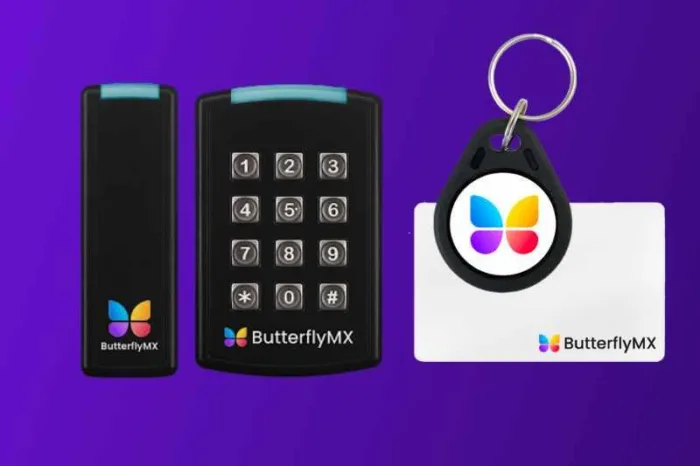
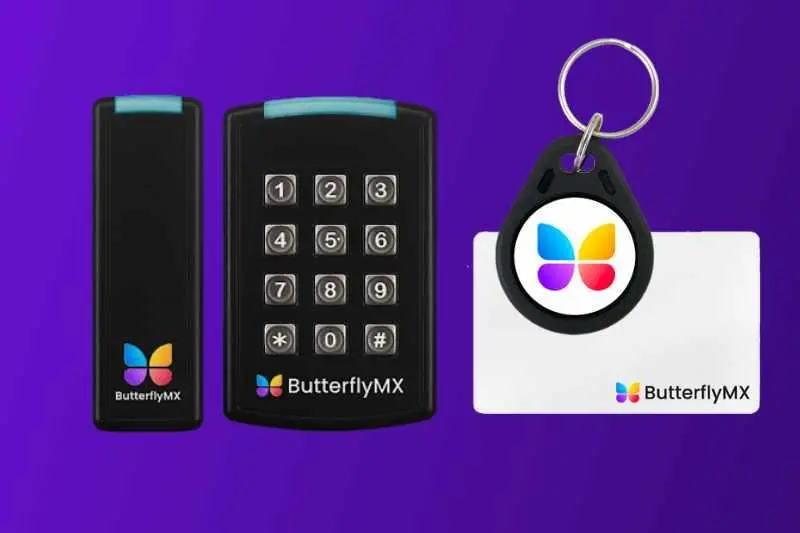
ButterflyMX is worth considering for multifamily, commercial, mixed-use, and other managed properties that need coordinated property access and visitor entry. Residents can receive visitor calls and grant access through their smartphones, while property teams can remotely manage residents, visitors, credentials, and access. ButterflyMX video intercoms also do not rely on traditional POTS telephone lines, which can matter for properties replacing legacy telephone-entry hardware.
ButterflyMX should still be evaluated with the same neutral criteria used for every access control company. Confirm the exact door, gate, elevator, package-area, visitor, credential, integration, installation, and support requirements at the property. ButterflyMX can support access needs beyond a main entrance, but buyers should verify product scope and compatibility for their specific project.
A managed-property platform is not automatically a replacement for enterprise or critical-infrastructure physical access control requirements. If your property needs unusually deep governance, specialized integrations, or a specific security architecture, include enterprise-oriented platforms and an experienced integrator in the evaluation.
Frequently asked questions
Do I need to replace existing hardware when switching access control companies?
Possibly. Replacement depends on your current readers, controllers, locks, credentials, wiring, protocols, licensing, and support compatibility with the proposed system. Create a documented hardware inventory and request a written migration assessment because protocol support alone does not guarantee validated interoperability.
What type of access control system is best for a small business?
The best fit depends on the number of openings, security risk, remote-management needs, expected growth, installation resources, support requirements, and total cost. A small business should compare those factors rather than choose a provider based only on company size or brand recognition.
How can I find a qualified access control installer near me?
Ask shortlisted providers or manufacturers for authorized partners, then check relevant project experience, certifications, references, service coverage, commissioning responsibility, and ongoing support. Authorization is useful, but it does not replace project-specific due diligence or a clear service contract.
Does OSDP guarantee that access control products will work together?
No. OSDP standardizes reader-to-controller communication, but complete interoperability also depends on implementation, configuration, supported features, firmware, testing, and vendor support. It is not a guarantee of universal compatibility, complete system security, or regulatory compliance.
A strong access control shortlist starts with the property, not a generic vendor ranking. First decide whether you need a platform provider, a hardware manufacturer, an integrator, or some combination of those roles. Then compare each candidate against the same requirements for compatibility, administration, integrations, credentials, resilience, service ownership, and total cost.
For managed properties that need coordinated access and visitor entry, ButterflyMX may be a relevant option to evaluate alongside other providers that fit the project scope. Evaluating access for a managed property? Request a ButterflyMX demo.

Get your free quote!
Fill in the form below, and we'll email you right back.
Want a free quote?
Fill in the form below, and we'll email you right back.
You’ll be redirected shortly...