





Key takeaways
- Access control management software centralizes the management of entry points, user permissions, and access schedules across one or multiple properties.
- The software works by validating credentials, granting or denying access, and logging all activity for security and compliance purposes.
- It is used in a variety of environments, including multifamily buildings, commercial offices, mixed-use developments, industrial facilities, healthcare settings, and educational campuses.
- Key features include unified control, granular access management, real-time monitoring and reporting, system integrations, and remote management capabilities.
- Before choosing a system, organizations should consider scalability, ease of use, deployment model, security, integration options, and total cost of ownership.
Managing building access has become more complex as properties grow, tenant expectations evolve, and security risks change. Traditional keys and standalone systems no longer provide the flexibility or visibility that property teams need. As a result, many organizations are turning to access control systems and software to streamline operations and improve security.
Access control management software allows property managers, building owners, and security teams to oversee and control entry points from a centralized platform. Instead of relying on physical credentials or manual processes, teams can manage permissions digitally, monitor activity in real time, and make updates without being on-site. This shift supports both operational efficiency and a better experience for residents, tenants, and employees.
In this post, you’ll learn what access control management software is, how it works, its key features, and what to consider before choosing a solution.
Navigate this post:
- What is access control management software?
- How does access control management software work?
- Use cases for access control management software
- 5 key features to look for in access control management software
- Considerations before purchasing access control management software
- How ButterflyMX supports property managers with access control
- Access control management software FAQs
What is access control management software?
Access control management software is a digital platform that enables organizations to control, monitor, and manage access to physical spaces. It works alongside hardware such as door readers, locks, intercoms, and credentials to determine who can enter specific areas and when.
At its core, the software acts as the control layer of an access control system. While hardware handles the physical act of locking and unlocking doors, the software defines the rules behind those actions. These rules can include user permissions, access schedules, and authentication methods.
Modern access control management software is typically cloud-based, meaning it does not require on-site servers or complex IT infrastructure. This allows property teams to access the system from any internet-connected device, making it easier to manage multiple buildings or portfolios from a single interface.
How does access control management software work?
Access control management software operates by connecting users, credentials, and entry points within a unified system. When someone attempts to enter a building or restricted area, the system verifies their credentials against predefined permissions before granting or denying access.
Here is a simplified breakdown of how the process works:
- Credential presentation. A user presents a credential at a reader to request access. This credential can take several forms, including a key card, fob, mobile app, PIN code, or biometric input. The method depends on the system configuration and the level of security required for the property.
- Authentication request. Once the credential is presented, the reader captures the data and sends it to the access control management software. This communication may happen directly or pass through a controller, depending on how the system is set up.
- Permission validation. The software evaluates the credentials against its stored database to determine whether access should be granted. During this step, the system verifies if the user is authorized, identifies which doors or areas they are allowed to enter, and checks any time-based restrictions tied to their permissions.
- Access decision. After validating the credentials, the system makes a decision based on the predefined rules. If the user meets all requirements, the door unlocks. If not, access is denied, and the door remains secured.
- Audit logging. Every access attempt, whether successful or denied, is recorded within the system. These records create a digital audit trail that administrators can review for security monitoring, compliance, or incident investigations.
Discover how ButterflyMX works:
Use cases for access control management software
Access control management software is used across a wide range of property types and industries. Its flexibility makes it suitable for both small buildings and large, multi-site portfolios.
Here are six use cases for access control management software to use at your property:
- Multifamily residential buildings
- Commercial office buildings
- Mixed-use developments
- Industrial and warehouse facilities
- Healthcare facilities
- Education campuses
Multifamily residential buildings
Property managers use access control software to streamline access for residents and guests. Instead of relying on physical keys or shared codes, residents can receive mobile credentials and send time-bound guest passes to visitors. This improves convenience and security by reducing the risk of unauthorized access.
From an operational standpoint, staff can manage every entry point from a single dashboard, including doors, gates, elevators, and amenity spaces. When residents move in or out, access can be updated instantly without rekeying locks or tracking down physical credentials. This not only saves time but also reduces operational overhead for property teams managing large portfolios.
Commercial office buildings
Office environments depend on controlled access to maintain security and support daily operations. Access control software enables administrators to assign permissions based on roles, departments, or employment status, ensuring employees can access only areas relevant to their work.
For example, a finance employee may have access to secure records rooms, whereas a general staff member does not. Access schedules can also be customized to align with working hours, limiting after-hours entry unless explicitly approved. In addition, building managers can track usage patterns to better understand how spaces are utilized, informing decisions on space planning and resource allocation.
Mixed-use developments
Mixed-use properties present unique challenges because they serve multiple user groups within a single building or complex. Access control software helps segment these groups by assigning distinct permissions to residents, office tenants, retail employees, and visitors.
This ensures that each group can access only the areas relevant to them. For instance, a retail employee may enter storefront areas but not residential floors, while residents can access amenities and living spaces without interference from commercial traffic. By organizing access this way, property managers can maintain both security and a seamless experience across the property.
Industrial and warehouse facilities
Facilities that store valuable inventory or operate in regulated environments require strict access control. Software-based systems enable managers to restrict access to authorized personnel and define access based on job function, shift schedules, or clearance levels.
In addition to controlling entry, these systems provide detailed tracking of movement throughout the facility. Every access event is logged, creating a record that can be used for compliance reporting, audits, or investigations. This level of visibility is particularly important in environments where safety, accountability, and inventory protection are critical.
Healthcare facilities
Hospitals and medical offices handle sensitive information and materials, making controlled access a priority. Access control software secures areas such as patient records rooms, laboratories, operating rooms, and medication storage areas.
Because healthcare environments are dynamic, with staff roles and schedules frequently changing, the ability to quickly update permissions is essential. Administrators can adjust access in real time, ensuring that only authorized personnel can enter restricted areas at any given moment. This helps maintain compliance with privacy regulations while supporting efficient workflows for medical staff.
Education campuses
Schools and universities use access control software to manage entry across a wide range of buildings, including classrooms, dormitories, administrative offices, and recreational facilities. Each group, such as students, faculty, and staff, can be assigned different access levels based on their role and schedule.
Access schedules can be aligned with class times, campus hours, and special events, allowing administrators to maintain control without restricting legitimate use. For example, dormitory access may be limited to residents, while academic buildings remain open during certain hours. This structured approach helps improve campus safety while still supporting an open and accessible learning environment.
5 key features to look for in access control management software
Understanding the key features and tools of access control management software will help your organization determine the right system to oversee entry points, manage user permissions, monitor activity, integrate with other building systems, and remotely control access.
Here are five features to look for in an access control management software:
- Centralized control
- Access management
- Real-time monitoring and reporting
- Integrations
- Remote management
1. Centralized control
Access control management software provides a single dashboard where administrators can oversee all entry points, users, and locations. This is particularly useful for organizations managing multiple properties or large campuses, as it consolidates everything into a single, unified interface.
Centralized control allows teams to manage multiple buildings from a single platform, standardize access policies across locations, and reduce the need for on-site visits to make updates. This level of visibility helps streamline operations and ensures consistent access management.
2. Access management
A core function of access control software is defining who can access specific areas and when. This is typically handled through permission structures such as role-based access control (RBAC) or discretionary access control (DAC), allowing administrators to tailor access to different user types.
Administrators can assign permissions by role, set time-based access windows, and restrict access to specific doors or zones. This granular approach reduces the risk of unauthorized entry while still providing flexibility for different user groups.
3. Real-time monitoring and reporting
Access control management software provides real-time visibility into building activity, giving administrators insight into activity across all entry points. Live monitoring combined with historical reporting helps teams stay informed and proactive.
The software allows administrators to track entry and exit activity across all doors, receive alerts for unusual or unauthorized access attempts, and generate audit logs for compliance or investigations. These insights support better security decision-making and faster response to potential issues.
4. Integrations
Modern access control systems often connect with other building technologies to create a more efficient and connected environment. One common integration is with video management systems, which provide a visual record of access events.
When a door is accessed, the system can link the event to video footage, allow administrators to verify who entered, and provide a record alongside the access log. Other integrations may include property management software, visitor management systems, and alarm systems, helping create a unified approach to building operations.
5. Remote management
Remote management allows administrators to control and monitor the system from anywhere without being on-site. This includes the ability to remotely lock or unlock doors, issue or revoke digital entry methods using access credential management, and monitor activity in real time.
Remote capabilities improve response times, reduce operational friction, and give property teams greater control over their buildings at all times, which is especially valuable for those managing multiple properties or responding to after-hours situations.
Considerations before purchasing access control management software
Before selecting a solution, it is important to evaluate how the software will fit into your property or organization. Not all systems offer the same level of functionality, and choosing the right one depends on your specific needs.
Here are some considerations to keep in mind when looking at software for access control management:
- Scalability. Consider whether the software can grow with your portfolio. If you plan to add more buildings or units, the system should support expansion without requiring a complete replacement.
- Ease of use. The interface should be intuitive for both administrators and end users. Complicated systems can slow down operations and increase the likelihood of errors.
- Deployment model. Cloud-based systems offer flexibility and remote access, while on-premise systems may provide more control over data. Evaluate which deployment model aligns with your IT resources and operational preferences.
- Security and compliance. Ensure the software meets industry standards for data protection and cybersecurity. This is especially important for properties that handle sensitive information or operate in regulated industries.
- Integration capabilities. If you already use other property technologies, such as cameras or management platforms, confirm that the access control software can integrate with them. A connected system can improve efficiency and reduce manual work.
- Cost structure. Look beyond upfront costs and consider long-term expenses, including subscriptions, maintenance, and potential upgrades. Understanding the total cost of ownership will help you make a more informed decision.
How ButterflyMX supports property managers with access control
Property managers looking for access control solutions can benefit from ButterflyMX’s cloud-based platform, which simplifies building security and tenant management. The system combines remote management, visitor handling, and integrations with other property systems to make access control more efficient and adaptable.
Here are some ways ButterflyMX helps add value for property managers and owners:
- Cloud-based Access Control for simplified operations. Managers can oversee all entry points from a single dashboard, granting or revoking permissions, reviewing entry logs, and adjusting settings from any smartphone or computer. This reduces the need for onsite management and streamlines daily operations.
- Remote management and automation for faster response times. Managers can lock or unlock doors, update credentials, and resolve access issues remotely. This flexibility allows teams to address tenant needs or security concerns quickly without being physically present.
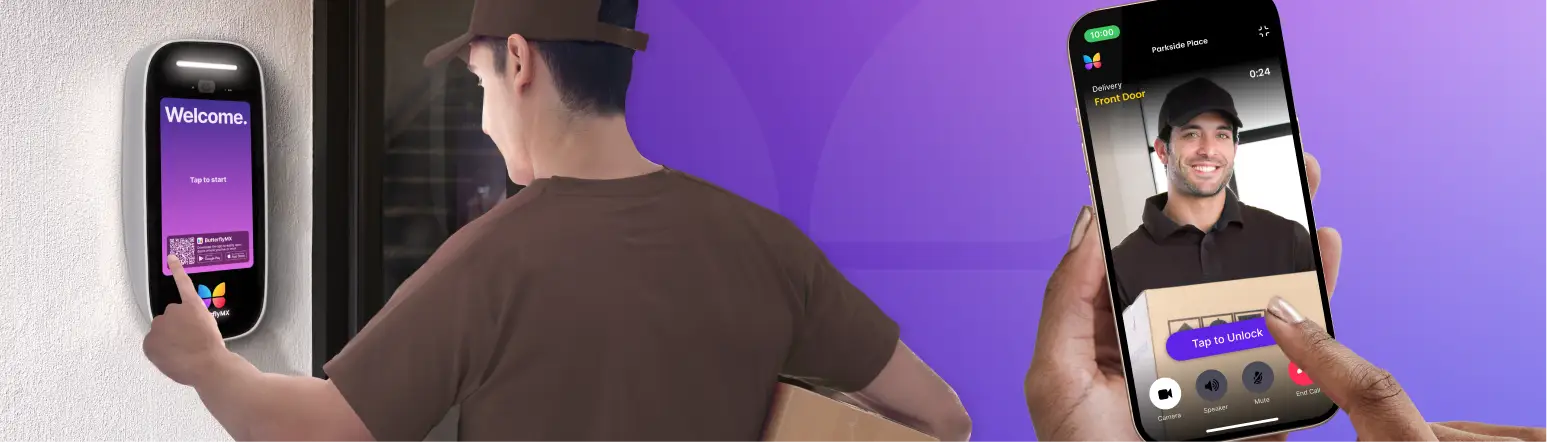
- Visitor and delivery handling for enhanced security and convenience. Time-limited Visitor Passes and delivery PINs let managers track who enters the property and when. This improves security while minimizing operational friction for both staff and residents.
- Integration with property systems for reduced manual work. By connecting with property management platforms and other building technologies, ButterflyMX can automate access updates. Resident move-ins and move-outs automatically adjust permissions, saving time and ensuring accuracy.
- Comprehensive access tools for unified building management. The platform extends beyond doors to Vehicle Access Control, Elevator Controls, and Video Intercoms. This provides a cohesive access control solution that supports security, efficiency, and resident satisfaction.
Access control management software FAQs
- What is the difference between access control hardware and software?
- Can access control software be used across multiple locations?
- What types of credentials can be used?
- Does access control software require on-site servers?
What is the difference between access control hardware and software?
Hardware includes physical components such as readers, locks, and controllers that manage entry points. Software acts as the control center, defining permissions, monitoring activity, and managing users.
Can access control software be used across multiple locations?
Yes. Many platforms are designed to manage multiple buildings or sites from a single dashboard, making them suitable for property portfolios and distributed organizations.
What types of credentials can be used?
Common credential types include key cards, fobs, mobile apps, PIN codes, and biometric identifiers. Many systems support multiple credential options for flexibility.
Does access control software require on-site servers?
Not always. Cloud-based systems do not require on-site servers, reducing infrastructure requirements and enabling remote management.
Get your free quote!
Fill in the form below, and we'll email you right back.
Want a free quote?
Fill in the form below, and we'll email you right back.
You’ll be redirected shortly...