
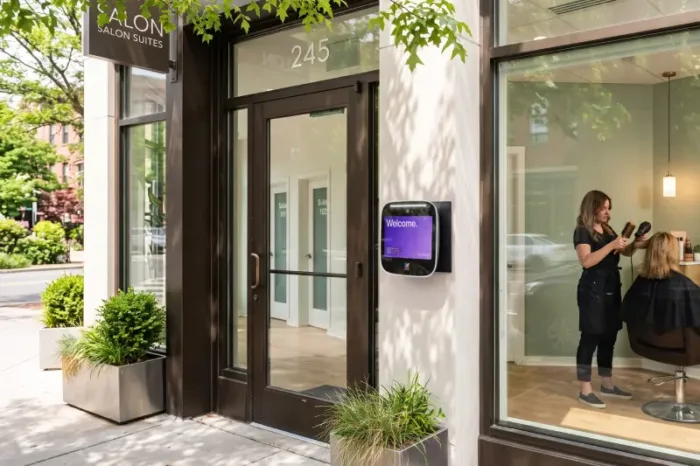





Key takeaways:
- Appointment-only access control helps salons keep doors locked while still giving scheduled clients clear ways to enter.
- Clients can use Visitor Pass QR codes, temporary PINs, or a storefront video intercom instead of physical keys.
- Salon owners can manage stylist access, update permissions when staff changes, and review access activity from one system.
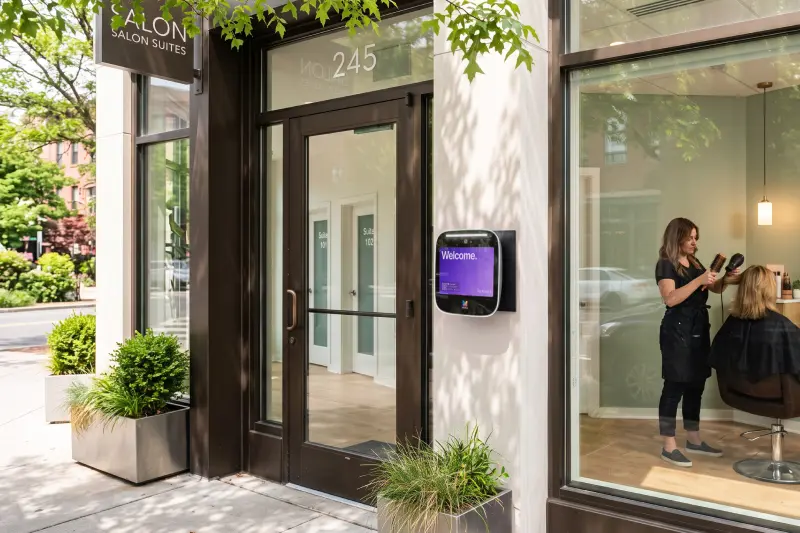
If your salon runs by appointment, an unlocked front door can create problems fast. A walk-in may enter while a stylist is applying color, a client may arrive early and interrupt the front desk, or a former employee may still have a key to the back door.
Appointment-only access control for salons lets scheduled clients enter with temporary PINs, Visitor Pass QR codes, or intercom-based access while preventing random walk-ins. Salon staff can unlock doors with a mobile app, keypad, or managed credential, and owners can review access logs to improve security and accountability.
The goal is not to make your salon feel closed off. It is to give the right people a simple way in while keeping your storefront, staff areas, products, and appointment flow more controlled.
This guide will answer:
- Secure your salon without making client entry complicated
- How client entry works for appointment-only salons
- Make access simple for stylists and salon staff
- Stay in control when stylists join or leave
- How ButterflyMX supports appointment-only salon access
- FAQs
Secure your salon without making client entry complicated
Salons have a different access problem than many storefront businesses. You want clients to feel welcomed, but you also need to protect staff, equipment, retail products, cash drawers, and private service areas. Leaving the door unlocked all day may be simple, but it gives unscheduled visitors the same access as confirmed clients.
Why salons need a different access workflow
A stylist may be with a client and unable to step away. A receptionist may only be on-site during peak hours. A solo salon owner may need to unlock the door for a 9 a.m. appointment while setting up a treatment room in the back.
An appointment-based salon and spa keyless entry system gives you a more predictable workflow. Instead of relying on whoever hears the door or front-desk phone, you decide how scheduled clients, stylists, assistants, cleaners, and vendors enter each door.
What appointment-only access control means
Appointment-only access control for salons means your doors stay managed, but access is still practical. Scheduled clients may receive a temporary PIN or Visitor Pass QR code. Others may call from a salon storefront intercom system so staff can see who is there before unlocking the door.
For staff, access can be handled with a mobile app, keypad reader, or another managed credential. The buyer consideration is simple: choose access methods your clients can actually use. A QR code may work well for many clients, while an intercom call or temporary PIN can be helpful for clients who prefer not to use an app.
How client entry works for appointment-only salons
Client entry should feel clear before the client reaches the door. If people arrive and do not know whether to knock, call, text, or wait outside, your access system is creating a new problem instead of solving one.
Send Visitor Pass QR codes or temporary PINs for appointments
After an appointment is confirmed, your team can provide access instructions that match your salon policy. A scheduled client might receive a Visitor Pass QR code or temporary access code for a salon appointment. When the client arrives, they scan the code or enter the PIN at the approved entrance.
This workflow is useful when you want to keep the storefront locked between appointments. For example, a client arriving for a private color consultation can enter without waiting for a stylist to stop mid-service. At the same time, someone without an appointment cannot simply walk in and browse the reception area.
When evaluating this approach, consider how long each pass or PIN should remain active and which door it should open. A short appointment window may be appropriate for standard services, while a different policy may make sense for bridal parties, vendors, or longer treatments.
Let clients request entry through a video intercom
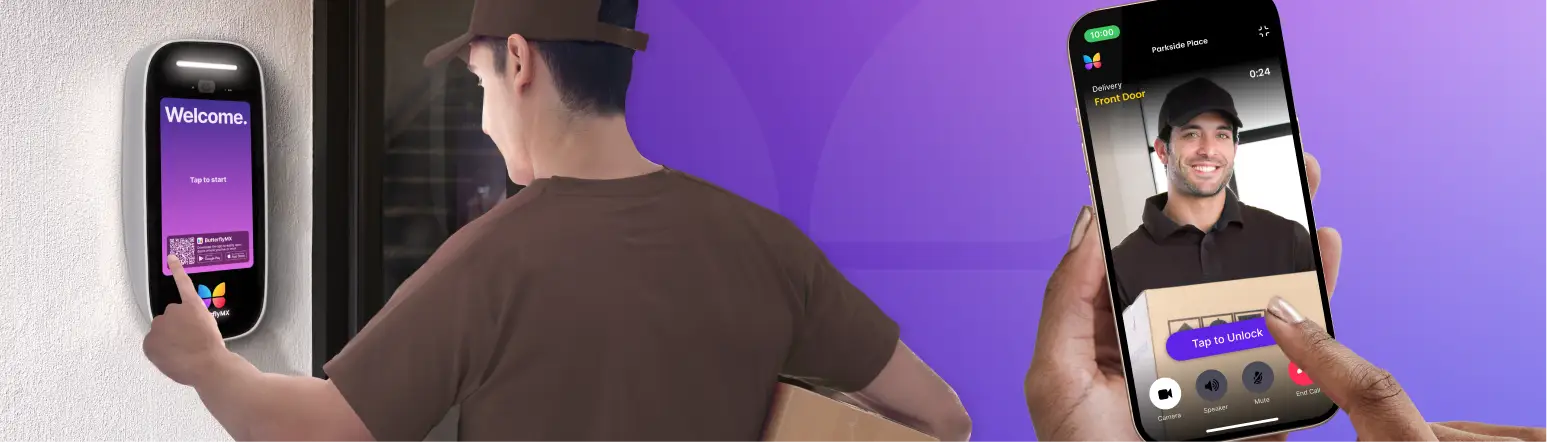
Not every client will use a QR code or PIN. A video intercom gives clients another clear option at the door. They can call the salon, and an authorized staff member or stylist can visually verify them before granting access.
Picture a client arriving for an appointment while their stylist is finishing a blowout. Instead of leaving the station to check the door, the stylist can receive the intercom call through the configured workflow, confirm the client, and unlock the door if appropriate. This keeps the service moving while still avoiding an unlocked storefront.
A video intercom is especially helpful for salons serving clients of all ages. Some clients will prefer a familiar call button over scanning a code. Others may arrive with questions, mobility needs, or confusion about the entrance. The intercom gives your team a human verification step when it is needed.
Make access simple for stylists and salon staff
Client entry is only half the access challenge. Stylists, assistants, managers, cleaners, and product vendors may need access at different times and through different doors. Physical keys make that difficult to control, especially when schedules change.
Use mobile app entry for salon staff
Mobile app entry for salon staff gives authorized users a convenient way to unlock approved doors without carrying a separate key. A stylist opening the salon before an early appointment can use their phone to enter, while the owner can keep access limited to the doors and times that match salon policy.
This is valuable for salons with rotating booth renters, part-time staff, or multiple service providers. Instead of making copies of keys and hoping they are returned later, the owner or manager can manage access digitally as staff roles change.
Add keypad entry for staff areas or back doors
A keypad reader can be useful for a salon back door, staff entrance, supply room, or other approved access point. Staff can enter a code instead of carrying a key, and the salon can avoid leaving a door propped open for arrivals before business hours.
For example, an assistant who restocks products before opening may use keypad entry at the back door, while clients continue to use the front entrance through a pass, PIN, or intercom. This separates staff access from client access, which helps keep service areas from becoming informal public entry points.
When planning keypad entry, think about code-sharing risk. If one shared code is used by everyone forever, it becomes harder to know who actually entered. Managed codes and clear staff policies create a more accountable workflow.
Stay in control when stylists join or leave
Salon teams change. Stylists move to another location, assistants change schedules, contractors finish their work, and vendors may only need access for a limited period. If every access change requires tracking down keys or rekeying doors, security becomes harder to maintain.
Manage stylist access without rekeying doors
Digital access management helps salon owners update permissions when a stylist or employee leaves. Instead of wondering whether a key was copied, you can remove or adjust that person’s access in the system according to your process.
This matters most during busy transitions. If a stylist leaves on short notice, the owner can focus on client communication and schedule coverage rather than coordinating a lock change immediately. You should still follow your own security policies, but digital credentials give you a faster, clearer way to respond.
Use access logs to see who entered and when
Access logs give salon managers more visibility into entry activity. If retail products are missing, a back door was opened after hours, or a cleaner says they arrived at a certain time, the manager has a record to review.
Access history is not just for security incidents. It can also help you understand how the salon is being used. You may see that staff regularly arrive before posted hours, that a vendor needs a better access window, or that a client entry process is creating repeated door calls during peak service times.
Discover how ButterflyMX works:
How ButterflyMX supports appointment-only salon access
ButterflyMX helps salons manage the access and authorization workflow for clients, staff, and approved visitors. It does not replace your door hardware, locks, or installation requirements, so any setup should be reviewed with qualified professionals.
Access methods that fit your salon workflow
With ButterflyMX, a salon can support several access methods from one system. Scheduled clients can use Visitor Pass QR codes or Temporary PINs when your team wants to provide limited access for an appointment. Clients who need help can call through a video intercom so staff can verify them before unlocking the door.
Stylists and staff can use mobile app access for approved entrances, while keypad readers can support staff doors or back-of-house access points. Managers can review access logs to see who entered and when, which is useful when updating policies, handling staff changes, or investigating unusual activity.
The right workflow may combine several methods. A boutique salon might use a front-door video intercom for first-time clients, Visitor Passes for repeat appointments, mobile app access for stylists, and keypad entry for the back door. The point is to give each user the access method that matches their role.
Request a demo for your salon storefront
If you are trying to prevent random walk-ins without making scheduled clients feel locked out, ButterflyMX can help you design a more practical access workflow. Your team can explore how client passes, intercom calls, staff mobile access, keypad entry, and access logs could work at your storefront.
Schedule a ButterflyMX demo to see how appointment-only access control can work for your salon.
Frequently asked questions
How can a salon let clients in for appointments without physical keys?
A salon can use temporary PINs, Visitor Pass QR codes, or a video intercom so scheduled clients can request or receive access without being handed a key.
Can I send temporary QR visitor passes for salon clients?
Yes. Visitor Pass QR codes can be used to give approved clients a clear way to enter for an appointment, based on your salon access policy and configured system.
How do stylists receive calls to let in clients from an intercom?
With a configured video intercom workflow, a client can place a call from the door to an authorized staff member or stylist, who can verify the visitor and grant access if appropriate.
How can a salon prevent random walk-ins while still welcoming clients of all ages?
Use more than one entry method. A QR code or PIN works for many clients, while a video intercom gives clients who need assistance a simple way to contact staff at the door.
How can a salon manage staff access when a stylist leaves?
With managed digital credentials, a salon owner or manager can update or remove that stylist’s access instead of relying only on returned keys or informal access instructions.
Appointment-only access control for salons helps you keep the door managed without making every arrival a manual interruption. Clients get clear entry options, stylists can access approved doors more easily, and owners gain better visibility into who is entering the salon.
Ready to make salon access easier to manage? Schedule a ButterflyMX demo to see how appointment-only access control can work for your salon.
Get your free quote!
Fill in the form below, and we'll email you right back.
Want a free quote?
Fill in the form below, and we'll email you right back.
You’ll be redirected shortly...