





Key takeaways:
- Build-to-rent security should start with access workflows for residents, guests, vendors, deliveries, vehicles, staff, and shared spaces.
- Cameras add useful visibility, while access control determines who can enter specific areas and when.
- Cloud-based access tools can make permissions easier to manage, but site layout, connectivity, integrations, and compliance still need careful review.
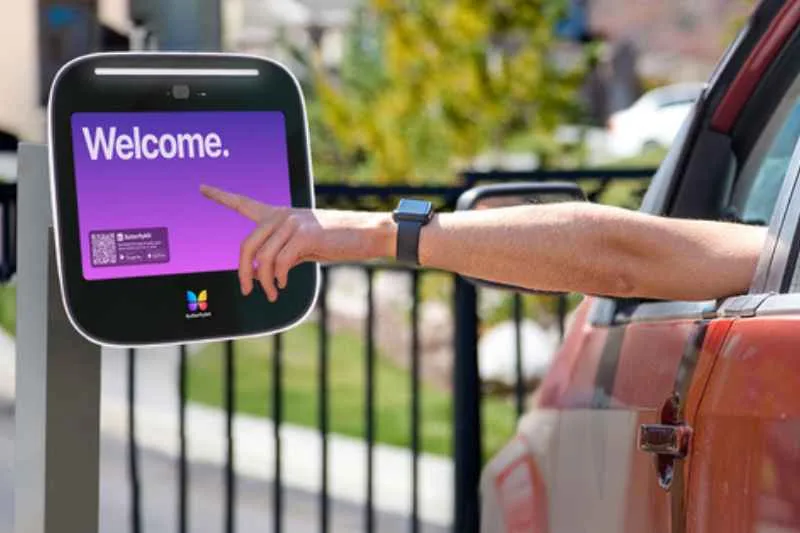
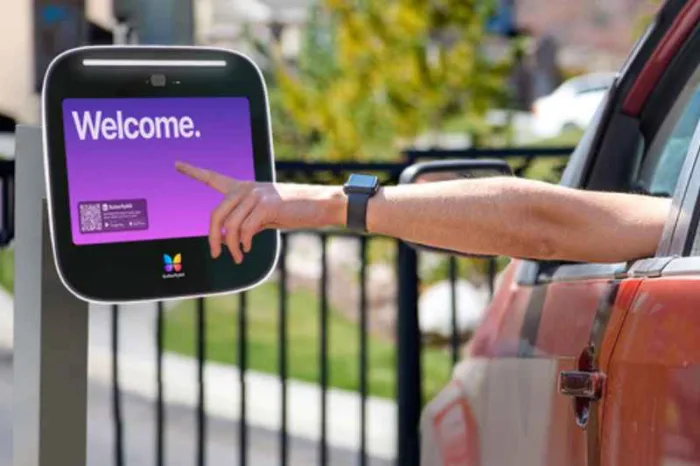
A build-to-rent community can have the access complexity of an apartment property spread across the footprint of a neighborhood. Residents expect convenient entry, guests need a clear way to reach the right home, delivery drivers need limited access, and staff need to update permissions without chasing gate codes or keys.
Build to rent community security is the combination of systems, policies, and workflows used to control and monitor access across a managed rental neighborhood. A practical property management plan usually includes community access control, video intercoms, vehicle access, smart locks or credentials, cameras, visitor access, delivery workflows, and remote management.
The goal is to protect the property while keeping daily access manageable for the people who use it. This guide explains the main security layers, how they fit together, and where ButterflyMX can support connected access workflows for BTR communities.
This guide covers:
- What build-to-rent community security includes
- Why security planning matters before residents move in
- The main security systems used in BTR communities
- How cloud-based access control supports BTR operations
- Build-to-rent security system comparison
- Implementation considerations for new developments and retrofits
- How to choose the right BTR security strategy
- FAQs
What build-to-rent community security includes
BTR security starts with a simple question: who should be able to enter each part of the community, and under what conditions? The answer is rarely limited to front doors. A managed rental neighborhood may include gates, pedestrian entrances, leasing offices, model homes, amenities, package areas, maintenance rooms, and homes with different turnover schedules.
Access control manages permissions for those spaces. Video intercoms let residents or staff verify visitors before granting access. Smart locks, keypads, card readers, fobs, and mobile credentials control doors and amenities. Security cameras add visibility at entrances, parking areas, and shared spaces.
Each layer has a different job. Cameras can help teams review activity, but they do not decide who gets in. Traditional locks can still make sense for some doors, but they are harder to revoke, audit, or manage across a large community. Property access systems should also be treated separately from regulated life-safety systems, such as fire alarm communicators or elevator emergency phones, which may have separate code requirements.
ButterflyMX fits the access-management layer by supporting cloud-based video intercoms, access control, mobile app access, vehicle access, Visitor Passes, delivery PINs, smart lock integrations where appropriate, and remote management.
Why security planning matters before residents move in
Security decisions become harder once residents have already created their own workarounds. A shared gate code may spread to guests, vendors, dog walkers, rideshare drivers, and delivery providers. Staff may start tracking permissions in a spreadsheet because the installed systems do not talk to each other.
Planning before lease-up lets your team document the real workflows before habits form. How will residents enter after hours? How will visitors call from the gate? Which vendors need temporary access to homes, amenities, or staff-only areas? How will access be removed after a move-out?
Those answers shape hardware, credentials, network needs, staffing, resident communication, and administrative roles. They also help owners avoid choosing a device that works at one entrance but creates friction across the rest of the property.
Retrofits can also work, but they require a careful look at existing infrastructure. A gated rental community may need gate entry panels, vehicle access control, connectivity, and updated credential policies. A townhome community may focus first on a clubhouse, pool, package area, or maintenance room while preserving some existing door hardware.
The main security systems used in BTR communities
Most security systems for build-to-rent communities fall into a few categories, and each category solves a different operational problem.
- Vehicle access controls how residents, guests, vendors, and staff enter a gated community by car. The access control system determines whether someone may enter, while the gate operator is the mechanical equipment that moves the gate.
- Door and amenity access covers homes, clubhouses, gyms, pools, leasing offices, package rooms, and staff-only spaces. Smart locks, keypads, card readers, fobs, and mobile credentials can all be useful, but management matters. If each device has its own portal or credential rules, staff may spend too much time updating access after move-ins, move-outs, and vendor changes.
- Visitor and delivery access handles the people who do not need permanent credentials. A video intercom lets a resident or staff member see and speak with a visitor before granting access. Visitor Passes can give approved guests temporary access based on property rules. Delivery PINs or package workflows can limit where a driver may go.
- Security cameras provide visibility and activity review at gates, entrances, parking areas, amenities, and shared spaces. They work best as part of a layered plan that also controls entry.
Discover how ButterflyMX works:
How cloud-based access control supports BTR operations
Cloud-based access control is useful when a community has more than one entrance, more than one user type, or more than one staff member managing permissions. Instead of updating a gate directory on site, changing a keypad code in another system, and emailing staff about a vendor, managers can work from a more connected access workflow.
For residents, mobile access control can make daily entry more convenient. A resident can use a smartphone credential at the gate or amenity, then receive a video call when a guest arrives. If the visitor is approved, the resident can grant access without walking to the entrance or asking the property team to handle a routine visit.
For staff, remote access management changes the administrative work. Managers can add or remove credentials, adjust vendor permissions, update directories, and review access activity without being physically on site. Property management software integrations, when supported and properly configured, may also help reduce duplicate data entry.
ButterflyMX video intercoms do not rely on traditional POTS telephone lines for visitor calls. Depending on the property design and approved configuration, ButterflyMX can support access workflows across gates, doors, amenities, deliveries, vehicles, and shared spaces.
Build-to-rent security system comparison
Most BTR communities need a blended system rather than one product category. Use the options below as a decision aid based on your site layout, staffing model, resident expectations, access points, and delivery patterns.
- Traditional locks and keys. Best fit for low-complexity doors or backup access policies. Keys are familiar and simple, but they are difficult to revoke, copy, audit, or manage across many homes and shared spaces.
- Smart locks, keypads, cards, and fobs. Best fit for homes, amenities, staff areas, and controlled doors. These tools support digital credentials and easier permission changes, but they can become fragmented when each device is managed separately. ButterflyMX supports keypads, readers, mobile access, and smart lock integrations where appropriate.
- Security cameras. Best fit for entrances, parking areas, amenities, and shared spaces. Cameras add visual context and can support activity review, but they do not grant, deny, or manage access by themselves. ButterflyMX security cameras can complement access-control workflows.
- Video intercoms and visitor access. Best fit for gates, leasing offices, shared entries, and amenity access points. Video intercoms let residents or staff verify visitors and grant access remotely. They require thoughtful placement, reliable connectivity, and clear access policies. ButterflyMX cloud-based video intercoms support smartphone-based visitor calls and access.
- Vehicle access and community-wide access control. Best fit for gated BTR communities and larger managed rental neighborhoods. These systems help manage gates, vehicles, residents, staff, and site-wide permissions. ButterflyMX can support vehicle access, access control, remote management, and visitor workflows.
Implementation considerations for new developments and retrofits
Before choosing hardware, map every access point. Include vehicle gates, pedestrian entrances, leasing areas, model homes, amenities, package areas, maintenance rooms, staff-only spaces, and any location where a vendor or delivery driver may need temporary access.
Next, define who needs access, when they need it, and how access should be removed. Residents may need daily mobile credentials. Guests may need temporary Visitor Passes. Vendors may need access only during approved service windows. Staff may need broader permissions, but not necessarily to every space.
Installation planning should include power, network connectivity, mounting locations, credential policies, directory setup, administrative roles, and turnover procedures. For retrofits, some existing infrastructure may be usable, but qualified installers or integrators should review the site before assumptions are made.
Compliance planning belongs in the conversation early. Emergency access, accessibility, gate operation, elevator communication, fire systems, and other life-safety requirements can vary by jurisdiction and system type. Work with qualified professionals and Authorities Having Jurisdiction where appropriate. This article provides general planning guidance, not legal or code advice.
How to choose the right BTR security strategy
The best security strategy for a build-to-rent community starts with operations, then moves to technology. A gated site with one controlled entrance has different needs than a spread-out rental neighborhood with several pedestrian paths, shared amenities, frequent vendor visits, and package deliveries.
Use these questions to guide your plan:
- Where do residents, guests, staff, vendors, and delivery drivers enter?
- Which entrances need video verification, vehicle access, mobile credentials, or temporary access?
- Which areas need limited access, such as pools, gyms, package rooms, maintenance spaces, or leasing areas?
- Who updates permissions during move-ins, move-outs, staff changes, and vendor visits?
- Which systems should connect to reduce duplicate administrative work?
Prioritize the workflows that create the most friction, staff burden, or unnecessary access. For some communities, that means gates and visitor access. For others, it means amenity credentials, package delivery, or vendor permissions. A clear access plan helps you choose systems that support residents and give your team a manageable way to administer the community.
FAQs
What is build-to-rent community security?
Build-to-rent community security is the set of systems and policies used to control, monitor, and manage access across a rental neighborhood. It can include gates, video intercoms, smart locks, access control, cameras, mobile credentials, Visitor Passes, delivery PINs, and staff permissions.
Do build-to-rent communities need access control?
Many BTR communities benefit from access control because they need to manage residents, visitors, vendors, vehicles, deliveries, and shared amenities. The right level of access control depends on the site layout, staffing model, risk profile, and resident expectations.
Are security cameras enough for a BTR community?
Security cameras are helpful, but they are not a complete access-control strategy. Cameras add visibility and support activity review, while access control systems determine who can enter specific areas and when.
How can ButterflyMX support build-to-rent community security?
ButterflyMX can support BTR security with cloud-based video intercoms, access control, vehicle access, mobile app access, Visitor Passes, delivery PINs, smart lock integrations, security cameras, and remote management. The best configuration depends on the community’s entrances, homes, amenities, and workflows.

Get your free quote!
Fill in the form below, and we'll email you right back.
Want a free quote?
Fill in the form below, and we'll email you right back.
You’ll be redirected shortly...