





Key takeaways:
- Business access control manages physical entry by using credentials, readers, controllers, locks, and software to verify users, apply permissions, and record access events.
- Credential type, permission model, and deployment model are separate choices; each affects convenience, administration, risk, cost, and long-term support.
- The best system depends on your doors, users, visitor needs, property risks, integrations, outage plans, budget, and who will manage the system after installation.
If your business still relies on keys, a lost key, employee turnover, or after-hours access request can become more than a small inconvenience. Business access control gives you a more manageable way to decide who can enter specific doors, gates, elevators, parking areas, or restricted rooms, and when they can do it.
Business access control is a physical security system that verifies a person or vehicle at a controlled entry point, checks whether that identity has permission to enter, and records the event. Most systems combine credentials, readers, controllers, locking hardware, and management software.
Choosing one is not just a hardware purchase. You need to understand how the system will be managed, how credentials will be issued and revoked, what happens during outages, which integrations matter, what costs continue after installation, and how it will support your commercial property’s access control efforts. This guide walks through those decisions so you can compare proposals with clearer requirements.
This guide will answer:
- What is business access control?
- How business access control systems work
- Credential types and permission models
- Cloud, on-premise, and hybrid deployment
- Benefits and limits for businesses
- Business access control cost factors
- How to choose a business access control system
- Access control integrations across the property
- Business access control by property type
- Planning installation and ongoing operations
- Federal standards and private business requirements
- FAQs
More than 100K, 5-star ratings!
Video Intercoms
Open doors, gates & garages from anywhere.

QR Code Intercom
Smartphone-based visitor access.
Access Control
Fob, key cards, PINs, and mobile apps.
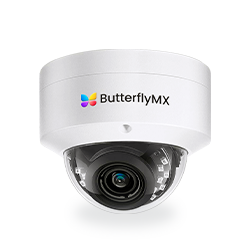
Security Cameras
Visibility throughout your property.
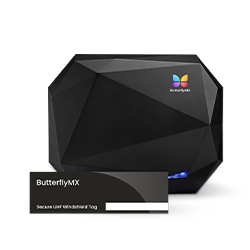
Vehicle Access
Hands-free access for gates & garages.
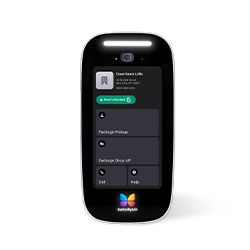
Package Room
Receive, store, and manage deliveries.
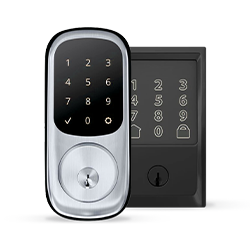
Smart Locks
Connect to all major brands and models.
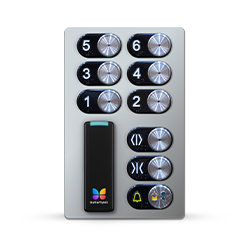
Elevator Controls
Unlock key-fobbed elevators for anyone.
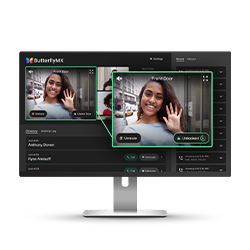
Front Desk Station
See all your doors and cameras in one place.
What is business access control?
Business access control governs physical entry to business spaces such as doors, gates, parking areas, elevators, and restricted interior rooms. A physical access control system, often called PACS, authenticates an identity and then authorizes or denies access at a defined entry point.
Authentication answers the question: who is requesting entry? Authorization answers the next question: is that person, vehicle, or credential allowed to enter this location at this time? The system then unlocks the opening or denies the request and records the activity.
This is different from logical access control, which protects applications, networks, and data. A business access control system protects physical spaces. Compared with a simple residential entry setup, a commercial system usually needs stronger administration, user management, audit records, visitor handling, and integration planning.
How business access control systems work
A commercial access control system is easier to evaluate once you understand the parts involved. Most systems bring together five core components:
- Credentials identify the person or vehicle requesting entry. Common examples include cards, fobs, PINs, mobile credentials, and selected biometric methods.
- A reader or interface captures the credential or access request at the door, gate, elevator, or other controlled point.
- A controller or panel receives information from the reader and applies the permission rules.
- Locking hardware secures the opening and releases it when access is approved.
- Management software lets administrators add users, set schedules, change permissions, review activity, and run reports.
During a typical access event, the user presents a credential, the reader sends the request to the controller, the system checks the rules, and the connected lock either releases or stays secured. The event is then logged so administrators can review who requested access, where, and when.
The same basic sequence can exist in different architectures. Some systems are locally hosted, some are cloud-managed, and some use a hybrid approach. The GSA overview of physical access control systems offers additional background on PACS components and concepts in a federal context.
Credential types and permission models
Credentials and permission models are often discussed together, but they answer different questions. A credential is how someone proves identity. A permission model is how the business decides what that person is allowed to access.
The right credential depends on your users, risk level, administrative capacity, and existing infrastructure. A small office may value simple employee credential management, while a mixed-use property may need mobile access, visitor access, elevator permissions, and shared-area controls.
Permission models determine how access rights are assigned. Discretionary access control, or DAC, gives designated owners or administrators discretion over permissions. Mandatory access control, or MAC, applies centrally controlled rules. Role-based access control, or RBAC, assigns permissions by job role, which can make administration simpler when people in the same role need similar access.
That distinction matters when you compare systems. A mobile credential does not automatically mean role-based permissions. A card-based system can still use schedules and user groups. Credential choice, permission structure, and deployment model should each be evaluated on its own.
Visitors, contractors, and vendors usually need unique, time-limited permissions instead of shared permanent credentials. Higher-risk locations may also use multifactor authentication, anti-passback rules, or operating procedures meant to reduce credential sharing and tailgating. No electronic access control system, by itself, prevents every tailgating event.
For a deeper overview of categories and architectures, explore types of access control systems.
Watch how ButterflyMX works:
Cloud, on-premise, and hybrid deployment
The deployment model shapes how the system is managed, maintained, updated, and supported. It also affects who is responsible for servers, backups, cybersecurity practices, and outage planning.
Cloud-managed access control can be useful when teams need remote administration, multi-site management, or less on-site server infrastructure. The tradeoff is that buyers must evaluate internet connectivity, service availability, account security, recurring service scope, and vendor support.
On-premise systems can provide more local control, but that control comes with responsibilities. The business must plan for local infrastructure, maintenance, backups, upgrades, and technical expertise. A hybrid system may combine local and remote capabilities, so it is important to confirm which functions operate locally and which depend on outside services.
Wired and IP-networked are connection choices. Cloud, on-premise, and hybrid are hosting and management choices. They are related, but they are not interchangeable labels.
Before choosing a deployment model, ask what happens during an internet outage, power loss, controller failure, or service disruption. Find out which permissions remain available, how doors behave, how activity is logged, and how the system recovers.
Benefits and limits for businesses
Business access control can make day-to-day access easier to manage. Instead of rekeying after every lost key or employee departure, administrators can revoke a credential, adjust a schedule, or change a user’s permissions. That is especially useful for businesses with staff turnover, after-hours access, visitors, contractors, or multiple sites.
Audit records are another practical benefit. They do not prove every detail of an incident, but they can show access activity at controlled points and help administrators review patterns, investigate events, or confirm whether permissions are still aligned with current roles.
Access control is still one layer of a larger security and operations plan. Credential sharing, tailgating, weak administrative practices, cyber risk, and system outages all require policies, training, physical design, and incident-response planning. Integration can add useful context, but it does not make a property risk-free.
Business access control cost factors
There is no dependable market-wide price for business access control because each property has a different scope. A single-door office, a warehouse gate, and a mixed-use property with elevators and visitor entry do not require the same design, hardware, installation work, or support plan.
A useful proposal should separate one-time project costs from recurring costs and clearly state what is included. That makes it easier to compare vendors on total cost of ownership instead of headline hardware price alone.
Upfront costs
- Site survey, security design, and project planning
- Door, gate, reader, controller, and lock hardware
- Wiring, network work, power work, permits, and construction conditions
- Installation, testing, commissioning, and credential enrollment
Recurring costs
- Software or service subscriptions and connectivity
- Credential replacement, support, monitoring, maintenance, and upgrades
- Training, administration, and future expansion work
The biggest cost drivers often include door count, site count, existing locks and wiring, credential choice, deployment model, integration complexity, code requirements, and retrofit conditions. Existing infrastructure matters because a quote may change if doors need new hardware, wiring paths are difficult, power is limited, or network work is required.
Before requesting quotes, gather a door and site inventory, user and visitor counts, existing infrastructure details, priority access needs, desired integrations, and expectations for support and outage behavior. The more specific your requirements are, the easier it is to compare proposals on the same basis.
Discuss your doors, users, visitor needs, integrations, and existing infrastructure with an access specialist before comparing proposals.
How to choose a business access control system
The best choice starts with the property, not the product list. Use your risk level, doors, users, visitor volume, and management capacity to define what the system must do before you compare vendors.
- Identify the areas that need protection, such as public entries, restricted rooms, after-hours spaces, parking areas, gates, and elevators.
- Map users and access patterns, including employees, managers, tenants, visitors, contractors, vendors, shifts, schedules, and incident-response responsibilities.
- Inventory doors, gates, elevators, parking areas, existing locks, wiring, power, network capacity, and site constraints.
- Choose credential types and permission rules that fit how people actually enter and move through the property.
- Compare cloud, on-premise, and hybrid approaches based on remote-management needs, internal technical ownership, resilience, and cybersecurity responsibilities.
- Evaluate integrations, reporting, privacy needs, future growth, and behavior during outages.
- Compare total cost of ownership, including hardware, installation, subscriptions, support, maintenance, updates, training, and future migration.
- Confirm installer qualifications, project scope, warranties, training, support ownership, update practices, and exit options.
Some properties need more review than a general buying guide can provide. Regulated operations, biometric deployments, federal obligations, and unusually high-security sites should involve the right security, compliance, legal, or technical specialists.
For small-to-mid commercial and mixed-use properties, ButterflyMX may be worth evaluating when the requirement includes connected access, visitor access, mobile credentials, remote management, or video intercom entry.
Access control integrations across the property
Access control, video intercoms, and video surveillance are related, but they do different jobs. Access control decides and records entry. A video intercom lets a visitor communicate with an authorized person and may support remote entry. Video surveillance monitors or records areas more broadly.
Those categories can work together when the selected products support the connection. For example, a property may want visitor entry, vehicle access, elevator permissions, package-room access, and front-desk or guardhouse processes to be managed with less manual coordination. Integration can make events easier to understand and administer, but it does not guarantee security or replace sound procedures.
Category boundaries still matter. Gate access technology does not replace the mechanical gate operator. Elevator access control does not replace the elevator system. Product compatibility and operating behavior should be verified before purchase.
ButterflyMX can be relevant for properties that need access workflows connected with video intercoms, mobile visitor entry, vehicle access, elevator controls, package rooms, and remote management. Its video intercoms do not rely on traditional POTS telephone lines, and property teams can remotely manage residents, visitors, credentials, and access. Explore how ButterflyMX can connect access and visitor workflows across a property.
Business access control by property type
Different property types often bring different access questions. Use the examples below as planning prompts, not universal prescriptions.
Retail operators looking for a more specific use case can review access control for retail stores. Medical facilities, regulated environments, and high-security properties may need compliance and security analysis beyond a general commercial guide.
Planning installation and ongoing operations
Installation planning should start with the actual openings, not only the software. A site survey should examine door condition, lock compatibility, egress and accessibility needs, wiring routes, power, networking, and construction constraints. Retrofit work can vary by opening, especially in older buildings.
Plan the migration before work begins. Decide how the property will handle temporary access during installation, testing, rollback procedures, and credential enrollment. If the project replaces keys or a legacy system, administrators also need a clean way to remove old access methods and bring users into the new process.
After launch, ownership matters. Assign responsibility for user provisioning, visitor policy, lost credentials, alerts, audit review, software updates, backups, maintenance, and incident response. Training and periodic access reviews help keep the system aligned with the way the property actually operates.
Local requirements vary, so qualified installers and appropriate specialists should evaluate code, life-safety, accessibility, electrical, elevator, and security questions for the specific property.
Federal standards and private business requirements
Federal PACS guidance can be useful for understanding terminology, but its scope matters. PIV, FICAM, FIPS 201-3, and related physical access control guidance concern federal identity and facility environments, including applicable federal contractors. They are not general mandates for ordinary private commercial properties.
The federal PACS guidance should therefore be read in its stated context. Private businesses should separately assess local codes, contracts, industry obligations, insurance conditions, and privacy responsibilities.
Federal contractors, regulated operations, high-security sites, and organizations considering biometric deployments should involve the right security, compliance, and legal specialists before selecting a system.
Frequently asked questions
Can access control keep working during an internet outage?
Yes, some systems can keep certain access functions working during an internet outage, but the result depends on the architecture, local controllers, cached permissions, power, and vendor design. Ask each provider to explain offline operation, emergency behavior, event logging, and recovery for the exact configuration being proposed.
How should a business manage visitor and contractor access?
A business should use unique, time-limited permissions whenever the access need is temporary. Set expiration times, revoke access when work ends, apply identity checks that match the risk, and avoid shared permanent credentials when individual access records matter.
Can access control work with video surveillance or a video intercom?
Yes, access control can work with video surveillance or a video intercom when the selected products support the integration. Access control manages entry decisions, a video intercom supports visitor communication and remote entry, and surveillance monitors or records areas, so confirm exactly how the combined system behaves before purchase.
Do private businesses need PIV or FICAM compliance?
Usually, no. PIV and FICAM are federal frameworks, not general requirements for ordinary private commercial properties, though federal contractors and regulated organizations may have separate obligations that require specialist review.
A strong business access control plan starts with the property itself: the doors, users, visitors, schedules, risks, and operating conditions that shape daily access. Once those requirements are clear, it becomes much easier to compare credentials, deployment models, integrations, outage behavior, support, and total cost of ownership.
If your commercial or mixed-use property needs connected access, visitor entry, mobile credentials, remote management, or video intercom workflows, see whether ButterflyMX fits your access requirements.

Get your free quote!
Fill in the form below, and we'll email you right back.
Want a free quote?
Fill in the form below, and we'll email you right back.
You’ll be redirected shortly...