





Key takeaways
- Bluetooth Fallback lets mobile access keep working when a property loses its internet connection.
- Instead of sending the unlock request over the internet, the mobile app communicates directly with compatible access hardware using Bluetooth Low Energy (BLE).
- The fallback happens automatically, so residents can continue using Swipe-to-Open the same way they normally do.
- Bluetooth Fallback provides an additional access path for properties that rely heavily on mobile credentials.
- ButterflyMX supports Bluetooth Fallback with compatible hardware to help maintain Swipe-to-Open access during internet outages.
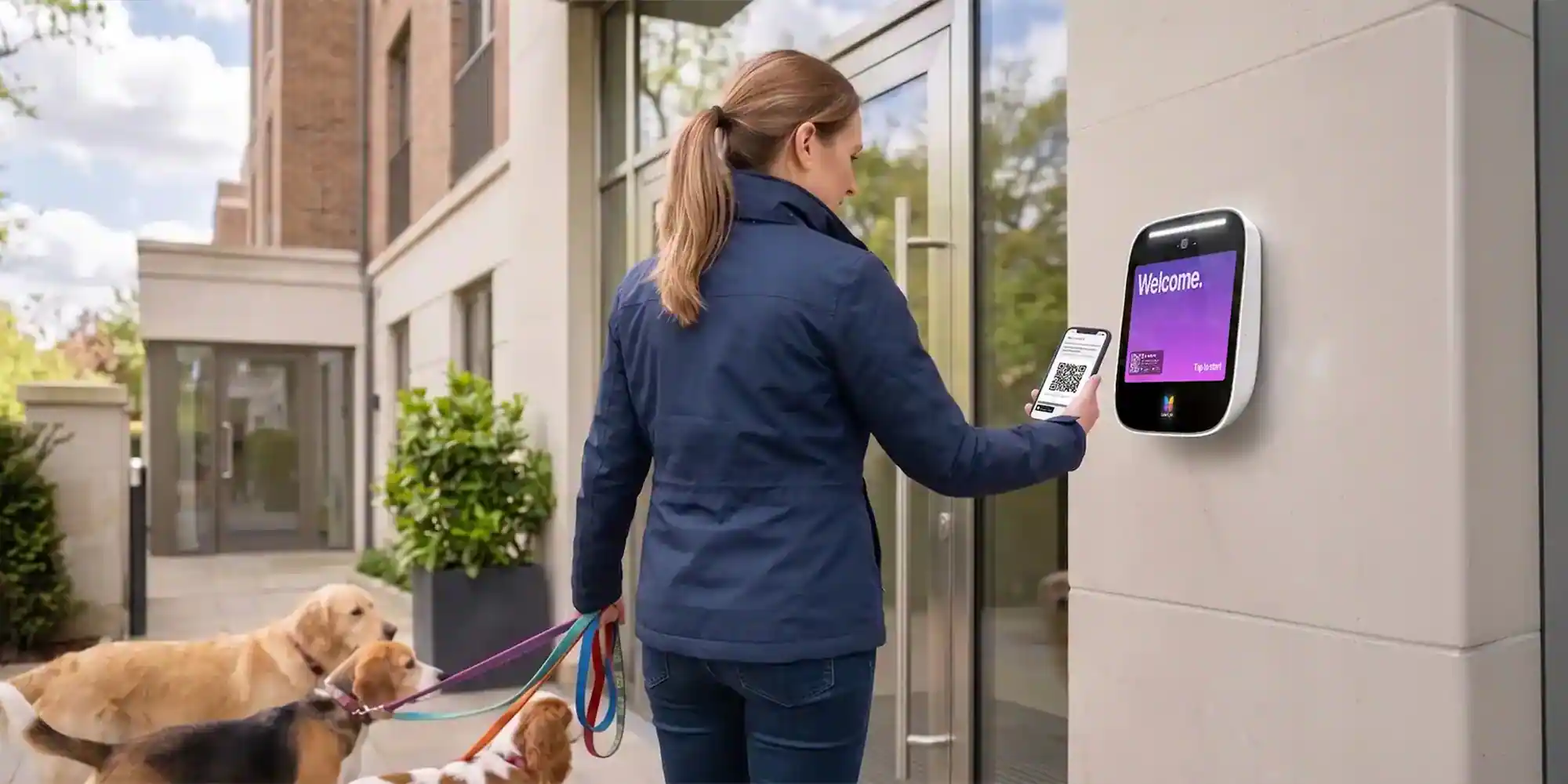
Mobile access systems typically rely on an internet connection to communicate between a resident’s smartphone, the access control platform, and the proptech hardware controlling a property entry point such as a door, gate, or garage.
Most of the time, that process happens in seconds and goes unnoticed by the resident. But if a property’s internet connection goes down, the normal path for sending an unlock request may no longer be available.
Bluetooth Fallback provides an alternative: Instead of relying on the property’s internet connection, Bluetooth Fallback allows a smartphone to communicate directly with nearby access hardware using Bluetooth Low Energy, or BLE. This creates a local connection that can unlock the door, gate, or garage even when the property is temporarily offline.
For residents, the goal is to make that change without changing how they enter the property.
Navigate this post:
- What is Bluetooth Fallback?
- Why is Bluetooth Fallback useful?
- How does Bluetooth Fallback work?
- How ButterflyMX uses Bluetooth Fallback
- FAQs
What is Bluetooth Fallback?
Bluetooth Fallback is a behind-the-scenes improvement that allows Swipe-to-Open to work when a property’s internet connection is unavailable.
Under normal conditions, an unlock request may travel from a resident’s smartphone over the internet to the access platform and then to the hardware controlling that entry point. Bluetooth Fallback provides another route when that internet connection is unavailable.
When a resident is close enough to compatible access hardware, the smartphone can use Bluetooth Low Energy to communicate directly with the hardware. This removes the property’s internet connection from the communication path for that unlock.
The primary access method does not change. Bluetooth simply becomes the backup connection used to complete the request.
Why is Bluetooth Fallback useful?
Internet connectivity is an important part of most cloud-based access control systems, but internet service is not always available.
A property could experience an ISP outage, networking issue, or temporary loss of connectivity. When that happens, mobile access methods that depend entirely on an internet connection may be affected.
Properties often have other ways for residents to enter, such as:
- Physical keys or fobs
- PINs
- Mobile wallet credentials
- Other locally stored credentials
However, properties that rely primarily on app-based mobile access may want another way for residents to unlock doors when internet service is interrupted.
Bluetooth Fallback provides that additional path without requiring residents to carry another physical credential.
Discover ButterflyMX Bluetooth Fallback:
How does Bluetooth Fallback work?
Bluetooth Fallback uses Bluetooth Low Energy to establish a short-range connection between a resident’s smartphone and compatible access hardware.
The typical process looks like this:
- A resident approaches a door or gate and uses the mobile app to unlock it.
- The system determines that the normal internet-based communication path is unavailable.
- The app looks for compatible access hardware nearby.
- The phone communicates directly with that hardware over Bluetooth.
- The system verifies the resident’s access authorization.
- If the resident is authorized, the door or gate unlocks.
Because Bluetooth is designed for short-range communication, the resident generally needs to be physically near the door or gate they’re trying to open.
The fallback process can happen automatically rather than requiring the resident to select a separate Bluetooth access option.
How ButterflyMX uses Bluetooth Fallback
ButterflyMX uses Bluetooth Fallback to help Swipe-to-Open continue working when a property’s internet connection is unavailable.
Normally, Swipe-to-Open sends the resident’s unlock request through the internet. If that connection is unavailable, the ButterflyMX app can automatically use Bluetooth Low Energy to communicate directly with compatible ButterflyMX hardware nearby.
Residents continue using Swipe-to-Open the same way they normally would. There is no separate Bluetooth credential or additional unlock button to select.
For properties that rely heavily on mobile access, this provides another way to maintain resident access when internet connectivity is interrupted.
Residents who have not already granted the ButterflyMX app Bluetooth permission may be prompted to do so. Once permission is granted, Bluetooth Fallback can work automatically when the feature is available at their property, Bluetooth is enabled, and they are near compatible hardware.
FAQs
What happens during an internet outage?
From the resident’s perspective, very little changes. They approach the entrance, open their access app, and use the same mobile unlock action they normally use.
Behind the scenes, however, the unlock request takes a different path.
During normal operation, it might look like:
Phone → Internet → Access platform → Door/gate/garage hardware
During an outage, Bluetooth Fallback can instead use:
Phone → Bluetooth → Door/gate/garage hardware
This local communication path allows a compatible access system to continue processing an unlock without relying on the property’s active internet connection. Once connectivity is restored, the system can return to its normal internet-based communication method.
What do residents need to use Bluetooth Fallback?
Bluetooth Fallback generally depends on several conditions. The property must have compatible access hardware that supports Bluetooth communication, and the feature must be enabled for that property.
Residents also need Bluetooth turned on on their smartphone and must grant the access app permission to use Bluetooth.
Because Bluetooth is a short-range technology, the resident must also be close enough to the appropriate entry point, reader, or intercom for their phone to communicate with it. Once those requirements are met, the fallback can happen automatically when it is needed.
Is Bluetooth Fallback secure?
A fallback access method still needs to verify that the person attempting to enter is authorized.
With ButterflyMX, Bluetooth Fallback uses encrypted communication and time-limited, single-use credentials for unlock requests.
That means Bluetooth is being used as an alternative communication path rather than as a way to bypass the property’s existing access permissions.
Residents can only use the feature at entry points they are already authorized to access.

Get your free quote!
Fill in the form below, and we'll email you right back.
Want a free quote?
Fill in the form below, and we'll email you right back.
You’ll be redirected shortly...