





Key takeaways:
- A cloud-based video intercom is defined by where management, routing, permissions, and data services run, not by whether the entry panel is wired, PoE, or wireless.
- Remote administration and mobile answering can be valuable, but buyers should verify function by function what happens during internet, network, power, device, and cloud-service failures.
- Total cost depends on hardware, installation, subscriptions, integrations, support, and contract terms; published ranges are planning estimates, not property quotes.
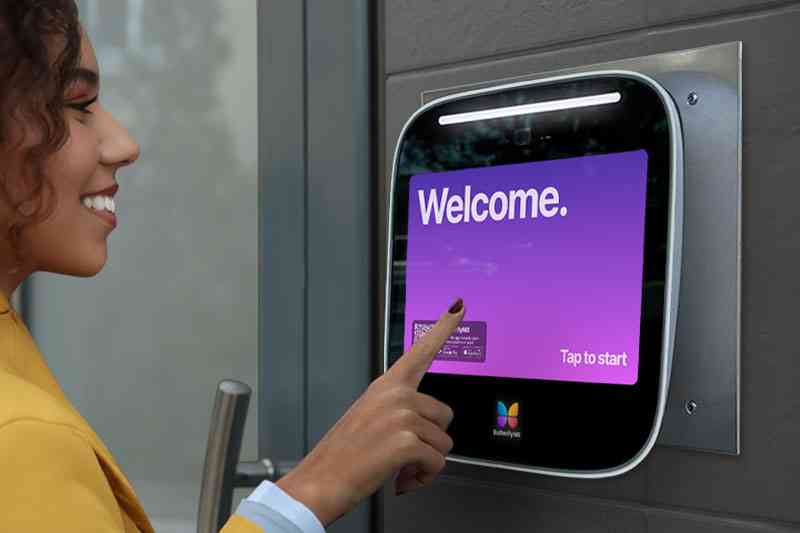
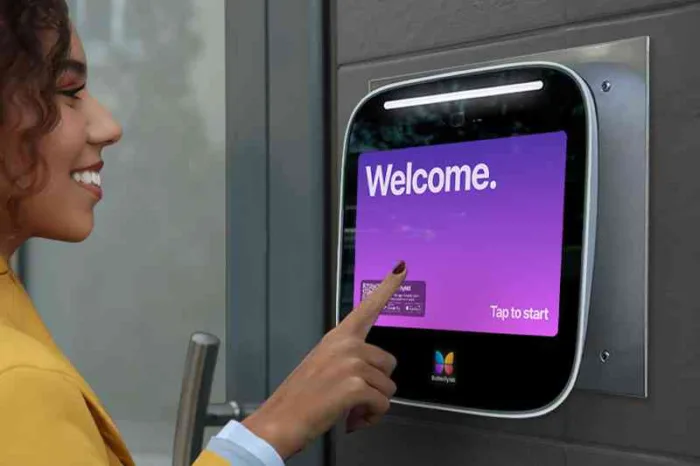
A cloud-based video intercom moves many of the management functions of visitor entry from a local server or phone-line setup into internet-hosted software. The apartment video intercom system entry panel still sits at the door or gate, but directories, call routing, user management, and some records may be handled through a cloud backend that residents, staff, or managers can access remotely.
That setup can make access easier to manage across busy buildings and portfolios. It also raises practical questions: What needs internet access? What happens in an outage? Which integrations actually work? What will the system cost after installation? The answers depend on architecture, infrastructure, lock hardware, vendor documentation, and the way your property operates.
This guide will answer:
- What is a cloud-based video intercom?
- How cloud, IP, wireless, and on-premise intercoms differ
- How a cloud-based video intercom works
- Benefits and best-fit use cases
- Limitations, outages, and local fallback
- Costs and total ownership factors
- Security, privacy, and data governance
- Integration and installation planning
- Matching the system to the property type
- How to evaluate a cloud-based video intercom
- FAQs
More than 100K, 5-star ratings!
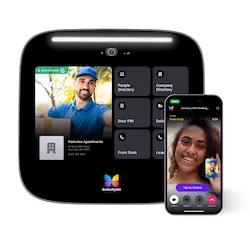
Video Intercoms
Open doors, gates & garages from anywhere.
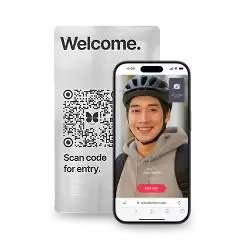
QR Code Intercom
Smartphone-based visitor access.
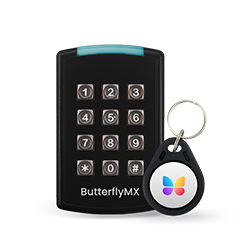
Access Control
Fob, key cards, PINs, and mobile apps.
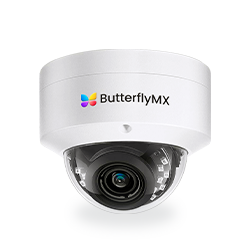
Security Cameras
Visibility throughout your property.
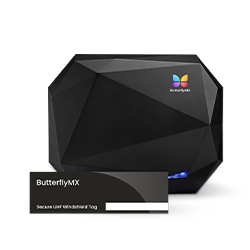
Vehicle Access
Hands-free access for gates & garages.
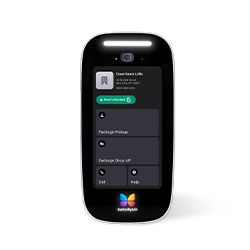
Package Room
Receive, store, and manage deliveries.
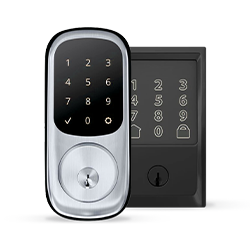
Smart Locks
Connect to all major brands and models.
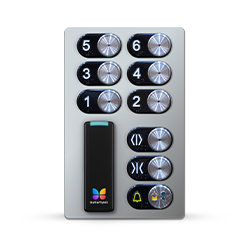
Elevator Controls
Unlock key-fobbed elevators for anyone.
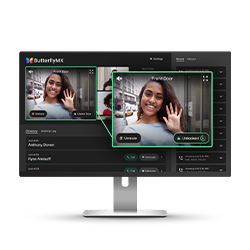
Front Desk Station
See all your doors and cameras in one place.
What is a cloud-based video intercom?
A cloud-based video intercom combines entry hardware with internet-hosted management, call routing, permissions, and remote client access. It lets authorized people see and speak with visitors and, when the system is configured for it, send a door-release command without relying only on an on-site server.
Most systems include several connected parts:
- An entry panel with a camera, microphone, speaker, call button, touchscreen, keypad, or directory.
- Door-release hardware, a lock, an access controller, or another device that receives the unlock command.
- A cloud backend that may manage directories, routing rules, permissions, remote administration, and event records.
- A resident, staff, or administrator client, such as a mobile app or web interface.
Those parts can work together, but they are not the same thing. An intercom handles visitor communication. Access control manages who has permission to enter and when. Video surveillance records or monitors video. A property may connect all three, but buying one feature does not automatically provide the others.
How cloud, IP, wireless, and on-premise intercoms differ
Cloud-based, IP-based, wireless, wired, on-premise, and hybrid are not interchangeable labels. They describe different layers of the system. A PoE entry panel, for example, can be wired for power and network connectivity, communicate over an IP network, and still be managed through cloud-hosted software.
The table below is a terminology guide, not a ranking of architectures.
An intercom buyer guide from Avigilon also separates the networked and physical parts of a video door-entry system. The practical takeaway is simple: a wired connection does not make a system on-premise, and a wireless connection does not make it cloud-based.
Cloud access control also needs its own definition. It focuses on credentials, schedules, permissions, and access events. A cloud video intercom focuses on visitor communication and may trigger a door-release request. These systems can overlap or integrate, but a buyer should confirm the exact workflow rather than assume that an intercom includes a complete access-control platform.
Watch how ButterflyMX works:
How a cloud-based video intercom works
A visitor call is easy to understand at a high level, even though the technical architecture varies by manufacturer:
- A visitor selects a resident, suite, tenant, or staff contact at the entry panel.
- The entry device sends call signaling through the property network and the configured service.
- The cloud service applies directory and routing rules, then sends the call to an authorized smartphone, web client, or other supported endpoint.
- The recipient sees or speaks with the visitor and decides whether to grant access.
- If access is granted, a separate door-release command travels to the relevant intercom, controller, lock, or access-control hardware.
That last step matters. The audio or video conversation and the unlock command are related, but they are not the same action. A secure design should treat the release command as an authorized access event, not just as a button attached to a video call.
Some systems use SIP for session signaling. SIP is a protocol for initiating and managing communication sessions, as described in RFC 3261. Browser-based or app-based media may use WebRTC-related technologies, where DTLS-SRTP can protect media in the right implementation context, as specified by RFC 5764. These protocol names are useful, but they are not proof that every deployment uses the same architecture or is secure by default.
The cloud backend may also support remote access management for directories, permissions, routing, and event records. Before choosing a system, ask which data is stored, how long it is retained, who can access it, and which functions are available to residents, staff, installers, and property administrators.
Benefits and best-fit use cases
The strongest case for a cloud-based video intercom is usually management flexibility. Depending on the product and configuration, a property team may be able to update a directory remotely, route visitor calls to mobile devices, manage access for new or departing users, review available event records, and administer more than one site from a central login.
Those capabilities are most useful when access changes often. Multifamily communities deal with resident turnover, delivery traffic, staff coverage, and guest access. Office and commercial properties may need to coordinate employee directories and visitor entry across multiple entrances. Gated communities and mixed-use properties often have dispersed access points that are harder to manage from one on-site station.
Cloud delivery and mobile credentials are also recurring themes in physical-security planning. But that does not mean every property needs the same architecture. A small, stable, single-door site with little visitor traffic may not gain enough from a subscription-based cloud system to justify the migration work, contract commitment, or integration effort.
The useful question is not whether cloud is better in general. It is whether remote management solves real problems at your property, and whether the added dependence on internet connectivity, vendor support, and recurring software fits your risk tolerance and budget.
Limitations, outages, and local fallback
Does a cloud-based video intercom work during an internet outage? It depends on the system’s documented local-fallback design, the lock configuration, available power, and the exact function being tested. Some cloud-dependent features may stop or become limited when connectivity is lost unless the product is designed to keep those functions working locally.
Ask vendors to answer these questions in writing, function by function:
- Can visitors still place calls?
- Can residents or staff still answer from a mobile device?
- Do local credentials continue to work?
- Can the door still be released from approved local hardware?
- Are events logged locally and synchronized later?
- Can administrators make changes during the outage?
Also separate an internet outage from other failure modes. A local network failure, entry-device failure, building power loss, lock-controller issue, or cloud-service interruption may affect different parts of the system. A good evaluation looks at each scenario instead of asking only whether the product works offline.
Hybrid architecture can help when selected local functions need to continue while cloud tools handle administration or remote access. Still, the word hybrid is not a guarantee. The value comes from documented behavior under specific failure conditions, tested with the lock hardware, network, and power setup used at the property.
A 2026 cloud-intercom guide and a 2026 cloud access-control guide both frame local behavior and connectivity as implementation-specific considerations. Treat vendor guidance as a starting point, then confirm your selected product through documentation and site testing.
Costs and total ownership factors
Cloud intercom cost has three main parts: hardware, installation, and recurring software or service. Looking at only one advertised number can be misleading because a simple entry panel may still require lock work, cabling, network upgrades, training, or integration planning.
- Hardware: One 2026 vendor-published planning source gives a broad estimate of about $150 to $7,000 or more per door.
- Installation: The same source estimates about $200 to $2,500 or more per door, depending on site conditions and project scope.
- Recurring software: It estimates about $3 to $30 per unit or door each month, depending on the vendor and service model.
These are broad vendor-reported planning estimates, not audited benchmarks, property quotes, or ButterflyMX pricing. The published 2026 estimates should be rechecked during procurement because pricing, packaging, and contract terms change.
Door count and unit count matter, but they are only part of the quote. Entry locations, hardware choices, lock work, Ethernet or PoE availability, network remediation, retrofit complexity, integrations, support coverage, replacement costs, and contract structure can all change the total cost of ownership.
When you compare proposals, look beyond the first-year price. Ask about setup charges, subscription basis, minimum terms, support coverage, integration fees, data-export options, and exit terms. A lower initial installation cost can look different once recurring fees and long-term support responsibilities are included.
Security, privacy, and data governance
A cloud-based video intercom can be secure when it is designed, configured, maintained, and operated well. Cloud hosting alone does not prove that a system is secure, and local hosting alone does not prove that a system is safer.
Start with the basics: encryption in the correct technical context, administrator authentication, role-based permissions, update practices, auditability, incident response, and support procedures. If a vendor mentions SIP, WebRTC, TLS, DTLS-SRTP, or encryption algorithms, ask how those technologies are used in the actual product rather than treating the terms as a complete security answer.
Data governance deserves the same attention. Ask whether the system stores video, audio, snapshots, directories, credentials, visitor information, or event records. Then ask where that information is stored, who can view or export it, how long it is retained, how deletion works, and what happens when an administrator leaves the property.
If a system uses biometric features or handles regulated data, obligations may depend on the jurisdiction and use case. Bring in the appropriate legal or security review before making assumptions about consent, retention, notices, or data access. Live video, event logs, snapshots, and recording are separate capabilities, and each one may raise different privacy questions.
Integration and installation planning
Integration logos are a starting point, not a guarantee that the full workflow will work the way your property expects. For each connection to access control, property management software, cameras or a VMS, elevators, smart locks, directories, or mobile credentials, define the exact data and action involved.
Useful integration questions include: Does data synchronize one way or both ways? How often does it update? Which system owns the user record? What happens when one connected system is offline? Who supports troubleshooting when the intercom, access-control system, PMS, elevator interface, or lock hardware is involved?
For elevator access, confirm the scope carefully. A video intercom or access-control system may be part of an elevator access workflow, but it does not replace the elevator system itself. The same idea applies at vehicle gates: the intercom and access system should be distinguished from the mechanical gate operator.
Retrofits need a site survey before anyone assumes existing infrastructure can be reused. Inventory analog or daisy-chained wiring, Ethernet and PoE availability, power, wireless coverage, locks, controllers, mounting conditions, entry locations, and network capacity. Existing cabling may be usable, but cable type, topology, condition, distance, adapters, and selected hardware all affect the answer. An industry discussion of video-intercom retrofits illustrates why cabling and VMS questions need site-specific review rather than assumptions.
New construction gives teams a different advantage: network paths, power, mounting, lock hardware, and coordination points can be planned earlier. In either case, test the complete path before broad rollout: visitor call, identity decision, door release, event record, outage behavior, and staff or resident training.
Matching the system to the property type
The same cloud-based video intercom can raise different questions at different properties. Use the property type as a starting point, then test the system against the actual entrances, users, policies, infrastructure, and risk tolerance on site.
These are decision prompts, not universal requirements. A multifamily intercom for a high-turnover apartment community may need different directory tools than a commercial intercom in an office building. A gated community access plan may depend on vehicle entries as much as lobby doors. A mixed-use property may need to separate residential, retail, staff, and amenity access before choosing an architecture.
How to evaluate a cloud-based video intercom
Start the shortlist with the property, not the product page. A good evaluation should connect the system’s architecture to the way residents, visitors, staff, installers, and administrators will actually use it.
- Request function-by-function documentation for internet, local-network, power, device, controller, and cloud-service interruptions.
- Evaluate mobile calling, directory administration, credential options, accessibility, portfolio controls, and day-to-day remote management.
- Get written confirmation of integration scope, retrofit requirements, data handling, security responsibilities, support terms, scalability limits, contract structure, and total cost.
- Decide whether cloud administration, local control, or a hybrid approach best fits your continuity needs and staffing model.
- Test the complete visitor-to-door-release workflow before deployment, including the failure cases that matter to your property.
Cloud systems can suit properties that need remote or multi-site administration. On-premise systems can suit teams with stricter local-control requirements and the resources to maintain local infrastructure. Hybrid approaches may be worth considering when a property wants cloud administration but also needs selected local functions to continue during certain failures.
For properties replacing legacy telephone-entry hardware, ButterflyMX is a smartphone-enabled video intercom option that supports remote access management. Residents can receive visitor calls and grant access through their smartphones, while property teams can remotely manage residents, visitors, credentials, and access. The right next step is a property-specific review of infrastructure, workflows, integrations, support needs, and cost.
Frequently asked questions
Can a wired or PoE intercom still be cloud-based?
Yes. Wired and PoE describe connectivity and power, while cloud-based describes where management and hosted services operate. A wired entry panel can still use cloud-hosted routing, administration, and remote client access. The exact network and power design is product-specific.
Is cloud access control the same as a cloud-based video intercom?
No. Cloud access control manages credentials and permissions, while a cloud-based video intercom manages visitor audio or video communication and may initiate a door-release request. The two systems can integrate or overlap, but neither should be assumed to include the other.
Can existing analog intercom wiring be reused?
Sometimes, but it depends on cable type, topology, condition, distance, power, adapters, and the selected hardware. An installer site survey should determine reuse potential before a property builds its budget around existing wiring.
Do cloud-based video intercoms record every call?
Not necessarily. Live communication, event logging, snapshots, and audio or video recording are separate capabilities. Verify the selected system configuration, consent requirements, retention period, user access, and deletion policies.
A cloud-based video intercom is best understood as entry hardware connected to remotely hosted management, not as a synonym for wireless hardware or a guarantee of uninterrupted service. The best choice depends on the functions your property needs, the failure scenarios it must handle, the integrations it can verify, and the full cost of ownership.
If you’re replacing legacy telephone-entry equipment or planning a new visitor access system, evaluate the architecture, outage behavior, integrations, and total cost first. Then request a ButterflyMX quote for your property to see how a smartphone-enabled video intercom could fit your infrastructure and operating needs.

Get your free quote!
Fill in the form below, and we'll email you right back.
Want a free quote?
Fill in the form below, and we'll email you right back.
You’ll be redirected shortly...