
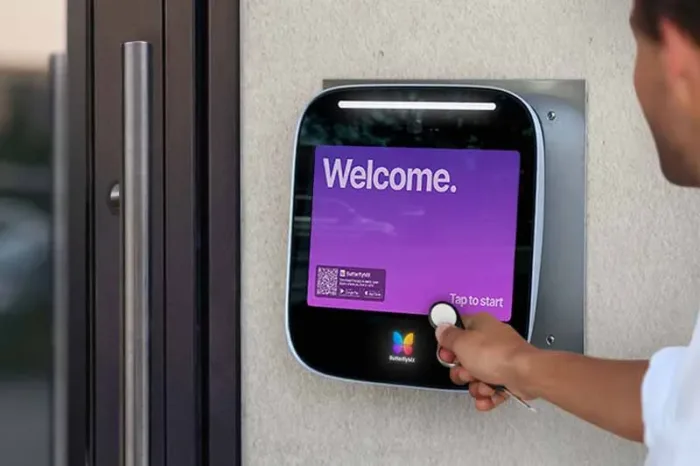





Key takeaways:
- A commercial key fob door lock system is a full access-control setup: credential, reader, controller, electrified lock, power, and management software.
- Use the $1,000 to $2,500 per door 2026 range only for early budgeting because wiring, hardware, labor, door count, and site conditions change the quote.
- Commercial-grade hardware, egress rules, lost-fob procedures, guest access, and mobile-credential compatibility all affect whether fobs are the right fit.
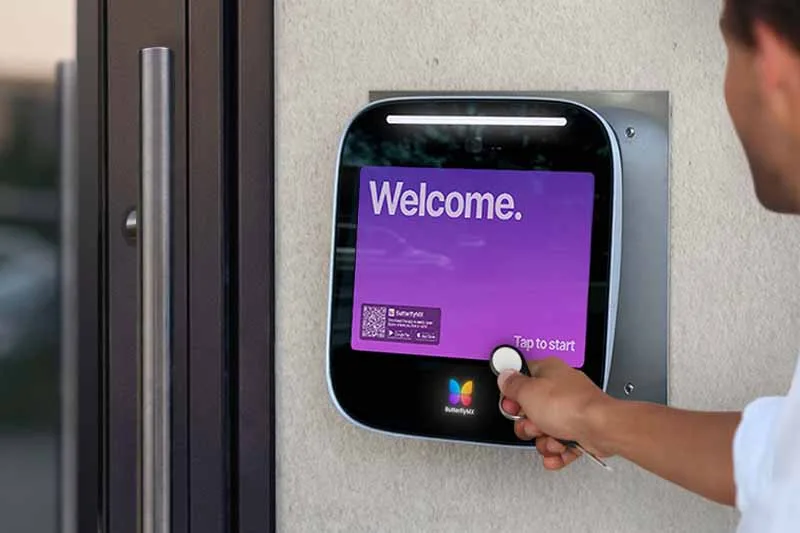
If you’re pricing a key fob lock, it’s easy to focus on the small device people carry and miss the bigger decision. A commercial key fob door lock system is an electronic access-control system that reads a physical credential, checks that credential against permissions, and signals electrified door hardware to grant or deny entry.
That means the fob is only one part of the commercial door lock system. The reader, controller, locking hardware, power, software, and management process determine who can enter, when they can enter, how lost credentials are handled, what happens to visitors, and how each door behaves during an emergency. This guide explains the pieces that matter so you can compare key fob systems with other access options before you request bids or build an RFP.
This guide will answer:
- What is a commercial key fob door lock system?
- How a key fob door lock system works
- Core components of a commercial key fob system
- Credential technologies and system compatibility
- What makes door hardware commercial grade?
- Cost of a commercial key fob door lock system
- Security benefits and operational limitations
- Alternatives to commercial key fob systems
- Fire code and egress considerations
- Which properties are a good fit?
- Commercial key fob system buyer checklist
- FAQs
Watch how ButterflyMX works:
What is a commercial key fob door lock system?
A commercial key fob door lock system is a type of keyless entry and access control. A user presents a fob to a compatible reader, and the access-control system decides whether that credential is allowed to open that door at that time. If the request is approved, the system releases compatible electrified locking hardware.
The main point is that the fob is not the lock. The fob usually stores or transmits an identifier assigned to a person. The controller or software decides whether that identifier has permission. Keyless entry is the larger category, and it can include fobs, key cards, PINs, mobile credentials, smart locks, and visitor-entry systems.
For commercial properties, that distinction matters because buyers are rarely shopping for a credential alone. They’re choosing a way to manage recurring users, temporary users, physical doors, audit needs, installation limits, and future access options across a real building.
How a key fob door lock system works
Equipment and wiring vary from one project to another, but a typical access event follows this sequence:
- A user presents a compatible key fob to the reader at the door.
- The reader captures the credential data and sends it to a controller, panel, or connected access platform.
- The system checks the credential against user permissions, schedules, and door rules.
- If the request is approved, the controller signals the electrified lock or related door hardware to allow entry. If it is denied, the door stays secured.
- A networked system may record the event for administration, reporting, or audit purposes when that feature is supported.
This is why the same fob can work at one door and fail at another. The credential is only presenting an identity. The access-control system decides what that identity is allowed to do. In many modern systems, the same management layer may also support other credential types, such as key cards or mobile credentials, if the selected readers, controllers, and software are compatible.
Core components of a commercial key fob system
A useful quote or proposal should account for the full access-control stack, not just the reader on the wall. At a minimum, buyers should understand these five pieces:
Many doors also need power supplies, cabling, request-to-exit devices, door position monitoring, network connections, and coordination with fire and life-safety systems. Those pieces may not be visible to everyday users, but they often drive cost, installation time, and whether the finished opening works as intended.
Credential technologies and system compatibility
Not every fob works with every reader. Buyers often see RFID, NFC, and Wiegand discussed together, but those terms do not describe the same thing. RFID is a broad radio-based identification category used by many fobs and cards. NFC is a short-range technology used by some physical credentials, phones, and wallet credentials. Wiegand commonly refers to a legacy reader-to-controller interface or data format, not a type of fob material.
It also helps to separate credential design from system design. A credential may be passive or active, and the system may be standalone, networked, or cloud-managed. Those distinctions affect how access is issued, how changes are applied, and whether administrators can manage credentials across multiple doors or properties. The article on keyless entry system types offers useful context for separating a credential format from the access system behind it.
Before keeping old hardware or buying new equipment, ask these compatibility questions:
- Which credential frequencies and formats do the readers support?
- Can the reader and controller communicate with each other using the required interface?
- What security features does the proposed credential and reader combination support?
- Can the software manage the doors, users, schedules, and records the property needs?
- Is there a realistic path to cards, mobile credentials, wallet credentials, or cloud management later?
This step is especially important for properties with legacy access control. A system may still open doors with existing fobs but be difficult to extend to newer mobile or remote-management options without replacing readers, controllers, or software.
What makes door hardware commercial grade?
Commercial grade should refer to the actual hardware specification, not just a product label. ANSI-accredited BHMA standards give buyers a way to evaluate door hardware through durability and security testing. For the relevant ANSI/BHMA A156.13 mortise-lock classifications, Grade 1 is the highest grade; the supplied standards guidance describes Grade 1 mortise locks as cycle-tested to 1,000,000 operations, while Grades 2 and 3 are tested to 800,000 operations with different forced-entry test rigor.
Those numbers are useful, but they need context. They apply to the relevant mortise-lock standard and should not be treated as a blanket claim for every reader, electric strike, magnetic lock, or door assembly. Review the applicable ANSI and BHMA standards framework with the door type, traffic level, security need, and hardware specification in mind.
In practice, a busy main entrance, an interior office suite, and a low-traffic storage room may call for different hardware. The right choice depends on the opening, expected use, and local requirements, not on the word commercial alone.
Cost of a commercial key fob door lock system
As a 2026 planning range, published guidance places a commercial key fob access-control installation at roughly $1,000 to $2,500 per door. Treat that as an early budgeting range, not as a guaranteed installed price or a hardware-only price. A real quote should define what is included, which doors are covered, and what work is excluded. Published commercial key fob buyer guidance also emphasizes that system scope affects pricing.
The largest cost drivers are usually the details around the door and the system behind it:
- Reader, controller, power supply, and credential hardware
- Electric strike, magnetic lock, or other electrified door hardware
- Existing door and frame condition
- New cabling, pathway access, network work, and retrofit complexity
- Installation labor, programming, commissioning, and testing
- Software, integrations, credential replacements, and ongoing administration
- Door count, site conditions, local labor, and life-safety coordination
New construction can make coordination easier because the access-control, electrical, door-hardware, and life-safety teams can plan together earlier. Retrofits often require more discovery. Existing frames, wiring paths, door condition, and installed locks can narrow the options or increase labor.
Also separate the first project cost from the long-term operating cost. Replacement fobs, credential collection, reissuance, software, maintenance, and staff time all matter, especially at properties with frequent user turnover.
Security benefits and operational limitations
A managed fob system can be much easier to administer than a set of mechanical keys. Administrators can assign access by user, door, and schedule. When supported by the system, they can also review access records and deactivate a lost credential without rekeying every affected lock.
A good lost-fob process is simple but important:
- Identify the user and the specific credential that was lost.
- Revoke or suspend that credential in the access-control system.
- Confirm the change has synchronized where the system requires it.
- Document the event according to the property’s policy.
- Issue a replacement credential if the user still needs access.
Guest access is the other major operational question. A fob-only design generally requires the property to issue a physical device to a temporary user. That may be fine for long-term staff or residents, but it can be frustrating for frequent visitors, contractors, deliveries, or short-term access needs.
This is where a broader access strategy can matter. A property may pair fobs with a keypad, mobile credential, smart lock, or video intercom when the selected system supports those options. ButterflyMX is relevant in this context because properties can use it to manage access, mobile credentials, visitor entry, and related resident or staff access needs from a connected platform.
Alternatives to commercial key fob systems
Key fobs are one credential choice. They are not the whole access strategy. The best alternative depends on what kind of access event the property needs to manage: a recurring employee entering a staff door, a resident opening a front entrance, a guest calling a resident, or a contractor receiving short-term access.
Key cards are the closest comparison. When a key card and key fob use compatible credential technology and the same access-control infrastructure, they can be functionally similar. The main difference is the form factor: one is carried like a card, and one is carried on a key ring. For more detail on that distinction, see this key card vs. key fob comparison.
Biometrics are a separate category because they tie access to a person’s identity rather than to an item the user carries or a code the user knows. That difference brings its own privacy, enrollment, and operating considerations, so it should be evaluated separately from a simple fob-versus-card decision.
A fob may be a strong choice for staff entrances, back-of-house doors, or resident amenities used by the same people every day. A video intercom may be better at a main entrance where visitors need to be identified. Mobile credentials may be worth evaluating when remote issuance, fewer physical credentials, or multi-property management is a priority. ButterflyMX Access Control fits into that comparison for properties that want to evaluate physical credentials, mobile access, and visitor entry as part of one connected access plan.
Fire code and egress considerations
Electrified locking hardware changes more than convenience. It can affect how people exit during an emergency, so the design needs a life-safety review. NFPA 101 generally follows the principle that an egress door must be operable from the egress side without a key, tool, or special knowledge, subject to defined provisions for electrified locking arrangements. Adopted IBC requirements, local amendments, and the authority having jurisdiction also matter.
Review NFPA life-safety guidance alongside the code edition adopted for the project. Do not assume a configuration is acceptable just because similar hardware is used elsewhere.
Fail-safe and fail-secure describe what happens when power is removed. Fail-safe hardware releases when power is lost. Fail-secure hardware remains secured on the access side until it is mechanically released or power is restored. Magnetic locks are often discussed in fail-safe terms, while electric strikes are often used in fail-secure applications, but the correct behavior depends on the actual hardware, door function, occupancy, and local approval.
Before approving an electrified opening, ask how the design handles fire-alarm interface, power loss, emergency release, request-to-exit devices, backup power, door function, and free egress. A qualified access-control and life-safety professional should evaluate the opening, and the final design should be confirmed with the local authority having jurisdiction.
Which properties are a good fit?
A commercial key fob door lock system tends to work best when the property has a clear group of recurring users and a manageable credential process. The fit becomes less obvious when visitor access, user turnover, remote administration, or future mobile credentials are central requirements.
Offices
Offices may use fobs for staff entrances, server rooms, storage areas, and internal zones with different permission levels. The main planning questions are how many users need access, which doors need schedules, and how quickly administrators must add or remove employees.
Multifamily, condos, and HOAs
Residential communities should weigh resident convenience against visitor needs. A fob can be simple for a resident entering a lobby or amenity space, but a fob-only setup can create extra work for guests, contractors, deliveries, and temporary access.
Student housing and senior living
These properties should model turnover, replacement work, staff access, and accessibility needs before committing to a physical-credential-heavy system. Lost fobs, move-ins, move-outs, and temporary permissions can become a daily administrative issue.
Mixed-use and coworking properties
Mixed-use and coworking buildings often need several access tiers for residents, tenants, staff, vendors, and shared amenities. Schedules, door groups, and scalable administration matter more as the number of user types grows.
Properties planning for mobile access
If the property expects to move toward mobile credentials, wallet credentials, or cloud-managed access, confirm reader and controller compatibility before buying a fob-only system. A cheaper near-term installation can become expensive if it blocks the next credential strategy.
Commercial key fob system buyer checklist
Use this checklist to turn a general product conversation into a specific scope of work for a vendor, integrator, or internal project team:
- Property scope: List every controlled door, expected user group, traffic pattern, schedule, tenant group, and visitor volume.
- Door conditions: Document existing locks, frames, wiring, power, network access, and any retrofit limits.
- Credential plan: Confirm whether the property needs fobs, cards, PINs, mobile credentials, wallet credentials, or a phased migration.
- System compatibility: Verify reader support, controller interface, software capabilities, logging, remote administration, and multi-property management needs.
- Lost-credential process: Define who can revoke a credential, how quickly changes take effect, how events are documented, and how replacements are issued.
- Visitor access: Decide whether guests, contractors, deliveries, and temporary users need a fob, a code, a mobile option, or a video intercom process.
- Integrations: Identify camera, elevator, smart-lock, property-software, and other access-related integrations that must be evaluated.
- Budget: Compare installed cost with software, credentials, replacements, maintenance, and staff administration over time.
- Life safety: Require an opening-by-opening review for electrified locks and confirm the local approval process before installation.
The best system is the one that matches the way the property actually operates. Once you know the doors, users, visitor needs, compliance questions, and future credential goals, you can compare a fob-based system with mobile access, visitor-entry tools, and other access-control options more clearly.
Frequently asked questions
Can key fobs be copied or cloned?
Some key fobs may be copied or cloned, but the risk depends on the credential technology, reader configuration, available security features, and operating controls. Ask each vendor to explain the specific credential and reader design being proposed rather than assuming all fobs have the same risk.
What should a property team do when a key fob is lost?
The team should identify the credential, revoke its access, confirm the change has taken effect where applicable, document the event, and issue a replacement if needed. A written lost-fob process helps staff respond quickly and consistently.
Can a key fob system work with mobile credentials or guest access?
A key fob system may work with mobile credentials or guest-access tools if the readers, controllers, and software support them. Fob-only systems generally do not include a built-in temporary-access process, so properties with frequent visitors should compare keypad, mobile, and video intercom options.
What happens to an electrified lock during a power outage?
Power-loss behavior depends on whether the hardware is fail-safe or fail-secure and on the backup-power and life-safety design. The property should review that behavior with a qualified professional and confirm it against the applicable local code requirements.
A commercial key fob door lock system can be a practical choice for recurring users and controlled staff, tenant, resident, or amenity access. But the right decision depends on the complete system: the door hardware, credential technology, software, egress design, visitor needs, administration process, and future access plans.
If your property needs to compare physical credentials with mobile access, visitor entry, or remotely managed access control, discuss your doors, users, integrations, and access requirements with ButterflyMX.

Get your free quote!
Fill in the form below, and we'll email you right back.
Want a free quote?
Fill in the form below, and we'll email you right back.
You’ll be redirected shortly...