
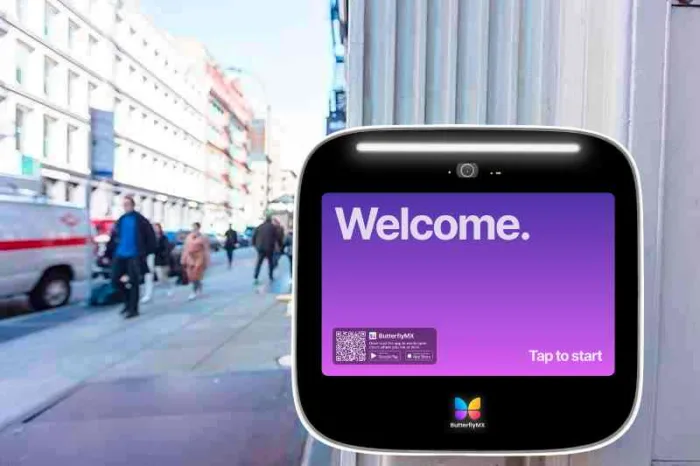





Key takeaways:
- An intercom doorbell alerts someone inside and supports two-way communication; some systems also include video, mobile answering, or remote door release.
- The right system depends on the property, not the product label. Tenant count, entrances, directories, answering endpoints, and lock integration should guide the choice.
- When an intercom controls an electrically locked entrance, accessibility, egress, UL 294, and locally adopted fire-code requirements become part of the decision.
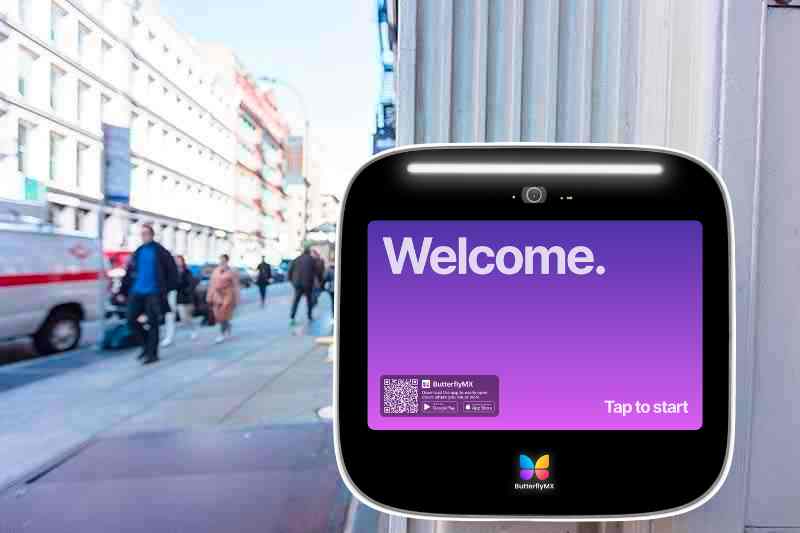
An intercom doorbell is more than a chime. It lets someone at an entrance reach someone inside, speak with them, and, in some systems, receive remote door release. That simple idea gets complicated fast: a front-porch video doorbell, a small-building intercom, and a managed-property video intercom for apartments can look similar from the outside while serving very different needs.
Before comparing brands or prices, start with the entrance. Does it only need to alert one person? Should visitors choose from a tenant directory? Will residents answer from a smartphone, an in-unit station, or a front desk? Does the system need to connect to an electric lock? This guide explains how intercom doorbells work, how they compare with video doorbells, and what to consider for cost, installation, ADA accessibility, and life safety.
This guide will answer:
- What is an intercom doorbell?
- How an intercom doorbell works
- Types of intercom doorbell systems
- How a video doorbell compares with a video intercom
- Door release, electric locks, and life safety
- ADA and accessibility considerations
- Costs, subscriptions, and installation factors
- How to choose a system by property type
- When to retrofit or replace an old intercom
- FAQs
Watch how ButterflyMX works:
What is an intercom doorbell?
An intercom doorbell is an entry device that alerts an occupant to a visitor and allows two-way communication through an indoor station, telephone, smartphone, or app. Depending on the system, an authorized user may also see the visitor, speak with them by video, or release the entrance remotely. Video, recording, mobile answering, and door release are useful features, but they are not built into every intercom.
The main difference is the return path. A notification-only doorbell tells someone that a visitor has arrived. A doorbell intercom lets the person inside respond. A video intercom adds visual verification. A multi-tenant intercom may go further by showing a resident directory, routing calls to different units or staff members, and connecting to access-control hardware.
That is why the product label can be misleading. A video doorbell is not automatically a commercial intercom, and an intercom kit is not always a functional replacement for an existing entry system. The practical question is what the device actually does at the door: alert, communicate, identify, route, record, or release.
How an intercom doorbell works
An intercom doorbell carries a visitor call from an outdoor station to an answering endpoint. That endpoint may be a wall-mounted monitor, a desk station, a resident’s smartphone, or another configured device. If the system supports door release, the authorized user can send a command to a relay or access-control system that signals the connected lock.
Basic visitor call flow
- A visitor presses a call button or selects a person from a directory at the outdoor station.
- The system routes the alert to the resident, employee, receptionist, or other configured answering point.
- The person inside speaks with the visitor through two-way audio and, on video-capable systems, may see the visitor.
- The person decides whether to continue the conversation, deny entry, or grant access if remote release is supported and properly configured.
The outdoor station is only the visible part of the system. Buyers also need to account for the answering endpoint, power source, connectivity, mounting conditions, and, when remote entry is required, the lock and relay connection. A Wi-Fi or PoE intercom product can combine visitor calling with door-strike control, but it still needs the right installation environment and compatible hardware. This example of a PoE and Wi-Fi video intercom with door-strike control shows how those functions can be packaged together.
PoE, or Power over Ethernet, sends network connectivity and electrical power through one Ethernet cable. That can simplify an IP intercom installation, but it does not necessarily power an electric strike, magnetic lock, or every other entrance component. Locking hardware may need its own listed power supply and wiring. Wireless communication also has limits: it can reduce data cabling, but it does not remove the need to check power, network coverage, mounting, and lock wiring.
Types of intercom doorbell systems
Intercom doorbells vary by media, connection type, scale, and answering method. The best fit depends on the building’s entrance conditions and on who needs to answer visitor calls.
Audio-only and video systems
An audio intercom lets occupants speak with a visitor and may be enough where visual verification is not needed. A video intercom adds a camera and a screen or app view, which can help a resident, receptionist, or manager identify a visitor before responding. Video is useful for many properties, but it should be chosen because the entrance needs visual confirmation, not because every intercom requires it.
Wired, Wi-Fi, cellular, and IP connections
Wired systems may use dedicated cabling or IP networking. IP intercoms often use Ethernet, and some use PoE. These designs can work well where the property has reliable network infrastructure and needs centrally managed endpoints. Wi-Fi can reduce the need for a network cable at the outdoor station, but performance depends on signal strength and network management. Cellular systems can be useful where local internet service is not practical in the same way, but coverage and service terms still need review.
The tradeoff is not simply wired versus wireless. Wired connections may support a more predictable installation when cabling is available. Wireless or cellular options may reduce some cabling work, but they still require power, mounting, service coverage, and a plan for any connected lock. Treat connectivity as part of the installation plan, not as a shortcut around it.
Single-tenant and multi-tenant systems
A single-tenant intercom generally routes a visitor to one household, office, or answering point. A multi-tenant intercom may include a directory and call-routing logic for many residents, units, suites, or businesses. That difference matters when visitors need to find the right occupant, when managers need to add and remove users, or when one entrance serves many people.
The distinction between doorbells and intercoms becomes especially important in apartment and commercial settings. This overview of video and wireless intercom categories illustrates how systems can differ by use case, tenant scale, and access-control function.
Smartphone answering and installed endpoints
Smartphone answering can let residents or staff respond when they are away from a fixed station. Dedicated in-unit monitors, desk stations, and reception endpoints can be better when a property needs an installed, shared, or predictable place to answer calls. Some buildings use a mix of both. The right choice follows the people who actually answer visitor calls.
Recording and storage add another decision. Some systems use cloud services. Others may offer local recording or models advertised without a monthly recording fee. Those options do not have the same retention limits, administration needs, network requirements, or support terms. Verify the current product terms before treating storage or subscription language as a true cost comparison.
How a video doorbell compares with a video intercom
A video doorbell commonly serves one household or one entrance-monitoring need. A commercial multi-tenant video intercom may add a tenant directory, call routing for many occupants, multiple answering endpoints, and integration with door-release or access-control hardware. Individual products vary, so use the table as a category-fit guide rather than a substitute for reviewing a specific model.
The practical dividing line is the job at the entrance. A single-entrance home may not need commercial architecture. An apartment building, office with several suites, or property with several entrances may need a directory, managed users, controlled release, and administrative tools that a consumer device is not designed around. For a closer look at that apartment-building question, read whether a multifamily doorbell works for an apartment building.
Some categories blur through integrations. Don’t assume every consumer video doorbell lacks remote-unlock options, and don’t assume every commercial intercom includes every access-control feature. Confirm directory capacity, call-routing limits, supported endpoints, lock interfaces, and administrative controls for the exact configuration.
Door release, electric locks, and life safety
Remote door release changes the purchase. The intercom may start the release command, but the door, lock, power supply, wiring, egress hardware, and locally adopted code determine whether the overall installation is appropriate.
Two common lock categories are electric strikes and magnetic locks. An electric strike works with compatible latch hardware. A magnetic lock uses electromagnetic force to secure the door. Fail-safe and fail-secure describe how a locking device behaves when power is lost, but those terms do not decide whether a door assembly is acceptable. Door use, egress path, fire and building requirements, and local code all matter.
For covered electrically locked egress doors, the 2021 International Fire Code provision on electrically locked egress doors requires release upon loss of power and requires the locking system to be listed to UL 294 within the provision’s scope. That does not mean the 2021 edition is enforced everywhere. States and local jurisdictions adopt code editions and amendments on their own schedules, so each project must be reviewed against the code that applies where the building is located.
UL 294 is the North American safety standard associated with access-control system units. Its relevance is one reason an intercom-controlled entrance should not be treated like a simple consumer electronics installation. A qualified access-control professional, code consultant, and authority having jurisdiction can evaluate the intended door configuration. This article provides general information, not electrical, engineering, legal, or life-safety design advice.
ADA and accessibility considerations
ADA accessibility may be relevant when an entry communication system is used to gain admittance to a building or restricted area. The applicable requirements depend on the facility, project scope, approach conditions, and the controls and communication features involved. It is not accurate to treat every intercom installation the same way or reduce compliance to one universal mounting height.
The ADA Accessibility Standards published by the U.S. Access Board address two-way communication systems used for admittance. They also include operable-parts and reach-range provisions. ADA Advisory 205.1 identifies security and intercom systems among the controls covered by operable-parts requirements. For covered residential dwelling units, the standards also address audible and visible doorbell signaling and visual visitor identification requirements.
In practice, a project team should evaluate the outdoor station, call button, directory, screen, door-release control, audible and visual signals, and the route a user takes to reach them. State or local accessibility rules may also apply. Review the design with a qualified accessibility specialist and the authority having jurisdiction rather than relying on product marketing shorthand.
Costs, subscriptions, and installation factors
An intercom doorbell does not always require a monthly subscription. Fee structures vary by provider and configuration. A property may pay for hardware and installation up front, then have separate costs for connectivity, cloud storage, software, cellular service, support, maintenance, or replacement parts. A system advertised as having no monthly fee may still have installation, network, maintenance, storage, or support limits.
Installation cost depends heavily on the site. Reusing a suitable pathway or network connection is different from creating a new route for power, data, and lock control. A property with several entrances, a tenant directory, video needs, reception endpoints, weather exposure, and access-control integration has a very different scope from a single-door audio station.
Questions that shape total cost
- How many entrances, occupants, units, and answering endpoints must the system support?
- Does the property need audio, video, recording, a directory, mobile answering, or remote release?
- What wiring, transformers, PoE switches, internet service, cellular coverage, and network administration are already available?
- Will a lock interface require separate power, relay wiring, listed equipment, or specialist installation?
- How will the property handle cloud storage, software accounts, support, maintenance, and resident turnover?
- Can the outdoor station withstand the mounting location and local weather conditions?
Renters and tenants should get the right approval before changing shared entry hardware or wiring. Property modification rights and maintenance duties vary by jurisdiction, lease, and building agreement.
How to choose a system by property type
Property size alone does not choose the system. Start with the visitor path: who needs to be reached, how visitors identify the right person, which entrances are involved, and whether an authorized user needs to release a door remotely.
Single homes and one-occupant spaces
For one home or office suite, focus on communication quality, video needs, storage preferences, power and network availability, and whether remote release is truly needed. A commercial directory may add complexity without improving the entrance experience for a single occupant.
Small multifamily properties
Small multifamily buildings should look closely at tenant call routing, directory management, move-ins and move-outs, delivery access, existing wiring, and the need for controlled release. A product that works for two or three occupants may still fall short for a building with several entrances or frequent resident administration.
Larger multifamily and commercial properties
Managed properties often need support for multiple doors, resident or tenant administration, reception workflows, mobile answering, access-control integration, and project-specific accessibility or code review. ButterflyMX is one option for multifamily and commercial properties that need smartphone visitor calls, remote management of residents, visitors, credentials, and access, and an alternative to legacy POTS-based telephone-entry hardware. It should be evaluated against the property’s entrances, infrastructure, user needs, and current integration requirements rather than assumed to fit every building.
A useful selection process follows this order: define the required visitor and access functions, audit power and network infrastructure, identify accessibility and code constraints, compare total cost models, and then verify the specific product capabilities and installation requirements. That order keeps a feature list from driving the decision before the property has defined the problem.
When to retrofit or replace an old intercom
An old intercom does not automatically need a full replacement. The right path may be to keep it, add a compatible retrofit, or replace the system. The choice depends on call quality, reliability, parts availability, resident and visitor needs, video requirements, existing wiring, phone-line dependencies, lock controls, and network readiness.
Start with an inventory. Document the outdoor station, in-unit hardware, power supplies, cabling, telephone connections, locks, and entrances the system serves. Then identify what is failing or missing. Is call quality poor? Are replacement parts hard to find? Does the property need mobile answering, visual verification, a directory, or better user administration? This step helps separate a limited retrofit from a system that no longer supports the building.
Be careful with the word kit. Some products marketed for intercom use are physical adapters rather than functional intercom replacements. For example, the Ring Intercom Kit for Ring Video Doorbells is a mounting adapter, not proof that every legacy intercom can be replaced by a consumer doorbell. Confirm whether a proposed product actually handles visitor calls, audio, video, tenant routing, and entry release.
A partial upgrade can be worth considering when existing components and wiring are demonstrably compatible. A full replacement may make more sense when the system depends on obsolete phone infrastructure, cannot support required call routing, or cannot meet the property’s access needs. Don’t assume a legacy intercom can forward calls to a smartphone or that existing wiring can be reused until a qualified assessment confirms it. For a deeper planning framework, review how to approach a retrofit intercom system and how to convert an old intercom system.
For managed-property upgrades, a modern video intercom and access-management platform may be appropriate when the goal is to replace legacy entry communication with smartphone-based visitor calls and remotely managed access. The final decision should still account for entrances, tenant workflows, existing infrastructure, local requirements, and product-specific compatibility.
Frequently asked questions
Can one intercom doorbell serve multiple tenants?
Yes, a multi-tenant intercom can route visitor calls to multiple residents, units, or occupants. Check the system’s directory capacity, call-routing method, entrance limits, and administrative tools because those capabilities vary by product and configuration.
Can a video doorbell work as an apartment building intercom?
Sometimes, but usually only for a limited use case. Apartment buildings often need tenant directories, multiple users, resident administration, and integrated door release, so review the exact model and integrations before using a consumer video doorbell as a building intercom.
Does an intercom doorbell always require a monthly subscription?
No. Subscription, storage, software, connectivity, and support models vary. Compare current terms alongside hardware, installation, maintenance, and network costs so you understand the total cost of ownership.
Can an old wired intercom be converted to smartphone answering?
Possibly, but it depends on the existing system. A site assessment should review the call technology, wiring, power, lock controls, and available retrofit interfaces before choosing a partial retrofit or full replacement.
The best intercom doorbell is the one that matches the entrance, not the one with the longest feature list. A home may need a simple way to see and speak with visitors. A managed building may need a directory, multi-tenant routing, remote release, and ongoing access administration. Once the system connects to an electrically locked door, accessibility, egress, equipment listing, and local code review deserve the same attention as the intercom features.
If you are planning a multifamily or commercial upgrade, ButterflyMX can be evaluated as a video intercom and access-management option for smartphone visitor calls and remote access administration. Discuss your property, entrances, and access needs with ButterflyMX to see whether the platform fits your project.

Get your free quote!
Fill in the form below, and we'll email you right back.
Want a free quote?
Fill in the form below, and we'll email you right back.
You’ll be redirected shortly...