





Key takeaways:
- An apartment intercom connects visitors with residents or staff and, when paired with compatible door hardware, lets an authorized person release the entrance.
- Traditional systems use in-unit stations or telephone calls. Modern video intercoms can also support smartphone answering, remote management, and temporary visitor credentials.
- “Wireless,” “video,” “IP,” and “cloud-based” describe different features of a system. A wireless resident experience does not eliminate the need for power and a door-release connection at the entrance.
- Compare complete installed costs, resident accessibility, everyday management, and outage behavior before choosing a provider.

A delivery driver is at the front door. The resident is at work, the leasing team is showing an apartment, and someone needs to decide who gets inside. A good apartment intercom makes that exchange simple. A poorly chosen one can leave visitors waiting, staff answering routine calls, and residents struggling with an unreliable entrance.
For property owners and managers, choosing an apartment intercom system means looking beyond the panel on the wall. Consider how residents answer calls, how the door unlocks, what happens during an outage, and the system’s long-term operating cost. This guide walks you through those decisions and compares popular options for multifamily buildings.
This guide will answer:
- What is an apartment intercom system?
- How apartment intercom systems work
- Four common apartment intercom configurations
- Benefits for residents and property managers
- Features to look for
- Apartment intercom costs
- Intercom systems and brands compared
- Repairing or replacing an old system
- Installation and testing checklist
- Frequently asked questions
What is an apartment intercom system?
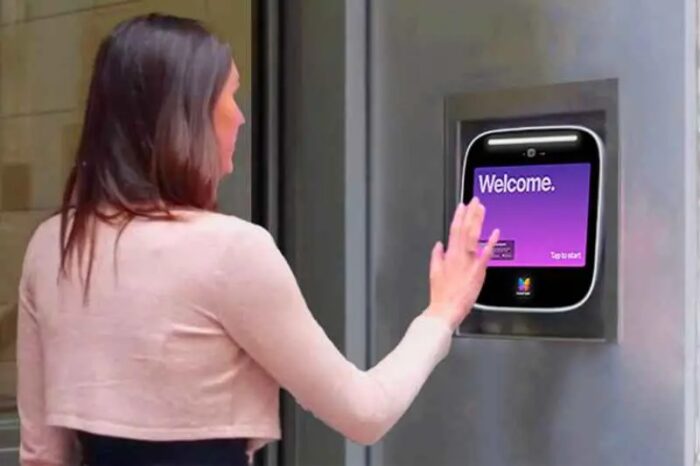
An apartment intercom system is a building-entry communication system that allows visitors to contact a resident or staff member and request access. Most systems have an entrance panel with a microphone, speaker, and resident directory. Video models add a camera. Residents answer through an in-unit station, a telephone, or a mobile app, depending on the system.
Intercoms are often called apartment buzzers, call boxes, or telephone entry systems. Those names are related, but they do not always describe the same capabilities. An older buzzer might support only a voice call and a door-release button. A modern video intercom can let residents see visitors, issue guest passes, and manage access from their phones.
An intercom also serves a different purpose from a standalone fob reader or residential video doorbell. A fob reader recognizes an existing credential but typically cannot call a resident. A single-home doorbell usually lacks the multi-tenant directory an apartment building needs. A multi-tenant intercom connects visitors with the correct household.
Multi-tenant intercoms vs. front desk intercoms
A multi-tenant intercom lets a visitor call the household they came to see. A front desk intercom routes the call to staff, such as a concierge or leasing office. Some properties use both. If your design depends on someone at a front desk, decide who handles visitor calls after hours, on weekends, and when staff is away from their stations.
More than 100K, 5-star ratings!
Video Intercoms
Open doors, gates & garages from anywhere.

QR Code Intercom
Smartphone-based visitor access.
Access Control
Fob, key cards, PINs, and mobile apps.
Security Cameras
Visibility throughout your property.
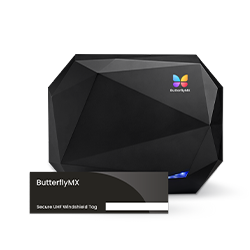
Vehicle Access
Hands-free access for gates & garages.
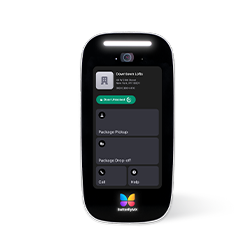
Package Room
Receive, store, and manage deliveries.
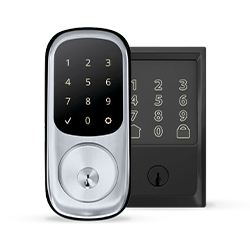
Smart Locks
Connect to all major brands and models.
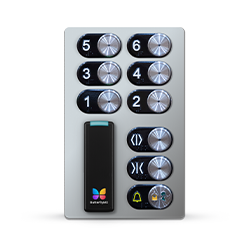
Elevator Controls
Unlock key-fobbed elevators for anyone.
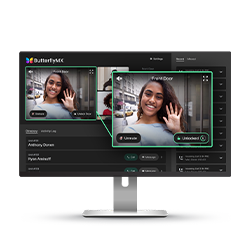
Front Desk Station
See all your doors and cameras in one place.
How do apartment intercom systems work?
An apartment intercom handles two connected tasks: communicating with the visitor and authorizing access to unlock the entrance. The full process should end with the door closing and locking again.
- The visitor selects a resident. At the entrance, the visitor searches the directory, enters an apartment number, or chooses a designated contact.
- The system places a call. The resident receives an audio or video call on a supported phone or in-unit device.
- The resident verifies the visitor. They can speak with the person, view video where available, or decline the request.
- The resident approves access. An unlock command activates a relay or other compatible access-control interface.
- The door releases. The connected electric strike, magnetic lock, or other approved door-release hardware allows the visitor to enter.
- The entrance secures again. The door closes and the lock returns to its required state.
The last step is easy to overlook. If a door closer is out of adjustment or the latch does not align, the intercom can complete a call and send the correct unlock signal while the entrance still fails to work properly. Door condition matters as much as the electronics.
What equipment does an apartment intercom need?
A typical installation includes an entrance station, a way for residents or staff to answer, a communication connection, power, and compatible door-release hardware. Many systems also include a directory and a management interface. Cloud-based models use software to manage residents, permissions, and supported activity records.
The intercom panel and the lock are separate components. A dry-contact relay, for example, acts as a switch in the release circuit; it does not itself provide power to the lock. The installer must confirm the correct power supply, wiring, lock operation, and applicable exit requirements.
Electric strikes, magnetic locks, and safe exit
An electric strike releases a mechanical latch at the door frame. A magnetic lock, commonly called a maglock, holds a door closed with an electromagnet. Electric strikes come in different power-loss configurations, while magnetic locks normally release when lock power is lost. The correct choice depends on the door assembly, fire rating, approved exit hardware, and local requirements. Have qualified professionals verify the entire entry and exit arrangement rather than choosing a lock based on the intercom alone. See our guide to apartment intercoms with door release for more details.
Four common apartment intercom configurations
Apartment intercoms are often described as wired, wireless, video, or cloud-based. Those terms overlap. A single system may be video-enabled, cloud-managed, connected to the internet by Ethernet, and wireless only between the entrance and residents’ phones.
For a useful buying comparison, start with how visitors reach residents and what equipment the building needs.
1. Wired intercoms with in-unit stations
Traditional hardwired intercoms connect the entrance to a handset or monitor inside each apartment. Residents answer calls and release the door using the installed device. Audio-only systems are common in older buildings, while newer wired systems may also provide video.
Dedicated stations are useful when residents prefer a fixed answering device or cannot rely on a personal smartphone. The tradeoff is the wiring, installation access, maintenance, and eventual replacement of equipment inside apartments. A retrofit may be more affordable when the existing cables are compatible and in good condition.
2. Telephone entry systems
Telephone entry systems call a resident’s telephone number. The resident speaks with the visitor and may enter a keypad command to grant access. Depending on the design, the system can use telephone infrastructure or internet-based calling.
These systems can suit buildings that prioritize familiar phone answering. However, traditional telephone-only models generally lack the live video and software features of newer video intercoms. Verify how numbers are updated, whether long-distance calling or service charges apply, and what happens when the calling service is interrupted.
3. Mobile-first video intercoms
A mobile-first video intercom sends visitor calls to a resident’s smartphone or another supported mobile device. Residents can see and speak with visitors, then remotely unlock the entrance. The building typically avoids installing a dedicated intercom monitor in every apartment.
This approach is attractive for retrofits, off-site management, and communities with frequent guest or delivery traffic. The entrance still needs power, a supported network connection, and door hardware. Residents also need a way to answer visitors if they don’t have a compatible smartphone or reliable connectivity.
4. Hybrid and IP-based intercoms
Hybrid systems combine answering methods, such as indoor stations and mobile calls. IP (Internet Protocol) intercoms communicate over a data network and may support integrations with building phone systems, security cameras, or other access equipment. Some IP intercoms use SIP (Session Initiation Protocol), a standard for establishing internet-based calls; not all IP intercoms support SIP.
These configurations can serve larger or more complex properties, especially those with concierge desks, multiple buildings, or existing infrastructure worth retaining. Their flexibility also means the exact device models, licenses, networking, and integration requirements deserve close attention.
Apartment intercom system types compared
Swipe to compare →
Do wireless apartment intercom systems need wiring?
Usually, yes, at least at the entrance. “Wireless” may mean that visitor calls reach residents’ phones without a cable running to each apartment. The outdoor panel still requires power, and an electronically controlled entrance needs a compatible connection to the door-release equipment.
Panel connectivity varies by product: wired Ethernet, Wi-Fi, cellular, or a dedicated system connection may be supported. Dense concrete and metal can weaken wireless service, so test connectivity at the actual mounting location. A wired network is often a sensible choice when available. For more detail, see our comparison of wired and wireless apartment intercoms.
Why apartment buildings benefit from intercom systems
An intercom gives a building a consistent process for receiving visitors. The benefits depend on the equipment and configuration, but modern systems can improve both resident convenience and the property team’s daily work.
Residents can manage guests without going downstairs
With remote answering and door release, residents can speak with a guest and approve entry from their apartment or while away from home. Video lets residents visually check who is requesting entry. Some systems offer visitor passes for planned arrivals, such as friends, pet sitters, or service providers.
Staff spend less time handling routine entry requests
When visitors can call the right resident directly, the leasing office doesn’t need to handle every arrival. Cloud-based directories and permission controls can also help teams manage move-ins, move-outs, temporary vendors, and property-wide changes without visiting each entrance.
Deliveries become easier to coordinate
Delivery access is a recurring challenge for multifamily teams. Depending on the system, a resident or authorized staff member can approve entry remotely or issue a temporary credential to an approved delivery worker. That reduces the need to interrupt someone for every arrival. Package storage is a separate consideration: a delivery access code gets a courier through the entrance, while a package room or locker helps manage the package after drop-off.
Entry activity is easier to review
Systems with access logs can help a property team investigate a door event, check when permissions were used, and manage accountability. Video intercom snapshots are not the same as continuous video surveillance. If your property needs ongoing footage of common areas, evaluate security cameras separately.
Eight features to look for in an apartment intercom system
The best system for your property reliably completes everyday tasks. Prioritize these features by building type, resident needs, and how your management team works.
1. A clear resident directory and dependable calling
Visitors should be able to find the right apartment without confusion. Test the directory in daylight and at night, and check audio clarity in a noisy street or lobby. For a video intercom, make sure the camera offers a useful view of someone standing at the entrance, including in challenging lighting.
2. Convenient resident answering, including alternatives
Smartphone video calls are useful when someone is away, but the property also needs a plan for residents who do not use a smartphone. That might mean a compatible in-unit station, supported telephone answering, or another appropriate arrangement. A PIN or fob helps someone enter; it doesn’t replace answering a guest’s call.
3. Cloud-based management and permission controls
Look for a dashboard that lets authorized staff update the resident directory, issue credentials, revoke access after move-out, and view supported door activity. If you manage multiple buildings, compare whether your team can administer them from one place and restrict permissions by property or staff role.
4. Visitor passes and delivery access
Useful access options may include QR-code visitor passes, temporary PINs, keycards, fobs, and mobile credentials. Look beyond the list of methods and check the rules: Can a pass expire? Can staff revoke it immediately? Can access be limited to a particular entrance or time window? These details help prevent short-term visitors from getting permanent access.
5. Control for more than one entrance
An apartment property may have a main entry, service entrance, garage, pedestrian gate, and package room. Check whether the proposed system manages each required door and whether permissions can differ by entrance. If there is a two-door vestibule, decide when the first door should release and when access to the second door should be granted.
6. Integrations with existing property technology
Property management software (PMS) integrations can help synchronize resident information during move-ins and move-outs. Intercoms may also work with access controllers, smart locks, elevator controls, or other building systems. Ask which data fields and actions the integration actually supports. A shared login or product-family compatibility claim is not the same as automatic resident provisioning.
7. Reliability, support, and clear outage procedures
Ask what happens if building power, internet access, the local network, or a resident’s phone fails. Find out which features need cloud connectivity, what backup power protects, and which local entry methods remain available. Compare warranty terms, software updates, live support, and the availability of qualified local installers. No label, including “cellular backup” or “cloud-managed,” guarantees that every function survives every outage.
8. Accessibility, security, and privacy
People need to be able to find, operate, and use the intercom at the entrance. The U.S. Access Board’s guidance on two-way entry communication systems describes audible and visual signaling requirements under ADA sections 230 and 708 for covered installations. Controls at accessible entrances must also satisfy applicable operable-part requirements. An integrated camera alone does not establish compliance.
Review applicable ADA, Fair Housing, fire, building, and local requirements with the qualified project team and authority having jurisdiction. On the cybersecurity side, ask about staff permissions, account protection, updates, logging, and retention. NIST’s IoT cybersecurity guidance provides a useful framework for asking how connected devices are secured and supported over their life cycle.
How much does an apartment intercom system cost?
Apartment intercom pricing varies widely because the panel is only one part of the project. A small wired kit may cost a few hundred dollars in equipment, while a commercial, multi-tenant configuration can require thousands of dollars in hardware before installation. A building with several entrances, new wiring, in-unit stations, or extensive door work may cost considerably more.
Published hardware price ranges can help with an initial budget, but they should never be treated as a complete installed estimate. Even two properties with the same number of apartments can have different costs if one can reuse network connections and door hardware while the other needs substantial retrofitting.
What goes into the total cost?
Apartment intercom budget checklist
Swipe to compare →
The biggest cost drivers often include the number of entrances, the condition of existing wiring, whether a technician must enter each apartment, the panel’s location, and how much work the door hardware needs. An intercom mounted near an existing network and power connection may be simpler to install than one on a remote pedestal across a driveway.
Compare three- to five-year ownership costs
Ask every provider for an itemized quote covering the same entrances, resident-answering requirements, access credentials, integrations, and testing. Then compare total ownership cost over a consistent period.
Total ownership cost = equipment + installation + recurring service charges + expected maintenance over the chosen period.
For example, multiply a monthly software charge by 36 months for a three-year comparison or 60 months for a five-year comparison. Include any stated price increases, minimum commitments, and support or cellular charges. This comparison is more meaningful than dividing a single entrance panel’s price by the building’s unit count.
Apartment intercom systems and brands compared
Different manufacturers emphasize different approaches. The following shortlist highlights the options worth evaluating, based on manufacturers’ published product information. This compares configuration and fit, not reliability or installed price.
Apartment intercom options at a glance
Swipe to compare →
ButterflyMX: Mobile-first intercoms and unified property access
ButterflyMX Video Intercoms support video calls to residents’ smartphones, searchable directories, QR-code Visitor Passes, and several supported entry methods, including mobile access, PINs, fobs, and keycards. Property teams can manage permissions and review supported entry events from an online dashboard. ButterflyMX also connects intercoms with other property access products and compatible PMS integrations.
This approach is particularly useful when a property wants residents to answer remotely and management to handle access across multiple doors or buildings. The proposed design should still document the required power, internet, door-release hardware, and any alternate method for residents to answer.
Watch how ButterflyMX works:
Aiphone: Wired tenant stations and networked systems
Aiphone’s GT Series offers dedicated tenant stations, audio and video options, and guard-station reception. Consider it when a building wants physical answering devices or can retain compatible wiring. The IX | IXG Series uses an IP-networked approach with broader model-dependent configurations and integrations. The exact bill of materials determines which features are available.
Swiftlane: Smartphone-centered video entry
Swiftlane offers mobile video calling, remote unlock, and cloud-based access features. It may suit buildings prioritizing app-based resident access. Check the specific hardware, internet and backup requirements, subscription terms, and how residents who cannot use the app will receive visitor calls.
2N: Configurable IP intercom infrastructure
The 2N IP Style is a networked touchscreen intercom with multiple supported access technologies and SIP capabilities. It is worth evaluating when an installer or integrator is designing a system around particular IP, indoor-station, or other building integration needs. As with any flexible system, the proposal should include the required software, answering endpoints, and integration work.
For more product comparisons, see our separate guide to video intercom systems for apartments. As you compare alternatives, request a live demonstration of the resident and visitor experience rather than relying only on feature lists.
Can you repair or replace an old apartment intercom?
Yes. A failing apartment buzzer doesn’t always require a full replacement, and a modernization project doesn’t always require new wiring throughout the building. The right choice depends on which components are failing and whether existing cables and door hardware can work with the new design.
Repair the existing system when the problem is isolated
A single broken handset, loose connection, defective power supply, or misaligned door latch may be repairable. Start by diagnosing the calling equipment and door-release system. Replacing a working entrance panel will not fix a door that fails to latch.
Retrofit when parts of the infrastructure are reusable
A retrofit may retain appropriate cable, lock hardware, or apartment devices while replacing other components. Some modern intercoms avoid new wiring to every apartment by sending calls to smartphones. A site survey must establish what existing equipment is safe and compatible to reuse.
Replace the system when it no longer meets the building’s needs
Full replacement becomes more attractive when parts are obsolete, calls fail repeatedly, support has ended, or manual resident updates consume too much staff time. An upgrade may also make sense if the property needs video calling, temporary visitor access, centralized management, or broader access control integrations.
Our guide to replacing an apartment buzzer covers the signs that an older system is ready for an upgrade.
Apartment intercom installation: What to check before signing off
A reliable intercom installation involves the entrance, network, resident experience, and door hardware. Have a qualified low-voltage installer or security integrator inspect the property, coordinate any necessary electrical or door work, and document the complete design.
Before installation
- Map every entrance: Main doors, vestibules, garage entrances, gates, service doors, and package areas that require controlled access.
- Survey existing infrastructure: Cable condition, network availability, power, lock type, door closers, and mounting surfaces.
- Define resident answering: Mobile devices, in-unit stations, telephone options, and arrangements for residents without smartphones.
- Document access rules: Resident credentials, visitor passes, delivery access, staff permissions, and integration requirements.
- Review accessible entry and exit: Confirm applicable requirements with qualified professionals and the local authority having jurisdiction.
- Agree on failure behavior: Specify how doors, calls, credentials, and required exit functions should operate during relevant power or connectivity failures.
Before accepting the completed installation
Ask the installer to demonstrate a full visitor journey at every entrance: finding a resident, placing a call, answering, approving entry, unlocking, opening, closing, and locking again. Repeat the process with the other required resident-answering and access methods.
Also test the configured behavior for building power loss, local-network problems, internet interruptions, and unavailable resident devices. Plan and perform any tests that could affect fire or life-safety systems with qualified personnel. Record results, system settings, and unresolved issues before final acceptance.
How to choose the right apartment intercom for your building
Start with your building’s practical needs, then use the same requirements to compare proposals.
- Decide who answers visitor calls. Do residents prefer smartphones, in-unit monitors, a telephone option, or a combination?
- Identify the entrances and workflows. Include guests, packages, maintenance vendors, leasing staff, and any concierge or front desk.
- Assess the building’s infrastructure. Determine what wiring, network equipment, and door hardware can remain.
- Prioritize management features. Choose which directory updates, temporary credentials, logs, and PMS integrations would actually save your team time.
- Require a realistic outage and accessibility plan. Confirm the full entry and exit experience, including non-smartphone alternatives.
- Compare the total installed cost. Review one-time charges and three- to five-year operating costs for the same scope.
A small apartment building with residents who want physical answering stations may choose differently from a large community managed by a regional team. A property with several gates and shared amenities may value unified access control more than one with a single front door. The most useful proposal is the one that makes those tradeoffs clear.
Apartment intercom system FAQs
What is the entry box outside an apartment building called?
It is commonly called an apartment intercom, entry intercom, call box, or door buzzer. Multifamily systems usually have a resident directory so visitors can contact the right apartment and request entry.
Do apartment intercom systems need Wi-Fi?
No. Depending on the product, an apartment intercom may use wired Ethernet, Wi-Fi, cellular connectivity, or dedicated system wiring. An intercom that sends calls wirelessly to residents still needs suitable power and a way to control the entrance lock.
Can apartment intercoms work without a smartphone?
Yes, if the chosen system supports an appropriate answering method, such as a dedicated apartment station or telephone calling. Some mobile-first products require a smartphone to answer video calls. Confirm alternatives before purchasing, especially for residents who cannot use an app.
Are video intercoms better than traditional buzzers?
Video intercoms can give residents a better view of visitors and often add mobile answering, activity logs, and visitor credentials. A traditional buzzer may still meet the needs of a simple property that prioritizes fixed, audio-only communication. Reliability, accessibility, and door-release operation matter regardless of video capabilities.
How much does a new apartment intercom system cost to install?
There is no single installed price. Equipment can range from a few hundred dollars for small wired kits to several thousand dollars for commercial multi-tenant systems, and wiring, door work, labor, and recurring services can increase the total. Request an itemized, property-specific quote rather than comparing panel prices alone.
What happens to an apartment intercom when the internet goes down?
It depends on the model and installation. Internet-based video calls and remote dashboard functions may become unavailable, while some local credentials or door controls may continue working. Backup cellular service, local controllers, and backup power protect different functions. Ask your installer to document and demonstrate each failure scenario.
Can an old apartment intercom be upgraded without rewiring every unit?
Often, yes. A mobile-first intercom may avoid installing new answering devices in apartments, while some wired or hybrid systems can reuse compatible cabling. An installer needs to assess the existing wiring, power, network, and door hardware before promising a low-disruption retrofit.
What’s the difference between an electric strike and a maglock?
An electric strike releases a door’s mechanical latch at the frame. A magnetic lock uses an electromagnet to hold the door closed. Electric strikes can be configured as fail-safe or fail-secure, depending on the model; maglocks typically release when their lock power is removed. These terms do not by themselves determine whether the complete door and exit arrangement complies with applicable codes.
Can a condo building use an apartment intercom system?
Yes. Condominiums, co-ops, and rental apartment buildings can use many of the same multi-tenant intercom technologies. Condo boards should consider resident answering preferences, approval procedures, common-area ownership, and who will manage access when owners move or rent out their units.
Does an apartment intercom replace security cameras?
No. Some video intercoms record snapshots or other entry-event activity, but that differs from continuous or event-based surveillance across a property. If you need footage of hallways, parking areas, or package storage, evaluate a dedicated camera solution.
Choose an intercom that works for the whole property
The right apartment intercom helps visitors reach the right person, makes entry convenient for residents, and gives your team an easier way to manage access. Look closely at the entire experience, including the physical door, accessibility, support, and long-term costs. A beautiful panel means little if the person on the other side cannot get in.
If your property would benefit from smartphone video calling, cloud-based management, and connected access across doors, gates, and other entrances, explore ButterflyMX Video Intercoms. You can also request a quote for your building’s specific needs.

Get your free quote!
Fill in the form below, and we'll email you right back.
Want a free quote?
Fill in the form below, and we'll email you right back.
Redirecting you in 5 seconds.