





Key takeaways:
- Choose an intercom by its call path, resident endpoint, entrance infrastructure, and outage behavior, not by a vendor label alone.
- An intercom usually sends a release signal through a relay, while separate lock hardware and power secure the door or gate.
- A mobile-first system can remove in-unit stations, but it still needs suitable power, connectivity, and lock or controller connections at the entrance.
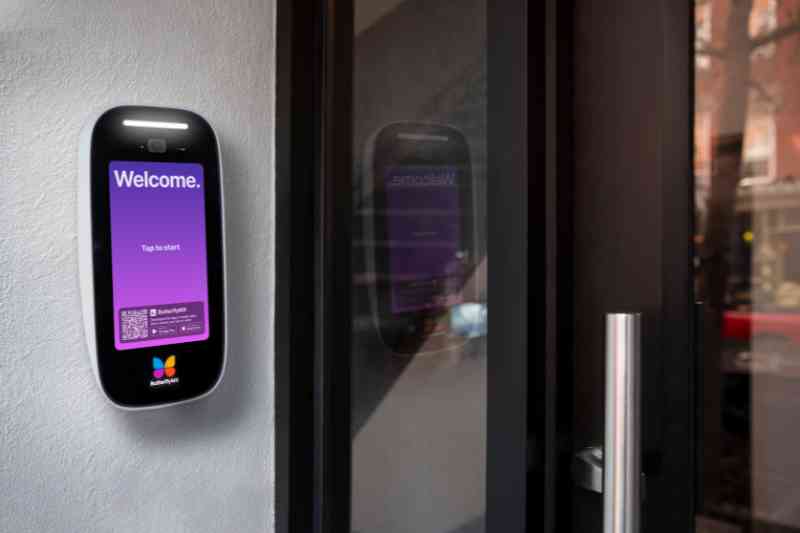
Choosing a multi-tenant intercom system is not simply a choice between wired and wireless technology. It is a decision about how visitors reach residents or staff, how each entrance unlocks, what happens during an outage, and how much the property will spend over the system life.
A multi-tenant intercom is a shared-entrance communication and door-release intercom system for apartments that routes a visitor call to the correct resident or staff endpoint. The right type depends on call flow, existing wiring, lock hardware, connectivity, accessibility needs, resilience requirements, and total cost, not just whether a product is called cloud-based or hardwired.
This guide explains the main architectures, the entrance infrastructure each one needs, how to compare proposals, and when a replacement may make more sense than preserving a legacy telephone-entry panel.
This guide will answer:
- What a multi-tenant intercom system does
- Main types of multi-tenant intercom systems
- Infrastructure and door release requirements
- Internet cellular and power outage planning
- How much multi-tenant intercom systems cost
- How to bridge replace or retrofit a legacy system
- Accessibility privacy life safety and standards
- How to choose a system for each property and entrance
- When a cloud video intercom such as ButterflyMX fits
- FAQs
More than 100K, 5-star ratings!
Video Intercoms
Open doors, gates & garages from anywhere.

QR Code Intercom
Smartphone-based visitor access.
Access Control
Fob, key cards, PINs, and mobile apps.
Security Cameras
Visibility throughout your property.
Vehicle Access
Hands-free access for gates & garages.
Package Room
Receive, store, and manage deliveries.
Smart Locks
Connect to all major brands and models.
Elevator Controls
Unlock key-fobbed elevators for anyone.
Front Desk Station
See all your doors and cameras in one place.
What a multi-tenant intercom system does
A multi-tenant intercom connects a visitor at a shared entrance with the right apartment, suite, office, or staff contact. It may use audio, video, a phone call, or a mobile app. After the resident or staff member verifies the visitor, the system can send a door-release request.
- The visitor finds a name, directory entry, or unit at the entrance station.
- The intercom routes the call to a resident or staff endpoint.
- The recipient speaks with or sees the visitor, depending on the system.
- If appropriate, the recipient sends a release signal to the door or gate system.
That last step is often misunderstood. The intercom is the communication and release-request device. A dry-contact relay commonly signals a separately powered electric strike, magnetic lock, gate operator, or access-control controller. The lock hardware, its power supply, and the egress design determine how the opening behaves. Multi-tenant intercom system guidance also illustrates the range of routing and endpoint choices available in this category.
For a multi-occupant apartment or commercial suite, ask how calls route. Products may ring several people at once, call contacts in sequence, transfer a call, or follow an after-hours rule. Those operating details matter just as much as the entrance panel.
Main types of multi-tenant intercom systems
Category names overlap across vendors, so compare systems by their actual call path, resident endpoint, entrance infrastructure, management model, and dependencies. The four architectures below are useful starting points, but hybrid products exist.
A telephone entry system may be the practical choice when a serviceable panel and familiar phone workflow still meet the property needs. A hardwired video system may fit a property that wants dedicated in-unit monitors. A cloud IP intercom may suit a property that prefers mobile endpoints and remote administration. None is the universal winner. Compare the actual wiring, lock interfaces, outage behavior, management burden, and recurring costs in each proposal.
Watch how ButterflyMX works:
Infrastructure and door release requirements
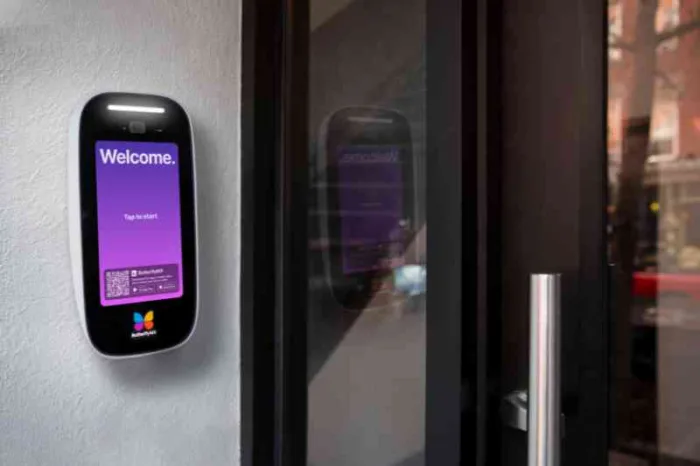
Can an intercom work without in-unit wiring? Often, yes. A suitable mobile-first design can remove apartment stations and may avoid using old riser wiring for visitor calls. It is not wiring-free. The entrance still needs appropriate power, connectivity, and a connection to a lock, gate controller, or access-control controller.
Audit every controlled opening
Do not treat the front door as a proxy for the whole property. A main entrance, vehicle gate, garage, stairwell, amenity space, and office suite can have different hardware and operating needs. For each opening, document:
- Lock type, including electric strike, maglock, gate operator, or controller-controlled lock
- Lock voltage, AC or DC power, power supply, and whether the lock is fail-safe or fail-secure
- Existing controller, relay input, relay rating, and cable pathways
- Network option, such as Ethernet or PoE, Wi-Fi, or cellular backhaul
- Who receives calls and who can issue a release command
- Egress, fire, life-safety, and local-code questions that need qualified review
Fail-safe and fail-secure describe lock behavior, not intercom behavior. A fail-safe lock releases when power is removed; a fail-secure lock remains secured when power is removed. Neither label tells you whether calls, remote unlock, credentials, logs, or a gate operator will work in the same condition. Product-specific installation requirements also matter. For example, ButterflyMX video intercom documentation identifies entrance-side internet, power, and door-strike connections, which is why no in-unit station does not mean no infrastructure.
Internet cellular and power outage planning
Do not accept the broad promise that a cloud intercom works offline. Ask what each function does under each failure condition, then test it at every critical opening. Available outage claims are often vendor guidance rather than independent testing, and results depend on the product, configuration, local controller, cached credentials, backup power, and failover design.
Vendor guidance indicates that some cloud systems can retain certain locally cached credential functions during an internet outage, while video calls and remote app functions generally require connectivity. Treat that as a product-specific question, not a category-wide guarantee. Replacement voice services also may need backup power during an outage. The FCC guidance on technology transitions explains that copper retirement timing varies by provider and area, rather than following one national shutoff date.
Build an entrance test plan before signing off on a project. Test normal operation, internet loss, cellular loss where relevant, utility-power loss, backup duration, local credential behavior, lock state, call routing, event retention, alerts, and recovery. ButterflyMX installation guidance calls for a dedicated electrical circuit and UPS for its panel; that is a product-specific backup-power example, not a universal design rule.
How much multi-tenant intercom systems cost
There is no reliable universal price for a multi-tenant intercom project. Cost depends on the number and type of openings, resident endpoints, condition of existing wiring, network work, lock hardware, installation labor, subscriptions, phone service, and resilience requirements. A site-specific scope and quote are essential.
Use a total cost of ownership worksheet
Separate one-time capital costs from monthly or annual operating costs, then compare systems over a stated planning horizon.
Published estimates should not be blended into a market benchmark. For example, Vertex Security pricing guidance is a February 10, 2026, NYC-focused integrator estimate with its own scope assumptions, not an independent national cost study. A useful proposal comparison preserves what each price includes: per-door hardware, lock work, cabling, network changes, labor, service, and ongoing fees.
For a small property, a subscription may be worthwhile if the included visitor, credential, management, or access features solve an identified operating need. Compare it with retained telephone-service costs, maintenance exposure, administrative work, and the expected replacement horizon. Unit count alone does not answer the question.
How to bridge replace or retrofit a legacy system
A phone-line replacement and an intercom replacement are different projects. A cellular gateway or analog telephone adapter can preserve a serviceable telephone-entry panel while changing its service path. A new intercom replaces the endpoint and can introduce different call, video, credential, and management functions.
Bridge or replace decision path
- Consider a bridge when the existing panel and locks are serviceable, replacement parts remain available, the current call workflow is sufficient, and the new voice path has an acceptable resilience plan.
- Consider replacement when the panel is unsupported, wiring is degraded or inadequate, the property needs different call routing or access workflows, or lifecycle cost favors a new platform.
- Require a site survey before promising riser reuse. Intact wiring may be usable, while corroded, unsupported, or insufficient cable may favor replacement. Reuse is not automatically cheaper or less disruptive.
Providers have notice and approval obligations before discontinuing copper-based services, but timing differs by location and provider. Plan around the service status for your address rather than a presumed national POTS deadline.
Retrofit sequence
- Audit panels, openings, lock hardware, power, pathways, network availability, and resident or suite call destinations.
- Select the architecture based on required endpoints, acceptable disruption, accessibility needs, documented outage behavior, and lifecycle cost.
- Design the site, including lock interfaces, network path, power, backup power, and egress review.
- Validate cabling and network capacity, then determine what can be reused.
- Migrate directory data and define who owns updates for residents, suites, and after-hours contacts.
- Test each entrance and failure condition before cutover.
- Onboard residents and staff, distribute supported credentials, and explain the fallback plan.
- Complete cutover, revoke obsolete credentials, and decommission old equipment and service only after verification.
Accessibility privacy life safety and standards
Accessibility and life-safety decisions cannot be reduced to a product checkbox. The 2010 ADA Standards Chapter 7 includes provisions for certain communication systems between dwelling units and entrances. Section 708.4 addresses voice and TTY communication, while Section 708.2 addresses audible and visual signals for two-way communication systems. Whether and how these provisions apply requires project-specific scoping review.
Document a usable fallback path for residents who cannot or do not use smartphones. Depending on the product and property, that could involve a supported telephone endpoint, staffed routing, or an in-unit device. Confirm the available choices, multi-occupant ringing behavior, and accessibility needs during procurement instead of assuming every mobile-first product provides the same alternatives.
UL describes UL 294 as a standard for electronic and electromechanical access-control system units with four performance levels. A listed component does not make the full property installation code-compliant. Qualified professionals should review egress locking, fire and life safety, accessibility scoping, Fair Housing considerations, privacy implications of biometric features, and local requirements before design approval.
How to choose a system for each property and entrance
The most useful proposal is not the one with the longest feature list. It is the one that clearly explains how the property will operate every important entrance, normal day and outage day alike.
- Match the system to property size, entrance count, residential or commercial routing, and the endpoints residents and staff need.
- Assess riser condition, pathways, network availability, and how much disruption the property can accept.
- Review every lock type, voltage, controller, relay interface, and egress requirement.
- Require documented behavior for calls, credentials, remote release, lock state, records, and recovery during connectivity and power failures.
- Compare upfront costs and recurring fees with maintenance, phone-service exposure, support, and replacement horizon.
- Define directory ownership, property-management software synchronization where applicable, after-hours handling, onboarding, turnover, and credential revocation.
- Ask vendors for documentation on supported locks, relay ratings, environmental limits, network design, backup power, alerts, records, integrations, and software support.
Video verification and entry records can be useful capabilities, but they are not proof that a system prevents tailgating, propped doors, or unauthorized entry. Those outcomes depend on building operations, door hardware, resident behavior, and the wider security program.
Before choosing a vendor, compare your entrances, infrastructure, resident needs, and operating costs against the same written criteria. That makes it easier to identify a proposal that is technically compatible as well as operationally workable.
When a cloud video intercom such as ButterflyMX fits
ButterflyMX is one cloud-based video intercom option for properties that want smartphone video calls, remote access management, visitor credentials, entry records, and related access integrations. Residents can receive visitor calls and grant access through their smartphones, while property teams can remotely manage residents, visitors, credentials, and access.
Depending on the selected configuration, a property may use workflows involving Visitor Passes, PINs, fobs or keycards, mobile access, and property-management software integrations. Confirm the exact capabilities, supported opening types, and operating rules for the proposed configuration. A ButterflyMX system can support access needs beyond the main entrance, but each gate, garage, stairwell, or amenity opening still needs its own hardware, power, connectivity, controller, and egress review.
ButterflyMX does not rely on a traditional POTS line, which can make it a relevant alternative when a property is replacing legacy telephone-entry hardware. It still requires appropriate entrance-side internet, power, and door-strike or controller connections. A legacy or hardwired approach may be a better fit where dedicated in-unit hardware, a different resilience model, or lower recurring cost is the priority. Explore the ButterflyMX video intercom capabilities and installation requirements after confirming that the infrastructure, resident endpoints, accessibility plan, outage behavior, lock compatibility, and total cost align with your property.
Frequently asked questions
How can residents without smartphones answer a mobile-first intercom?
Require a documented fallback plan before procurement. Possible options may include a supported telephone endpoint, staffed routing path, or in-unit device, but availability and multi-occupant ringing behavior vary by product and must be confirmed.
Can one intercom manage gates garages stairwells and amenity entrances?
Some platforms can support communication or access workflows beyond the main entrance, but every opening needs separate review of hardware, power, connectivity, controller or relay interfaces, egress, and operating rules.
Is a cloud intercom subscription worthwhile for a small property?
It can be, but compare the subscription with retained phone-service costs, maintenance exposure, administration needs, desired visitor and access features, and the replacement horizon. There is no universal unit-count threshold.
How disruptive is an intercom retrofit?
Disruption depends on whether existing risers can be reused, whether new network or lock work is needed, the number of openings and units, and how directory migration and cutover are staged. A site survey and implementation plan are needed before estimating duration.
Does a UL 294 listing make an intercom installation code compliant?
No. UL 294 addresses access-control system units and performance levels, but the complete installation, locking arrangement, egress, accessibility, and local code requirements still need review.
The right multi-tenant intercom system is the one that fits each entrance, the people who use it, and the property conditions behind the wall. Start with the call path, lock interface, power and network design, fallback plan, and full ownership cost. Then choose an architecture that can meet those requirements in normal operation and during a failure.
If your property is evaluating a mobile-first cloud video option, see whether ButterflyMX fits your access needs, infrastructure, and operating model.

Get your free quote!
Fill in the form below, and we'll email you right back.
Want a free quote?
Fill in the form below, and we'll email you right back.
You’ll be redirected shortly...