
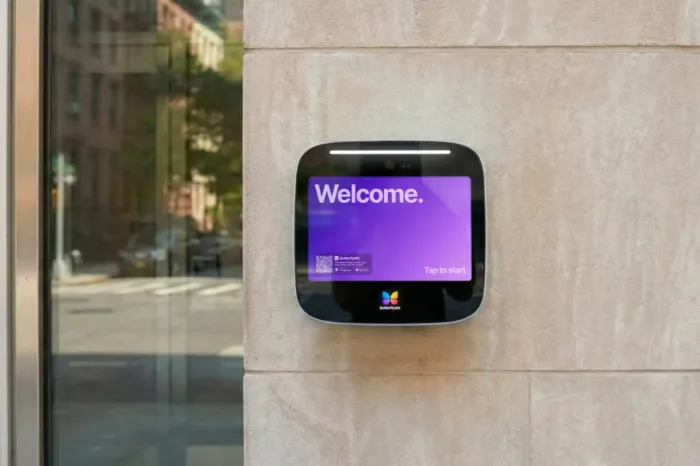





Key takeaways:
- Country clubs usually need several systems: video intercoms at vehicle entrances, access control at doors, and radio or PA equipment at golf course locations.
- Guest, event, vendor, and delivery access should have a defined approver, credential, time window, and fallback path.
- MURS golf course callboxes communicate with compatible radios, not phones, and their effective range depends on site conditions.
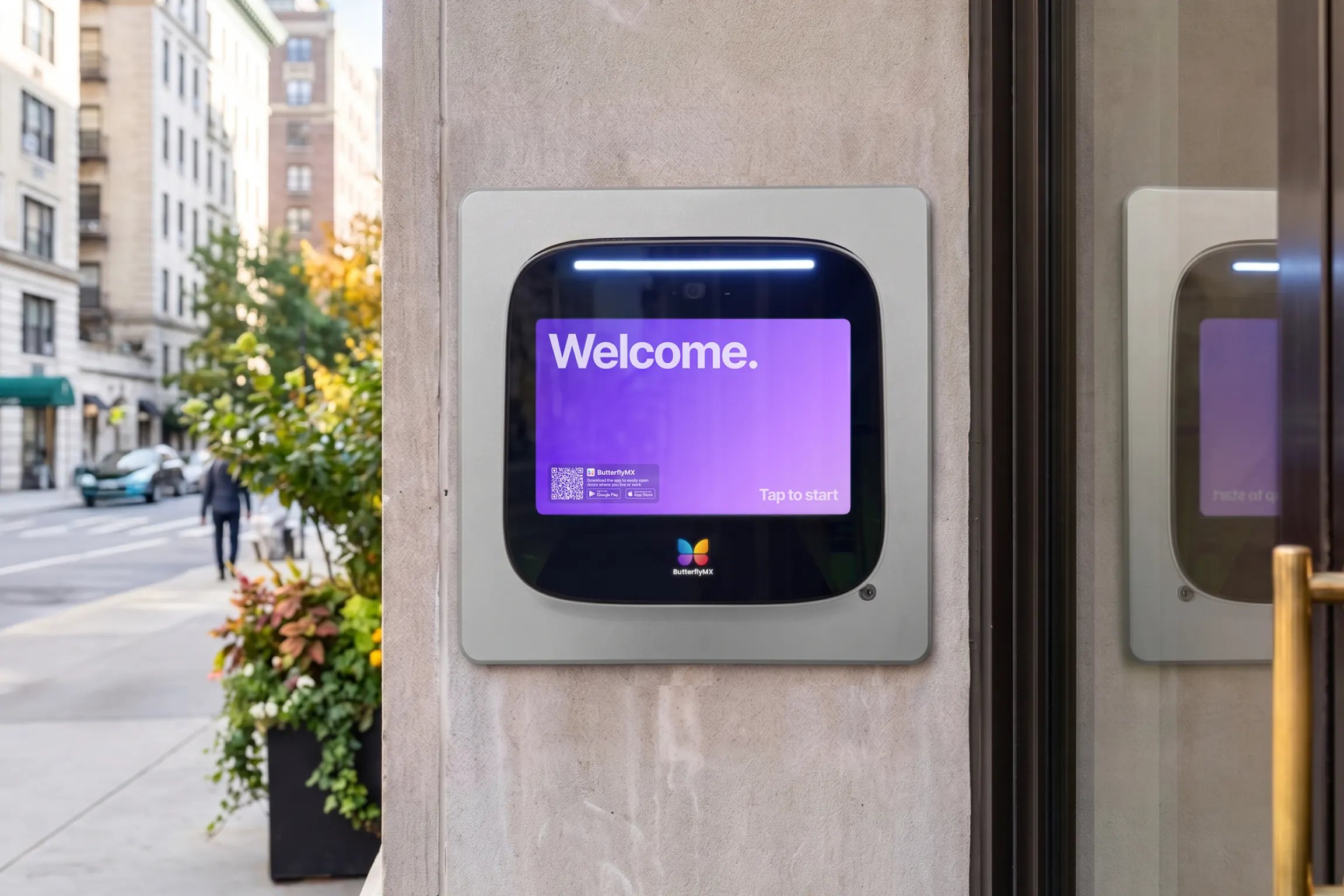
An intercom system for country clubs can mean very different things. A main gate needs a way to identify visitors and authorize entry. A clubhouse door needs credentials. A ninth-tee service point may need a radio callbox that reaches food-and-beverage staff. Trying to make one product perform all of those jobs can create gaps in both service and security.
The practical approach is to choose equipment by location and workflow. Use a video intercom and access controls at entrances, door access controls at clubhouses and amenities, and specialized radios, callboxes, or PA systems on the course. Then plan who responds, how visitors are approved, what happens during an outage, and how the gate itself operates safely.
This guide will answer:
- Which intercom system does a country club need?
- How country club gate intercoms route and authorize entry
- How to design member, guest, event, and service workflows
- How golf course callboxes, radios, and PA systems differ
- How to connect distant gates and plan for failures
- Which safety, accessibility, and legacy service checks apply
- How to compare proposals and lifecycle costs
- Where ButterflyMX fits in a country club access plan
- FAQs
Watch how ButterflyMX works:
Which intercom system does a country club need?
A country club should select systems by location, user, and job. Vehicle entrances generally need a video intercom plus access control. Clubhouse and amenity doors need credential-based access control. Golf course service points need radio callboxes, call buttons, or PA equipment. Staff operations may need two-way radios or paging. These systems can support one another, but they are not interchangeable.
It also helps to separate three functions that are often grouped together. An intercom lets a visitor communicate with a person. Access control decides whether a credential or approval permits entry. A gate operator physically moves the gate and must be evaluated with its own safety and emergency-operation requirements.
Swipe to compare →
Many properties will use several rows of this table. Start by listing every controlled point, including the main gate, service entrance, maintenance gate, clubhouse, pool, fitness room, bag drop, and remote golf-course locations. For each one, identify the responder, the credential or approval method, the network, and the fallback.
The responder may also differ by property model. At a private club, the gatehouse or front desk may make most decisions. At a club-anchored residential community, a resident, HOA manager, or guardhouse may instead approve a visitor. That difference affects call routing, privacy, and event procedures.
How country club gate intercoms route and authorize entry
A country club gate intercom is a visitor communication tool connected to an entry workflow. In a typical flow, the system should make clear who can approve entry and what staff should do if the normal process fails.
- A visitor identifies the destination, member, event, or reason for arrival.
- The request routes to the gatehouse, front desk, member, resident, or another designated responder.
- The responder verifies the visitor or compares the arrival with a guest list or pass.
- An authorized person approves or denies access, and the access system sends the release command to the compatible gate operator.
- The property handles exceptions, such as a missed call, incorrect destination, delivery issue, or unavailable responder, through its documented process.
A staffed gatehouse is well suited to arrivals that need judgment, such as vendors, service vehicles, tournament guests, or people without a credential. An unmanned entrance can work when routine visitors have a reliable way to reach an approved responder or use a pre-registered pass. A hybrid design combines both: automated entry for expected arrivals, with staff available for exceptions and high-volume periods.
Live verification and pre-registration solve different problems. A live video intercom can help a gatehouse, member, or resident identify an unexpected visitor, but it requires someone to answer. A guest list, visitor pass, or temporary credential can streamline a planned arrival, but it depends on accurate information being entered in advance. Clubs often need both paths, especially when hosting weddings, tournaments, dining events, or vendor appointments.
Older telephone-entry callboxes rely on an audio call path tied to telephone service. A cloud video intercom routes video and calls through a networked service instead. That distinction matters as carriers replace legacy copper services. The FCC guidance on telecommunications network modernization, updated March 30, 2026, explains that covered copper retirements require advance notice and that modern replacement services generally need backup power. There is no single national POTS retirement date, so each club should identify its current service and contingency plan.
Directory design is part of the workflow, too. A property should decide whether a directory exposes member or resident names, whether a visitor searches by unit or department, and how staff handle privacy-sensitive arrivals. The goal is not simply to make a call; it is to route it to the right person without revealing unnecessary contact information.
For background on gate workflows and board-level decisions at club-anchored communities, see ButterflyMX guidance on HOA gate access control planning.
How to design member, guest, event, and service workflows
Access design becomes useful when it matches real arrivals. Each common visitor type should have an approver, an entry method, a valid time window, and an exception path. Without those four details, staff may be left making inconsistent gate decisions.
Swipe to compare →
Mobile and wallet credentials are useful for people who carry smartphones, while cards, fobs, and PINs offer non-smartphone alternatives. RFID vehicle tags and license plate recognition can support vehicle workflows when the selected system and property configuration support them. None should be treated as a universal answer. A club needs an alternative for a member with a dead phone, a guest with no app, or a driver who arrives at the wrong lane.
For an event, establish the guest-list cutoff, time-limited credential rules, lane assignment, responsible staff member, overflow process, and post-event cleanup before the event begins. Digital passes and uploaded lists are workflow tools, not guarantees of shorter gate lines or reduced staffing. The visitor-management approach described for hospitality and leisure properties illustrates how staffed check-in, event lists, digital passes, and phone-based intercoms can be combined, but the right configuration depends on each club.
Governance matters after the gate opens. Decide who can issue and revoke credentials, approve visitors, view access records, and change schedules. Clubs that include residential communities should separately define which actions belong to club staff and which belong to the HOA or residents.
How golf course callboxes, radios, and PA systems differ
A MURS golf course callbox is FCC-certified radio equipment that communicates with compatible radios over Multi-Use Radio Service channels. It is not a gate video intercom, and it does not directly call a cell phone. It can be appropriate for a ninth-tee order request, bag-drop assistance, locker-area help, emergency contact, preset radio messages, or communication with course staff.
According to the FCC overview of MURS, the service uses five channels in the 151 to 154 MHz range. Compliant operation is licensed by rule, meaning an individual license is generally not required, but the rules still apply. MURS stations have a 2-watt transmitter-output limit, use shared rather than exclusive channels, and may not connect to the public switched telephone network. That final restriction is why a compliant MURS callbox generally reaches a compatible radio, not a phone.
Range should be tested, not assumed. Terrain, tree cover, buildings, antenna conditions, obstructions, and equipment placement affect practical coverage. FCC guidance may discuss ranges of a few miles or more in general terms, but that is not a coverage promise for a particular course. Systems using UHF, VHF business radio, DMR, or another radio architecture can have different rules and requirements.
Manufacturers and resellers describe golf-course radio systems for service requests, staff coordination, preset messages, and wireless announcements. For examples of the category, see golf-course wireless communication solutions and a golf course intercom system overview. Those tools should be evaluated as specialized on-course communications equipment, not as substitutes for entrance access control.
How to connect distant gates and plan for failures
A distant maintenance gate may have different power and signal conditions than a clubhouse entrance only a short drive away. Test power and connectivity at every entry point before selecting hardware. Do not assume that a strong indoor Wi-Fi signal or cellular signal near the clubhouse extends to a service road, marina, or remote vehicle gate.
Cellular connectivity can be useful for a retrofit where running cable is difficult, but it introduces carrier coverage and recurring-service considerations. Wi-Fi can work where dependable outdoor coverage reaches the gate, although distance, obstructions, and network design matter. A wired connection can provide a stable path, but conduit, trenching, and electrical work may increase installation scope. ButterflyMX provides a detailed comparison of gate intercom connectivity options that can help frame these tradeoffs; site testing still determines feasibility.
Document failure modes before installation
- Power loss: Identify backup-power capacity, gate behavior, manual procedures, and the person authorized to use them.
- Internet outage: Confirm whether calls, credentials, records, and local functions continue to work for the proposed configuration.
- Cellular outage: Define a staffed or physical-credential fallback if the gate relies on carrier service.
- No answerer: Set an escalation path for unanswered intercom calls and after-hours arrivals.
- Legacy service change: Confirm the replacement path for any telephone-based callbox, including backup-power needs.
- Mechanical gate issue: Define how staff contact the gate operator or service provider and how emergency access is maintained.
Vendor descriptions of offline modes should be treated as configuration-specific. Ask exactly which credentials, local functions, access records, and gatehouse tools remain available during each failure mode, then test the documented procedure on site. A fallback that works at the main gate may not work at a remote service entrance.
Which safety, accessibility, and legacy service checks apply
An access-control upgrade does not replace safety, fire, accessibility, or telecommunications review. The 2024 International Fire Code model text in Section 503.6 on security gates states that qualifying gates across fire apparatus access roads require fire-code-official approval and an approved means of emergency operation that is maintained continuously. The same section references listed UL 325 gate operators and ASTM F2200 compliance for automatically operated gates.
Local adoption, amendments, and the specific gate location determine how a rule applies. Before changing a gate intercom or access system, ask the authority having jurisdiction and qualified gate professionals about emergency operation, entrapment protection, fire access, and required approvals. An intercom can trigger a release command, but it does not replace the gate operator or life-safety equipment.
Accessibility also requires a fact-specific review. The Americans with Disabilities Act identifies golf courses as public accommodations, while qualifying private clubs may have a fact-specific federal exemption. Private-club status is not a blanket answer, and state or local requirements may still apply. Seek legal and accessibility guidance for public-facing spaces, event rentals, and the proposed entrance design.
Finally, treat legacy telephone service as an operational dependency. Identify the carrier, the service type, any retirement notice, and the backup-power plan before replacing or retaining a telephone-entry callbox. Do not assume every carrier transition follows the same schedule.
How to compare proposals and lifecycle costs
A country club intercom cost cannot be reduced to one installed price range. A proposal for one video intercom at a main gate is not comparable to a plan that includes several vehicle entrances, amenity doors, gatehouse tools, vehicle credentials, and radio callboxes. Compare each entry point and use case separately.
- Inventory locations and identify the people who enter, visit, respond, and administer access at each one.
- Map routine and exceptional workflows for members, guests, events, deliveries, staff, vendors, and residents.
- Test power, cellular service, Wi-Fi, and wired-network availability at each proposed installation point.
- Select credentials and non-smartphone fallbacks for each user group.
- Verify gate-operator compatibility, emergency procedures, accessibility needs, and local requirements.
- Compare lifecycle cost and maintenance responsibility, not only the initial equipment price.
One-time costs may include hardware at each location, compatible gate interfaces, radios or callboxes, installation labor, electrical work, trenching or conduit, commissioning, and any gate-equipment work. Recurring costs may include software, connectivity, carrier data, maintenance, support, replacement equipment, and staffing. Require proposals to state what is included, who maintains it, and which dependencies could change over time.
Also ask each vendor to document credential options, visitor-management functions, privacy controls, outage behavior, emergency procedures, and integration assumptions. Avoid treating a dated hardware price or carrier fee as a market-wide benchmark. If a proposal includes on-course hardware pricing, identify it as a supplier-specific snapshot and confirm whether radios, installation, antennas, and other components are excluded.
After you have a location-by-location plan, explore ButterflyMX options for gate, visitor, vehicle, and amenity access. A separate radio specialist can address on-course callboxes, staff radios, and PA needs.
Where ButterflyMX fits in a country club access plan
ButterflyMX fits the entrance and building-access portion of a country club plan. Its documented capabilities include gate video intercoms, app-based answering, remote gate release, Visitor Passes, delivery PINs, cloud administration, gate-opener integration, vehicle access options, and tools for guardhouse or front-desk workflows. Residents can receive visitor calls and grant access through their smartphones, while property teams can manage people, credentials, visitors, and access remotely.
For a club, that may mean using one access approach across the main entrance, selected service entrances, clubhouse doors, pools, fitness rooms, and other amenities. Mobile and wallet credentials, cards, fobs, PINs, RFID, and license plate recognition can be considered according to the user and entrance. For a closer look at amenity-door decisions, ButterflyMX also covers access control for club and fitness spaces.
The boundary is important: ButterflyMX should not be positioned as an on-course MURS callbox, staff-radio system, or wireless PA system. Those are specialized communications categories. Member-database compatibility, event setup, gate-operator compatibility, site connectivity, and outage behavior require a property-specific assessment. Request a demo to discuss your entry points, visitor workflows, and amenity-access needs.
Frequently asked questions
Can members open a country club gate from their phones?
They may be able to use mobile credentials or answer a visitor call and remotely release a compatible gate through an app-based system. Availability depends on the selected hardware, gate operator, permissions, connectivity, and property configuration.
Can one system cover the main gate, clubhouse doors, and pool?
A shared access platform may support vehicle gates and amenity doors, but golf-course callboxes, staff radios, and PA systems remain separate communication categories. Confirm controller, credential, network, database, and gate-operator compatibility through a site-specific assessment.
Can a MURS golf course callbox call a cell phone?
No, compliant MURS stations communicate by radio and may not connect to the public switched telephone network, so they generally reach compatible radios rather than cell phones. Equipment using another radio service or communications architecture may follow different rules.
Will an old telephone-entry callbox stop working when copper service is retired?
It may be affected, so identify the current carrier service, review any retirement notice, confirm the replacement path, and test backup power and emergency procedures. There is no single national POTS shutdown date, and timing varies by carrier and service.
Does the ADA apply to a private country club entrance?
Federal treatment depends on the club status and how spaces are used, while state, local, and other accessibility requirements may also apply. Private-club status is not a blanket exemption, so obtain legal and accessibility review for the property and its public-facing uses.
How should a club handle tournament-day guest volume at the gate?
Prepare guest lists or passes in advance, use time-limited credentials where appropriate, plan lanes and staffed overflow, establish an exception path, and remove temporary credentials after the event. These are workflow options, not guarantees of shorter waits or lower staffing needs.
The right country club intercom plan starts with a simple distinction: entrances need visitor communication and authorization, doors need access control, and remote course locations need radio or PA tools. Build the plan around each location, the person responsible for responding, the credential or approval method, and the fallback when technology or staffing is unavailable.
ButterflyMX can support gate, visitor, vehicle, guardhouse, and amenity access needs, while specialized radio equipment serves on-course communication. Request a demo to discuss your property entry points and access workflows.

Get your free quote!
Fill in the form below, and we'll email you right back.
Want a free quote?
Fill in the form below, and we'll email you right back.
You’ll be redirected shortly...