
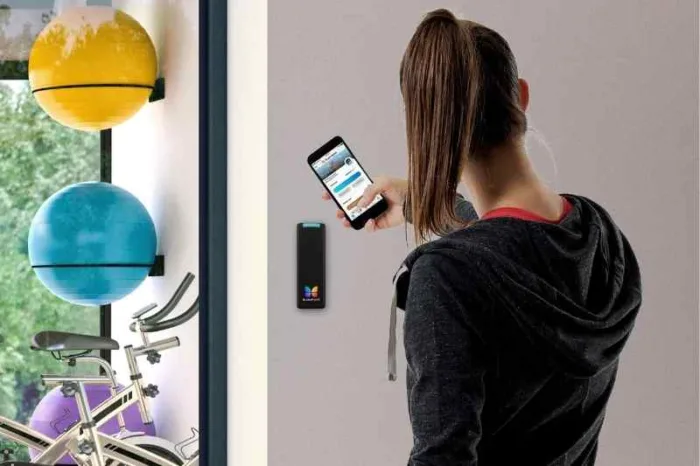





Key takeaways:
- Keyless access control is a full system of credentials, readers, decision-making, door hardware, software, and event records, not just a smart lock.
- Credential security depends on the entire setup. Replacing legacy 125 kHz prox credentials requires disabling old formats and closing downgrade paths.
- Choose each opening by its users, traffic, egress role, outage behavior, hardware needs, privacy obligations, and total cost, not by hardware price alone.
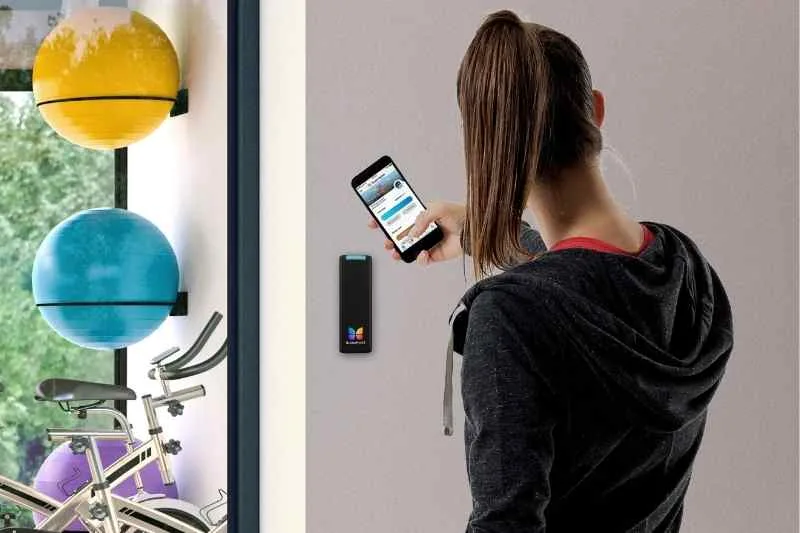
A building can be keyless without having a true access control system. A keypad on one door, a smart lock on an apartment, and a cloud-managed network of readers and controllers all remove the metal key, but they solve different problems.
Keyless access control is a system that verifies a non-key credential, checks whether that person has permission to enter, releases the appropriate door or gate, and records the event. To choose the right system, evaluate credentials, door hardware, internet and power outage behavior, egress requirements, daily workflows, and total cost for every opening on the property.
This guide explains how those parts work together and how property teams can create a practical, door-by-door shortlist.
This guide will answer:
- What keyless access control means for a property
- How a keyless access event works
- How keyless credential options compare
- How to reduce cloning risk and migrate legacy credentials
- How to match hardware and fail behavior to each opening
- What continues during internet and power outages
- Which egress and life safety checks matter
- How to manage credentials across the property lifecycle
- Which privacy rules can affect a deployment
- How to estimate total cost
- How to evaluate a system and where ButterflyMX fits
- FAQs
Watch how ButterflyMX works:
What keyless access control means for a property
Keyless entry describes how a person opens a door without a traditional metal key. It might mean entering a PIN, tapping a fob, using a card, or presenting a phone. Keyless access control is broader: it manages who can use those credentials, which openings they can use, when they can enter, and what record is created after an access attempt.
A single-door smart lock can be useful for a unit or low-complexity opening. A multi-opening access control system connects credentials, readers, controllers, electrified locks, management software, and often other property systems. That distinction matters when a property needs separate access rules for entrances, garages, amenities, package rooms, elevators, and units. Automotive keyless entry is outside the scope of this guide.
How a keyless access event works
Although the architecture varies by vendor, a typical access event follows five steps:
- A resident, employee, visitor, or contractor presents a credential, such as a PIN, fob, card, or mobile credential.
- A reader captures the credential and sends the information to the decision layer.
- A controller, cloud service, or hybrid system checks the applicable permission, schedule, and opening.
- If authorized, the system signals the locking hardware to release the door or gate.
- The system records the event, subject to its configuration and connectivity.
The credential identifies or authenticates the user. The reader captures it. The door controller coordinates the access decision and hardware response. Management software is where administrators may issue credentials, assign schedules, revoke access, and review records. The lock may be an electric strike, a maglock, or an electrified exit device, depending on the opening and approved design.
Other inputs matter as much as the reader. A request-to-exit device supports authorized egress. A door position sensor reports whether a door is open or closed. These components help a property understand the difference between an authorized unlock event and the physical condition of the opening. Cloud-managed and on-premise systems can both support access control, but buyers should compare remote administration, local decision-making, connectivity needs, audit records, integrations, and portfolio scale rather than assume one architecture works the same way in every deployment.
How keyless credential options compare
There is no universal best credential. The right mix depends on the opening, users, threat level, accessibility needs, administration model, privacy obligations, and fallback plan. Many properties use more than one method so that a resident without a charged phone, a visitor needing temporary entry, and an employee with recurring access can each use an appropriate credential.
Swipe to compare →
Mobile app access and wallet access are not the same thing. A mobile credential may live in a vendor app, while a wallet credential relies on supported device and ecosystem integrations. Aliro 1.0 was released on February 26, 2026 as an access-control interoperability standard supporting NFC, BLE, and BLE plus UWB use cases. Product certification, reader compatibility, and vendor support should be confirmed before a property treats Aliro or wallet access as an available feature. This evidence does not establish ButterflyMX wallet or Aliro support.
How to reduce cloning risk and migrate legacy credentials
Going keyless does not automatically make a property more secure. Common 125 kHz prox credentials use fixed, unencrypted identifiers. That creates a greater copying risk than properly implemented encrypted smart credential systems. Encryption can reduce basic cloning risk, but it does not stop misuse of a lost credential, weak identity checks during enrollment, shared access, or delayed revocation.
The path between reader and controller also matters. Wiegand is a long-used reader interface, while OSDP Secure Channel is designed to provide a more secure communication path when it is properly configured. HID guidance on legacy downgrade attacks recommends moving to stronger technologies, using OSDP Secure Channel with non-default keys, setting a cutoff date, and disabling legacy formats instead of leaving a permanent downgrade path.
Legacy credential migration checklist
- Inventory every reader, credential type, controller, and supported format.
- Ask the manufacturer or installer to confirm frequency, encryption, protocol support, and enabled legacy modes.
- Confirm that replacement readers and credentials work with the chosen stronger format.
- Issue new credentials and communicate a firm transition deadline.
- Disable the old format after the cutoff.
- Test that weak credentials cannot still open doors through a fallback or downgrade setting.
A door-by-door inventory is important because a property may have a mix of reader generations, wiring conditions, and threat levels. Appearance alone is not a reliable way to identify a fob technology.
How to match hardware and fail behavior to each opening
Start with an opening matrix, not a product list. For each primary entrance, garage gate, amenity, package room, stair door, elevator, and unit door, document the users, traffic level, threat level, credential options, current hardware, egress role, fail behavior, backup method, power source, network availability, and integration needs.
An electric strike releases the latch side of a door. A maglock holds a door closed with electromagnetic force. An electrified exit device combines locking with exit hardware. None is universally right. The appropriate choice depends on the door and frame, existing wiring, traffic, accessibility, fire and life-safety design, and local approval.
Fail-safe hardware unlocks when power is lost. Fail-secure hardware remains locked when power is lost. On an egress path, the design must still preserve the required means of exit. Do not treat fail mode as a security preference alone. It is a door-specific life-safety decision that should be reviewed with qualified installers, design professionals, and the authority having jurisdiction.
Unit-door smart locks and common-area access control are related but distinct. Common-area systems often focus on shared access, schedules, visitors, deliveries, and operational oversight. Unit doors can involve different resident expectations, privacy issues, and local legal limits.
What continues during internet and power outages
Internet loss and power loss are different events. A system may continue to recognize previously approved credentials during an internet outage while remote unlock, newly issued permissions, event synchronization, or live administration are unavailable. During a power outage, reader power, controller power, lock fail mode, backup power, and mechanical egress determine what happens.
ButterflyMX describes offline operation with backup battery for supported configurations. Buyers should verify the exact functions, hardware requirements, and duration for their property rather than assume that credential reads, remote release, logs, and new permissions continue in the same way. This is particularly important for gates, elevators, and other openings where access equipment interacts with additional systems.
Which egress and life safety checks matter
Electrically locked egress doors can follow different compliance paths based on the hardware, occupancy, operation, and code edition adopted locally. The final design must be approved by the relevant authority having jurisdiction, often called the AHJ.
As one example, the 2024 International Building Code sensor-release provisions address conditions including egress-side approach sensing, unlocking on power loss, a nearby push-to-exit control, fire alarm or sprinkler release, emergency lighting, and listed locking hardware. This is a model-code example, not a universal installation rule. Local amendments, alternative compliance paths, and other codes can change the required design.
A request-to-exit input tells the system that someone is leaving. A fire-release input allows coordinated unlocking when required by the approved design. UL 294 and UL 1034 are listing categories that may be relevant to access-control and locking equipment. Before installation, confirm the adopted code edition, local amendments, fire alarm coordination, emergency lighting, accessibility requirements, hardware listing, inspection process, and AHJ approval. This article is general information, not engineering, code, or legal advice.
How to manage credentials across the property lifecycle
Access control is an operating process, not only an installation project. Assign responsibility for identity verification, approval, credential issuance, permission changes, replacements, suspension, and revocation. A clear policy prevents a lost fob, stale vendor PIN, or former resident credential from becoming an overlooked access path.
Build workflows around real property events
- For move-ins, issue unique credentials, establish effective dates, and document which access groups apply.
- For move-outs, revoke access promptly and identify who reviews any remaining credentials or permissions.
- For guests, vendors, maintenance teams, and deliveries, prefer temporary or expiring access over a shared permanent PIN.
- For amenities, garages, elevators, package rooms, and units, use separate permission groups and schedules where appropriate.
- For lost credentials, define how users report loss, how quickly access is suspended, and what backup method remains available.
After a property has defined these policies, it can assess product fit. ButterflyMX is a cloud-based option for managed properties that need mobile app, fob, card, and PIN access with remote administration. Its supported workflows include visitor access, delivery access, and property-access integrations. Learn more about ButterflyMX cloud-based access control for doors, gates, garages, and elevators and confirm which workflows apply to the planned configuration.
Which privacy rules can affect a deployment
Privacy review should begin before data is collected. Identify what the system collects, why it is collected, who can access it, how long it is kept, how it is disclosed, how consent works, how deletion requests are handled, and what alternative access method is available.
Rules vary by jurisdiction, property type, and credential type. In New York City, Tenant Data Privacy Law guidance describes obligations for covered class A multiple dwellings using smart access systems, including privacy policies, express consent, data minimization, retention limits, no-sale restrictions, and limits related to unit entry. The guidance states that authentication data must be destroyed within 90 days unless anonymized and that a smart access system cannot be required as the means of entering a tenant unit in covered properties.
Biometric access can create additional obligations. Illinois BIPA includes requirements involving written notice, written release, a public retention policy, and destruction timing for covered biometric identifiers and information. It also provides for statutory damages in defined circumstances. These are jurisdiction-specific examples, not nationwide requirements. Obtain legal or compliance review for the property and data involved.
How to estimate total cost
A meaningful access-control budget separates upfront, recurring, replacement, and administrative costs. The purchase price of a reader or lock is only one part of the total.
Available price figures are vendor estimates, not an independent market benchmark. Kisi lists typical system costs of $2,000 to $4,000 per door, installation of $500 to $2,000 per door, software of $30 to $200 per month, and cards or fobs of $5 to $50 each. Those figures should not be blended with other vendors or treated as a quote for a specific building. ButterflyMX separately lists a recurring fee of $20 per month per door, gate, or elevator plus a one-time hardware cost. Pricing, included services, and installation conditions can change, so verify current figures directly before publication or purchase.
How to evaluate a system and where ButterflyMX fits
A strong shortlist begins with the opening inventory and the daily work the property must support. Ask each vendor to demonstrate credential issuance and revocation, temporary access, outage behavior, emergency release coordination, event retrieval, hardware and wiring compatibility, and migration from existing credentials.
Vendor evaluation checklist
- Which credential types work at each opening, and what is the backup method?
- Which readers, controllers, locks, wiring, and credentials can be reused safely?
- What happens separately during internet loss and power loss?
- How are permissions, schedules, visitor access, delivery access, and revocation managed?
- What integrations are supported for elevators, gates, garages, intercoms, smart locks, and package rooms?
- What records are available, who can access them, and how are retention and privacy handled?
- What does the proposal include for hardware, installation, recurring software, support, credentials, replacement, and administration?
- What must be confirmed with the installer, fire alarm team, and AHJ before implementation?
ButterflyMX may fit managed properties that want cloud access control with remote administration and multiple supported credential types. It can also support property-access workflows beyond the main entrance, including supported visitor, delivery, elevator, vehicle, smart-lock, intercom, and package-room integrations. The right decision still depends on the exact opening configuration, offline behavior, hardware requirements, credential technology, pricing, and integration compatibility. Ask for a demonstration based on your own opening matrix and operating policies.
Frequently asked questions
Can an apartment building require tenants to use an app or fob to enter their unit?
It depends on the jurisdiction and property type. For example, New York City rules for covered class A multiple dwellings state that a smart access system cannot be required as the means of entering a tenant unit. Do not treat that city-specific rule as a nationwide requirement, and obtain legal review for your property.
How can a property tell whether its fobs use legacy 125 kHz prox technology?
Check the credential and reader model documentation, inventory the formats each reader supports, and ask the installer or manufacturer to confirm frequency, encryption, and enabled legacy modes. A fob appearance alone does not reliably identify its technology.
Can existing readers, wiring, locks, or fobs be reused during an upgrade?
Sometimes, but reuse depends on electrical, protocol, hardware, security, platform, and code compatibility. Complete a door-by-door survey and avoid preserving a weak legacy credential format solely because it is convenient.
Will Apple Wallet or Google Wallet keys work with existing building readers?
Only if the credential, device, reader, lock, and vendor ecosystem are compatible. Aliro 1.0 is an emerging interoperability standard, but certified-product availability and individual vendor support must be confirmed before planning a deployment.
Is biometric access always more secure than a card, PIN, or phone?
No. Biometrics can provide a different assurance factor, but they also introduce enrollment, read-reliability, backup-access, consent, retention, and breach considerations. Security depends on the complete system and policy, while biometric rules vary by jurisdiction.
What questions should a buyer ask about offline access?
Ask about internet-loss and power-loss behavior separately. Confirm local credential decisions, remote unlock, queued logs, new permissions, reader and controller power, battery requirements, lock fail mode, and the duration of any backup operation.
The best keyless access control plan is built one opening at a time. Match the credential, reader, controller, lock, fail behavior, backup method, and policy to the people and risks at that door, then confirm the design with the appropriate technical, code, and legal reviewers.
For managed properties that need remote administration and connected access workflows, ButterflyMX is one option to evaluate. See how ButterflyMX could support your property access plan by reviewing your opening inventory, credential policy, visitor and delivery needs, and outage requirements with its team.

Get your free quote!
Fill in the form below, and we'll email you right back.
Want a free quote?
Fill in the form below, and we'll email you right back.
Redirecting you in 5 seconds.