





Key takeaways:
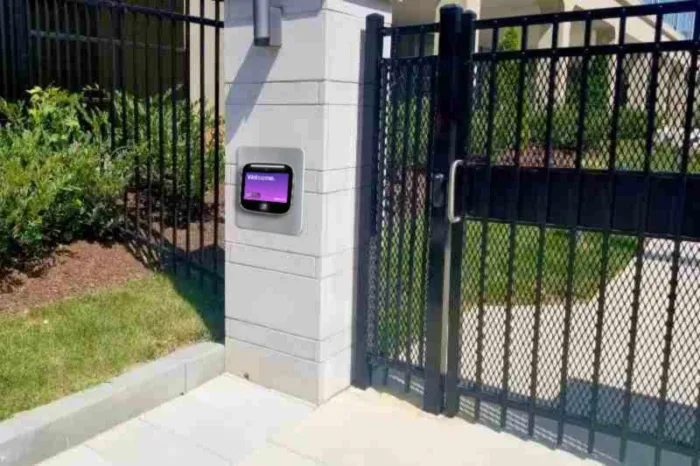
- An outdoor intercom system connects visitor calling, identity verification, and, when configured, a door or gate release command.
- Connectivity and power are separate decisions: WiFi, cellular, RF, or wired data still require a supported power source at the entrance.
- IP ratings measure protection from dust and water, while IK ratings measure impact resistance, so exposed entrances should be evaluated for both.
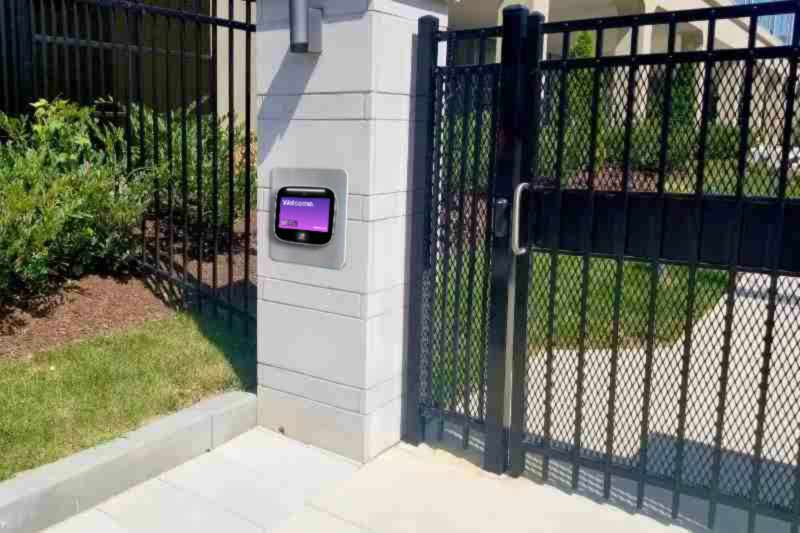
An outdoor intercom system has to do two jobs at once: work reliably outside and support the way people enter the property. A call station at a front door, pedestrian gate, or vehicle gate may look simple, but the right choice depends on weather exposure, impact risk, power, connectivity, visitor volume, and the entrance hardware it needs to release.
In simple terms, an outdoor intercom system is an exterior-rated communication and entry system that lets a visitor contact a resident, staff member, or security desk. Depending on the design, the person answering can verify the visitor by audio or video and send a command to unlock a connected door or gate.
The most common mistake is treating the choice as merely wired versus wireless. That label doesn’t answer the bigger questions: How will the station get power? Will WiFi reach the gate? Does the enclosure fit the exposure? Can the release signal work with the existing lock, access controller, or gate operator? This guide walks through those decisions in the order most properties should make them when buying an intercom system.
This guide will answer:
- What is an outdoor intercom system?
- How outdoor intercoms work
- Types of outdoor intercom systems
- Audio-only and video options
- Weatherproofing and vandal resistance
- Power options for outdoor intercoms
- Outdoor intercom system costs
- Choosing by property type
- Access control and gate integration
- Gate-operator safety and code considerations
- How to choose an outdoor intercom system
- Common problems and troubleshooting
- FAQs
Watch how ButterflyMX works:
What is an outdoor intercom system?
An outdoor intercom system is an exterior call station and answering system for a controlled entrance. It lets a visitor request help or entry from someone on-site or off-site, and some systems also connect to access-control hardware so an approved visitor can be let in.
A typical setup includes the outdoor call station, a power source, a communication path, and an answering endpoint such as an indoor station, phone, mobile app, or security desk. It may also include a directory, an access controller, and a relay that signals a door strike, electric lock, pedestrian gate, or vehicle gate operator.
That distinction matters because not every outdoor intercom is a full access system. A basic doorphone may only support a call. A managed intercom can support users, visitor calls, permissions, and remote administration. Not every model includes video, a directory, mobile access, or direct lock control, so the scope should be clear before comparing products.
How outdoor intercoms work
Most outdoor intercoms follow the same basic path from visitor request to entry decision, even though the hardware and network design can vary.
- A visitor selects a resident, calls staff, searches a directory, or uses the available call interface.
- The call station sends audio or video through its configured path, such as wired cabling, Ethernet, WiFi, cellular, RF, or a telephone connection.
- The resident, staff member, or security team confirms who the visitor is and decides whether to grant access.
- If access is approved, the system sends a command to the access controller or relay connected to the door or gate.
- In cloud-managed systems, property teams may also update users, permissions, and visitor processes remotely.
For example, ButterflyMX video intercoms can route visitor calls to resident smartphones without relying on traditional POTS telephone lines. Residents can answer and grant access from their smartphones, while property teams can remotely manage residents, visitors, credentials, and access. The entrance hardware still has to be compatible with the way the system is installed and configured.
Types of outdoor intercom systems
The best connection type depends on the site. A main lobby with network cabling, a remote vehicle gate, and a retrofit entrance with old wiring may all need different designs. The table below compares common outdoor intercom system types by fit, strength, tradeoff, and typical power approach.
Ethernet with Power over Ethernet, or PoE, can simplify a new installation because one cable carries both data and power. However, standard Ethernet and PoE channels have a practical 100-meter limitation. Longer paths may require a properly designed extender, local switch, or different network approach.
WiFi can work at an entrance with strong, tested coverage, but distance, walls, landscaping, and local radio conditions can weaken the signal. Cellular or LTE service may be more practical at a remote gate where trenching network cable is expensive or disruptive, but the site needs reliable coverage and the owner should account for ongoing connectivity fees. Long-range RF systems can serve specialized layouts, but range, features, and performance vary by manufacturer and site conditions.
The practical next step is a site survey. Before choosing a connection type, document cable routes, signal quality, power availability, mounting location, and the path between the call station and the people who will answer it.
Audio-only and video options
Audio-only intercoms let the visitor and recipient talk. Video intercoms add visual context, which can help when residents, staff, or a security desk need to verify a visitor before releasing an entrance.
Video is most useful when the person answering is not near the entrance, visitor volume is high, or the property has many users in a directory. Still, video is not a security plan by itself. The person answering still needs to make a sound access decision, and the system still depends on the door, lock, gate, or access controller doing its job.
Video systems also differ from one another. Some provide one-way video from the entrance to the person answering. Others support two-way video. Before selecting a system, confirm the actual communication mode, display visibility at the planned mounting location, privacy expectations, and how remote answering will work in daily use.
It’s also worth separating a managed-property intercom from a consumer video doorbell. A video doorbell is often designed for one residence and one entrance. A managed outdoor intercom may add a tenant directory, multi-user administration, access-control integration, and centralized permission management for many residents, staff members, visitors, and entries.
Weatherproofing and vandal resistance
Outdoor durability is not one specification. Water, dust, impact, sunlight, temperature, mounting height, and enclosure design all affect how well a call station fits a location. Two ratings are especially important: IP for ingress protection and IK for impact resistance.
An IP rating, defined by IEC 60529 IP codes, describes protection against ingress. The first digit addresses solid particles, such as dust, and the second digit addresses liquids. IP65 means dust-tight protection plus protection against low-pressure water jets. It is commonly used as a practical outdoor baseline, not a universal rule.
An IK rating uses the separate IEC 62262 scale to classify resistance to mechanical impact. That means an intercom can have a meaningful weather rating without necessarily having the right impact resistance for a low, unsupervised, or vandal-prone entrance.
Higher protection, such as IP66 or IP67, may be appropriate for stronger direct-water exposure, coastal conditions, or vulnerable low mounting where the product is rated for that use. Likewise, an entrance with greater impact risk may justify a stronger IK rating, such as IK10, where appropriate. Treat these as selection criteria, not as a warranty, code requirement, or substitute for manufacturer guidance.
Ratings should be checked along with the full installation environment. Review sunlight, temperature range, mounting angle, drainage, cable entry, enclosure materials, and current product documentation before purchase.
Power options for outdoor intercoms
Yes, a wireless outdoor intercom usually still needs electrical power. Wireless describes how the system sends data. It does not mean the outdoor station can operate without a supported power source.
Common power approaches include PoE, local AC, low-voltage hardwiring, battery power, solar power, or another method supported by the specific product. PoE is often useful where Ethernet can reach the entrance because one cable carries both power and data. Local AC or low-voltage power may be used when the intercom relies on WiFi, cellular, or another wireless data path.
Battery and solar options can reduce some cabling needs for certain products and sites, but they require careful review of power demand, weather, maintenance, and backup expectations. Don’t assume every intercom supports every power method.
A site survey should identify the existing electrical source, breaker capacity, low-voltage output, surge protection, backup power needs, and any trenching required. Treat power and network transport as separate decisions: a strong WiFi signal does not solve the need for safe, reliable power at the entry.
Outdoor intercom system costs
There is no universal installed price for an outdoor intercom system. Commercially reported 2026 guidance places many business installations broadly around $1,500 to $15,000, but that range should be treated as order-of-magnitude guidance, not a quote or market average.
The real cost depends on the installed scope. Hardware is only one part of the project. Power work, cabling, trenching, mounting, entry count, gate integration, access-control integration, software, support, and recurring connectivity fees can all change the total cost.
Separate upfront installation from total cost of ownership. Upfront costs may include the call station, cabling, electrical work, mounting, access-control integration, and commissioning. Ongoing costs may include cellular connectivity, software, support, and other service fees. Retrofit conditions and remote gates can change the scope substantially, so a site-specific design and quote are more useful than a flat published price. The broad cost guidance above is based on commercial outdoor intercom installation guidance and should be rechecked as market conditions change.
Choosing by property type
The same outdoor intercom can feel very different depending on where it is installed. A multifamily front entrance, a remote HOA gate, and an industrial access point create different demands for directories, answering paths, credentials, and entrance control.
Multifamily and mixed-use properties
Multifamily properties often need a resident directory, support for resident turnover, visitor and delivery access, remote administration, and consistent operation across more than one entrance. The buying question is not only whether the call station works outside. It’s whether staff can keep users current and whether residents can answer visitors in the way the property expects.
Gated communities and HOAs
Gated communities should start with the gate location. Confirm available power, cellular or network coverage, vehicle flow, guardhouse procedures, relay compatibility, and the gate operator interface. The intercom can support an authorized release command, but it is not the gate-safety system.
Commercial, institutional, and industrial sites
Commercial and institutional properties may need to support staff schedules, reception procedures, credentials, and existing access-control systems. Industrial sites may add distance, environmental exposure, centralized security response, and usability for people wearing PPE. Student and senior housing may place more weight on onboarding, accessibility, staffing patterns, and high visitor volume.
Where a managed property needs smartphone visitor calls, mobile access, and remote management across entrances, ButterflyMX can be evaluated as part of the access plan. The best fit still depends on the entrance, property type, user groups, and supported integrations.
Access control and gate integration
An outdoor intercom becomes part of controlled entry only when its release command can work with the entrance hardware. Before purchase, verify the relay type, controller architecture, lock or gate input, wiring method, and software version for the specific equipment on-site.
- Map visitor, delivery, resident, staff, and vehicle paths before choosing call and release features.
- Confirm whether the entrance uses a door strike, maglock, electric lock, gate operator input, access controller, or another arrangement.
- Determine whether mobile credentials, smart locks, and centralized user administration are relevant and supported.
- Evaluate elevator, package-room, property-management, and other integrations only when they are needed and compatible.
- Assign responsibility for permissions, logs, account administration, service, and emergency procedures.
ButterflyMX can support visitor access, mobile access, and remote access management beyond a property’s main entrance. Compatibility is still project-specific, so don’t assume every lock, controller, operator, or software integration is interchangeable.
Gate-operator safety and code considerations
An outdoor intercom can send a relay or access-control command to a gate operator. That command does not replace compliant gate construction, operator safeguards, egress design, or entrapment protection.
UL 325 addresses safety requirements for gate, door, and similar operators and systems. ASTM F2200 addresses automated vehicular-gate construction and entrapment-related design. These standards relate to the gate and operator environment; they do not make the intercom itself the gate-safety device.
Fail-safe and fail-secure behavior are also site-specific design questions. They can involve egress, fire requirements, and locally adopted rules. Confirm the gate design, operator configuration, access-control interface, and emergency egress approach with qualified installers, design professionals, and the authority having jurisdiction. Never bypass gate safety devices to make an intercom release work.
How to choose an outdoor intercom system
Choosing an outdoor intercom is easier when you move from the site to the technology, not the other way around. Start with the entrance conditions and the people who will use the system, then compare products against those needs.
- Document every entrance, user group, visitor type, answering path, and release action.
- Assess each call-station location for water, dust, impact, temperature, sunlight, drainage, and mounting risk.
- Confirm reliable power at each entrance, then compare Ethernet or PoE, WiFi, cellular, RF, and hybrid connectivity.
- Verify compatibility with the existing gate, lock, controller, access-control system, and required software.
- Compare installed scope, recurring fees, administration effort, service ownership, and future expansion needs.
A good choice is not necessarily the system with the longest feature list. It’s the design that gives the property a dependable visitor-to-entry process under real environmental, infrastructure, and management constraints. If your property needs visitor calls, mobile access, and remote access management across multiple entrances, ButterflyMX can help you evaluate whether its access solution fits those requirements.
Common problems and troubleshooting
When an outdoor intercom stops working, the call station is only one possible cause. Power, wiring, network service, user settings, relays, locks, and gate inputs can all create symptoms that look like an intercom failure.
Start with the simplest dependencies. Check breakers, power supplies, low-voltage output, backup power, and visible cable damage. Then review Ethernet links, WiFi signal, cellular coverage, and network configuration. If calls work but the entrance does not release, test the relay, access controller, and gate or door input separately from the call station.
If the hardware appears functional but users cannot receive calls, review directory entries, account settings, permissions, and mobile-app configuration. Electrical faults, gate-safety issues, and egress problems should be handled by qualified professionals rather than solved by bypassing equipment.
Frequently asked questions
How is an outdoor intercom different from a video doorbell?
An outdoor intercom is usually built for a managed entrance, while a video doorbell is typically built for one residence and one door. Outdoor intercoms may support directories, multiple users, permission administration, and door or gate release, depending on the system.
Can an outdoor intercom work where WiFi is weak?
Yes, but the property may need wired Ethernet, cellular service, specialized RF, or a network-extension design instead of WiFi. The right option depends on signal coverage, power, cable routes, product capability, and the site survey.
Does a wireless outdoor intercom still need electrical work?
Usually, yes. Wireless refers to the data connection, while the outdoor station still needs a supported power source such as PoE, AC, low-voltage wiring, battery, or solar power.
Can an existing gate or lock connect to a new intercom?
It may be possible if the intercom, relay, access controller, lock, gate operator, and software configuration are compatible. Gate safety and egress requirements should be reviewed separately by qualified professionals and the authority having jurisdiction.
The right outdoor intercom system is the one that fits the entrance before it fits a feature list. Start with exposure, impact risk, power, and connectivity. Then confirm the lock, access controller, or gate interface and compare the full installed and recurring cost.
If your property needs visitor calling, mobile access, and remote management across its entrances, talk with ButterflyMX about your entrances, integrations, and access-management needs.

Get your free quote!
Fill in the form below, and we'll email you right back.
Want a free quote?
Fill in the form below, and we'll email you right back.
You’ll be redirected shortly...