
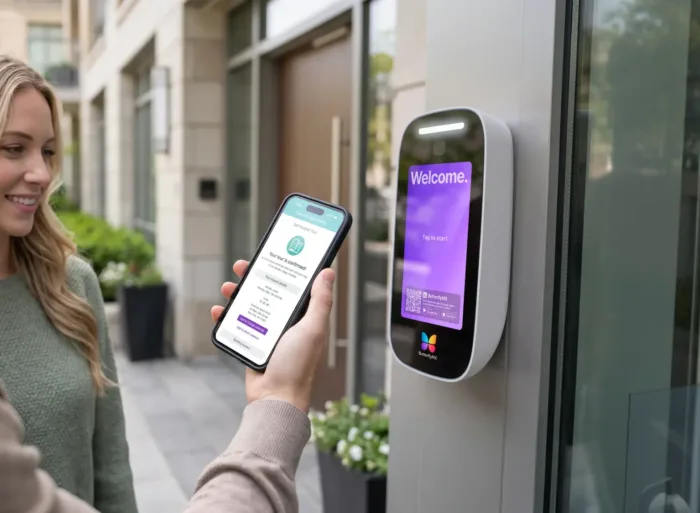





Key takeaways:
- A wireless video intercom usually reduces dedicated wiring to resident endpoints, but the entry panel still needs power and a dependable network path.
- Wi-Fi, cellular, PoE, and hybrid systems have different dependencies; PoE is wired because Ethernet carries both data and power.
- The best fit depends on the property’s infrastructure, release hardware, outage planning, security controls, accessibility needs, and total cost of ownership.
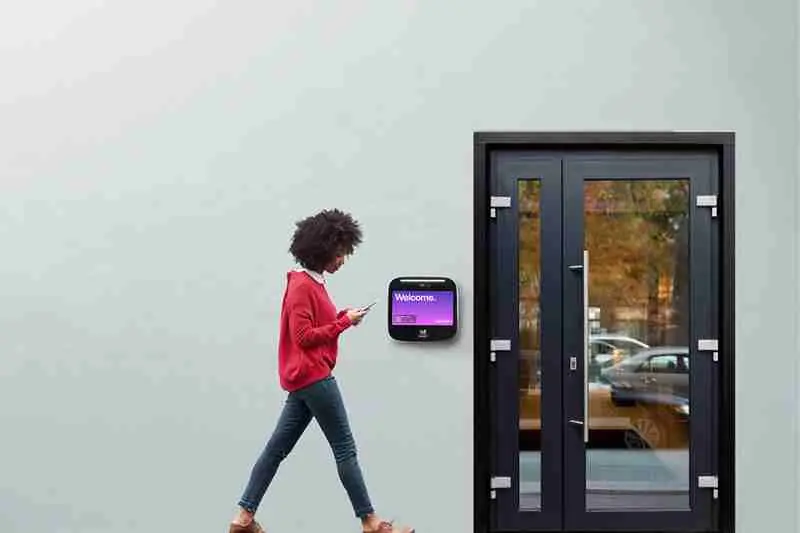
Wireless sounds simple until a property team starts asking practical questions. Will the entry panel need power? Does it use building Wi-Fi or cellular service? Can residents unlock the door from an app? What happens if the internet goes down?
A wireless video intercom sends video and audio calls from an entry panel to a resident, staff member, or other approved endpoint over Wi-Fi, cellular service, or a hybrid network. That can reduce the need for dedicated point-to-point wiring to every apartment or office, but it does not make the system wire-free. The entry hardware still needs electrical power, and every call still needs a reliable network path.
For managed properties, the real decision is not simply wired versus wireless. It’s whether the chosen architecture can support visitor calls, authorized entry, door or gate release, accessibility, daily administration, and documented fallback procedures at each entry.
This guide will answer:
- What is a wireless video intercom?
- How a wireless video intercom works
- Compare Wi-Fi, cellular, PoE, and hybrid architectures
- Components, video calling, and door release
- Installation and retrofit planning
- Reliability and outage planning
- Security and privacy controls to evaluate
- Wireless video intercom cost and total ownership
- Accessibility and ADA planning
- How to choose the right system for a property
- FAQs
More than 100K, 5-star ratings!
Video Intercoms
Open doors, gates & garages from anywhere.

QR Code Intercom
Smartphone-based visitor access.
Access Control
Fob, key cards, PINs, and mobile apps.
Security Cameras
Visibility throughout your property.

Vehicle Access
Hands-free access for gates & garages.
Package Room
Receive, store, and manage deliveries.
Smart Locks
Connect to all major brands and models.
Elevator Controls
Unlock key-fobbed elevators for anyone.
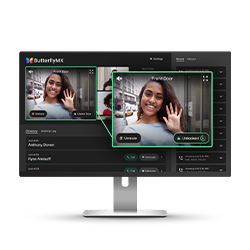
Front Desk Station
See all your doors and cameras in one place.
What is a wireless video intercom?
A wireless video intercom is an entry system that lets a visitor place a video and audio call from an entry panel to a resident endpoint, such as a smartphone app, through Wi-Fi, cellular service, or a hybrid connection. In most managed-property use cases, wireless refers to the communication path between the entry system and the resident endpoint. It does not mean the entry panel runs without power, a network connection, or supporting access hardware.
That distinction matters because many buyers hear wireless and picture a device that can be mounted anywhere with no planning. In practice, the property still has to answer basic infrastructure questions: where power is available, how the panel will connect, whether the door or gate can be released remotely, and who will manage residents, staff, and visitors after installation.
A commercial intercom is also different from a consumer video doorbell. A video doorbell may work for one entrance and a small number of users. A managed-property intercom may need a resident directory, multi-tenant call routing, administrative controls, and a connection to compatible access-control equipment. For more on that distinction, see this guide to video intercom doorbells and managed-property systems.
In other words, wireless describes one part of the system architecture. It does not automatically include door release, cloud management, multi-tenant calling, two-way video, or mobile access. Those capabilities should be confirmed for the specific product and installation.
How a wireless video intercom works
Most wireless video intercoms follow the same basic visitor-to-resident sequence, even though the connection method and equipment vary by property.
- A visitor selects a resident, searches a directory, enters a unit, or starts a call at the entry panel.
- The panel captures audio and video, then sends the call through its Wi-Fi, cellular, Ethernet, or hybrid connection.
- The resident or authorized staff member receives the call on an available endpoint, such as a mobile app or another supported device.
- The recipient talks with the visitor and, when the installation includes compatible release hardware and the user is authorized, can trigger an unlock request.
The communication part and the access part are related, but they are not the same. The intercom carries the call. The access-control logic determines whether a person is allowed to request entry. A relay, access-control panel, door strike, maglock, gate operator interface, or other compatible hardware performs the physical release.
Video features also vary. One-way video lets the resident or staff member see the visitor. Two-way video allows video in both directions. The right choice depends on the visitor interaction, resident expectations, privacy needs, and system design. A video intercom buyer guide from Avigilon outlines common roles for entry stations, endpoints, network connections, management layers, and access hardware.
Compare Wi-Fi, cellular, PoE, and hybrid architectures
Wireless video intercoms are not one single architecture. The data path might use building Wi-Fi, cellular service, Ethernet, or a mix of methods. Every option still needs power for the entry equipment, so the comparison below is about dependencies rather than a ranking.
PoE is a common source of confusion. A PoE intercom may be cloud-managed or mobile-enabled, but it is still wired because Ethernet provides both the data connection and power. Wi-Fi and cellular systems use a wireless data link. Hybrid systems divide functions across more than one connection method.
The table can help narrow the conversation, but it should not replace a site survey. Existing wiring, entry locations, network ownership, carrier coverage, recurring-fee tolerance, door-release requirements, and outage expectations all affect the right design. Readers comparing broader infrastructure tradeoffs can review ButterflyMX guidance on wired versus wireless apartment intercom systems.
Components, video calling, and door release
A wireless video intercom is easier to evaluate when you separate it into functional layers. The entry station includes the camera, microphone, speaker, display or directory controls, and the connection hardware. The resident endpoint might be a smartphone app or another supported device. A management layer may handle residents, staff, visitors, credentials, and settings. The property also needs power, a network path, and any access hardware required at the door or gate.
Door release deserves its own review. A door-release relay sends a signal to compatible locking or access-control equipment, such as a door strike, maglock, gate interface, or access-control panel. The presence of a relay does not, by itself, prove that the full entry design is right for the property. The team still needs to confirm lock compatibility, authorization rules, life-safety considerations, gate or door hardware, and any access-control integration.
Some entry-level doorbell-style products do not include an integrated release relay and may require separate locking equipment. Treat release as a capability to verify, not as something implied by the phrase wireless intercom. This overview of wireless video intercoms with door release illustrates why hardware and connection requirements need separate review. ButterflyMX also has guidance on choosing a wireless video intercom with door release.
Capability questions for every shortlist
- How many residents, staff users, entries, and call paths must the system support?
- Does the property need one-way video, two-way video, or another supported call experience?
- Which resident endpoints can receive calls, and how are users added or removed?
- Does the design support the required door, gate, lock, relay, or access-control connection?
- What administrative controls are available for managing residents, visitors, staff, credentials, and access events?
Installation and retrofit planning
A retrofit should start with the property, not the product brochure. Map every entry, vestibule, garage, gate, resident endpoint, release point, and required integration before selecting hardware. A building may have strong Wi-Fi in common areas while an exterior gate, parking garage, or pedestal has weak coverage, so the connection should be tested where the equipment will actually sit.
Next, document available electrical power, existing intercom wiring, Ethernet cabling, network equipment, and any infrastructure that might be reused. Reuse may be possible when the wiring type, condition, topology, and selected system are compatible. It should not be promised before an on-site assessment. Outdoor locations also require a review of equipment suitability and weather protection for the specific installation location.
Project scope usually extends beyond mounting a panel. It may include electrical work, network work, access-control integration, equipment configuration, functional testing, resident onboarding, and support after launch. The less certain the site conditions are, the more important it is to confirm those details before comparing proposals.
Not sure which connection approach fits your property? Request a property-specific assessment after the entry points, infrastructure, and door-release requirements are documented.
Watch how ButterflyMX works:
Reliability and outage planning
A wireless video intercom is not outage-proof, and a wired system is not automatically outage-proof either. Reliability depends on the complete design: entry-panel power, network equipment, internet connectivity, cloud services where used, resident endpoints, access-control hardware, backup power, support procedures, and maintenance responsibilities.
Ask vendors to describe what happens during each failure mode, not just whether the system is reliable. During a power outage, identify which equipment has backup power: the entry panel, router, switch, access-control panel, door hardware, or gate equipment. During a Wi-Fi, internet, or cellular interruption, confirm whether visitor calling, credentialed entry, remote release, local door operation, and administrative changes continue, change, or stop.
Cloud-managed systems also need a documented fallback process. The property should understand what depends on cloud access, what can still work locally if supported by the design, and who is responsible for support or escalation when service is interrupted.
Failure-mode checklist
- What works when the entry panel loses power?
- What works when local Wi-Fi, internet service, or cellular service is unavailable?
- How does local door operation differ from visitor calling and remote release during each event?
- What backup-power equipment is included, maintained, and tested?
- What documented failover procedures, support responsibilities, and escalation paths apply?
Reliability concerns and offline behavior are valid buyer questions. However, isolated reports do not prove a category-wide failure rate. A property should compare vendor documentation and the complete local design instead of treating wired or wireless as a reliability rating.
Security and privacy controls to evaluate
The connection method is not the same as the security model. A strong review looks at the entry hardware, property network, user administration, software practices, and the process for handling changes such as resident move-outs or lost phones.
Ask each vendor to document account authentication, encryption practices, credential issuance and revocation, software updates, and vulnerability handling. Review role-based administrative access, audit logs, visitor-event visibility, data retention, and resident privacy controls. The property team should also understand how the system handles departed residents, staff turnover, shared accounts, compromised credentials, and replacement devices.
These are due-diligence questions, not assumptions about every product. They help buyers compare proposals on the same terms and identify which safeguards come from the intercom vendor, which depend on the property network, and which require an access-control partner.
Wireless video intercom cost and total ownership
The cost of a wireless video intercom has three main parts: equipment, installation, and recurring ownership costs. Equipment may include the entry panel and related access hardware. Installation can include electrical work, network work, locks, relays, gate interfaces, configuration, testing, and labor. Recurring costs may include software, cloud management, cellular service, support, or maintenance, depending on the vendor and system design.
A reseller hardware listing is only a snapshot of a product price. It is not the same as a complete installed-system cost. To compare proposals fairly, use the same scope for each one: number of entries, resident or user count, assumed infrastructure, required release hardware, integrations, support period, and included capabilities.
Cellular connectivity can add a recurring carrier cost, and wireless does not automatically cost less than a wired design. The better comparison is total cost of ownership over the period the property expects to operate the system.
Accessibility and ADA planning
A wireless video intercom is not automatically ADA compliant. Accessibility depends on the installed controls, approach conditions, communication features, and other provisions that apply to the project. The connection method, whether Wi-Fi, cellular, Ethernet, or hybrid, does not decide compliance by itself.
The U.S. Access Board ADA Accessibility Standards identify security and intercom system controls as operable parts subject to applicable requirements. The supplied general unobstructed forward or side reach range is 15 to 48 inches, but that should not be treated as one universal mounting rule for every intercom. Approach direction, obstructions, site conditions, and applicable provisions can change the analysis.
Two-way communication systems used for admittance may also need review under Section 708. Before finalizing panel placement, controls, or communication features, get a context-specific accessibility and compliance review. This article is planning guidance, not legal, code, engineering, or accessibility advice.
How to choose the right system for a property
The best wireless video intercom for one property may be a poor fit for another. A small commercial entrance, a multifamily community with several buildings, a gated HOA, and a student-housing property can all have different visitor volume, directory size, release requirements, administrative needs, and integration demands.
- Define the property scope: entry count, unit or user count, visitor volume, resident needs, and door or gate use cases.
- Survey infrastructure: available power, usable wiring, Wi-Fi coverage, cellular availability, network ownership, and weather exposure at every entry.
- Verify capabilities: call routing, video direction, resident endpoints, release hardware, administrative controls, and compatibility with required access-control equipment.
- Request outage documentation: power, network, internet, cellular, cloud, and resident-device behavior, plus backup and support procedures.
- Review accessibility, security controls, privacy practices, support responsibilities, and total ownership on a consistent proposal scope.
- Confirm desired connections to access control, elevators, package rooms, vehicle access, cameras, or property systems with each vendor.
After those requirements are clear, ButterflyMX may be a fit for properties that prioritize smartphone visitor calls and remote access management. Residents can receive visitor calls and grant access through their smartphones, while property teams can remotely manage residents, visitors, credentials, and access. As with any system, fit depends on the property’s infrastructure, entry design, integrations, accessibility needs, and operating requirements.
Frequently asked questions
Does a wireless video intercom need building Wi-Fi?
Not always. Some systems use building Wi-Fi, while others use cellular service or a hybrid design. All systems still need electrical power and a defined network path, and backup behavior depends on the product and property.
Can existing intercom wiring be reused during an upgrade?
Sometimes. Existing wiring may be reusable if its type, condition, topology, and the selected system are compatible. An on-site assessment is needed before a property assumes wiring can be reused or that no new cabling will be required.
Do all wireless video intercoms unlock doors or gates?
No. Door release is not universal. Buyers should verify the relay, lock or gate operator, access-control interface, and authorization process because some doorbell-style products require separate release equipment.
What outage information should a vendor provide before purchase?
A vendor should explain what happens during power, Wi-Fi, internet, cellular, cloud, and resident-device failures. The documentation should cover local entry behavior, remote release, backup provisions, support responsibilities, and escalation steps.
A wireless video intercom can be a practical way to modernize visitor access, but wireless should be understood precisely. It usually means fewer dedicated communication wires to resident endpoints, not freedom from power, networks, access hardware, or planning.
The strongest choice is the one that fits the property’s entries, infrastructure, door-release needs, outage expectations, accessibility requirements, and long-term operating model. Once those requirements are clear, discuss your video intercom and access requirements with ButterflyMX to determine whether its smartphone-based approach fits your property.

Get your free quote!
Fill in the form below, and we'll email you right back.
Want a free quote?
Fill in the form below, and we'll email you right back.
You’ll be redirected shortly...