





Key takeaways:
- Wireless usually refers to how residents or staff receive calls and send unlock commands, not to a completely wire-free entrance installation.
- Door release depends on the whole path: user connectivity, entrance networking, a controller or relay, lock power, and the door or gate hardware.
- The right system depends on property type, existing locks, entrance infrastructure, outage planning, administration needs, and total cost.
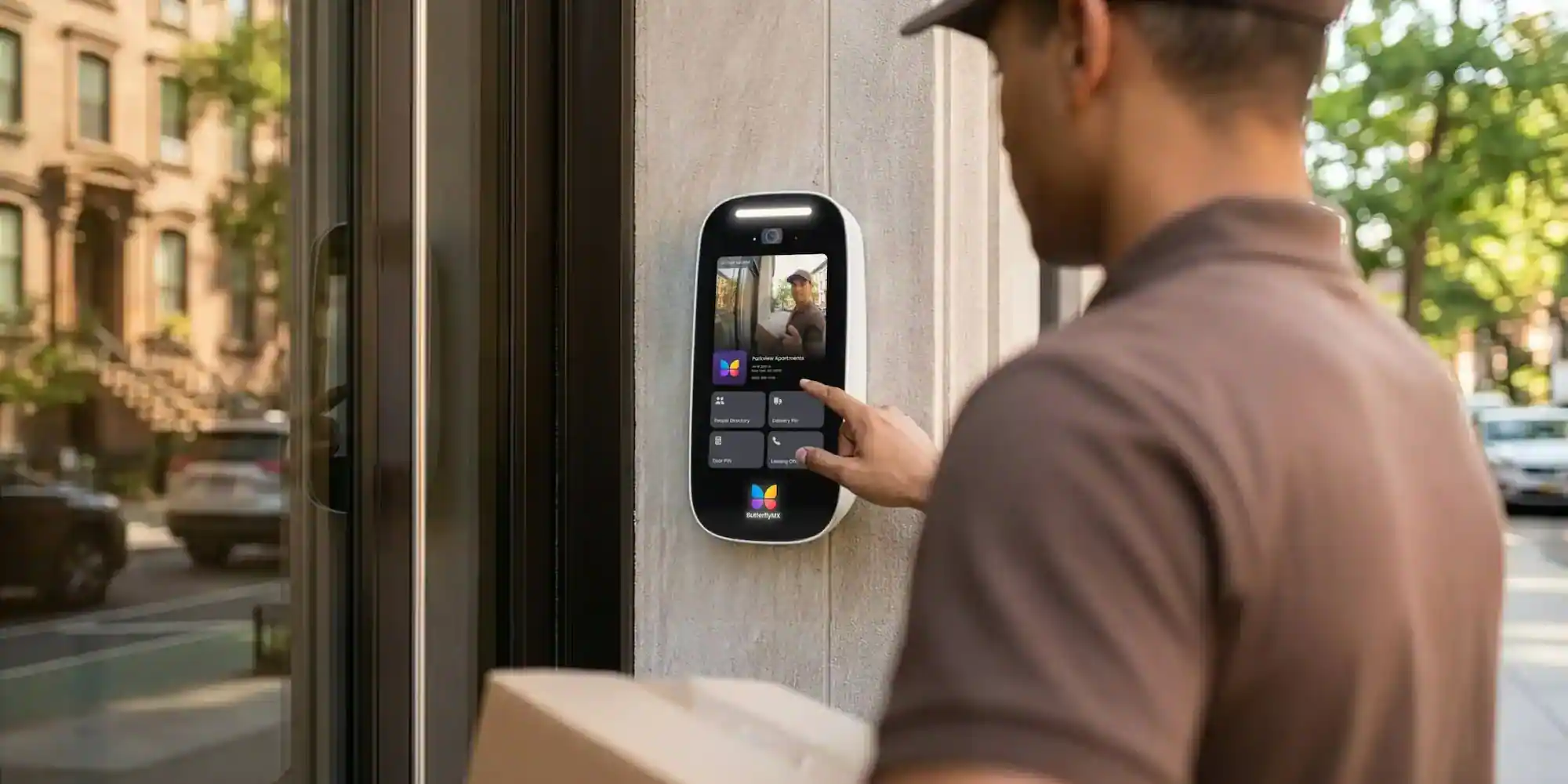
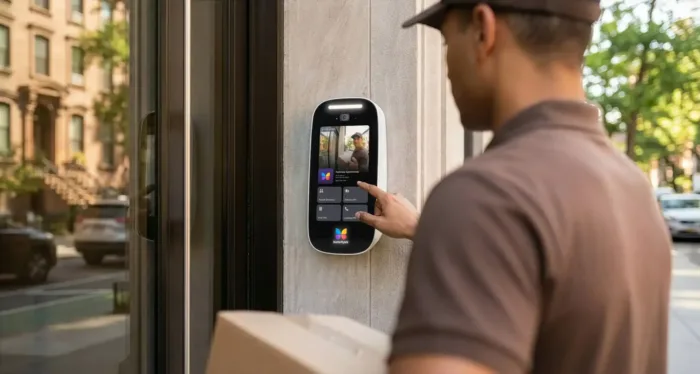
The hardest part of buying a wireless video intercom with door release is often figuring out what wireless actually means. A resident may answer a visitor call on a phone, but the entrance station, power supply, controller, relay, electric strike, magnetic lock, or gate equipment may still need wiring.
That difference matters before anyone compares brands or prices. A system has to do two jobs well: let an authorized person see and speak with a visitor, then send a reliable unlock command to the right door or gate hardware. This guide explains how that path works, where wired components still show up, which lock and connectivity choices matter, and what to verify before choosing a system.
This guide will answer:
- What is a wireless video intercom with door release?
- What wireless means across the system
- How the door release signal reaches the lock
- Electric strikes, magnetic locks, and power behavior
- Connectivity and management architectures
- Installation, compatibility, and outage planning
- Fire, life safety, and accessibility checks
- What drives total system cost
- Benefits and limitations to weigh
- How to choose a system for each property
- Where ButterflyMX may fit
- FAQs
Watch how ButterflyMX works:
What is a wireless video intercom with door release?
A wireless video intercom with door release is an entry system that combines video calling, two-way communication, and remote lock control. A visitor starts a call at the entrance, an authorized resident or staff member answers from a mobile app, in-unit device, or other endpoint, and the system sends an unlock command to connected door or gate hardware.
The important detail is that communication and locking are separate parts of the system. As guides from Avigilon and Swiftlane explain, the video call path and the lock-control path are not the same thing. A system can feel wireless to the person answering the call while still using wired equipment at the entrance.
This category can make sense for multifamily buildings, condos, HOAs, commercial facilities, gated properties, and some single-family homes. But it is not the same as every video doorbell or door phone. Some products provide video and audio only. Others rely on a separate compatible smart lock. A wireless video door phone may be related, but its door-release capability depends on the product and configuration.
What wireless means across the system
In many installations, wireless describes the resident or staff side of the experience. A visitor call may travel over a network to a smartphone, so the person answering does not need a hardwired in-unit station. At the entrance, however, the intercom may still need power, a network connection, a controller or I/O relay, and a wired connection to the lock or gate equipment.
That is why wireless and wire-free are not interchangeable. A common hybrid system includes an entrance station with a camera and audio, a communication service or network, a user endpoint, a controller or relay, a power source, and compatible locking hardware such as an electric strike, magnetic lock, gate-control input, or smart lock connection. For commercial entrances, the wired release path is especially important because door hardware, egress needs, and access-control connections can be more complex. This guide to a commercial intercom system with door release explains a related application.
Some systems use Wi-Fi, cellular service, DECT, or another wireless method for part of the design. Others use Ethernet and Power over Ethernet, or PoE, to bring data and power to the entrance station. These are not just labels. Ask each provider to map the path from visitor call to lock release and identify which segments are wireless, networked, and hardwired.
How the door release signal reaches the lock
Door release is not just a button in an app. It is a chain of events, and every link in that chain has to work.
- A visitor presses the call button or otherwise starts a video call at the entrance station.
- The system routes the call to an authorized resident, receptionist, guard, or staff member through the configured endpoint.
- The authorized user chooses to unlock the entrance through the intercom or connected access-control process.
- A controller or I/O relay translates that request into a signal for the connected electric strike, magnetic lock, smart lock, or compatible gate-control equipment.
- The opening releases according to its hardware configuration, then returns to its normal secured state after the release event.
The exact route can vary. Some designs rely more on cloud-managed communication, while others use local access-control equipment or a connected panel. The practical lesson is the same: remote unlock reliability depends on user connectivity, entrance networking, controller operation, lock power, and the physical condition of the door or gate. An app-based unlock feature cannot fix a damaged door, an underpowered strike, or a release circuit that does not match the controller.
Electric strikes, magnetic locks, and power behavior
Electric strikes and magnetic locks are two common ways to connect an intercom to an opening. The choice affects installation, power behavior, and review requirements, but the hardware label alone does not tell you whether the opening is appropriate for your property.
Fail-safe generally means a lock unlocks when power is lost. Fail-secure generally means it stays locked from the access side when power is lost. The NIH technical bulletin on fail-safe and fail-secure electronic locks emphasizes that the application matters.
Do not assume every electric strike is fail-secure or every magnetic lock is suitable for every door. The real answer depends on the model, wiring, controller, opening, power supply, and required egress arrangement. A qualified installer should test both normal unlock behavior and power-loss behavior before the system is accepted.
Connectivity and management architectures
A wireless intercom does not always require Wi-Fi. Depending on the system, communication may use Wi-Fi, cellular connectivity, Ethernet or PoE, another IP network, or DECT. An IP intercom with camera, for example, is built around network connectivity rather than a traditional telephone-entry line.
The management model matters, too. Mobile-first systems route calls to smartphones, which can reduce dependence on dedicated in-unit hardware. Dedicated indoor stations can still make sense where a property wants a fixed device. Cloud-managed systems can let property teams update users and access settings remotely, while on-premise systems depend more heavily on local infrastructure and on-site administration. Neither model is automatically better for every building.
Evaluate connectivity at the actual entrance, not just in the leasing office or a nearby unit. Test Wi-Fi where the station will be mounted, confirm Ethernet where a wired connection is planned, and understand cellular conditions if cellular service is part of the design. Properly designed wired infrastructure can offer a more predictable connection, while wireless options may make installation more flexible where cabling is difficult.
Installation, compatibility, and outage planning
Good installation planning starts with an entrance-by-entrance inventory. List every door, gate, electric strike, magnetic lock, access-control panel, power supply, gate operator, door hardware set, and smart lock that may need to take part in release. An existing electrified lock is useful information, but it does not prove compatibility with a new intercom.
- Confirm model-level compatibility between the intercom, relay or controller, lock or gate equipment, and any existing access-control panel.
- Identify the power source and control wiring needed at each entrance, including any new cabling, Ethernet, Wi-Fi coverage, or power supply work.
- Document what should happen if internet service, local networking, controller power, or lock power fails.
- Determine whether backup power is part of the design and which components it supports.
- Have a qualified installer test normal release, power-loss behavior, restoration, and any emergency-release functions after installation.
Gate access deserves its own check. An intercom may be able to send a release command to compatible gate-control equipment, but it does not replace the mechanical gate operator or its safety devices. Smart-lock integration is also product- and configuration-specific. Treat compatibility as something to prove with documentation and testing, not as something to infer from the word wireless.
Fire, life safety, and accessibility checks
Electrified locking can raise life-safety questions, especially when the door is part of a required means of egress. NFPA guidance on permissible egress door locking arrangements explains why the opening, locking arrangement, and egress path must be evaluated together. Security from the outside and safe exit from the inside are related, but they are not the same question.
Accessibility should also be reviewed before installation. The U.S. Access Board guidance for entrances, doors, and gates addresses covered two-way communication systems at restricted entrances, including visual and audible signaling. Do not treat one feature, such as video calling or mobile unlock, as proof that a property is compliant.
The Authority Having Jurisdiction, often called the AHJ, is the agency or official responsible for enforcing applicable requirements. Before installing electrified locking or restricted-entrance communication equipment, confirm the locally adopted code edition, local amendments, entrance classification, and project-specific obligations with qualified access-control, fire and life-safety, and accessibility professionals. This article is not legal, code, engineering, or accessibility approval.
What drives total system cost
There is no useful universal price for a wireless video intercom with door release. A single prepared entrance is a different project from a multi-entrance property that needs lock replacement, cabling, network upgrades, gate integration, or access-control coordination.
Initial costs can include entrance stations, resident hardware where applicable, controllers, relay modules, lock work, power supplies, cabling or networking, and installation labor. Ongoing costs may include software, connectivity, support, maintenance, replacement equipment, and administration. The right comparison is not just hardware price. It is what each proposal includes, what it leaves out, and how the system will scale as entrances, users, and access needs change.
Benefits and limitations to weigh
A properly configured video intercom can let authorized people see and speak with visitors before unlocking an entrance. When the selected system supports it, the same setup can also support remote unlock, mobile access, visitor management, centralized administration, and access records. For a managed property, those features can make visitor calls and permission updates easier to handle across residents and staff.
The limitation is dependency. Calls, release commands, and records rely on the entrance device, communication path, controller, power source, lock, permissions, and maintenance plan. Cloud-connected operation can also be affected by network, power, weather, and configuration conditions. Wireless convenience is valuable, but it does not remove the need to plan for infrastructure, outages, and hardware behavior at each opening.
How to choose a system for each property
Start with the property, not a vendor ranking. A multifamily or condo building may need resident call routing, multiple entrances, staff administration, visitor access, access logs, and scalable permissions. An apartment intercom system with door release also has to account for shared entrances and the exact hardware at each opening.
A small residential property may place more weight on simplicity and whether a separate smart lock is needed. A commercial facility may need to map visitor access to staffed hours, existing credentials, reception procedures, and restricted areas. A gated community should confirm how the intercom connects with compatible gate-control equipment and how gate safety systems remain independent of the intercom.
- How many users, entrances, and visitor patterns must the system support now and later?
- What electric strikes, magnetic locks, gates, access-control panels, power sources, and networks already exist?
- Does the property need mobile-first answering, dedicated in-unit hardware, or a mix of both?
- Who will manage permissions, access logs, visitors, maintenance, and support?
- What should happen during power loss, network loss, lock-power loss, and restoration at every opening?
- Which hardware, installation, software, connectivity, maintenance, and support costs are included in the total plan?
Where ButterflyMX may fit
ButterflyMX may be a relevant option for managed properties that want residents to receive visitor calls and grant access from their smartphones while property teams manage residents, visitors, credentials, and access remotely. Its video intercoms do not rely on traditional POTS telephone lines, which can make them a modern alternative for properties replacing or evaluating legacy telephone-entry hardware.
Fit still depends on the same questions that apply to any provider: property type, number of entrances, existing lock or gate hardware, network conditions, administration needs, scalability, total cost, and project-specific safety review. Discuss your entrances, existing door hardware, and access requirements with ButterflyMX to validate the right configuration for your property.
Frequently asked questions
Can I install a wireless video intercom with door release myself?
Basic consumer-device setup may be possible for some products, but electrified locks, egress doors, controllers, power supplies, and code-sensitive openings should be handled by qualified professionals. Installation, permit, and approval requirements vary by product, opening, and jurisdiction.
Can a wireless video intercom control a gate instead of a door?
Some systems can send a release command to compatible gate-control equipment. You still need to confirm product support, controller connections, wiring, and the gate operator’s required safety devices before assuming a door-release intercom will work with a specific gate.
Can I reuse an existing electric strike or magnetic lock?
Possibly, but reuse depends on the exact lock model, power behavior, controller or relay connection, door application, and egress requirements. The fact that a lock is already electrified does not prove system compatibility or code suitability.
Can residents or staff unlock the entrance from a phone?
Mobile-first systems may support authorized app-based unlocking after a visitor call or through configured access permissions. Availability depends on the selected system, user permissions, connectivity, and the complete lock-control path.
The most important question is not whether the product is called wireless. It is whether the complete call-to-unlock path fits the property: the entrance hardware, network, power, controller, lock behavior, administration process, and safety review. Once those details are clear, a mobile-first, cloud-managed option such as ButterflyMX can be evaluated on the factors that matter most for your entrances, users, existing equipment, and operating needs. Discuss your property requirements with ButterflyMX to validate the right configuration before you buy.

Get your free quote!
Fill in the form below, and we'll email you right back.
Want a free quote?
Fill in the form below, and we'll email you right back.
You’ll be redirected shortly...