





Key takeaways:
- Phone-based access control lets an authorized smartphone act as a digital credential within a larger system of readers, controllers, locks, management software, and access records.
- Mobile credentials can make issuing and revoking access easier, but security depends on the whole system, including administrator controls, reader connections, audit logs, and recovery procedures.
- A hybrid plan is still essential because phones can be missing, incompatible, lost, or uncharged. Pew reported that 91% of US adults owned a smartphone in 2025.
Phone-based access control sounds simple: a resident walks up to a door, uses a smartphone instead of a key or fob, and gets in. For apartment communities, though, that one moment at the door raises bigger questions. Which entrances should support mobile access? What happens when a phone dies? Who can revoke access after move-out? How do visitors, deliveries, gates, elevators, and amenities fit into the same plan?
At its core, phone-based access control lets an authorized smartphone serve as a digital credential. A mobile app or supported wallet credential communicates with a compatible reader, the access-control system checks the user’s permissions, and the door, gate, or other controlled opening releases if access is approved.
The strongest apartment access control systems do not treat the phone as the entire strategy. They account for residents, staff, vendors, visitors, fallback credentials, outages, privacy, audit records, integrations, and the condition of existing hardware. This guide explains how phone-based access works, where it fits, and what property teams should evaluate before rolling it out.
This guide will answer:
- What is phone-based access control for apartment communities?
- How phone-based access control works
- How mobile credentials compare with fobs, cards, PINs, and biometrics
- Which apartment access points should be included?
- Security, privacy, and lost-phone response
- Visitor, delivery, staff, and contractor access
- PMS integration and resident turnover
- Accessibility, outages, and fallback access
- Cost and ROI factors
- Standards, egress, and installer questions
- How to plan and roll out phone-based access
- How to evaluate phone-based access control
- FAQs
Watch how ButterflyMX works:
What is phone-based access control for apartment communities?
Phone-based access control for apartment communities allows an authorized smartphone to serve as a digital door credential. An app-based or wallet-based credential communicates with a compatible reader, commonly through Bluetooth Low Energy or NFC, while the access-control system validates permissions, releases the opening, and records the event. Communities can use mobile credentials for residents, staff, approved vendors, and, where supported, visitors.
That definition matters because a mobile credential is not the same thing as the full access-control system. The phone may be what the resident presents, but the complete design can include readers, controllers, electrified locks, door hardware, management software, network connections, integrations, administrator permissions, and audit records.
It is also different from cloud management or a video intercom call. Cloud management is how a property team may administer users and permissions. A video intercom lets a resident receive a visitor call and remotely grant entry. A mobile credential is the resident’s or staff member’s own access method at a controlled opening. These features often work together, but they solve different parts of the access problem.
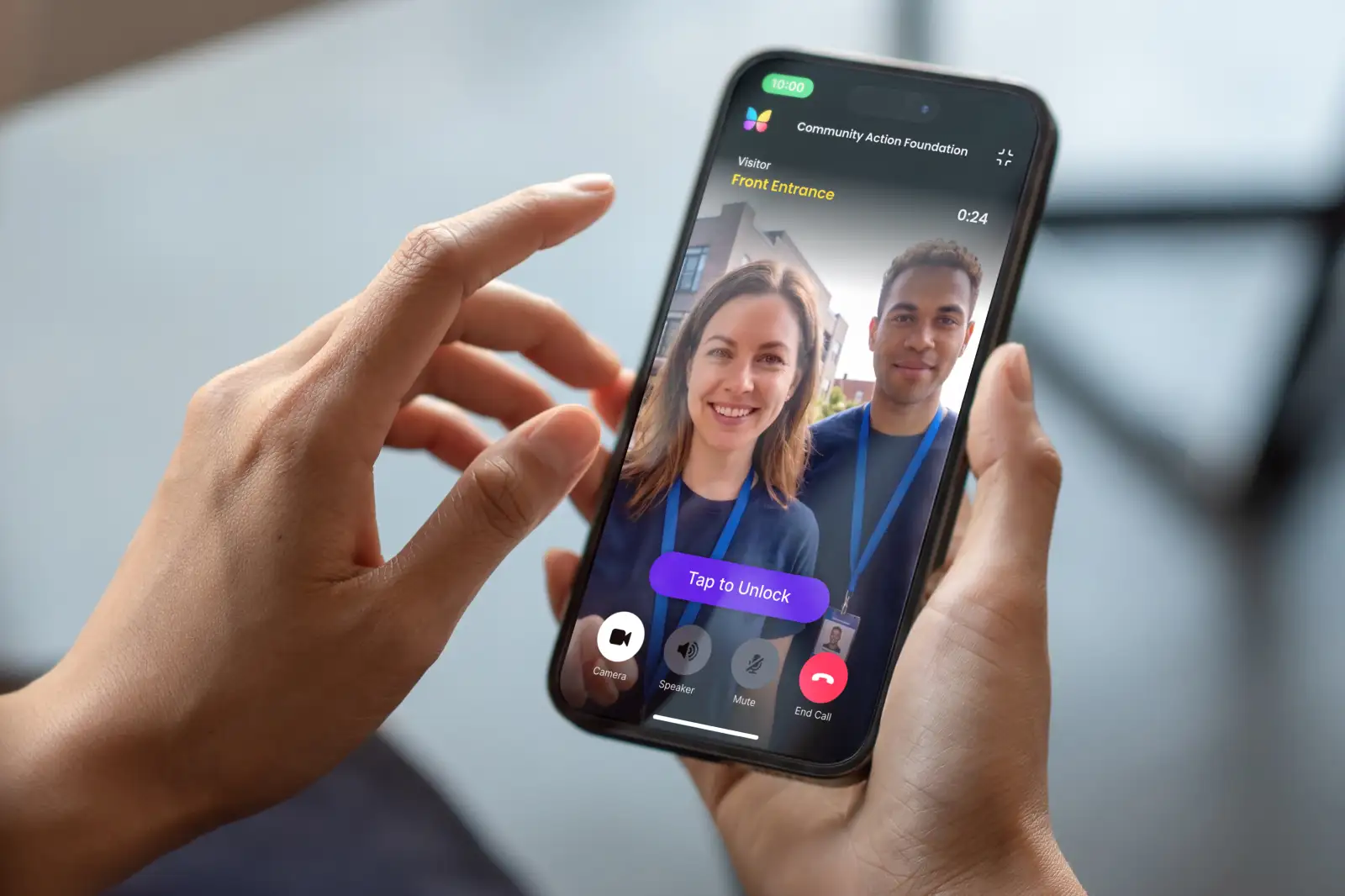
Mobile access is one option among other apartment access control types. ButterflyMX, for example, lets residents receive visitor calls and grant access through their smartphones while property teams remotely manage residents, visitors, credentials, and access. The category question still comes first: does a phone-based access model fit the property’s people, openings, infrastructure, and fallback needs?
How phone-based access control works
A phone unlocks a controlled door only after the system confirms that the person, credential, opening, and schedule match. Products vary, but a typical mobile access event follows this sequence:
- An administrator enrolls a resident, employee, vendor, or other approved user.
- The administrator assigns permissions for specific openings, times, roles, or schedules.
- The user receives a credential through a supported mobile app or mobile wallet.
- At the opening, the phone communicates with a compatible reader. BLE commonly supports proximity-based interaction, while NFC generally requires close presentation.
- The reader and access-control system evaluate the credential and permission.
- If access is approved, the system signals the locking hardware to release the opening and records the event according to its settings.
The phone-to-reader method is only one layer. Mobile access systems may use Bluetooth Low Energy, NFC, Wi-Fi, an app, or a supported wallet implementation, but support and behavior are product-specific. A buyer should confirm the exact reader, phone, operating-system, credential, and account requirements for the proposed configuration.
Connectivity also needs careful wording. WiFi, cellular service, and cloud connectivity may support app features or remote administration. They do not automatically tell you whether a credential will work locally at a door during an outage. Ask vendors and installers to demonstrate what happens during internet, power, reader, controller, and cloud-service disruptions.
App credentials and wallet credentials
An app credential and a wallet credential are not necessarily the same experience. Enrollment, supported devices, account recovery, credential presentation, and daily use can differ by provider and implementation. Apple Wallet or Google Wallet support should be confirmed for the exact access-control product rather than assumed.
How mobile credentials compare with fobs, cards, PINs, and biometrics
Mobile access should be judged against the alternatives a community already uses or is considering. A phone credential may reduce some physical credential handling, but it also creates phone-related exceptions. Fobs and cards are familiar, but they still need inventory and replacement. PINs avoid a carried credential, but codes can be shared. Biometrics remove the need for a phone or token, yet they add privacy, consent, accessibility, and exception questions.
The practical answer is rarely one credential for everyone. A student housing property, senior living community, gated community, high-rise, condo building, HOA, and mixed-use property may each need a different mix. The better question is which credential should be primary, which should be available as a fallback, and how each one will be issued, revoked, replaced, and monitored.
Which apartment access points should be included?
Before selecting technology, map the property as residents, staff, visitors, and vendors actually use it. Include main and secondary entrances, pedestrian gates, vehicle gates, garages, elevators, amenity rooms, package rooms, staff areas, storage spaces, and unit doors where applicable. For each opening, document who needs access, when they need it, and whether visitor, delivery, staff, and resident permissions should differ.
A high-rise may prioritize the lobby, elevator permissions, package areas, and shared amenities. A garden-style community may focus on perimeter gates, building entrances, garages, and common areas spread across the site. Student, senior, condo, HOA, gated, and mixed-use properties can each have different staffing patterns, visitor policies, vehicle needs, and access boundaries.
The access map also keeps the project grounded. Elevator access control does not replace the elevator system. Gate access equipment does not replace the mechanical gate operator. Unit-door smart locks, where relevant, need verified support rather than assumed compatibility. Prioritize the openings that create the most friction, administration, or risk, then confirm the hardware and integration requirements for those openings.
Once you have that map, ButterflyMX can be evaluated in context: smartphone visitor communication, mobile-centered access, remote management, and access beyond the main entrance may all matter, but the right configuration depends on the property’s actual access points.
Security, privacy, and lost-phone response
Phone-based access is not automatically more secure than a key fob. It can add useful controls, such as account-based administration and remote credential revocation, but end-to-end security depends on how the full system is designed and managed.
Evaluate the whole chain: how credentials are issued, whether they are tied to a device or account, who can create or change permissions, how quickly access can be suspended, what events are logged, how administrator activity is reviewed, and how fallback credentials are controlled. Reader-to-controller communication belongs in the same conversation because a strong phone credential does not fix weak downstream system design.
A lost-phone procedure should be written before launch. It should include identity verification, suspension or revocation of the old credential, temporary fallback access when appropriate, replacement enrollment, and a review of relevant events when the situation calls for it. The same procedure should cover residents who change phone numbers, replace devices, or lose access to the account used for enrollment.
Privacy review should happen before resident migration, not after complaints arrive. Ask what identity, device, and access-event data is collected; where it is stored; who can view or export it; how administrator activity is logged; how long records are retained; and how deletion or access requests are handled under applicable policies and laws.
The Security Industry Association describes OSDP as an open protocol for communication between access-control panels and reader or peripheral devices and as an alternative to legacy Wiegand communication. That protocol choice is separate from whether a resident presents a phone, fob, card, or PIN. Ask the installer to explain the proposed reader-to-controller method and its implications for the specific system.
Visitor, delivery, staff, and contractor access
Resident entry is only one use case. Apartment teams also need to manage guests, couriers, cleaners, maintenance technicians, leasing staff, and outside contractors without turning every exception into a shared code or borrowed credential.
Visitors and deliveries
A visitor may call a resident through an intercom, and the resident may remotely grant entry where the platform supports that workflow. Delivery access should be narrower than resident access. A good policy defines the opening, schedule, duration, destination, and event record instead of granting broad access across the community.
Staff and contractors
Maintenance teams, cleaners, and contractors usually need role-based permissions that can be limited by area and schedule. The policy should also explain after-hours access, emergency escalation, and what happens when a vendor relationship ends. Revocable, attributable access is safer to administer than informal credential sharing.
Leasing operations
Leasing teams may need temporary tour access, but the access method should still preserve identity verification, approval, expiration, and auditability. The operational question is not simply whether a door can open remotely. It is whether the process fits the property’s leasing policy and leaves a usable record.
ButterflyMX is relevant in this part of the access plan because residents can receive visitor calls and grant access from their smartphones, while property teams can manage visitor and access activity remotely. Confirm the exact configuration and supported workflow before building a policy around any specific feature.
PMS integration and resident turnover
Mobile access becomes more valuable when credential changes line up with the resident lifecycle. Ideally, a resident record is created or approved, access is issued, opening-specific permissions are applied, changes are updated when the resident’s status changes, and access is removed at move-out.
Before relying on any integration, decide which system is authoritative for resident status. Then test the edge cases: failed synchronizations, manual overrides, roommates, sublets, staff overrides, lease extensions, unit transfers, and after-hours move-ins. A polished demo of a normal move-in is useful, but exceptions are where weak processes usually show up.
Remote credential management can reduce the need to handle a physical credential for every change. Still, properties should measure staff-time savings or error reduction from their own baseline data. Do not assume every permission update is instant or automatic unless the vendor documents that workflow for the exact configuration.
Accessibility, outages, and fallback access
A mobile-first access program still has to work for people who cannot use the primary mobile method. Pew Research Center reported that 91% of US adults owned a smartphone in 2025, which supports broad viability but also confirms that smartphone ownership is not universal. The Pew Research Center mobile ownership data should be understood in that stated survey context.
Plan for residents with no smartphone, incompatible devices, dead batteries, lost or replaced phones, limited dexterity or vision, low technical comfort, or temporary account problems. An equitable plan can include a supported fob, card, PIN, staffed process, or another verified credential. Whatever the option, it should be documented and available through a clear process, not handled as an improvised favor.
Outage planning deserves the same level of detail. Test representative openings for internet, cellular, WiFi, power, cloud-service, reader, controller, and locking-hardware disruptions. BLE or NFC by itself does not guarantee offline access. Separate local phone-to-reader behavior from cloud administration, then document resident support, lockout, emergency, and escalation procedures before migration.
Cost and ROI factors
There is no useful universal price for phone-based access control in apartment communities. Scope depends on the number and type of openings, existing locks and panels, wiring, power, network availability, controller replacement, reader compatibility, installation labor, testing, integrations, software, support, training, and lifecycle maintenance.
One-time costs may include readers, controllers, electrified locks, wiring, network work, setup, installation, commissioning, testing, and training. Ongoing costs may include software, connectivity, support, credential administration, integration services, maintenance, and replacement hardware. Retrofit projects can vary widely because existing doors, wiring, panels, power, and network conditions drive much of the work.
Potential value may come from less physical-credential handling, faster administrative changes, better visitor processes, and avoiding a legacy telephone line associated with an intercom that is replaced. ButterflyMX video intercoms do not rely on traditional POTS telephone lines, but that narrow benefit should not be treated as the removal of every operating expense.
Build the ROI model from the property’s own numbers. Start with current credential handling, replacement costs, service expenses, staff time, visitor access problems, turnover processes, and proposed lifecycle costs. Treat broad claims about NOI, renewal, satisfaction, labor savings, or lockout reductions as unproven unless they are backed by reliable data for the property or the exact system being evaluated.
Standards, egress, and installer questions
Standards and life-safety topics should be addressed during design, not after hardware is selected. UL explains that UL 294 covers testing and certification of access-control system units, including construction, performance, and operation. Confirm the certification status of the exact installed component; do not assume a certification applies across an entire platform or configuration.
Ask prospective providers and installers:
- Which reader-to-controller communication method is proposed, and is it OSDP or legacy Wiegand?
- Which exact components have applicable certification, and what documentation supports that status?
- Who is responsible for design, permitting, commissioning, testing, documentation, and ongoing inspection?
- How will free egress, emergency release, accessibility, fire-alarm interaction, and locking-hardware requirements be reviewed?
- What local approvals and qualified professionals are needed for this property and each opening type?
Requirements vary by jurisdiction, opening, hardware, and building conditions. Property teams should get qualified local design, installer, and code review rather than treating a product feature list as proof of compliance.
How to plan and roll out phone-based access
A rollout should prove that the access plan works before the whole community depends on it. Use the pilot to test daily use, exceptions, staff processes, and failure scenarios.
- Inventory openings, user groups, existing hardware, wiring, network conditions, integrations, and emergency dependencies.
- Define credential policies, administrator roles, visitor rules, privacy practices, support ownership, fallback methods, and success measures.
- Pilot representative openings and user groups, including residents who need alternative credentials.
- Test enrollment, permissions, revocation, audit records, outage behavior, accessibility scenarios, and emergency procedures.
- Run a hybrid period with clear resident communications, staff training, support routes, and issue escalation.
- Expand only after the property confirms that the operating model works across routine and exception scenarios.
New construction and retrofits need different planning. A new build can coordinate access-control infrastructure early. A retrofit should begin with a field assessment of doors, locks, power, panels, wiring, network conditions, and installation constraints.
How to evaluate phone-based access control
Use the same scorecard for every proposal so the decision does not collapse into a feature-by-feature sales comparison. The right system is the one that fits the property’s openings, residents, staff processes, infrastructure, risk tolerance, and budget.
- Credential fit: supported phones, apps or wallets, enrollment, replacement, and alternatives for non-mobile users.
- Opening coverage: entrances, gates, garages, elevators, amenities, package rooms, staff areas, and any required unit-door integrations.
- Infrastructure fit: reader compatibility, controllers, locks, wiring, power, networking, and retrofit scope.
- Resilience: local behavior, outage response, support ownership, temporary credentials, and documented recovery procedures.
- Operations and data: PMS-related workflows, administrator controls, audit records, privacy settings, retention, and exception handling.
- Delivery and lifecycle: exact component documentation, installer qualifications, commissioning, testing, training, support, and total cost.
Request a property-specific scope, a demonstration of representative use cases, an outage test, and a written implementation plan. For properties evaluating mobile access alongside smartphone visitor communication, remote management, and access beyond the main entrance, ButterflyMX can be one option to compare against those criteria. See how ButterflyMX manages residents, visitors, credentials, and access from one platform.
Frequently asked questions
Does phone-based apartment access work when the internet is down?
It depends on the system architecture. Local phone-to-reader communication and cloud administration are separate layers, so buyers should verify the specific system’s cached, local, and failover behavior during an outage.
Can residents keep using fobs or cards during a mobile-access rollout?
Yes, if the selected hardware and property policy support multiple credential types. A hybrid period can reduce disruption and provide a practical fallback for residents who cannot or prefer not to use a smartphone credential.
Are Apple Wallet and Google Wallet credentials the same as app-based access?
No, not always. Enrollment, device support, account recovery, and daily use can vary by provider and implementation, so confirm the exact requirements before assuming wallet and app credentials work the same way.
How should management handle a lost or replaced phone?
Management should verify the resident’s identity, suspend or revoke the old credential, provide temporary fallback access when appropriate, enroll the replacement device, and review relevant access events if needed.
Phone-based access control can be a strong fit for apartment communities, but the phone is only one part of the decision. The better measure is whether the system supports the property’s openings, residents, staff, visitors, fallback needs, outage plan, privacy expectations, and daily administration.
Start with the access map and the people who use it every day. Then evaluate the technology against real conditions, not ideal ones. If your community is considering smartphone visitor communication, remote access management, and mobile-centered property access, discuss a phone-based access plan for your apartment community with ButterflyMX.

Get your free quote!
Fill in the form below, and we'll email you right back.
Want a free quote?
Fill in the form below, and we'll email you right back.
You’ll be redirected shortly...