





Key takeaways:
- A QR code entry system for salon suites works best when QR codes are treated as time-bound visitor credentials, not as the only way everyone enters the property.
- Salon suite operators should match each credential type to the user: QR codes for appointment visitors, mobile access or PINs for tenants, and other methods where they fit the property.
- The right system depends on door hardware, tenant permissions, visitor verification, outage planning, onboarding, and total cost across hardware, installation, software, and support.
In a salon suite building, the front door can become everyone’s problem. A client arrives early. A stylist is in the middle of a service. The property manager is off site. A shared door code has been passed around more than anyone planned. That is the kind of everyday access issue that leads owners and operators to look for a QR code entry system for salon suites.
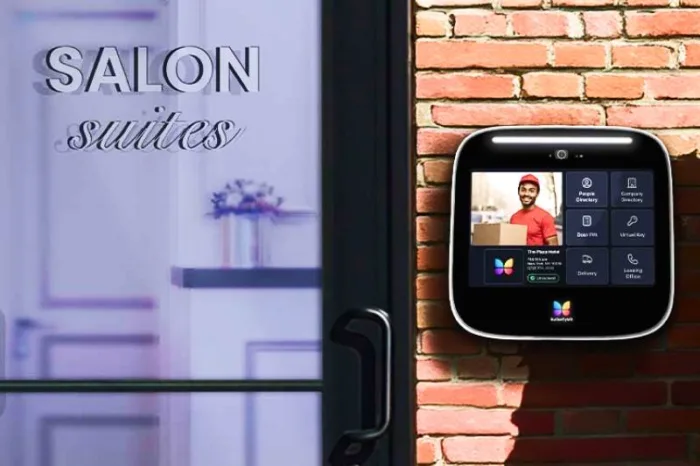
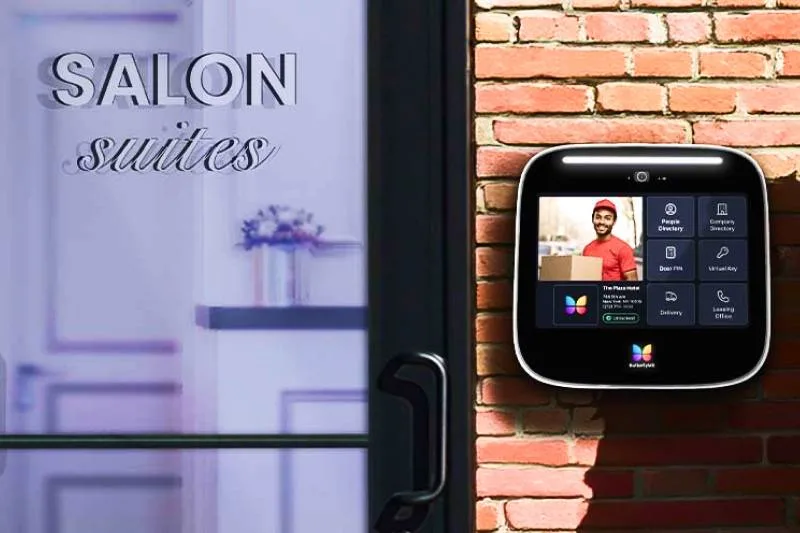
A QR code entry system for salon suites uses a scannable digital credential to help control who can enter a shared building entrance or another managed door. Most often, the QR code is created for a visitor, sent before an appointment, and set to work only during a defined time window. But the QR code is only one part of the access control system. The full setup may also include door hardware, a credential reader or scanner, an access controller, cloud-based management software, mobile apps, keypads, smart locks, or a video intercom.
That distinction matters. Salon suite properties have at least two access needs: tenants need reliable daily entry, while clients need simple short-term entry. A good salon suite access control system should support both without forcing every person through the same process. This guide explains how QR code access works, where it fits, how it compares with other credentials, and what owners should check before choosing a system.
This guide will answer:
- What a QR code entry system for salon suites is
- How QR code access works in a salon environment
- Why salon suites use smart entry systems
- How QR codes compare with other salon entry credentials
- What features matter most when choosing a salon suite access system
- What salon suite access control costs and what affects pricing
- Implementation, reliability, and getting started
- FAQs
Watch how ButterflyMX works:
What a QR code entry system for salon suites is
A QR code entry system for salon suites is an access control setup that uses a scannable code as an entry credential. In a typical salon suite use case, a stylist, tenant, or property administrator creates a visitor credential for a client, sends it digitally, and the client presents the code at the entrance when they arrive.
The system then checks the QR code against access rules. Those rules may include which door the credential opens, when the code becomes active, when it expires, and whether the visitor needs another verification step. The QR code is the credential. The access control system is what decides whether that credential should unlock a door.
This is especially useful in a shared-entry salon suite building. A client may only need access to the main entrance for one appointment. A stylist needs ongoing access to common areas and may also need suite-level access. A cleaner, delivery driver, or service provider may need recurring access during limited hours. Those are different access problems, so they usually should not rely on the same credential.
That is why QR codes are best understood as one credential type within salon suite access control. A complete system may include entry hardware at the main door, a door controller or access panel, a cloud-based management dashboard, tenant and admin mobile apps, keypads, card or fob readers, QR readers, smart locks for individual suites, and in some properties a video intercom for visitor verification.
Compared with physical keys or one shared door code, managed QR credentials give operators more control. Administrators can usually set access windows, remove outdated permissions, and review access events. Still, QR codes are not a cure-all. They work best when they are part of a larger plan for visitor access, tenant access, and backup entry.
How QR code access works in a salon environment
In a salon environment, QR code access follows a simple pattern: generate the credential, send it to the client, scan it at the entrance, verify it, and unlock the door if the rules allow it. The details vary by system, but the core process is usually similar.
- A stylist, tenant, or property administrator creates a visitor credential for a client visit. The credential is often tied to a date, appointment window, or limited time period.
- The client receives the QR code before arrival. It may be sent through a visitor access process, an appointment message, or another property-approved communication method.
- At the building entrance, the client presents the QR code to a reader, scanner, or managed entry device.
- The system checks whether the credential is valid, active, assigned to that door, and still within its allowed time window.
- If the credential is approved, the system triggers the unlock action or routes the request through another step, such as tenant approval or video verification.
That last step is where many buyers need to look closely. A QR code does not unlock a door on its own. It has to connect to the rest of the access system. The credential reader captures the code, and the access controller or software checks the rules that apply to it. If those rules match, the connected lock or door hardware can be released.
How time-bound credentials work
Time-bound access is one of the main reasons QR codes make sense for salon appointments. A client usually does not need building access after the appointment is over. When a system lets an administrator create a code that expires automatically, the property avoids leaving old visitor permissions active longer than needed.
Expiration rules can also reduce confusion. A client who arrives outside the approved window may need to contact the stylist or follow the backup instructions instead of using an old credential. That can feel less convenient in the moment, but it is part of how temporary visitor access stays controlled.
Where verification happens
Verification can happen in more than one place. In some properties, a QR reader validates the code directly at the main entrance. In others, QR-based visitor access is paired with remote unlock or a video intercom. A client might arrive at the front door, present a visitor credential, and then be visually confirmed before entry is granted.
That approach can be useful when operators want convenient digital visitor access but still want a way to confirm who is at the door. A video intercom can support that check, while mobile access tools can let authorized tenants or staff respond from wherever they are. The right level of verification depends on the property’s layout, hours, staffing model, and comfort with unattended visitor entry.
Why audit trails matter
An audit trail is a record of access activity. In salon suite access control, audit visibility helps managers see when a credential was used, whether it failed, and which entry point was involved. That does not solve every access issue by itself, but it gives the property more information than a shared key or unmanaged code ever could.
Audit logs are also useful during tenant changes. If a stylist leaves, the property can focus on removing or changing that person’s permissions instead of chasing physical keys or wondering who still knows an old code.
What happens if the code fails
Even a well-planned QR entry process needs a backup. A code may fail because it expired, the wrong code was sent, the client arrived outside the approved window, the screen could not be scanned, or the property requires another verification step. The system’s internet, power, or hardware setup may also affect what happens next.
Salon suite owners should decide on the fallback before rollout. That may mean tenant remote unlock, staff assistance, another approved credential, or property-specific instructions for clients. Clients can often enter without interrupting the stylist, but that depends on the setup. Direct QR validation may be enough in one building, while another property may still require tenant approval or video verification for some visitors.
Why salon suites use smart entry systems
Salon suite buildings have a demanding access pattern. They combine many independent tenants, steady appointment traffic, after-hours visits, deliveries, cleaning teams, and a shared entrance that still needs control. Keys and shared codes can work for a small, simple property, but they become harder to manage as tenant count and visitor traffic grow.
Benefits for owners and operators
- Centralized control over who can enter shared entrances and when.
- Easier credential updates when tenants move in, move out, or change staff.
- Less reliance on physical key collection, rekeying, or replacing lost credentials.
- Better visibility into access activity at main doors and common areas.
- More structured access for after-hours appointments, deliveries, cleaners, and service providers.
For owners, the main value is control that scales. A property with dozens of stylists should not need a manual access process every time a tenant changes, a vendor needs entry, or a client arrives outside normal lobby hours. Cloud-based management can make those updates easier to handle without requiring the property team to be on site for every change.
Benefits for stylists and tenants
- Clients may be able to enter without calling, texting, or waiting at the front door.
- Stylists can spend less time stepping away from appointments to manage entry.
- Tenant credentials can stay separate from visitor credentials.
- Remote unlock tools can help when a client arrives early or a stylist is with another customer.
The separation between tenant and visitor access is especially important. A stylist needs regular entry and may need limited control over client access. A client needs short-term access for one appointment. Treating both users the same creates friction for the stylist and can leave the property with more access exposure than it wants.
Benefits for clients
- Clearer arrival instructions before the appointment.
- A simpler path into a multi-tenant building.
- Contactless entry options when the property supports them.
- Fewer delays caused by missed calls, locked doors, or unclear entry steps.
Client access is part of the service experience. If visitors regularly get stuck at the door, appointments can start late and stylists get interrupted. A smart entry system cannot fix poor communication by itself, but it can give the property a more predictable way to handle arrival.
ButterflyMX becomes relevant for salon suite properties that need managed visitor entry, video intercom capabilities, mobile access, and remote administration at shared entrances. The important point is fit: the system should match how the building is used, not force one credential type onto every door and every person.
How QR codes compare with other salon entry credentials
QR codes are useful, but they are not the only credential a salon suite property may need. The better question is which credential fits which user, door, and access scenario. A one-time client, a daily tenant, and a recurring service provider may all need different entry methods.
QR codes are usually strongest for appointment-based visitor access. They are familiar to many clients, easy to send in advance, and well suited to a defined visit window. Their limitation is that they are not always ideal for recurring daily users who need fast, dependable access every day.
PIN codes are simple and familiar, which can make them useful for staff or recurring service providers. However, codes can spread beyond the intended group if they are shared or not changed regularly. Mobile access often works better for tenants because permissions can be tied to a specific user account and managed remotely. The tradeoff is that a one-time client may not want to download an app for a single appointment.
Facial recognition may fit some properties that want hands-free entry for known repeat users, but it comes with different privacy, enrollment, and setup considerations. Cards and fobs are familiar in many buildings, yet they are a poor fit for short-term visitors because they require physical handoff and return.
For many salon suite buildings, a multi-credential system is more practical than a QR-only system. The main entrance might support QR-based visitor passes for clients, while tenants use mobile credentials, PINs, cards, or fobs. Individual suites may use separate smart locks depending on the building design. The right mix depends on whether the property is controlling only the shared entrance, each private suite, or both.
What features matter most when choosing a salon suite access system
When comparing salon suite access systems, look past the credential format first. QR codes matter, but the daily value comes from how well the system manages users, doors, visitor access, verification, and exceptions.
Remote management
Remote management lets authorized administrators update permissions, review activity, and manage doors without being at the property for every change. That matters in salon suites because access needs change often. Tenants move in and out, staff changes, appointments run after hours, and vendors may need limited access for cleaning, repairs, or deliveries.
Support for multiple credential types
A single-credential system may work in a simple building, but salon suites rarely stay simple. Owners often need QR codes for visitors, mobile access or PINs for tenants, and possibly cards, fobs, or smart locks for other use cases. Multi-credential support gives the property more flexibility as the tenant mix, door count, or access policy changes.
Visitor access and verification options
Visitor access should be easy to issue and easy for clients to use. It should also give the property control over who can issue credentials, how long they last, which doors they open, and whether another verification step is required. Buyers should ask whether tenants can manage their own visitors, whether the property team can set limits, and how the system handles unexpected visitors.
This is a natural place to consider ButterflyMX if the property needs managed shared entrances, visitor passes, video intercom functionality, and mobile-based administration. In a salon suite building, those features can help connect the front-door experience with the property’s tenant and visitor access rules.
Multi-tenant permissions
Role-based permissions are essential for salon suites. A property manager may need broad control over shared doors and system settings. A stylist may need daily access plus limited authority to manage clients. A visitor may need one-time access for an appointment. If the system cannot separate those roles cleanly, the property may end up with either too much manual work or too much access granted to the wrong users.
Compatibility and scalability
Before choosing a system, review the building’s existing doors, locks, readers, controllers, power, and network conditions. A main-entrance project is different from adding suite-level smart locks to dozens of private doors. A property with multiple entrances, parking gates, or plans to expand to more locations should also think about whether the system can grow without starting over.
Reliability and audit visibility
Convenience should not come at the expense of basic oversight. Buyers should understand what access events are logged, who can review them, and what happens when a credential fails or a device goes offline. Outage behavior varies by architecture, credential type, and backup setup, so it is worth asking exactly which features depend on internet connectivity and which depend on power at the door.
Booking and scheduling considerations
Many salon suite visits are appointment-based, so access instructions often need to fit the booking process. That does not mean every access system automatically integrates with booking software. Buyers should verify any claimed integration, ask how visitor credentials are created, and decide who is responsible for sending entry instructions before appointments.
What salon suite access control costs and what affects pricing
Salon suite access control costs vary because each property has a different door count, hardware condition, access policy, and installation scope. A main entrance with visitor management is one project. A building that also wants individual suite-level access is a larger and more complex project.
Rather than focusing on one headline number, compare proposals by cost category:
- Entry hardware, such as readers, scanners, intercom devices, keypads, or suite-level smart locks.
- Door controllers or access panels that receive credential information and trigger approved unlocks.
- Installation labor, including wiring, mounting, door preparation, lock work, and network setup where needed.
- Software or subscription costs for cloud-based management, credential administration, mobile access, and user permissions.
- Ongoing support, maintenance, warranty coverage, replacement devices, or credential management costs.
Door count is only part of the price. The condition of the existing doors and locks can matter just as much. A property with compatible hardware, available power, and workable connectivity may be simpler to upgrade than a property that needs new cabling, new locking hardware, or different treatment for every suite door.
Credential choice can also affect the budget, but it does not replace the cost of the system itself. QR-based visitor access may reduce the need to hand out physical guest credentials, but it still depends on compatible entry hardware, software rules, and an administrative process for creating and managing visitor permissions.
Cloud-based systems and traditional on-premise systems may structure costs differently. Some systems lean more on recurring software fees, while others require more upfront hardware or local infrastructure. Neither model is automatically better. The right comparison is total system value: what the property gets for administration, visibility, credential flexibility, support, and room to expand.
When reviewing quotes, ask each vendor to separate hardware, installation, software, and ongoing service costs. Also ask what is included for each door, what happens if the project expands later, and what support is available after installation. That makes it easier to compare real scopes instead of comparing two numbers that describe different systems.
Implementation, reliability, and getting started
Successful implementation starts with the building, not the app. Before selecting a QR code entry system for salon suites, map the doors, users, credentials, and backup plans that the property will actually need.
Start with an infrastructure review
Review each entrance that needs control. Check the existing door and lock hardware, available power, internet or WiFi conditions, and how each entry point is used during the day. A front entrance that handles clients, delivery drivers, and service providers may need a different setup from a private suite door used only by one tenant.
If the property has multiple entrances, parking access, a gate, or plans for more locations, include those needs early. It is easier to plan for future doors before the system is chosen than to redesign permissions and hardware later.
Decide where access should be controlled
Not every salon suite needs QR codes at every door. Some properties only need managed entry at the shared front entrance. Others may want a combination of building-wide access and suite-level smart locks. The right answer depends on how tenants use the space, whether clients enter private areas directly, and how much control the operator needs at each point.
Design permissions around real user roles
Salon suite properties work best when tenant and visitor permissions are separated from the start. Tenants usually need persistent credentials. Visitors need temporary, time-bound access. Service providers may need recurring access only on specific days or during certain hours. Defining those groups early prevents confusion during onboarding.
Plan tenant onboarding and client instructions
The technology will only work well if people understand it. Tenants need to know which credentials they use, whether they can issue visitor access, and what to do when a client has trouble entering. Clients need clear instructions before they arrive: which entrance to use, when their credential works, and what backup step to follow if the code does not scan.
For appointment-based businesses, that communication is as important as the credential itself. A QR code that arrives too late, lacks context, or does not explain the backup path can still create a front-door problem.
Prepare for outages and edge cases
Internet and power dependency vary by system architecture, credential type, and device role. Some functions may continue locally, while others may depend on cloud connectivity or active power at the entry device. Because there is no universal answer, buyers should ask specific questions: What still works if the internet goes down? What fails if power is interrupted? Is battery backup available? Which credentials work offline, if any? What should tenants and visitors do during an outage?
These questions matter because salon appointments are time-sensitive. A backup method might include another authorized credential, tenant remote unlock, staff assistance, or a property-specific contingency plan. The important thing is to decide on the fallback before the first service interruption.
Roll out in stages when needed
Properties with many tenants may benefit from a staged rollout. Starting with the main shared entrance can help the property refine permissions, tenant training, and visitor communication before expanding to more doors. That staged approach can be especially useful when the long-term plan includes individual suite access, multiple entrances, or multi-property oversight.
As buyers move from evaluation to implementation, ButterflyMX is most relevant when the property needs managed building entry, visitor passes, mobile administration, and support for multi-tenant access at shared entrances. The best next step is to compare those capabilities against the way managers, tenants, and clients will actually use the property every day.
Frequently asked questions
How do clients receive QR codes for entry?
Clients usually receive QR codes digitally before their appointment. The code may be sent by the stylist, tenant, or property-managed visitor access process, and it is often set to work only during a defined visit window.
What happens if a client’s QR code does not work?
The client should have a backup path. A QR code may fail because it expired, arrived outside the allowed time, could not be scanned, or was not approved for that entrance, so properties should plan alternatives such as remote unlock, staff help, or another approved credential.
Can QR codes be used with other entry methods?
Yes. Many salon suite properties use QR codes for visitors and other credentials, such as mobile access, PINs, cards, or fobs, for tenants and staff. The best mix depends on who needs access, how often they enter, and which doors are being controlled.
What happens during a power or internet outage?
It depends on the system architecture, credential type, and backup setup. Buyers should verify which functions continue locally, whether battery backup is available, and what tenants and visitors should do if connectivity or power is interrupted.
A QR code entry system for salon suites can make client access easier, but it works best as part of a complete access control plan. The real decision is not whether QR codes are convenient. It is whether the property can manage the right mix of visitor credentials, tenant access, verification, door hardware, software, and backup procedures.
If your salon suite property needs managed shared entry, mobile administration, visitor access, and better control across tenants, ButterflyMX may be a strong fit to explore. Talk with ButterflyMX about the right access setup for your salon suite property.

Get your free quote!
Fill in the form below, and we'll email you right back.
Want a free quote?
Fill in the form below, and we'll email you right back.
You’ll be redirected shortly...