





Key takeaways:
- Before you replace a buzzer intercom with a video intercom and mobile app, test the existing wiring, door hardware, entrance layout, and connectivity so you know whether a retrofit is realistic.
- The main system choice is usually mobile-first versus hybrid: mobile-first systems reduce in-unit hardware needs, while hybrid systems keep app access plus in-unit devices for residents who need them.
- Cost and rollout depend on project scope, including wiring reuse, number of entrances, door hardware condition, in-unit work, software fees, and future access control integrations.
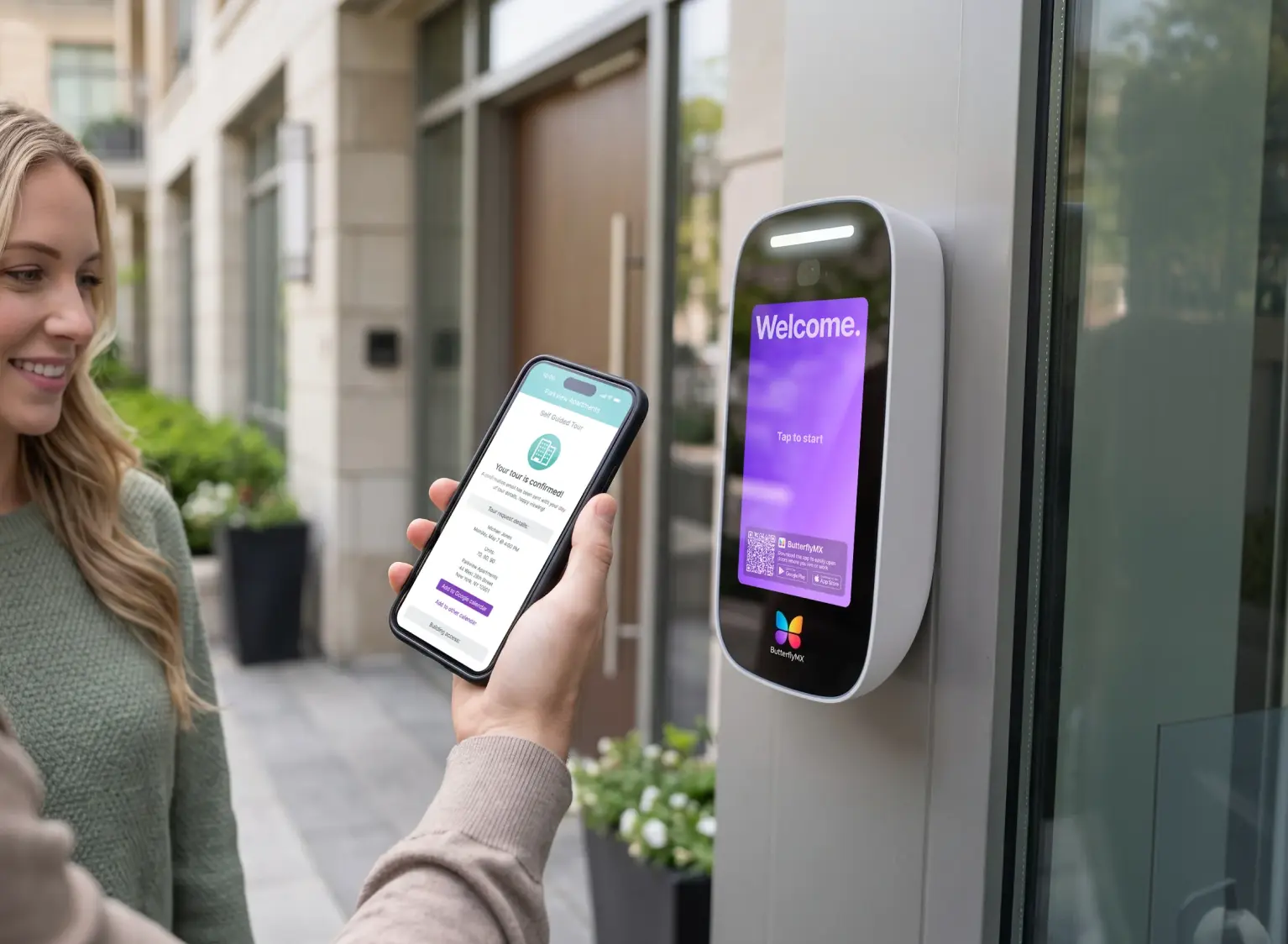
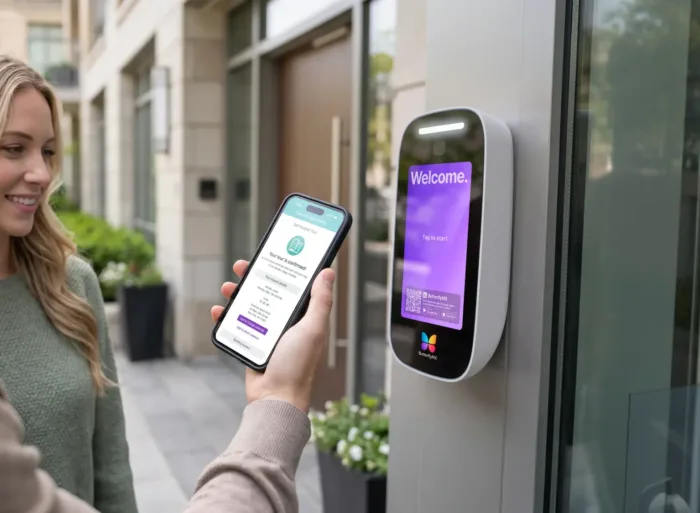
An old apartment buzzer intercom can look simple from the outside, but replacing it is rarely just a front-panel swap. The new system has to call residents, show video, release the door, support deliveries, keep the tenant directory current, and work with the building’s wiring and locking hardware.
To replace a buzzer intercom with a video intercom and mobile app, start with the building itself. Confirm the wiring, door strike or maglock, internet connection, number of entrances, and resident access needs. Then compare mobile-first and hybrid systems, plan the installation, clean up the directory, and decide how visitors, deliveries, staff, and non-smartphone users will get access.
- Assess the existing wiring, entrance hardware, and internet access.
- Decide whether the project is a retrofit, partial replacement, or full replacement.
- Compare mobile-first, hybrid, IP/VoIP, and cellular intercom options.
- Plan installation around entrances, units, directory migration, and resident communication.
- Confirm fallback options for outages and residents who do not rely on smartphones.
- Connect the intercom plan to broader access needs such as package rooms, gates, side doors, or elevators.
The goal is not simply to add video. It is to choose an access setup that fits the property, is manageable for staff, and is practical for residents after launch.
This guide will answer:
- Why replace a buzzer intercom
- Assess your building before you buy
- Choose the right system type for your property
- What to expect during installation
- Features that matter most in a modern video intercom
- Understand the real cost drivers
- Plan for management, resident adoption, and long-term fit
- FAQs
Watch how ButterflyMX works:
Why replace a buzzer intercom
A traditional buzzer intercom or telephone-entry system usually does one thing: it lets a visitor call a resident and request entry. That may still work, but it leaves property teams with familiar problems. Audio-only calls make visitor screening harder, directory updates may require manual changes at the panel, and older POTS-based phone setups can become costly or difficult to maintain as phone infrastructure changes.
A video intercom changes the entry process by adding visual verification at the door. When the system includes mobile app access, residents can often see who is calling, speak with the visitor, and unlock the entrance from their phones. Staff may also be able to update the tenant directory, manage users, and adjust permissions from a cloud dashboard instead of going to the entry panel.
That is why the upgrade is most useful when it solves a real operating problem. If the current buzzer system causes missed deliveries, slow resident turnover updates, limited visitor screening, or frequent directory mistakes, a video intercom upgrade can address those issues while preparing the property for broader access control needs.
It helps to think of the intercom as one part of the entry system, not the whole system. The entry panel places the call. The tenant directory tells visitors who to contact. The mobile app or in-unit device lets the resident answer. The electric strike or maglock releases the door. The admin software controls who can be added, removed, or granted access. Once those pieces are clear, the next question is whether your building can support the upgrade you want.
Assess your building before you buy
Before comparing brands, confirm what the building can actually support. A site assessment shows whether the project can be handled as an intercom retrofit or whether the property needs partial rewiring, new door hardware, or a wider replacement.
Start with the wiring
Older apartment intercom and buzzer systems often use 2-wire or 4-wire cabling between the entrance and the units. In plain terms, those labels describe how many conductors are available to carry power, audio, signaling, or other intercom functions. Some buildings have newer cabling, such as Cat6, which is better suited to IP-based equipment.
But cable count is only part of the answer. An installer has to test the wiring type, condition, path, and compatibility with the new system. In some buildings, relay boards, converters, or other interface hardware can connect new entry equipment to older infrastructure. In others, the old wiring may be damaged, poorly documented, or too limited for the system the property wants.
So, can you reuse existing intercom wiring? Often yes, but only after testing. Reuse can reduce invasive work when the infrastructure is in good condition, but it should never be treated as a promise before a site survey.
Check the door hardware
The intercom does not unlock the door by itself. It sends a release command to the locking hardware, which is often an electric door strike or a maglock. An electric strike works with the latch so the door can open when the strike is triggered. A maglock holds the door closed with magnetic force until the system releases it.
That difference matters because each setup has its own compatibility, power, and installation needs. Your installer should confirm what hardware is already on the door, whether it works reliably, and whether the new intercom can connect to it cleanly. If the strike, maglock, power supply, or door condition is already a problem, the intercom project may need to include door hardware work too.
Confirm connectivity at the entrance
A cloud-based or IP-connected video intercom needs a reliable communication path. In many buildings, that means internet service at the lobby or entrance. In other cases, a cellular-capable intercom may be considered when wired internet is difficult to provide.
Connectivity affects more than installation. It also affects outage behavior, service costs, and the resident experience. Before choosing a system, ask how calls are routed, what happens during a connection loss, and which functions still work through any available fallback method.
Map the full scope
A single front entrance in a small building is very different from a property with multiple lobbies, side doors, package rooms, gated entries, or elevators that need controlled access. Unit count also matters because it can change directory work, onboarding time, and whether in-unit hardware is realistic.
Property type adds another layer. A condo or HOA may need resident approval and more communication before installation. Mixed-use buildings may need to separate residential, commercial, visitor, and delivery traffic. Gated communities need to think about access before a visitor reaches the building. Student housing often needs fast turnover support, while senior living communities may need more flexible options for residents who are less comfortable with app-first access.
By the end of the assessment, you should know whether the project looks like a smart retrofit, a partial replacement, or a larger modernization effort. That answer should guide the system type you compare next.
Choose the right system type for your property
The biggest choice is usually not the brand name on the panel. It is how residents and staff will use the system every day. Most properties should compare mobile-first and hybrid systems first, then consider whether IP/VoIP or cellular architecture affects the final decision.
No table replaces a site assessment, but it does show the central tradeoff. A mobile-first cloud intercom can reduce in-unit work and give property teams more control over directory and access management. That is one reason systems such as ButterflyMX are often considered by managed properties looking for a cloud-based video intercom. A hybrid system may be a better fit when the property wants mobile access but still needs in-unit hardware for resident preference, accessibility planning, or operating reasons.
What a mobile-first system means
A mobile-first intercom routes visitor calls mainly to a resident’s smartphone app instead of relying on an in-unit station. The resident can receive the call, view video if the system supports it, speak with the visitor, and release the door from the app. Administrators usually manage residents, directory information, and permissions through cloud-based software.
This approach can be practical for properties that want fewer in-unit devices and easier remote administration. It can also help buildings with frequent turnover because staff can update access digitally instead of coordinating hardware changes inside every unit. The tradeoff is clear: app-first access needs a plan for residents who do not use smartphones or do not want visitor entry to depend only on an app. Phone-call fallback, in-unit hardware, or other alternate access methods should be part of the evaluation.
What a hybrid system means
A hybrid intercom combines mobile access with in-unit stations, monitors, or handsets. Residents may still use an app, but the building keeps a unit-level device as another way to receive calls or grant entry.
That can be useful when a property wants to preserve familiar behavior from the old intercom, support residents who prefer not to rely on smartphones, or meet expectations in certain housing types. The tradeoff is more equipment. More in-unit hardware can mean more installation coordination, more resident access during the project, and more devices to maintain later.
Where IP/VoIP and cellular systems fit
IP/VoIP intercoms use network-based communication. They may make sense when a property already has strong networking infrastructure or wants a network-based entry architecture. Cellular intercoms can help when wired internet is difficult to bring to the entrance. Neither option is automatically better. The right choice depends on the site, the desired call method, the feature set, and the property’s comfort with each connectivity model.
In practice, the best system is the one that matches resident needs, retrofit feasibility, staff capacity, budget structure, and outage planning. A long feature list matters less if the building cannot support the installation or residents will struggle to use the system after launch.
What to expect during installation
Installation usually moves from final scope confirmation to hardware work, software setup, testing, and resident rollout. The exact timeline varies by building condition, number of entrances, wiring condition, and whether technicians need access to individual units.
- Confirm the final scope. The installer verifies wiring paths, door hardware, mounting conditions, connectivity, and any need for converters, relays, replacement locks, or network work.
- Replace or install the entry panel. This is the visible part of the upgrade. It may include removing the old buzzer panel, preparing the opening, mounting the new equipment, and connecting power, communication lines, and door-release hardware.
- Complete unit-level work if needed. Hybrid systems may require access to apartments, condos, or other units to install or replace handsets, monitors, or stations. A mobile-first retrofit may reduce this work, depending on the system design.
- Configure the software and directory. Staff or the installer adds residents, organizes the tenant directory, sets permissions, and defines visitor or delivery access methods. Directory cleanup is easy to underestimate, but bad resident data can make a good installation feel broken on day one.
- Test entry and communication. Calls should route correctly, video should display as expected, and the door release should work with the installed strike or maglock. Any fallback method should be tested before residents rely on it.
- Communicate with residents and go live. Residents need to know what is changing, when the change happens, whether they need an app, how visitors will call them, and what alternatives exist if they do not use the app.
The main disruption points are entrance work, wiring adjustments, and any unit access required for hybrid equipment. If existing infrastructure can be reused, a retrofit may reduce invasive work, but it does not remove the need for scheduling, notices, directory cleanup, and support during the first days after launch.
That rollout work matters as much as the hardware. A new video intercom can be installed correctly and still frustrate residents if they do not know how to answer calls, if delivery access is unclear, or if the tenant directory is inaccurate.
Features that matter most in a modern video intercom
Video is important, but it should not be the only buying criterion. A useful modern intercom improves how people enter the property, how staff manage access, and how the building handles exceptions such as deliveries, turnover, non-smartphone users, and connectivity problems.
Video calling and mobile app access
A video intercom should help residents identify visitors before granting access. When the system includes a mobile app, residents may be able to receive a visitor call, see video, speak with the visitor, and unlock the entrance from their phones. That is especially useful in apartments, condos, and mixed-use buildings where residents are not always near an in-unit station.
For staff, the related value is control. A cloud-managed system can let authorized administrators update residents, edit the directory, and change permissions without visiting the entrance panel for every change.
Fallback options and non-smartphone support
Not every property is a fit for app-only access. Senior living communities, some HOAs, and buildings with mixed resident preferences may need alternate ways to receive calls or grant access. Depending on the system, those alternatives may include in-unit hardware, phone-based calling, or other non-app methods.
This question belongs in the buying process, not after installation. If the property chooses a mobile-first design, it still needs a clear plan for residents who do not use smartphones, visitors who need help at the entrance, and staff who must support exceptions.
Delivery and visitor access tools
Delivery access is often one of the reasons properties replace older buzzer systems. A modern intercom may support structured access methods such as time-limited credentials, delivery PINs, QR code access, or other approved visitor options. The exact tools vary by system, but the planning question is the same: who needs access, when should they have it, and how much control should the property keep?
This matters in different ways by property type. Multifamily and mixed-use buildings may deal with high package volume. Gated communities may need to control visitors before they reach the building entrance. Student housing may need guest access rules that are easy to update as residents change.
Integration with broader access control
An intercom upgrade can be more valuable when it connects to access control beyond the front door. Access control systems manage readers, credentials, controllers, and permissions so administrators can control access to multiple doors or spaces from a shared management process.
That is where buyers should think beyond the lobby panel. If the property expects to manage side entrances, package rooms, elevators, gates, or staff-only areas, integration may matter more than a small difference in intercom features. In this context, ButterflyMX fits as a cloud-based video intercom and property access option for managed buildings that want mobile entry, remote administration, and access connections across doors, gates, package rooms, and elevator controls.
Outage behavior and connectivity planning
Internet dependency should be evaluated before purchase. Different intercom architectures behave differently when a connection is interrupted. Some systems may preserve certain local functions or offer alternate calling methods, while others rely more heavily on active connectivity.
The practical question is not simply whether a system is cloud-based or local. Ask what happens to the entrance panel, resident calling, and door release during a network interruption. Then confirm what fallback method the building will use, who manages it, and how residents will learn about it.
Understand the real cost drivers
The cost to replace a buzzer intercom with a video intercom and mobile app depends on scope, not just the device at the entrance. Two buildings can choose similar systems and still have different budgets because the wiring, doors, entrances, and resident needs are different.
- Entry count: More entrances usually mean more hardware, more setup, and more installation labor.
- Wiring reuse: If existing cabling can stay in service, the project may require less labor and material than a job that needs broader rewiring.
- Door hardware condition: A failing strike, maglock, power supply, or door setup can expand the project beyond the intercom panel.
- In-unit hardware: Hybrid systems may add cost because they require devices, coordination, and labor inside units.
- Connectivity work: Extending internet service or networking to the entrance can add scope.
- Software or service fees: Cloud-managed systems often include recurring costs, which should be compared with both upfront hardware costs and any legacy line expenses the old system required.
- Integrations and expansion: Connecting the intercom to side doors, package rooms, gates, or elevator controls can add value, but it can also expand the budget.
A retrofit can cost less than a full replacement when existing wiring and door hardware are reusable. But that is a conditional benefit, not a guarantee. An older property with damaged wiring, unreliable locking hardware, multiple entrances, or complex access needs may require more work than expected.
Buyers should also compare one-time and recurring costs together. A lower upfront hardware choice may create more manual work later. A cloud-managed system may carry software fees but reduce manual directory updates and, in some cases, replace the POTS line expense tied to the legacy intercom it removes.
Plan for management, resident adoption, and long-term fit
A successful upgrade does not end when the panel turns on. The property still has to manage users, update the directory, support residents, and decide how the system will fit daily operations over time.
Directory management and remote administration
Every intercom depends on accurate resident data. If names, unit assignments, phone numbers, or app enrollments are wrong, visitor calls may fail or reach the wrong person. Remote directory management helps staff add, remove, or edit residents without relying on manual updates at the entrance panel.
This is especially important in properties with frequent turnover. Student housing, larger apartment communities, and mixed-use sites often need quick access changes so former occupants lose access promptly and new residents can receive visitors without delay.
Resident onboarding and support
Resident communication should explain what is changing, when it changes, and what each resident needs to do. In a mobile-first deployment, that may include app setup instructions, steps for answering visitor calls, and details about alternate access methods. In a hybrid deployment, it may also include scheduling for unit access and instructions for any in-unit devices.
Adoption planning should match the property. Senior living communities may need simpler instructions and non-app accommodations. HOAs and condos may need more approval and resident communication before work begins. Gated communities may need clear rules for guests, vendors, and recurring service providers before the new system goes live.
Maintenance, vendor support, and long-term flexibility
Intercom buyers often focus on launch and forget the years after installation. Ask what staff can manage internally, what requires installer support, and how future changes will work if the property adds more doors, amenity spaces, package access, or elevator controls. Also ask how dependent the property will be on one vendor’s hardware, software, and service model over time.
Those questions do not automatically rule out any category. They help you judge fit. A system that looks simple at the entrance may be harder to manage later if every resident update or credential change requires too much manual work. A more connected system may be a better match if the property expects to expand access control over time.
For properties that want cloud-based administration and mobile access as part of a broader managed entry strategy, ButterflyMX is one option to evaluate after the building, resident, and long-term management requirements are clear.
Frequently asked questions
Can I reuse my existing intercom wiring for a video intercom upgrade?
Often yes, but only after a site assessment confirms the wiring type, condition, path, and compatibility with the new system. Some buildings can support a retrofit with existing wiring or interface hardware, while others need partial rewiring or a broader replacement.
Do all residents need to download a mobile app?
No, not always. Some systems are app-first, but others offer alternatives such as in-unit hardware, phone-based calling, or other non-smartphone access methods. The right approach depends on resident needs and the property’s support plan.
What happens if the internet goes down?
It depends on the system architecture and fallback setup. Some systems preserve certain local functions or provide alternate calling methods, while others rely more heavily on active connectivity. Buyers should confirm outage behavior before purchase.
Is a retrofit cheaper than full intercom replacement?
It can be cheaper when existing wiring, door hardware, and entrances can be reused. Savings vary by building condition, number of entrances, in-unit hardware needs, installation scope, and ongoing service costs, so compare the full project scope instead of relying on a universal price claim.
Replacing a buzzer intercom with a video intercom and mobile app starts with a practical question: what can your building support? If the wiring, door hardware, connectivity, and resident needs point toward a retrofit, you may be able to modernize access without rebuilding the entire intercom infrastructure. If those conditions are not there, a broader replacement may be the better long-term choice.
The strongest upgrade is the one that fits both the property and the people using it. Compare mobile-first and hybrid systems carefully, plan for deliveries and outages, clean up the tenant directory, and make sure staff can manage the system after launch. Once those requirements are clear, ButterflyMX is one cloud-based option to evaluate for video intercom capability, mobile app access, remote administration, and broader property access connections. See what type of intercom upgrade fits your property.

Get your free quote!
Fill in the form below, and we'll email you right back.
Want a free quote?
Fill in the form below, and we'll email you right back.
You’ll be redirected shortly...