





Key takeaways:
- You can often replace a phone-only apartment intercom without rewiring the whole building, but only after an installer checks the existing wiring, door hardware, power, and connectivity.
- Replacement is usually a better long-term choice when repairs are recurring, parts are hard to source, residents cannot verify visitors, or the property wants mobile access, video, and remote directory management.
- The right replacement depends on the building size, number of entrances, resident needs, accessibility concerns, budget, and whether the property is best served by wired audio, wired video, cloud-based, cellular, mobile-first, or hybrid access.
A phone-only apartment intercom can keep working long after it stops working well. Residents may still be able to buzz in guests, but the system might depend on aging phone service, outdated handsets, hard-to-find parts, and a directory that is tedious to update. When missed visitors, delivery issues, and repeat service calls become normal, repair starts to look less like maintenance and more like delay.
If you need to replace a phone-only apartment intercom system, you often have more than one path. Some buildings can reuse existing wiring or cable pathways. Others need partial rewiring, new door hardware, better network access, or a different system design altogether. The answer depends less on the age of the intercom alone and more on what is behind the wall, how the door releases, and what residents and staff need the new system to do.
This guide walks through the practical decision: what phone-only systems are, when repair still makes sense, which replacement options fit different properties, whether rewiring is likely, what drives cost, and how to plan installation without losing control of the entrance during the cutover.
This guide will answer:
- What is a phone-only apartment intercom system?
- Signs it is time to replace your phone-only intercom
- Repair or replace: how to make the right call
- Modern replacement options for phone-only intercoms
- Can you replace the system without rewiring?
- How much does apartment intercom replacement cost?
- The replacement process: what to expect
- Features to look for in a modern replacement
- Questions to ask before choosing a vendor
- FAQs
Watch how ButterflyMX works:
What is a phone-only apartment intercom system?
A phone-only apartment intercom system is a legacy entry system that lets visitors call residents through telephone lines, in-unit handsets, or basic audio hardware. A visitor uses the entry panel at the door, the system places a call or rings a handset, and the resident presses a button or code to release the door.
Most phone-only systems were built for audio entry, not video verification or app-based access. A typical setup may include an entry panel or door station, in-unit stations or handsets, an amplifier, a power supply, and a door release connected to an electric strike or maglock. Some systems also rely on POTS, or plain old telephone service, while others use internal building wiring to connect residents to the front entrance.
The wiring matters during replacement. Older apartment intercoms may use 2-wire, 4-wire, or 5-wire configurations. Those terms refer to the number of conductors used to carry audio, power, call signals, and door-release functions. They are not just technical trivia. They help determine whether an installer can reuse existing wiring, reuse only the pathways, or must run new cable.ƒ
The biggest limitation is that a phone-only intercom gives residents sound without sight. They usually cannot see who is at the door, managers may need to update directories from the building, and the property may be tied to aging hardware or phone service. That is why many owners look at video intercoms, cloud-managed systems, cellular options, or hybrid systems when the old buzzer is no longer enough.
Signs it is time to replace your phone-only intercom
Replacement is worth considering when the intercom is no longer reliable, serviceable, or aligned with how the property handles access. One broken handset may not justify a full project. A pattern of failures, complaints, and workarounds usually does.
- Residents or staff report frequent entry failures.
- Service calls keep returning to the same panel, wiring, power, or handset issues.
- Replacement parts are difficult to find or require specialty repair.
- Residents cannot visually verify guests before unlocking the door.
- Packages and deliveries are missed because the entry process is inconsistent.
- Directory updates are slow, manual, or limited to onsite changes.
- The property wants mobile access, remote administration, delivery PINs, or access control integration that the current system cannot support.
- The building wants to reduce dependence on legacy telephone-entry hardware or outdated phone service.
Security is often part of the decision, even when the old system still opens the door. Audio-only access puts more judgment on a short voice call. In a busy building with deliveries, vendors, guests, and multiple entrances, residents may buzz someone in without much confidence about who is actually waiting outside.
Resident expectations also change the calculation. A small walk-up with a reliable audio system may be able to keep things simple for a while. A mid-size or large multifamily building may need better visitor handling, faster directory changes, and more control over temporary access. Once the intercom starts shaping daily complaints, replacement becomes an operations decision, not just a technology purchase.
Repair or replace: how to make the right call
Repair makes sense when the problem is isolated and the system still fits the property. Replacement makes more sense when the system is unreliable, hard to maintain, or blocking access features the building now needs.
A targeted repair may be the right move if a button, handset, power supply, or small wiring fault is the clear issue. If the rest of the system is stable, parts are still available, and residents are satisfied with audio-only entry, repairing the existing intercom can buy time while management plans a larger capital project.
Replacement is usually the better path when failures happen across multiple units or entrances, when the system depends on aging telephone infrastructure, or when the property needs features the old design cannot reasonably add. Video verification, mobile visitor calls, cloud-based directory management, delivery access, access control integration, and elevator access rules all change what the intercom must do. At that point, repeated repair may only preserve the problem in a slightly newer form.
When repair may still make sense
- The failure is recent, isolated, and easy to diagnose.
- The system has otherwise been reliable.
- Parts and qualified service are still available.
- The property does not yet need video, mobile access, or remote management.
- The wiring and door hardware are in good condition.
When replacement is usually the better move
- Failures are recurring or affect more than one part of the building.
- The system is tied to phone service the property no longer wants to maintain.
- Residents or staff need better visitor verification.
- Package, vendor, or guest access is creating daily friction.
- Management wants a system that can scale across entrances, users, or properties.
- The property needs to coordinate the intercom with access control, credentials, or elevator permissions where supported.
Cost helps frame the decision, but it should not be the only filter. Broad planning ranges often put minor repairs in the low hundreds of dollars and small-building replacements in the low thousands. Those numbers are useful for context, not for budgeting a real project. The more useful question is whether each repair keeps a fitting system alive or keeps an outdated system limping along.
Modern replacement options for phone-only intercoms
No single replacement type fits every apartment building. The right option depends on what can be reused, how residents should receive visitors, how management wants to update access, and how much change the property is willing to take on.
The table is a shortlist, not a final answer. Two buildings can have the same old telephone entry system and still choose different replacements because their wiring, doors, residents, and management needs are different.
Traditional wired audio replacement
Some owners choose another audio-only wired system because they want the least change possible. This can make sense when residents are comfortable with the current experience and the main issue is failing hardware. The tradeoff is clear: the property may fix reliability without gaining video, app-based entry, remote directory updates, or more flexible visitor access.
Wired video retrofit
A wired video retrofit is attractive when the building has usable wiring or pathways and wants visual visitor verification without a full modernization project. It can feel familiar to residents who still use dedicated hardware, while giving the property a meaningful upgrade from voice-only entry.
The risk is assuming the old wiring will support the new plan. Damaged conductors, poorly documented cable runs, or incompatible architecture can shrink the value of a retrofit. The wiring assessment should happen before the system is chosen, not after the quote is approved.
IP or cloud-based video intercoms
IP or cloud-based video intercoms fit properties that want remote administration, easier directory changes, and a more flexible resident and visitor experience. IP means the system communicates over a data network rather than only through an analog intercom design. Some systems may also use SIP or VoIP concepts for calling. Property managers do not need to become network engineers, but they should know that internet reliability, network access near the entrance, and software administration become part of the decision.
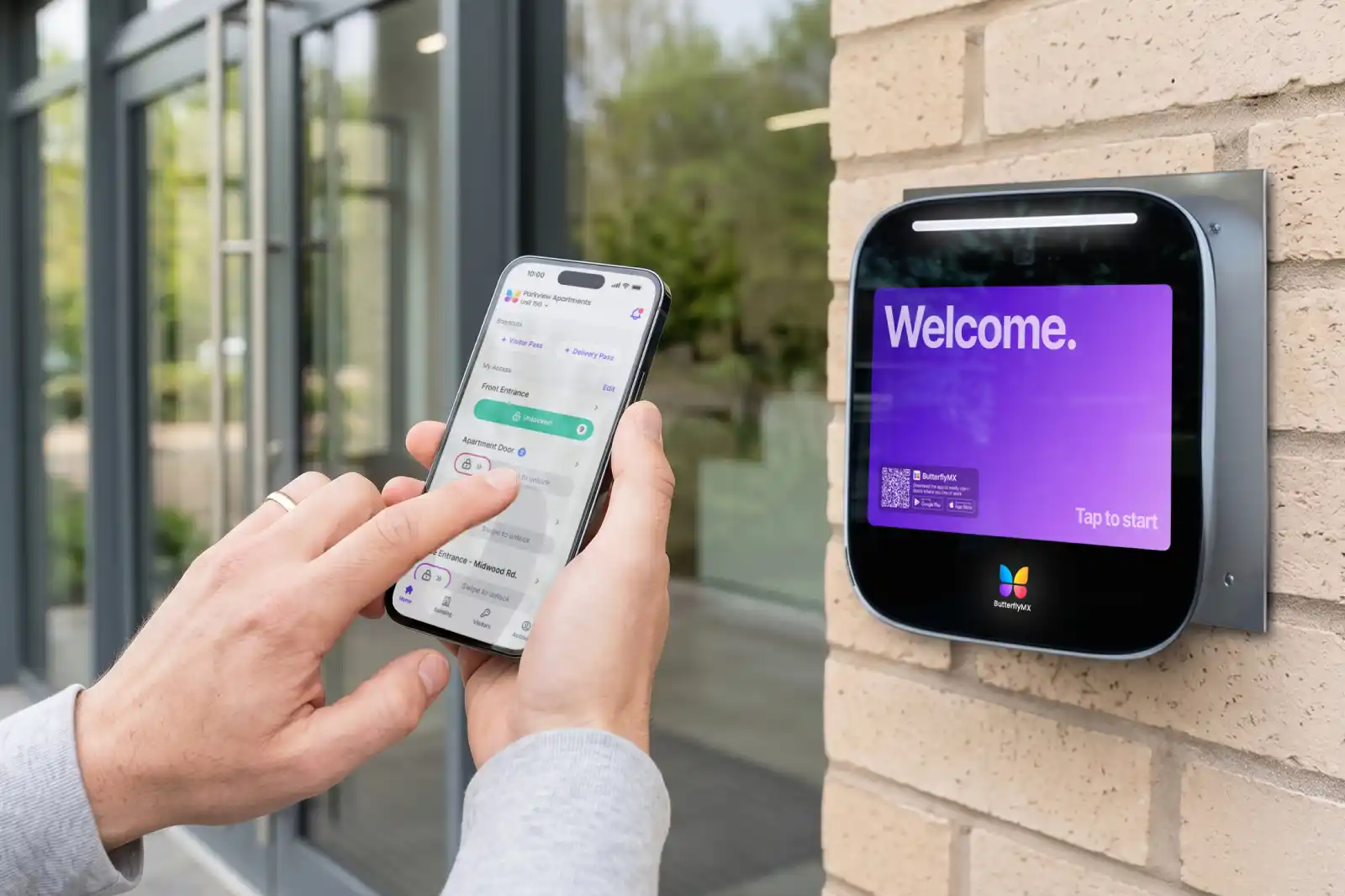
This is where ButterflyMX is naturally relevant. For properties replacing legacy telephone-entry hardware, a cloud-based video intercom can give residents video-based visitor verification and mobile access while giving staff remote tools to manage directories and entry permissions. It can be especially useful when a multifamily team manages several entrances or needs access tools that extend beyond one front door.
Cellular or LTE intercoms
Cellular or LTE intercoms can be useful when getting building internet to an entrance is difficult. LTE uses carrier-based wireless service, so it changes the connectivity requirement rather than removing it. Before choosing this path, the property should confirm signal strength, service costs, and what happens if cellular service is weak or interrupted.
Mobile-first and hybrid systems
Mobile-first systems can simplify visitor calls and resident access in buildings where most residents are comfortable using smartphones. They can also reduce the need for in-unit hardware. But mobile-only should not be treated as the default answer. Senior-oriented communities, mixed resident populations, and buildings with accessibility needs may require another method.
A hybrid system gives the property more flexibility by combining app-based access with other resident options, such as in-unit hardware or alternative credentials. That extra flexibility can add complexity, but it may prevent a rollout that works well for some residents and poorly for others.
Can you replace the system without rewiring?
Often yes, but not always. You may be able to replace a phone-only apartment intercom system without full building rewiring if the existing wiring, cable pathways, door hardware, power, and connectivity can support the new system. An installer needs to confirm that on site.
In this context, a retrofit means reusing some part of the existing infrastructure instead of opening walls and running all-new cable to every unit or entrance. That might mean reusing legacy wire runs, using existing conduit, keeping compatible lock hardware, or replacing the entry panel and directory layer while leaving some supporting infrastructure in place.
What the installer should check
A site assessment should identify the wiring layout, the condition of the conductors, the location of power supplies and amplifiers, how the entry panel connects to resident devices or phone service, and how the door unlocks today. These details decide whether reuse is practical or whether the project needs a deeper rebuild.
The lock hardware deserves special attention. An electric door strike releases the latch so the door can open. A maglock uses magnetic force to keep the door secured until the system changes the lock state. Those two devices have different power and control needs, so the replacement plan should confirm compatibility instead of assuming the new intercom can connect to whatever is already there.
Connectivity also matters. A cloud-based intercom may need reliable internet near the entrance. A cellular model needs reliable carrier service. If the intercom will integrate with access control or other building systems, connection methods such as Wiegand or RS485 may come up during compatibility review. Those terms matter only because they affect whether the new intercom can communicate with the other equipment the property already uses.
When wiring reuse often works
- The existing wiring is in good condition and properly routed.
- The new system is designed for retrofit-friendly installation.
- The project can reuse cable pathways, conduit, or compatible door hardware.
- The property is not trying to force a completely different architecture through unsuitable wiring.
When new wiring may still be needed
- The old wiring is damaged, undocumented, or unreliable.
- The desired video, network, or hardware setup requires a different infrastructure plan.
- Multiple entrances, gates, or remote access points lack a practical connectivity path.
- Door hardware, power requirements, or integration needs expand the scope.
The main takeaway is simple: rewiring is a site-specific question, not a promise that belongs in a sales brochure. Some buildings can upgrade with limited disruption. Others need partial or full rewiring because the original phone-only system was not built for the features the property now wants.
How much does apartment intercom replacement cost?
Apartment intercom replacement cost varies by building size, number of entrances, system type, wiring condition, door hardware, labor, permits, and ongoing software or connectivity fees. A small, single-entrance building with usable wiring is a very different project from a large property with multiple entrances, elevators, gates, and damaged cabling.
As broad planning context, minor intercom repairs are often discussed in the low hundreds of dollars, such as about $150 to $400. Small-building replacements may be discussed in the low thousands, such as roughly $2,200 to $5,000. Treat those as rough orientation only. A real budget needs a site assessment and a quote based on the actual building.
Main cost drivers
- Number of units, entrances, gates, and controlled doors
- Whether the replacement is audio-only, video-based, mobile-first, or hybrid
- Whether existing wiring or pathways can be reused
- Condition and compatibility of the door strike, maglock, power supply, and release hardware
- Network or LTE connectivity needs
- Labor rates, installation complexity, and local permit requirements
- Recurring software, cloud, support, or cellular service costs
Video capability often costs more than a basic audio replacement, but the choice should be weighed against what video changes for the building. If residents can see visitors before granting access and staff can manage users more easily, the value is not just a nicer panel. It is a different entry process.
Retrofit work can also change the cost. Reusing working wiring or pathways may reduce labor compared with a full rewire, but only when the existing infrastructure is suitable. Likewise, moving away from legacy telephone service may remove one recurring expense in some buildings, but newer systems may introduce software, cloud, support, or connectivity fees. Compare total ownership cost, not only the installation invoice.
The replacement process: what to expect
Most intercom replacement projects move through the same basic stages: assessment, system selection, compatibility review, installation planning, cutover, testing, and onboarding. The timeline depends on the building size, the number of entrances, the condition of the wiring, and how many residents or staff members need setup.
- Assess the existing system. Document the wiring type, entry panel, in-unit hardware, power supplies, amplifiers, lock hardware, phone service, connectivity options, and current pain points.
- Choose the replacement category. Decide whether the building needs a simple wired audio replacement, a wired video retrofit, a cloud-based video intercom, a cellular model, a mobile-first system, or a hybrid setup.
- Confirm compatibility. Check the wiring, door strikes, maglocks, power requirements, internet or LTE service, and any access control or elevator-related needs.
- Plan the installation. Decide whether work will be phased, when residents will be notified, and how visitors, deliveries, vendors, and residents will enter during the cutover.
- Install and test the system. Test visitor calling, resident access, directory accuracy, door release, credentials, connectivity, and any supported integrations before launch.
- Onboard residents and staff. Set up users, update directory information, explain visitor access, and train staff on administration and support responsibilities.
Protecting access during the cutover
The entrance still has to be controlled while the old system is being removed and the new one is being installed. Before technicians begin, management should define temporary access procedures. That may mean staffed entry during certain hours, alternate entry instructions, temporary credentials, delivery instructions, or a phased plan that keeps one controlled entrance active.
This matters most in larger apartment buildings, mixed-use properties, and communities with several access points. The intercom is part of the building’s daily security posture. A good replacement plan does not just swap equipment; it keeps residents, approved visitors, and vendors moving without leaving the door unmanaged.
Resident onboarding and directory management
Resident onboarding can make or break the launch. If the property is moving from a phone-only system to a mobile or cloud-managed intercom, residents need to know what changes, what stays the same, and what they must do before the go-live date. Staff need a clean process for directory updates, resident move-ins and move-outs, visitor instructions, and support questions.
Cloud-based directory management can reduce the need for onsite directory changes, which is one reason ButterflyMX may be relevant during replacement planning. If a property wants remote administration and resident setup tools along with new entrance hardware, those capabilities should be discussed before the system is selected.
Permits, accessibility, and life-safety boundaries
Some intercom replacements are simple equipment upgrades. Others involve wiring, door hardware, access rules, or building conditions that may trigger local permit, code, or accessibility review. Requirements vary by municipality and project scope, so the installer and property team should verify what applies locally.
It is also important to separate ordinary intercom replacement from regulated emergency or life-safety communication systems. A new apartment intercom should not be treated as a replacement for fire alarm systems, elevator emergency phones, or other regulated systems outside the intercom and access category.
Features to look for in a modern replacement
The best feature set is the one that matches how the property actually handles entry. A small walk-up may only need reliable visitor calling and a cleaner directory. A large multifamily community may need video verification, mobile access, delivery tools, staff controls, and integration with other access points.
Video verification
Video is one of the clearest upgrades from a phone-only system because it changes what residents know before they unlock the door. Instead of relying on a voice alone, residents can see who is requesting access. That is especially useful in buildings with frequent guests, deliveries, vendors, and service providers.
Mobile visitor call handling and resident access
Mobile access lets residents answer visitor calls and manage entry from a smartphone instead of relying only on a legacy handset or phone-line setup. This can be practical for many properties, but the resident population matters. If some residents cannot or do not want to use smartphones, the system should offer another workable access method.
Cloud-based directory management
Cloud-managed directory tools can make resident updates easier for staff. Instead of editing an old directory at the building, authorized staff may be able to update names, permissions, and calling details remotely. That can matter in properties with frequent move-ins, multiple entrances, or staff who manage more than one building.
Delivery and visitor access tools
Visitors are not only friends and family. Delivery drivers, maintenance vendors, dog walkers, cleaners, and temporary contractors all create access decisions. Modern systems may support tools such as app-based approval, visitor credentials, or delivery PINs. The property should decide who gets access, how long access lasts, and how exceptions are handled before launch.
Integrations with other building access tools
Some properties only need the intercom to control the front door. Others want it to coordinate with access control, resident credentials, package areas, gates, or elevator access rules where supported. Integration can make administration easier, but it also requires better planning around permissions, compatibility, and support.
ButterflyMX is a relevant option for properties that want a modern video intercom with mobile access, visitor access tools, remote management, and broader access integrations. It should be evaluated in that context: as a modern alternative to legacy telephone-entry hardware for buildings whose access needs now go beyond basic audio calling.
Questions to ask before choosing a vendor
Price matters, but the lowest quote can be expensive if it ignores wiring, resident fit, door hardware, connectivity, or support. A good vendor conversation should make the replacement clearer, not just cheaper.
- What type of site assessment do you perform before quoting the project?
- Can the system reuse existing wiring, conduit, or cable pathways?
- Will the current door strike, maglock, power supply, or release hardware remain in place?
- What internet or cellular service does the system require?
- How does the system handle outages or weak connectivity?
- What options exist for residents who do not use smartphones?
- How are directories updated, and who manages resident onboarding?
- Can the system support multiple entrances, mixed-use access rules, gates, or elevator-related permissions where needed?
- What happens during installation to keep the building secure and accessible?
- What support, maintenance, software, or service fees should the property expect after installation?
Match the recommendation to the property type
Ask vendors for examples that resemble your building. A small walk-up may prioritize a simple, low-disruption replacement. A mid-size property may care more about visitors and deliveries. A large apartment complex may need centralized management across many entrances. A mixed-use building may need different access rules for residents, retail tenants, staff, and vendors. A senior-oriented community may need more hardware-based or non-smartphone options.
The best vendor recommendation should account for those differences. It should explain what the system does, what it depends on, what it will cost to operate, and what tradeoffs the property is accepting. If a proposal skips over those questions, keep asking before you commit.
Frequently asked questions
Do I need internet for a smart intercom system?
Often, yes, but it depends on the system. Many cloud-based and app-based intercoms need internet connectivity, while some cellular intercoms use LTE service instead. Ask how the system handles outages, weak connections, and backup access procedures before choosing a replacement.
What if some tenants do not have smartphones?
They do not always need smartphones. Some properties choose hybrid systems, in-unit hardware, or alternative credentials so residents can still receive visitors without relying only on an app. This should be part of system selection from the start, especially in buildings with accessibility concerns or mixed resident needs.
How do deliveries get in with a new system?
Delivery access depends on the system and the property’s rules. A building may use resident call approval, managed visitor credentials, or delivery PINs. The safest approach is to make authorized deliveries easier without giving broader or longer access than the property intends.
Do I need permits to replace my intercom?
Possibly. Permit needs vary by municipality, wiring changes, door-hardware work, and project scope. Your installer should help identify likely requirements, but the property should verify local rules instead of assuming every intercom swap is treated the same way.
Replacing a phone-only apartment intercom starts with a clear look at what the building has today: wiring, door hardware, power, connectivity, resident needs, and management goals. From there, the right choice becomes easier to see. Some properties only need a reliable audio replacement. Others are ready for video, mobile access, cloud directory management, delivery tools, and broader access control planning.
ButterflyMX is a natural option to evaluate when a property wants to move beyond legacy telephone-entry hardware and toward video intercom access, mobile entry, remote administration, and visitor access tools. Request a site assessment to confirm your wiring, hardware compatibility, and upgrade options before choosing your replacement path.

Get your free quote!
Fill in the form below, and we'll email you right back.
Want a free quote?
Fill in the form below, and we'll email you right back.
You’ll be redirected shortly...