





Key takeaways:
- Replacing a POTS line with an intercom plan is an access decision, not just a phone-service change, because a failed line can affect visitor calls, gate access, deliveries, and staff response.
- Cellular gateways, POTS-in-a-Box devices, VoIP, and analog telephone adapters can extend the life of some legacy telephone entry systems, but they often keep the same audio-only limits.
- A cloud video intercom can move the entrance away from traditional POTS lines while adding smartphone access, video calling, remote directory updates, and delivery access tools.
When a lobby intercom or gate call box still depends on a copper phone line, replacing that line can quickly become more complicated than swapping one telecom service for another. The line may be what lets visitors call residents, what lets a resident press a key to open the gate, or what keeps staff from handling access manually every time someone arrives.
The practical answer is that retiring a POTS line in favor of an intercom plan usually means choosing one of several paths: keep the legacy line for now, connect the existing telephone entry system to a cellular gateway or POTS-in-a-Box device, use VoIP with an analog telephone adapter, route calls through a cloud phone system, or replace the old entrance hardware with a cloud video intercom. The right choice depends on whether you’re trying to preserve a working system or use the POTS replacement project as a reason to modernize access.
That distinction matters. A retrofit may restore dial tone without improving the resident directory, visitor verification, delivery access, or remote management. A full intercom upgrade changes more of the entrance experience, but it also requires a different installation and budgeting conversation. Before canceling any line, property teams should know what the line supports, whether any life-safety equipment is involved, and whether the current intercom is still worth maintaining.
This guide will answer:
- What is a POTS line, and why do intercoms still use one?
- Why property teams are replacing POTS lines now
- Main options for replacing a POTS line for an intercom
- How cloud video intercoms eliminate POTS dependency
- POTS replacement options compared
- Steps to replace your intercom POTS line
- How to decide whether to patch or upgrade
- FAQs
What is a POTS line, and why do intercoms still use one?
A POTS line, short for Plain Old Telephone Service, is a traditional analog phone line delivered over copper telephone infrastructure and connected to the Public Switched Telephone Network, or PSTN. Older telephone entry systems were built around that infrastructure. When a visitor selects a resident from the intercom directory, the system places a regular phone call from the entrance.
At a multifamily lobby, that might be an audio-only panel mounted near the front door. At a gated community, it might be a call box on a pedestal near the driveway. If the resident answers, they may press a key on their phone to release the door or gate through the intercom’s relay.
That setup is different from an internet-connected access control system, a cellular intercom, or a cloud-based intercom. The legacy system may still power on, display names, and control the strike or gate relay, but it depends on the phone line to complete the call. If the copper line fails, becomes too expensive, or is discontinued in that market, the entrance can lose a core function.
Some properties also have analog lines connected to fire alarm communicators, elevator emergency phones, alarm panels, or fax machines. Those lines shouldn’t be grouped casually with an ordinary visitor intercom. Fire alarm and elevator phone requirements can involve separate codes, local authority guidance, and licensed professionals.
Why property teams are replacing POTS lines now
POTS line replacement has become more urgent as major carriers retire or reduce support for copper infrastructure in many areas. Carrier activity varies by market, and there isn’t one universal shutoff date for every property. Still, providers such as AT&T, Verizon, Lumen, and Frontier often appear in conversations about copper retirement, service changes, and discontinuance notices.
Cost is usually what brings the issue to the surface. Owners and managers review old analog phone bills, find individual lines with unclear labels, and realize no one is completely sure which line supports which device. Some industry sources report high monthly charges for POTS lines, and some replacement vendors promote substantial savings, but those numbers should be checked against your own invoices before they drive a budget decision.
The bigger risk is access disruption. If the line tied to a building intercom stops working, visitors may not be able to call residents from the lobby. At a vehicle gate, guests may wait while staff find a manual workaround. Across a portfolio, poorly documented analog lines can linger on telecom bills because canceling the wrong one might break a system that still matters.
So the first question isn’t simply how to recreate dial tone. It’s what the entrance needs to do for residents, visitors, staff, vendors, and delivery drivers once that copper line is no longer the dependable connection.
Main options for replacing a POTS line for an intercom
Keeping legacy POTS service can be a reasonable short-term choice if the line is still available, reliable, and affordable. It preserves the system as-is, which may be enough when the intercom works well and there’s no immediate carrier deadline. The tradeoff is that nothing about the entrance improves, and the property remains exposed to future copper-line issues.
A cellular gateway or POTS-in-a-Box device takes a different approach. Instead of replacing the intercom, it helps some analog equipment communicate over LTE or 5G cellular service. For a working telephone entry system, that can be a useful bridge because it may preserve the panel, resident directory, and release function. But the visitor experience usually remains familiar: a phone call from an older, often audio-only intercom.
VoIP, or Voice over IP, can also reduce reliance on the traditional PSTN. In some configurations, an analog telephone adapter, or ATA, connects older phone-line equipment to an internet-based voice service. Compatibility matters here. Call quality, network reliability, power backup, and door-release tones all need to be tested before the property disconnects the old line.
Cloud phone routing may help commercial buildings or organizations that are already standardizing phone service. It can be useful for voice routing, but it doesn’t necessarily solve the entrance hardware, resident directory, delivery access, or visitor verification problem.
The most different option is a cloud video intercom. Instead of preserving the legacy telephone entry system, it replaces the entrance experience with one built for smartphone calls, video, remote management, and controlled visitor access. That makes it a broader access-control decision, not just a telecom retrofit.
How cloud video intercoms eliminate POTS dependency
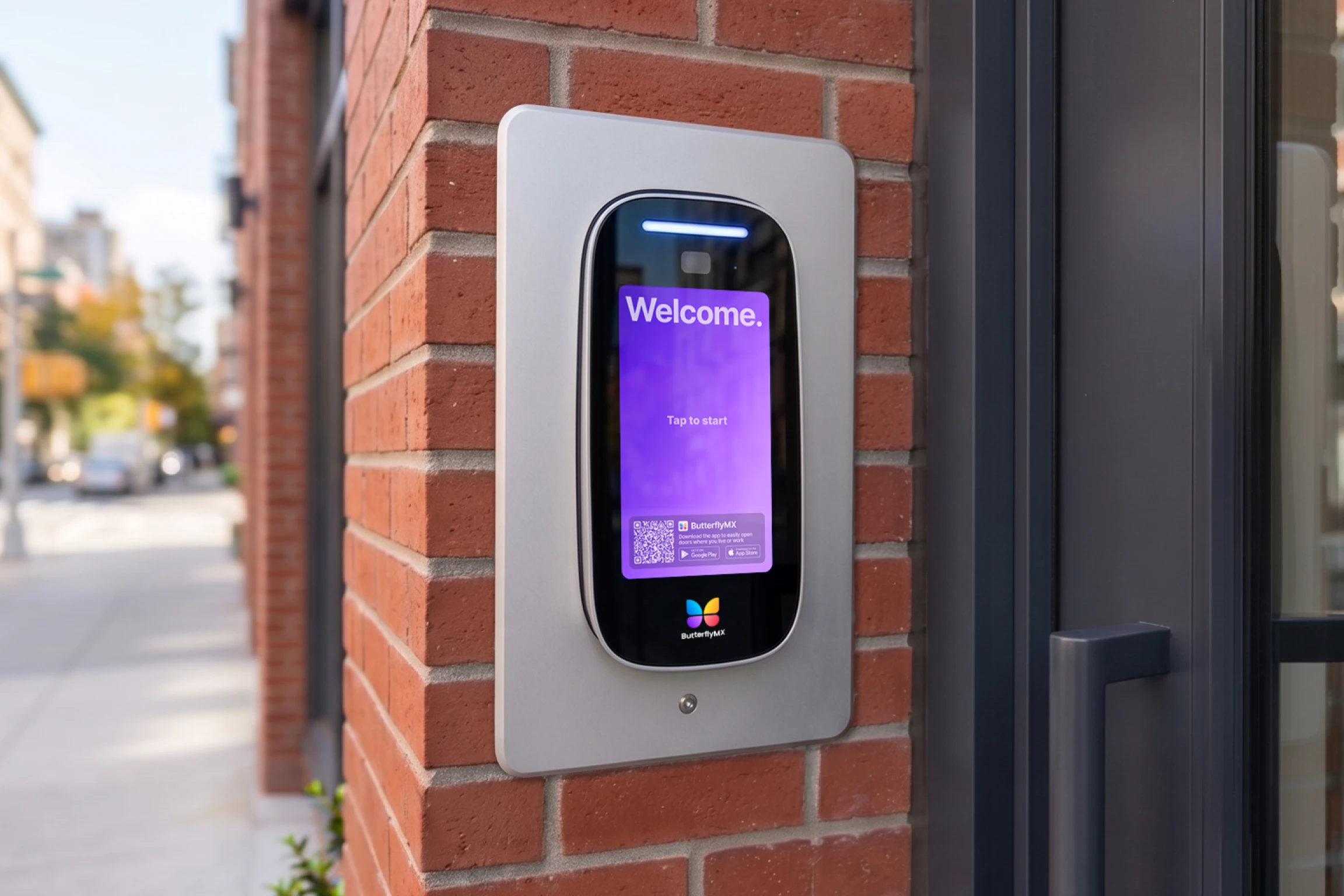
ButterflyMX video intercoms don’t rely on traditional POTS telephone lines. For a property with an aging telephone entry system, that means the entrance can move away from copper-line dependency rather than trying to keep the same analog calling setup alive through a different connection.
The difference is easy to see in daily use. A resident can receive a visitor call on a smartphone and grant access remotely when appropriate. Video calling gives the resident more context than an audio-only call from a lobby panel. Staff can update resident directories and access permissions remotely, which is especially useful during turnover or when one team supports multiple buildings.
Modern access also includes more than visitor calls. Properties may need Delivery PINs, Visitor Passes, package rooms, vehicle access, and controlled access for shared spaces such as parking areas or amenities. A phone-line replacement alone usually can’t add those capabilities because the old intercom was built around one task: dialing someone from the entrance.
That doesn’t make every retrofit a bad idea. If the existing intercom is compatible, reliable, and still meeting residents’ needs, a cellular gateway or ATA may buy useful time. But when the system is hard to update, audio-only, unreliable, or poorly suited to deliveries, the POTS replacement project is a natural moment to evaluate the full access experience.
Discover how ButterflyMX works:
POTS replacement options compared
Use the comparison below as a decision aid, not a universal recommendation. Costs, compatibility, carrier availability, installation scope, software needs, and local requirements all vary. Life-safety lines, including fire alarm communicators and elevator emergency phones, should be reviewed separately by qualified professionals.
- Legacy POTS service: Keeps the traditional copper line and legacy hardware. It may preserve short-term continuity, but it still depends on carrier copper infrastructure and usually leaves old directory, audio-only, and delivery limitations in place.
- Cellular gateway or POTS-in-a-Box: Replaces the copper path for some analog devices using LTE or 5G cellular service. It can be a practical retrofit when the intercom hardware still works, but it may not improve resident calling, remote management, or package access.
- VoIP or ATA solution: Uses internet-based voice service, sometimes with an analog telephone adapter. This can work for compatible telephone entry systems, but call quality, power, network reliability, and door-release signaling need to be verified.
- Cloud phone system routing: May help buildings standardize voice service. It can improve routing in some cases, but it may not solve the intercom hardware, video, directory, or access-control problem.
- Cloud-based video intercom: Replaces the old telephone entry experience with a cloud-connected access system. It’s often better suited to properties that want smartphone building access, video calls, remote directory management, Visitor Passes, Delivery PINs, package access, and multi-entrance control.
The clearest tradeoff is preservation versus modernization. A retrofit tries to keep the existing intercom useful. A cloud video intercom treats the POTS replacement as part of a larger multifamily intercom upgrade, gate intercom upgrade, or commercial building access decision.
Steps to replace your intercom POTS line
Start with a line audit before ordering equipment or canceling service. List each phone number, property, carrier, monthly cost, connected device, and person responsible for the system. If a line is unlabeled, test it carefully instead of assuming it’s unused.
- Identify what the line supports. Confirm whether it connects to a visitor intercom, gate call box, fire alarm communicator, elevator phone, alarm panel, fax machine, or another analog device.
- Separate ordinary access from life-safety systems. Fire alarm lines, elevator emergency phones, and other regulated systems may involve NFPA 72, elevator code requirements, local AHJ guidance, and licensed service providers.
- Evaluate the current entrance. Review the resident directory, call quality, gate or door release, delivery access, staff update process, multi-entrance needs, and resident complaints.
- Choose the replacement path. Decide whether a cellular gateway, POTS-in-a-Box device, VoIP intercom approach, cloud phone setup, or cloud video intercom best fits the property.
- Install and test before decommissioning. Test visitor calls, access permissions, door or gate release, backup power, failover if applicable, and resident instructions before canceling the POTS line.
This process helps prevent a common mistake: reducing the telecom bill while accidentally breaking access. It also shows whether you’re dealing with one aging line or a broader legacy intercom modernization project.
How to decide whether to patch or upgrade
A patch often makes sense when the telephone entry system is reliable, residents understand it, the budget is tight, or a larger access-control project is already planned for later. In that situation, a cellular gateway or ATA can buy time while the property gathers bids, reviews carrier notices, or plans capital improvements.
An upgrade deserves attention when the system is audio-only, difficult to program, unreliable, unattractive at the entrance, or unable to support how people actually use the property. Multifamily buildings may need remote directory updates during resident turnover. Gated communities may need better visitor and vehicle access. Commercial and mixed-use properties may need different access permissions for tenants, vendors, staff, and deliveries.
Compare the full decision, not just the monthly line item. A telecom retrofit may lower or stabilize phone-service costs, but it may leave staff with on-site programming, manual delivery coordination, and limited visitor verification. A cloud-based access control system requires its own installation and software budget, but it can address the entrance itself rather than only the phone connection.
The best path depends on the condition of the hardware, the urgency of the carrier change, the property’s access patterns, and the long-term plan. If the intercom is already a source of friction, replacing the POTS line may be the right moment to replace the system that depends on it.
FAQs
How much does it cost to replace a POTS line for an intercom?
Costs depend on the carrier, region, device, installation scope, and replacement path. Review your current invoices, then compare recurring service fees, retrofit hardware, installation labor, software, and any network or backup-power needs. Avoid relying on broad savings claims unless they’re supported by your own numbers.
Can I use a cellular gateway with my existing telephone entry system?
Yes, in some cases. A cellular gateway or POTS-in-a-Box device can let compatible legacy analog equipment place calls without a copper phone line. Before installing one, confirm intercom compatibility, cellular signal strength, carrier coverage, backup power, and any applicable code requirements.
What’s the difference between POTS-in-a-Box and a video intercom?
POTS-in-a-Box is typically a telecom retrofit that helps older analog devices communicate over a non-copper path, often cellular. A cloud video intercom replaces the legacy entrance experience with video calling, smartphone access, remote management, and visitor or delivery access features.
Can a video intercom work without a phone line?
Yes. ButterflyMX video intercoms don’t rely on traditional POTS telephone lines. The property still needs to plan for supported connectivity, installation, permissions, resident rollout, and any related access-control hardware.
Can I disconnect the old POTS line after installing a new intercom?
Only after confirming that the line does not support other systems and that the new setup has been fully tested. Fire alarm communicators, elevator emergency phones, alarms, and other critical systems may have separate requirements that need review by qualified professionals.

Get your free quote!
Fill in the form below, and we'll email you right back.
Want a free quote?
Fill in the form below, and we'll email you right back.
You’ll be redirected shortly...