





Key takeaways:
- A smartphone intercom for property access is more than an app: it combines an entry panel, connectivity, software, resident phone access, and compatible door or gate release hardware.
- Legacy telephone dialers, cellular-only intercoms, and cloud IP video intercoms use different connections, so they differ in video, remote access, fallback behavior, and recurring service needs.
- The best fit depends on the property’s wiring, power, network options, outage plan, credentials, integrations, and total cost, not on smartphone access alone.
People use the phrase smartphone intercom in two ways, and mixing them up can lead to the wrong purchase. For a consumer, it might mean an app that lets two phones talk to each other. For a managed property, it usually means an entry system that sends a call from a door or gate panel to a resident’s phone and, when the system is set up for it, lets that resident grant access.
That second version is the one property teams need to evaluate carefully. A phone can receive a call or run an app, but it can’t unlock a building entrance by itself. The entrance still needs hardware, power, a connection path, release equipment, user management, and a backup plan for the times phones or networks are unavailable. This guide explains those pieces, how the main architectures differ, and how to choose a smartphone intercom for a real apartment property’s intercom system needs rather than a generic feature list.
This guide will answer:
- What is a smartphone intercom?
- How a smartphone intercom works
- Three smartphone intercom architectures
- Can an existing intercom connect to resident phones?
- Benefits, limitations, and fallback access
- What a smartphone intercom costs
- Security, privacy, and access governance
- How to choose for each property and operation
- Where ButterflyMX fits in the category
- FAQs
More than 100K, 5-star ratings!
Video Intercoms
Open doors, gates & garages from anywhere.
QR Code Intercom
Smartphone-based visitor access.
Access Control
Fob, key cards, PINs, and mobile apps.
Security Cameras
Visibility throughout your property.
Vehicle Access
Hands-free access for gates & garages.
Package Room
Receive, store, and manage deliveries.
Smart Locks
Connect to all major brands and models.
Elevator Controls
Unlock key-fobbed elevators for anyone.
Front Desk Station
See all your doors and cameras in one place.
What is a smartphone intercom?
A smartphone intercom is either a phone-to-phone communication app or a property access system that connects a door or gate panel to residents’ phones. In a managed-property setting, the second meaning matters most: a visitor uses entry hardware, the system routes the call, and an authorized resident or staff member may be able to release the door or gate from a phone.
The important distinction is physical control. A standalone intercom app can help people communicate, but it does not provide the entry panel, door-release relay, wiring, power, or access administration needed to control a property entrance. For property access, the smartphone is only one part of the system.
You may also see these systems called mobile phone intercom systems or cell phone intercoms. Those terms describe the resident phone experience, not a single technology. Some systems call a resident phone number. Others use a resident mobile app. Some support video, mobile credentials, and app-based unlocking, while others are audio-focused.
How a smartphone intercom works
A smartphone intercom works by moving a visitor request from the entrance to a resident’s phone, then sending an approved release command back to the entry hardware. The exact connection path depends on the system architecture, but the basic flow is similar.
- A visitor selects a resident or uses the entry panel at a door or gate.
- The panel routes the call through telephone service, a cellular connection, or an internet-based service.
- The resident answers through a standard phone call, a resident mobile app, or another supported phone path.
- The resident verifies the visitor and chooses whether to grant access.
- If access is approved, a compatible door-release relay or gate-control input receives the command and opens the configured entry point.
The main parts are the entry panel, power, connectivity, software or telecom service, the resident phone experience, and compatible door or gate hardware. Access credentials, such as a mobile credential, PIN, fob, or another approved method, may give residents and staff another way to enter without placing a visitor call.
It helps to separate identity from release. A resident can confirm who is at the entrance, but the system can only unlock or open an entry point if the release hardware is connected and configured for that action. A simple way to picture the sequence is: entry panel → telephone, cellular, or network connection → resident phone → authorized release command → door-release relay. Video, cloud software, and an app can be part of that path, but they are not required in every smartphone intercom category.
Watch how ButterflyMX works:
Three smartphone intercom architectures
Most property-access smartphone intercoms fit into three useful categories: legacy telephone dialers, cellular-only systems, and cloud IP video intercoms. These are not rankings. They are a practical way to understand what changes when the connection method changes.
The differences in the table show why the mobile phone feature is only one part of the decision. A legacy telephone entry system typically centers on audio calling. A cellular intercom system may avoid a fixed telephone line, but it depends on cellular coverage and a service plan. A cloud IP video intercom can support two-way audio and video when configured, but it depends on network availability, software, power, and compatible entry hardware.
These distinctions are discussed in a mobile intercom system guide and by intercom and access-control manufacturers. The important point for a property team is not which label sounds newest. It is what the architecture changes: the resident phone experience, whether video is available, how remote access works, what happens during an outage, and which recurring service costs may apply.
Telephone-line-dependent systems also deserve a current infrastructure review. The Federal Communications Commission technology transitions resource, reviewed October 2, 2026, describes the continued modernization away from legacy communications infrastructure. That is a reason to reassess telephone-based intercoms, not a reason to assume one deadline or carrier plan applies to every property.
Before narrowing the list, test each category against the site: available wiring and power, cellular coverage, network reliability, resident calling needs, backup credentials, and the access path that remains available during a disruption. For a broader look at related categories, see this guide to types of intercom systems.
Can an existing intercom connect to resident phones?
Some existing intercoms can be adapted to call resident phones, while others need partial or full replacement. The answer depends on the existing panel, wiring, power, connection options, and door or gate release hardware. In other words, a retrofit is not just a software switch.
A retrofit adapter or retained panel may work when the existing infrastructure is in suitable condition and the property only needs functions that the older equipment can support. But the retained parts can also limit what the property gets. For example, a legacy audio panel may not support the video, app-based access, credential options, or integrations the property wants from a newer system.
Start a retrofit review with these questions:
- Is the existing wiring usable, and is reliable power available at the entry?
- Can the current door or gate release accept the required control input?
- Is telephone service, cellular coverage, or a suitable network connection available at that location?
- Does the entry location require verified weatherproofing or other environmental protection?
- What calling, credential, and backup-access paths will residents, staff, and visitors need?
A site review should also consider the condition of the panel, the number of entrances, directory needs, resident accessibility needs, and how people enter when their phone or the primary connection is unavailable. Readers comparing older calling systems can find additional context in this guide to a door phone intercom.
Benefits, limitations, and fallback access
The clearest benefit of a property-access smartphone intercom is flexibility. When the selected system supports it, residents can answer a visitor call away from an in-unit station and grant access from a phone. Property teams may also be able to manage directories, resident records, visitors, credentials, and access permissions remotely.
Those benefits are useful, but they are not automatic. They depend on the provider, system configuration, installed hardware, and property procedures. A system that places a phone call is not the same as a system that supports video, mobile credentials, remote administration, and app-based unlocking.
Mobile access also needs a backup plan. A dead resident phone, poor resident data service, an entrance internet outage, cellular outage, power loss, and cloud-service interruption are different problems. Each one can affect calling or entry in a different way.
Ask vendors to explain what happens in each failure scenario. The answer may involve voice fallback, backup power, physical credentials, PINs, on-site staff procedures, or another approved access path. Voice fallback means an alternate way to place or receive a call; it is not the same as offline access for authorized entry. Residents who do not have or cannot use a smartphone also need a suitable calling or credential option.
What a smartphone intercom costs
Smartphone intercom cost is site-specific. Architecture, the number and condition of entry points, desired features, installation scope, and existing infrastructure all affect the final price. A property-specific assessment is more useful than a universal price range.
Look at both the initial project and the total cost of ownership. Cost categories can include entry hardware, door or gate compatibility work, power and network work, installation, software, telephone or cellular service, internet connectivity, maintenance, support, and future replacement needs.
The tradeoff is not always simple. A system with a lower upfront hardware cost may rely on a different long-term service model than another option. A telephone-based system, a cellular intercom system, and a cloud IP video intercom can each have different software, telecom, cellular, or support costs. Compare the whole operating model before deciding that one option is less expensive.
If a vendor gives numerical estimates, treat them as dated, vendor-specific illustrations rather than an industry standard. Region, labor, hardware, project scope, network conditions, and the condition of the existing entry system can change the cost substantially.
Security, privacy, and access governance
A smartphone intercom should be evaluated as an access system, not just as a calling tool. The buyer should understand how the system verifies users, controls permissions, records activity, handles software updates, supports account recovery, and protects data in the offered configuration.
Access governance is the day-to-day work of keeping the system accurate. It includes adding and removing residents, assigning administrator roles, revoking credentials, reviewing event records, and managing turnover. Without that operating plan, even a capable intercom can become messy as people move in, move out, change phones, share credentials, or need temporary visitor access.
Use security and privacy questions that vendors can answer specifically:
- How are resident, staff, and administrator permissions created and removed?
- What happens when a phone is lost, a resident moves out, or a credential is shared?
- What activity records are available, who can review them, and how long are they retained?
- How are software updates, support requests, and account recovery handled?
- What information is collected, and who can access it?
If a property is considering facial recognition or another biometric credential, it should get current legal or compliance review before relying on claims about consent, retention, or jurisdiction-specific duties. Avoid broad claims such as fully secure or bank-grade unless a provider supplies precise, current documentation that supports them.
How to choose for each property and operation
Choose a smartphone intercom by defining the property’s operating needs before comparing app screens. A polished mobile app is helpful, but it will not solve a poor fit between the system, the entrance, and the people who use it.
Use these requirements during a site assessment or vendor discussion:
- Decide whether the property needs audio only, video, or both.
- Document how visitor calls, release commands, and authorized entry should work during phone, network, cellular, power, or service disruptions.
- Confirm existing wiring, power, door or gate release compatibility, and available telephone, Ethernet or PoE, Wi-Fi, and cellular paths. These connection types are not interchangeable.
- Identify acceptable credentials and alternative access paths for residents, staff, visitors, vendors, and people without smartphones.
- Review entry location, weather exposure, and verified equipment suitability.
- Define directory, resident-record, and property management integration needs, including how records are added, changed, and removed.
- Compare total cost, including installation, connectivity, support, and recurring software or service charges where applicable.
Property-type questions to ask
Different properties often stress different parts of the system. Multifamily communities may care most about directory accuracy during resident turnover. Gated communities may need a clear visitor process at vehicle entrances. Commercial and mixed-use properties may need tenant roles and administrator permissions that match the building’s operations. Student housing may face frequent credential and directory changes, while senior living communities may need accessible calling options and alternatives for residents who do not use smartphones.
These are planning questions, not universal deployment rules. The right requirement list should be specific enough that a vendor or installer can assess the actual entrances, not just recommend a product category.
Where ButterflyMX fits in the category
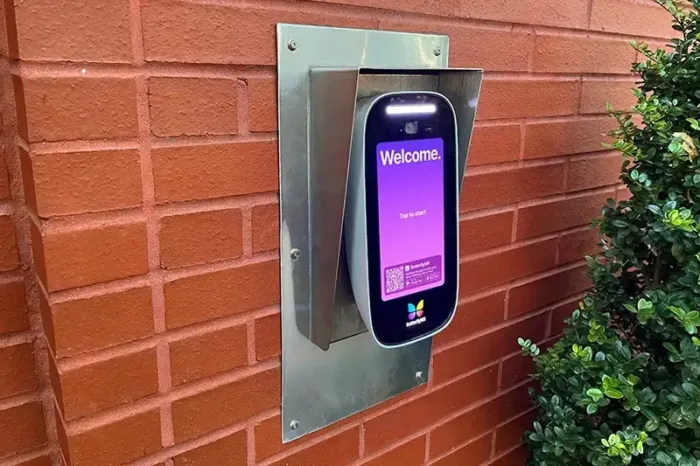
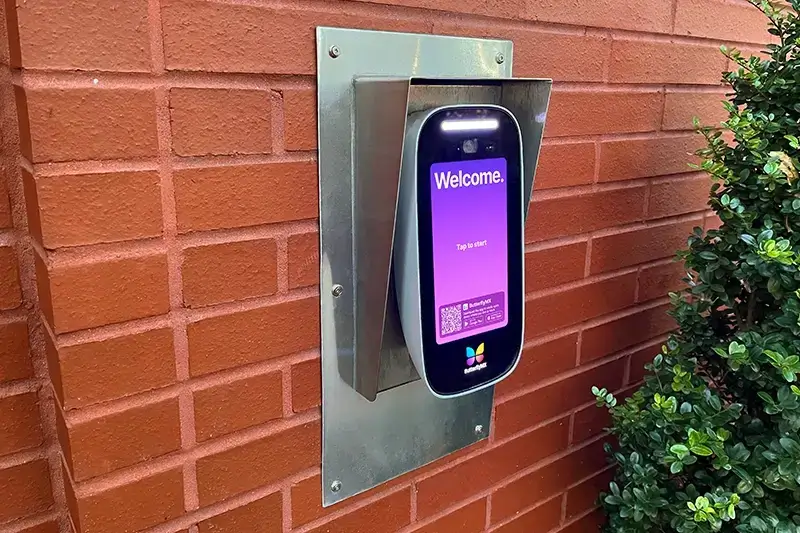
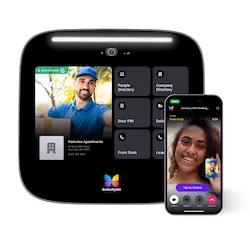
ButterflyMX is one modern cloud IP video intercom option for managed properties. It belongs in the internet-based video intercom category rather than the legacy telephone dialer category. Residents can receive visitor calls and grant access from their smartphones, while property teams can manage access remotely.
That makes ButterflyMX relevant for properties that want smartphone-based visitor access and remote access management. The same site-specific questions still apply, though: entry hardware compatibility, network and power conditions, backup access, credential needs, governance, integrations, and total cost. If you are comparing related options, this guide to a video intercom with a mobile app covers a closely related topic.
After you define your requirements, the next step is a property-specific conversation. Discuss your entrances, resident needs, access procedures, and fallback expectations with ButterflyMX to see whether its available capabilities fit your site.
Frequently asked questions
Does a smartphone intercom need Wi-Fi?
No. Wi-Fi is not universally required. Depending on the architecture, the entrance may use telephone service, cellular service, Ethernet, Wi-Fi, or another supported connection, while the resident phone needs an available calling or data path. Verify the exact network, bandwidth, coverage, and fallback requirements for the selected system and site.
Can you use a phone as an intercom without building hardware?
You can use a phone app for communication, but not as a complete property-access intercom. Controlling a door or gate normally requires compatible entry hardware, power, connectivity, and release equipment.
Do all residents need a smartphone?
No. Properties should evaluate standard calling, alternate credentials, or another approved access path for residents who do not have or cannot use a smartphone. The available alternatives depend on the architecture, provider, property policy, and configuration.
Is voice fallback the same as offline access?
No. Voice fallback is an alternate calling path, while offline or backup access concerns how authorized people enter when a phone, network, service, or power source is unavailable. Ask the provider to document what happens in each failure scenario.
A smartphone intercom is useful only when the full access path works for the property: the entry panel, connection, resident phone experience, release hardware, credentials, administration, and fallback plan. The app matters, but it should not be the only buying criterion.
ButterflyMX is a cloud IP video intercom option for properties that want residents to handle visitor calls and access from smartphones while teams manage access remotely. Discuss your property access needs with ButterflyMX to determine whether that approach fits your entrances, operations, and resident-access requirements.

Get your free quote!
Fill in the form below, and we'll email you right back.
Want a free quote?
Fill in the form below, and we'll email you right back.
You’ll be redirected shortly...