
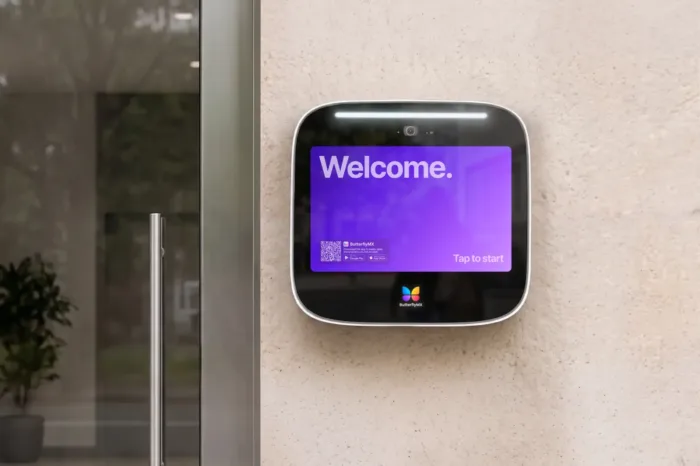





Key takeaways:
- A video intercom system combines visual visitor verification, two-way audio, and controlled door release in one entry process.
- Toronto properties can choose from wired, wireless, IP, and cloud-based systems, but the best fit depends on building layout, wiring, entry count, network readiness, and management needs.
- Modern IP and cloud-based intercoms are often worth evaluating when a property wants smartphone access, remote administration, and a path away from legacy telephone-entry hardware.
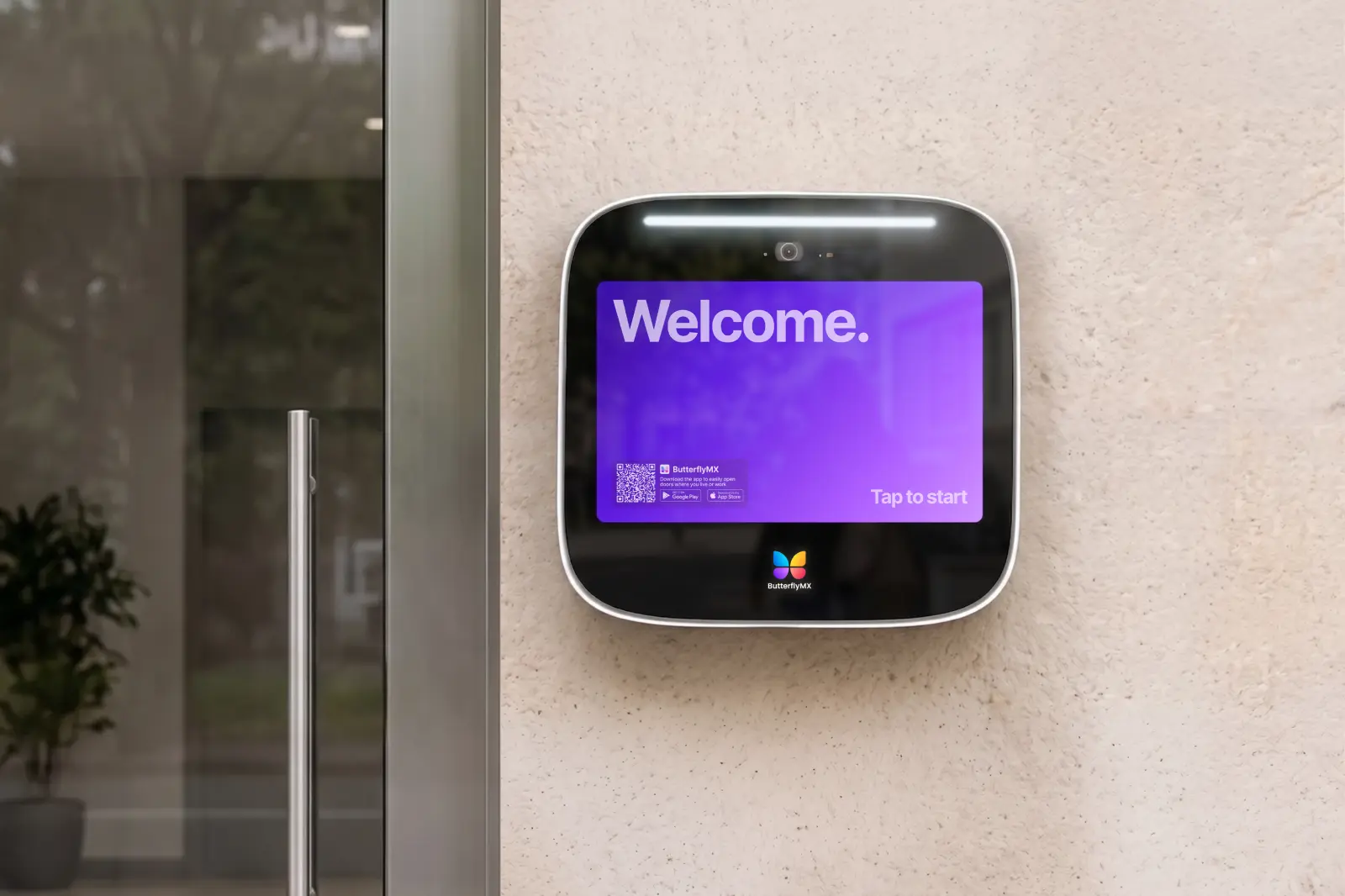
If you’re searching for a video intercom system in Toronto, you’re probably not comparing hardware for fun. You may have an old buzzer that’s hard to manage, a telephone-entry system that no longer fits the building, or a new project that needs a better way to handle visitors, deliveries, staff, and residents at the door.
A video intercom system combines a camera, two-way audio, and door-release control so residents, tenants, or staff can see and speak with a visitor before unlocking the entrance. In Toronto and the GTA, common options include wired, wireless, IP, and cloud-based systems. Each can work well in the right setting, but each comes with different tradeoffs for installation, management, connectivity, and daily use.
The smartest choice is the system that fits the property. A condo board may care about minimizing disruption in occupied units. A rental building may need easy directory updates and mobile answering. A commercial property may need stronger connections to access control. And any exterior installation should be judged against actual hardware ratings, not broad winter-weather promises. Start with how the system works, then compare the options through the lens of your building.
This guide will answer:
- What is a video intercom system?
- Types of video intercom systems
- Key features to look for in a video intercom system
- Which video intercom works best for different property types?
- Replacing old buzzer and telephone-entry systems
- How to choose a video intercom system for your Toronto property
Watch how ButterflyMX works:
What is a video intercom system?
A video intercom system is a door entry system that lets someone inside a property see, speak with, and grant access to a visitor at an entrance. The visitor uses an entry panel or door station to place a call. The resident, tenant, or staff member answers through an indoor monitor, a mobile app, or another supported device, then decides whether to unlock the connected door.
That visual step is the main difference between a video intercom and a traditional audio-only buzzer. A buzzer may let a visitor call a unit and trigger a door release, but the person answering often has to rely on voice alone. A telephone-entry system can still serve some buildings, but it usually follows an older call pattern and may depend on phone-line infrastructure that many properties are trying to move away from.
Most video intercom systems include a few core parts: an entry panel, camera, microphone, speaker, directory or calling interface, power supply, network or wiring connection, and door-release hardware. The intercom may connect to an electric strike or maglock so the conversation at the entrance can lead directly to controlled entry. In plain terms, the intercom handles visitor communication while the connected door hardware performs the unlock action.
That matters in busy Toronto apartment buildings, condos, commercial buildings, and mixed-use properties because entrances rarely serve one simple purpose. The same door may see residents, guests, couriers, contractors, vendors, leasing prospects, staff, and after-hours visitors. Video gives the person answering more context before access is granted.
Types of video intercom systems
Most buyers compare four main categories of video intercom systems: wired, wireless, IP, and cloud-based. These labels are useful, but they are not always separate boxes. A cloud-based intercom is often also an IP intercom because it uses network connectivity. A wired system may still include modern software. The real question is how the system connects, where it is managed, and how well it matches the property.
The table gives a quick comparison, but the best choice still depends on conditions at the property. Wired systems can be dependable, yet a retrofit may become harder if installers need to run new cable through finished spaces. Wireless systems can be attractive when wiring is difficult, but they deserve extra caution in concrete towers, older buildings, or multi-entrance sites where signal paths are not simple. IP and cloud-based systems can add useful management features, but they rely on sound network planning.
Wired video intercoms
A wired intercom uses physical cabling between system components. That can be a good fit when a building already has useful wiring in place or when a new construction project can plan the cabling from the start. Wired systems also appeal to teams that prefer a more familiar, fixed architecture.
The tradeoff is installation complexity. If a Toronto property has old cabling, multiple additions, finished common areas, or several entrances, the wiring plan may drive much of the project scope. A wired intercom is not automatically simpler just because the technology is familiar.
Wireless video intercoms
A wireless video intercom can reduce the amount of cabling needed between devices. That may help in smaller buildings or in retrofits where opening walls would create too much disruption. Wireless flexibility can be useful, but it should not replace proper site planning.
Signal strength depends on the building. Concrete, distance, interference, and enclosed service areas can all affect performance. Before choosing a wireless intercom, property teams should understand where devices will be installed and whether the system can support the real entrance layout.
IP video intercoms
An IP intercom communicates through a network instead of relying only on a traditional point-to-point wiring model. That network connection can make it easier to support remote connectivity, software-based administration, and possible integration with access control systems.
The same network connection also creates a dependency. If the network is unreliable, poorly configured, or not available where the entry panel needs to be installed, the intercom may not perform as expected. For an IP intercom, network readiness is part of the access project, not an afterthought.
Cloud-based video intercoms
A cloud-based intercom typically combines IP connectivity with remote software management. For property teams, that can mean updating a resident directory, adjusting permissions, or helping manage entry without being physically at the front desk or telecom closet. Many cloud-based systems also support smartphone answering, so residents or staff can handle visitor calls from their phones instead of relying only on in-unit monitors.
This is where ButterflyMX fits naturally. ButterflyMX offers a cloud-based, mobile-first approach to property access for multifamily and managed properties that want smartphone-based visitor access, remote administration, and less reliance on traditional POTS-dependent telephone-entry setups. It is not the right answer for every building, but it is a relevant category to evaluate when modernization and remote management are high priorities.
IP vs. wired and cloud-based vs. on-premise
IP vs. wired is mostly a question of connectivity. A traditional wired intercom emphasizes fixed physical connections between components. An IP intercom uses the building network as part of the communication path, which can support more flexible management and integration options.
Cloud-based vs. on-premise is a question of administration. With an on-premise approach, more system management may happen locally. With a cloud-based approach, authorized staff can often manage directories and settings remotely. The right model depends on staffing, building infrastructure, resident expectations, and how much control the property wants to centralize.
Key features to look for in a video intercom system
A long feature list is not the same as a good fit. The features that matter most are the ones that change how people verify visitors, open doors, update users, and manage entrances day to day.
Video quality and two-way audio
Clear video and dependable two-way audio are the foundation of the system. The camera should give users enough detail to identify a visitor before granting access, and the audio should support a normal conversation at the entrance. Night visibility also matters at doors that receive traffic early in the morning, late at night, or during darker winter hours.
Hardware placement is part of this feature. A strong camera can still be less useful if it is mounted at a poor angle or exposed to glare. When reviewing systems, look at the camera, microphone, speaker, and entry panel as installed parts of the building, not just as product specifications.
Mobile access and remote door release
Many modern IP and cloud-based video intercom systems let residents or staff answer calls and release the door from a smartphone. That can be useful in buildings where residents are not always near an indoor station or where staff need to help a vendor, contractor, or visitor while away from a desk.
Still, smartphone control is not universal. Confirm whether mobile answering, remote door release, and user permissions are built into the system you are considering. Also decide whether your property wants a smartphone-first setup, indoor monitors, or a hybrid model that supports both.
ButterflyMX is especially relevant here because its approach centers on smartphone-based entry and visitor access. For managed properties, that can reduce the need for every entry task to happen at one fixed location.
Directory management and visitor activity
In a multi-tenant building, the directory can become one of the most important parts of the intercom. Residents move in and out. Commercial tenants change staff. Condo boards and managers need accurate names, suites, and permissions. If every update requires too much effort, the system becomes harder to keep useful.
Some systems also provide visitor logs or event records. These can help teams review what happened after a missed delivery, an after-hours visit, or a support question. Recording and activity features vary by system, so buyers should ask what is captured, how it is accessed, and how the feature is configured.
Integration with access control
A video intercom often works alongside a broader access control setup. The intercom handles visitor communication at the entrance. Access control may manage credentials, readers, door controllers, gates, staff areas, amenity spaces, or other controlled entries.
If the property already has an access control system, define the connection before choosing an intercom. Ask which doors need to be connected, what the intercom should trigger, and whether the systems share any management tasks. Integration potential varies widely, so it should be confirmed for the specific products and configuration rather than assumed.
Hardware, weather, and power planning
The front-end hardware still matters, even when software features are strong. Review the entry panel design, calling interface, camera location, power requirements, network connection, and door-release hardware such as electric strikes or maglocks.
Toronto weather makes exterior hardware selection especially important. Rain, snow, freeze-thaw cycles, and cold conditions can affect what equipment belongs outdoors. Avoid broad claims that any video intercom works in Canadian winters. Instead, review the actual model specifications, enclosure details, and operating conditions for the equipment being installed.
Power outage behavior also depends on system design and door hardware. The intercom, network equipment, power supply, electric strike, maglock, and any backup power plan can all affect what happens during an outage. Property teams should ask the provider or installer how the full entry setup behaves when power or internet service is interrupted.
Which video intercom works best for different property types?
A small office, a high-rise condo, and a mixed-use building may all need video at the door, but they do not need the same intercom design. The best system depends on traffic patterns, user groups, entry count, staffing, and how often information changes.
Multifamily apartment buildings
An apartment intercom system in Toronto often needs to handle high visitor volume, delivery traffic, resident turnover, and multiple user groups. Mobile answering can be helpful because residents are not always near an in-unit station when a visitor arrives. Remote directory updates can also matter when leasing activity or resident changes are frequent.
For larger multifamily buildings, the entrance plan may extend beyond the front lobby. Side doors, garages, package areas, amenity spaces, and service entries may all affect the intercom and access control design. The more doors and users involved, the more valuable centralized management can become.
Condominiums
A condo intercom in Toronto often needs to balance resident convenience, board priorities, property management needs, and long-term maintainability. Some condo communities may prefer in-suite hardware. Others may want mobile access. Many will need a transition plan that keeps residents informed and limits disruption during installation.
Condo decisions can also take longer because more stakeholders are involved. The system has to make sense technically, but it also has to fit resident expectations and the building’s process for approvals, onboarding, and ongoing management.
Commercial properties
Commercial properties usually have different access patterns than residential buildings. Visitors may arrive during business hours, staff may need scheduled access, and some entrances may connect to reception, tenant suites, loading areas, or restricted zones.
For a commercial intercom, the main question is often how visitor communication fits into the property’s broader access control. A front entrance, employee door, loading dock, and tenant-only area may all need different rules. The intercom should support those rules instead of forcing every entrance into the same pattern.
Mixed-use and multi-entrance buildings
Mixed-use buildings can be more complicated because residential and commercial users may share some entrances while keeping other spaces separate. A visitor going to a resident, a customer going to a business, and a vendor using a service door may all need different access paths.
Multi-entrance properties should look beyond the main lobby station. Side entrances, delivery doors, parking areas, amenity doors, and garage-adjacent entries can all shape the final design. The intercom decision should reflect the whole property, not only the most visible door.
Managed communities and specialized entries
Managed residential communities, gated properties, and sites with warehouse or loading-dock entries may need visitor screening at entrances that are not staffed all day. In those settings, the best system is the one that matches the way traffic actually arrives.
For example, a loading-dock entry may need staff to respond to vendors quickly, while a managed residential gate may need a cleaner process for guests and service providers. The same basic video intercom category can serve both, but the design priorities are different.
Replacing old buzzer and telephone-entry systems
Many Toronto intercom projects start because the current system has become a daily frustration. The directory may be hard to update. Residents may miss calls. Staff may spend too much time helping visitors through the same entrance issue. Or the property may want video verification and mobile access that the old buzzer or telephone-entry system cannot provide.
A legacy system can often be upgraded, but the path depends on what is already in the building. Existing wiring, door hardware, telecom dependencies, internet availability, and the number of entrances all affect whether the project is a simple retrofit, a partial replacement, or a broader access upgrade.
Signs it may be time to upgrade
- The current buzzer or telephone-entry system is difficult to update.
- Residents, tenants, or staff want to see visitors before opening the door.
- The property wants smartphone answering or remote door release.
- The system depends on an older phone-based setup the building no longer wants to maintain.
- Multiple entrances, frequent turnover, or tenant changes have made administration too difficult.
What to assess before choosing a replacement
Start with the physical system. Review the wiring, entry panel location, door hardware, power, and any electric strike or maglock connected to the current setup. Then review the communication path. If the building uses older telephone-entry architecture, look at how calls are placed today and how resident directory data is stored and updated.
Two-wire retrofit systems may be relevant in some buildings because they can sometimes use parts of an existing cabling approach. But that possibility should be checked, not assumed. A building with aging wiring, several additions, or multiple disconnected entrances may need more work than a quick replacement suggests.
A practical upgrade sequence
- Audit the current system, including wiring, door hardware, directory setup, entry points, and telecom dependencies.
- Decide which features the new system must support, such as video calling, smartphone answering, remote management, visitor logs, or access control integration.
- Review infrastructure needs, including network access, power, mounting locations, and retrofit constraints.
- Plan the resident or tenant transition, including directory migration, onboarding, notices, and cutover timing.
- Install and test the new system before fully retiring the old entrance process.
This is another natural point to evaluate ButterflyMX. For buildings that want to move beyond a legacy telephone-entry system tied to traditional POTS-style calling, ButterflyMX represents a cloud-based video intercom category built around smartphone visitor access and remote property administration. The right fit still depends on the property, but modernization projects often place cloud-based systems high on the shortlist.
How to choose a video intercom system for your Toronto property
Choosing a video intercom system is easier when you evaluate the property before comparing brands. Start with the doors, users, and infrastructure. Then decide which features are necessary and which are simply nice to have.
1. Define the property scope
Count the entry points, units, tenants, staff users, and visitor types. A single front door in a small building is a different project from a multi-tower property with side entrances, garages, delivery areas, and shared commercial access points.
2. Review existing infrastructure
Look at wiring, internet or network availability, power, mounting conditions, and current door hardware. This step affects whether a wired, wireless, IP, or cloud-based approach is realistic. It also helps you understand how disruptive installation may be in an occupied property.
3. Decide how calls should be answered
Some properties want indoor monitors. Others want residents and staff to answer from smartphones. Some need both. This decision affects hardware, onboarding, resident expectations, and the way the building handles visitors when staff are away from a desk.
4. Clarify integration needs
If the intercom must work with access control, front desk procedures, controlled gates, amenity doors, or staff-only areas, define that early. Ask what the intercom needs to trigger, what information needs to be managed, and whether the provider can support the specific connection your property requires.
5. Evaluate climate exposure and installation realities
Outdoor entrances in Toronto and the GTA should be reviewed for weather exposure. Confirm hardware ratings and installation details for any panel exposed to rain, snow, wind, or temperature swings. Also plan for resident communication, staff training, directory migration, and temporary disruption during installation.
6. Compare cost through project drivers
Video intercom cost in Toronto varies widely because the scope varies widely. Key cost drivers include the number of doors, number of units or users, hardware choices, wiring conditions, retrofit complexity, network needs, and integration requirements. A single-entry replacement and a multi-entrance upgrade across a large managed property are not the same job.
Questions to ask before you decide
- How many entrances need video calling and door release?
- Will residents or staff answer from indoor stations, smartphones, or both?
- Can the existing wiring support a retrofit, or will new infrastructure be needed?
- Does the property need centralized directory updates and remote administration?
- Will the intercom need to connect with access control or related entry systems?
- How exposed is the hardware to rain, snow, and temperature swings?
- What happens to the intercom and connected lock during a power or network outage?
- How will residents, tenants, or staff be onboarded during the transition?
If your priorities center on mobile access, remote administration, and replacing older phone-based entry methods, ButterflyMX is a serious category to evaluate. If your property is more constrained by wiring, layout, or a preference for local management, another type of intercom may make more sense. The point is not to choose the most advanced label. It is to choose the system that fits the building and the people who use it.
For any provider, be cautious with broad claims about code compliance, standards, winter durability, universal integrations, or savings. If those claims matter to the project, ask for the specific documentation behind them, such as applicable product specifications or standards information.
Frequently asked questions
Can I control a video intercom from my smartphone?
Yes, many modern IP and cloud-based video intercom systems let users receive visitor calls and unlock the door from a smartphone. The exact experience depends on the system, permissions, and configuration, so confirm smartphone answering and remote door release before choosing a product.
What is the difference between IP and wired intercom systems?
An IP intercom uses network-based connectivity, while a traditional wired intercom relies more on fixed physical connections between components. IP systems often support remote management and integration potential, but they also depend on network quality and setup.
How much does a video intercom system cost in Toronto?
Cost varies based on entry count, unit count, wiring conditions, hardware, network needs, door hardware, and integration requirements. A site-specific scope is more useful than a generic price range because a small replacement and a large multi-entrance retrofit can be very different projects.
Do video intercoms work in Canadian winters?
Some video intercoms are designed for outdoor use, but winter suitability depends on the specific hardware, enclosure, installation location, and manufacturer specifications. For exposed Toronto entrances, review the actual equipment ratings instead of relying on general claims about Canadian weather.
The right video intercom system for a Toronto property is the one that matches the building, not the one with the longest feature list. Start with the entrances, users, wiring, network readiness, door hardware, climate exposure, and management needs. Those factors will tell you whether a wired, wireless, IP, or cloud-based system deserves the closest look.
If your property needs smartphone-based visitor access, remote administration, and a cleaner alternative to older telephone-entry hardware, ButterflyMX is worth evaluating. Talk with ButterflyMX about video intercom options for your condo, apartment building, commercial property, or mixed-use site.

Get your free quote!
Fill in the form below, and we'll email you right back.
Want a free quote?
Fill in the form below, and we'll email you right back.
You’ll be redirected shortly...