





Key takeaways:
- Virtual keys let churches provide mobile, temporary, or scheduled access without issuing physical badges to every user.
- Door-specific permissions help separate access for church staff, daycare staff, volunteers, visitors, vendors, and deliveries in shared buildings.
- Access activity and camera-linked events can give your team clearer context when reviewing an incident.
If your church has staff arriving throughout the week, volunteers coming in for events, families using an on-site daycare, and delivery drivers showing up at side doors, access management can quickly become a daily interruption. Physical keys, fobs, and badges are hard to track when different people need access to different doors at different times.
Church access control with visitor passes gives your team a more flexible way to manage entry. Instead of handing out a permanent credential to everyone, you can grant mobile, temporary, or scheduled access to staff, volunteers, visitors, vendors, and delivery drivers based on the door, the time, and the reason for entry.
For churches that share space with a daycare or other ministry programs, that flexibility matters even more. The right system helps you separate permissions, reduce manual coordination, and review access activity when something needs follow-up.
This guide covers:
- How church access control with visitor passes works
- Common church access workflows visitor passes can simplify
- Managing access for a church with an on-site daycare
- Features to look for in church access control with virtual keys
- Improving visibility with access activity and camera clips
- FAQs

How church access control with visitor passes works
Church access control with virtual keys uses digital credentials instead of relying only on physical keys, fobs, or badges. Depending on the system, an approved user may unlock a door with a mobile app, use a temporary PIN, or receive a time-limited Visitor Pass for a specific visit or event.
The main benefit is control. Instead of giving everyone the same type of credential, you can decide who can enter, which doors they can use, and when that access starts and ends. That is especially useful in church settings, where one building often serves many groups across very different schedules.
Why virtual keys are useful for churches
A church rarely has just one type of patron. You may have clergy and administrators entering daily, volunteers arriving on Wednesday evenings, musicians coming in before services, outside vendors making weekday deliveries, and parents accessing a daycare entrance during pickup and drop-off times.
Managing all of that with metal keys or a large stack of badges creates extra work and unnecessary risk. If a volunteer stops serving or a vendor no longer needs access, someone has to track down the credential or decide whether to rekey or reprogram it.
Virtual keys can reduce that burden because permissions can often be updated from one system instead of manually collecting physical items.
What a virtual key can control
In a church environment, a virtual key should support more than simple door unlocks. It should help you manage access by door, schedule, user group, and purpose.
- By door. A staff member may need office access, while a choir volunteer only needs the rehearsal entrance.
- By schedule. A ministry leader may have access every Tuesday night, but not during the rest of the week.
- By user type. Daycare staff, church staff, volunteers, parents, and vendors can each have different permissions.
- By purpose. A visitor coming for a meeting may receive temporary access that expires after the appointment.
That is what makes virtual keys practical for churches. You are not just replacing a badge with a phone. You are creating a clearer, more secure workflow for how people actually use your building.
Common church access workflows visitor passes can simplify
The value of virtual keys becomes clearer when you look at everyday church operations. The question is not just whether someone can unlock a door. It is whether your team can handle common entry needs without constant interruptions or loose credential tracking.
Visitor and event access
Churches regularly host planned visits that do not require permanent credentials. A pastor may have a counseling appointment. A volunteer team may meet after hours. A ministry group may use one wing of the building for a recurring event.
In those cases, temporary access is often a better fit than handing out a key or asking staff to wait by the door.
A Visitor Pass can help your team approve access for a specific time and entry point. For example, a volunteer helping with a Thursday evening food pantry could receive scheduled access to one side entrance during setup and service hours only. A guest speaker could receive a temporary credential for the lobby and green room doors without gaining access to offices or daycare areas.
This approach can also make churches more welcoming. Visitors do not have to guess which door is open, and staff do not need to stop meetings to manually screen visitors and let each person in.
Delivery and vendor access
Deliveries and service calls are another common access challenge. A courier may need to leave packages at a staff entrance. A cleaning vendor may arrive before the office opens. A maintenance contractor may need short-term access to a mechanical room or storage area.
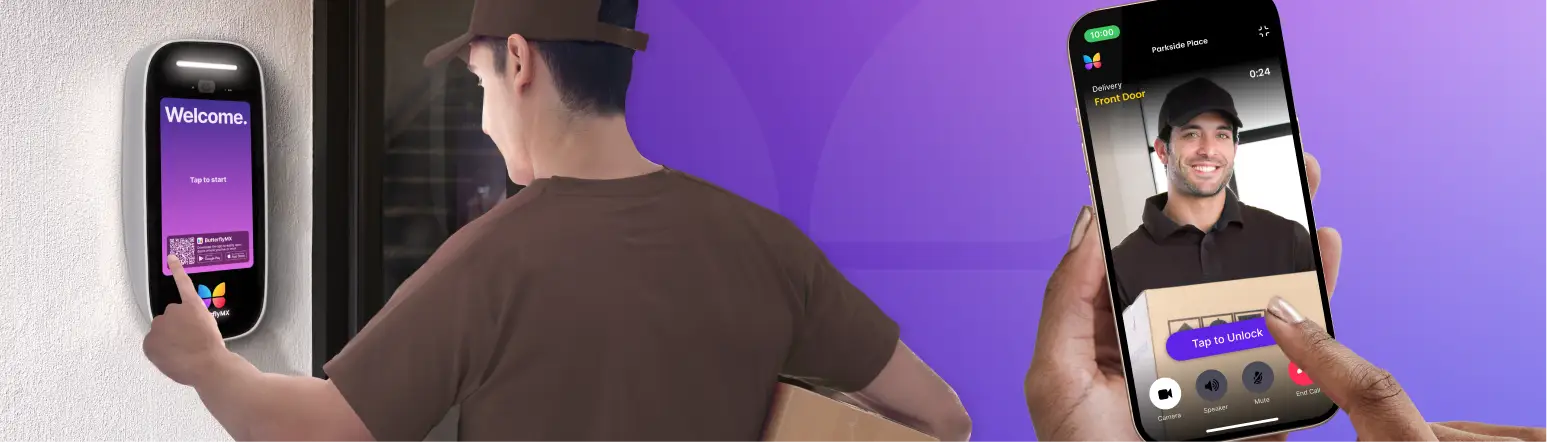
Can churches give temporary delivery PINs to couriers? In many systems, yes. Temporary PINs or delivery passes can give a driver or vendor access to an approved entrance for a limited window. That can reduce the need for someone at the front desk or in the church office to pause their work every time a delivery arrives.
The key is limiting access to the right place and time. A delivery driver should not need all-building credentials. A temporary code for one entrance during one scheduled period is usually a more controlled workflow.
Churches should also think through which doors make sense for deliveries. A side service entrance, office vestibule, or deliveries-only door may be better suited than a family ministry or daycare entrance.
Managing access for a church with an on-site daycare
Shared church and daycare buildings create one of the clearest use cases for virtual-key-based access control. Even when the church and daycare share the same property, they often operate on different schedules, serve different users, and need different access rules.
Separating church and daycare permissions
Can access permissions be separated between a church and an on-site daycare? A flexible system should allow that separation by door, role, group, and schedule.
For example, church staff may need access to offices, the sanctuary, and meeting rooms throughout the week. Daycare staff may need access to classroom entries, parent pickup doors, and staff-only daycare areas during business hours. Parents may need limited access at pickup and drop-off times, but not to church administrative spaces.
Without separated permissions, it is easy to grant broader access than necessary just to keep operations moving. A better setup keeps the building functional while limiting unnecessary access to sensitive areas.
This does not mean every church with a daycare needs a complicated system. It means your access rules should match how the building is actually used.
Using admin roles for shared buildings
Shared buildings also benefit from delegated management. Church leadership may want to control sanctuary, office, and volunteer access, while daycare administrators manage staff and family access for childcare areas.
Admin roles can support that division of responsibility. Instead of routing every access change through one person, the right people can manage the users and doors that apply to their area.
That can be especially helpful during staff turnover, seasonal programming changes, or summer events when access needs shift frequently. It also keeps responsibilities clearer. The church does not need to manage every daycare user, and the daycare does not need visibility into every church access decision.
Features to look for in church access control with virtual keys
If you are comparing systems, focus less on feature lists and more on whether the system matches your building workflows. The right choice for a church should make routine access easier to manage without creating confusion for staff, volunteers, parents, or guests.
Mobile app unlocks and access readers
Mobile app door unlock can work well for church staff, clergy, facilities teams, and recurring volunteers who need approved access without carrying another badge. A staff member arriving early can unlock an office or side entrance from their phone. A facilities lead can access multiple doors without juggling separate keys.
Access readers are also important for doors that need more control than a free-entry schedule provides. You may want readers at staff entrances, daycare doors, private offices, storage rooms, or other spaces that should not stay unlocked all day.
Some properties may also consider dual-sided readers where both entry and exit activity need to be managed or recorded. Whether that makes sense depends on the building layout, operations, and installer recommendations.
Visitor Passes, temporary PINs, and delivery passes
Temporary credentials are one of the most useful parts of a virtual key strategy because they fit the way churches actually operate. Not every person who needs access is a long-term user.
- Visitor Passes. Helpful for meetings, ministry events, and approved guests who need short-term access.
- Temporary PINs. Useful for delivery drivers, vendors, and service providers who need access during a defined time window.
- Scheduled access. Practical for recurring volunteers or program leaders who come in at set times each week.
As you evaluate options, look for systems that let credentials expire automatically and support door-specific permissions. This can reduce manual follow-up and help prevent old access permissions from lingering after an event, volunteer role, or service relationship ends.
It is also worth deciding which doors should be managed with virtual keys first. Many churches start with the office entrance, staff doors, daycare entrances, service entrances, and side doors that often create access bottlenecks.
Improving visibility with access activity and camera clips
Access control is not only about getting the right people in. It is also about giving your team a clearer record of what happened at an entry point when there is a question later.
Syncing door releases with security camera clips
Can door releases be synced with church security camera clips for incident review? In systems that support this type of integration, that connection can be helpful. If a door was unlocked at an unexpected time, your team may be able to review the related access event alongside video from that entry point.
That added context can help with follow-up after a missed delivery, an after-hours entry, or a report that a door was opened when it should not have been. Instead of relying on memory alone, facilities or operations staff can review access history and related video context.
This should be treated as a planning and evaluation point, not an assumption. If video-linked access activity matters to your church, confirm how the system handles event history, camera integrations, and review workflows.
Discover how ButterflyMX works:
How ButterflyMX supports flexible church access
FAQs
How do virtual keys and Visitor Passes work for churches?
They give approved users digital access instead of requiring a permanent physical credential. Depending on the system, a person may unlock a door with a mobile app, use a temporary PIN, or receive a time-limited Visitor Pass for a specific visit or event.
Can churches give temporary delivery PINs to couriers?
Many systems support temporary PINs or limited delivery access for approved entrances. This can help couriers or vendors complete a delivery during a defined time window without needing broad access to the building.
Can a church separate access from an on-site daycare?
Yes. Many access control systems can separate permissions by door, user group, and schedule. That allows church staff, daycare staff, parents, and volunteers to have different access based on the areas they actually need to use.
What doors should a church manage with virtual keys?
Common starting points include office entrances, staff doors, daycare entries, service entrances, and side doors that often require manual unlocks. The right mix depends on your traffic patterns, staffing, and how each area is used.
How can access activity and camera clips help with incident review?
Access history can show when a door was unlocked and by whom, while connected camera footage may provide additional context. That can help your team review unexpected entries, delivery issues, or after-hours activity more efficiently.
Church access control with ButterflyMX Visitor Passes can make it easier to welcome the right people while keeping different areas of your building more controlled. That is especially useful when your church serves multiple groups or shares space with a daycare.
See how ButterflyMX helps churches manage access for staff, visitors, deliveries, and shared spaces. Schedule a demo today.
Get your free quote!
Fill in the form below, and we'll email you right back.
Want a free quote?
Fill in the form below, and we'll email you right back.
You’ll be redirected shortly...