






Key takeaways:
- Choose a team that covers the technology, site assessment, installation and ongoing service, not just a familiar brand.
- Require building-specific confirmation of tenant permissions, equipment reuse and outage behavior before treating those capabilities as proven.
- Compare proposals for the same doors, services and five-year period, with missing responsibilities and costs clearly identified.

Commercial access control companies may build equipment, supply management software, install systems or combine these roles. For your office building, the key is finding a team that can assess the property, install a suitable system and support it afterward.
If you need help evaluating existing equipment, a capable local integrator is a useful starting point. If you already have a platform in mind, its supplier can help you find an installer. Either route should lead to a complete proposal, not just a product recommendation.
This guide explains how to turn shared entrances, tenant access and support needs into selection criteria. You’ll also find a comparison table to help spot missing commitments before you narrow your commercial access control system options to two or three provider teams.
This guide will answer:
- Commercial access control companies: Who should you contact first?
- Turn building needs into provider selection criteria
- Narrow the shortlist by architecture and equipment reuse
- Verify access during outages and subscription changes
- Compare provider responsibilities and proof
- Compare installed cost and five-year scope
- Evaluate documented company examples and finalize the shortlist
Watch how ButterflyMX works:
Commercial access control companies: Who should you contact first?
Start with the work you need done. A local access control integrator can assess existing doors and help evaluate system options. If you’re considering a particular platform, contact its supplier and ask who will handle installation and ongoing service in your area.
To understand what each company offers, separate three roles. An access control manufacturer builds equipment. A platform supplier provides software for managing users and permissions. An integrator, dealer or installer assesses the site and delivers the configured system. As the provider definitions in Gatewise’s guide explain, one business may fill several roles. These labels describe responsibilities, not service quality.
A manufacturer can also be a route to an installer. For example, Avigilon describes supplying hardware and software through certified local installers. That explains a purchasing route; it does not establish a particular installer’s availability or suitability for your office.
Monitoring or managed service is another responsibility to define. Don’t assume it comes with the equipment or software. Ask what the service includes, who provides it and whether it covers remote support, site visits or both.
These companies supply physical access control: systems that control entry through building openings. That differs from network access control for devices connecting to IT networks. Coram’s buyer guide also separates deployment models from credential types. Mobile entry describes how a person requests access, not where system management runs or who maintains it.
ButterflyMX supplies access control products, so we have a commercial interest in this category. This guide compares responsibilities and evidence rather than ranking brands. Apply the same questions to every provider team, including one supplying ButterflyMX.
Turn building needs into provider selection criteria
Shortlist commercial access control providers against your building’s daily needs, not the longest feature list. For an occupied multi-tenant office, that starts with who manages shared entrances, what tenants can control and how employees and visitors enter.
Shared entrances and tenant administration
A shared lobby and tenant-controlled areas create different responsibilities. You may manage building-wide entry while tenant administrators manage their own employees. Before comparing platforms, decide who grants building access, changes tenant permissions and removes access when an employee leaves.
Assign contractor access, too. Someone needs to approve it, set an end date and handle extensions. Expiration settings are useful only when a person is responsible for keeping them accurate.
Ask each supplier to demonstrate the permission boundaries you need. Can a tenant administrator manage the intended people and areas without changing another tenant’s access? A tenant directory does not answer that question. Commercial access control scoping guides treat these boundaries as requirements to confirm, not features to assume.
Use those requirements to separate must-haves from preferences. If your operating model depends on tenant-scoped administration, a demonstration of those limits is a condition for making the shortlist. A polished interface is a preference unless it solves a specific operating problem. This distinction gives you a clear reason to retain or reject a candidate.
Employee and visitor entry
Employees need recurring access on the right schedule. Visitors need a way to reach the appropriate person and receive permission to enter. Ask the provider team to show both processes from start to finish.
Your credential choices affect the work involved. Cards and fobs need issuance, lost-item and deactivation processes. Mobile credentials need suitable phones, onboarding, a lost-phone process and a non-phone fallback. Shared PINs weaken individual accountability because several people can use the same code. These credential-planning considerations help define your needs; they don’t make one method right for everyone.
Include employees, contractors and other users who may need an alternative to phone-based entry. Then name who supplies credentials, trains your administrators and helps people who cannot get in.
For visitors, separate communication from door control. A directory or intercom conversation does not show that every required door can be controlled. Have the team identify the readers, controllers, intercom components and services involved in the complete arrival-to-entry process. The demonstration should reflect your proposed building setup, not just an isolated product feature.
IT capacity and ongoing service
Your staffing affects which system and provider team will be practical. Identify who can maintain software, arrange equipment updates, check system health and attend the property when remote support is not enough. Duties your staff cannot cover need a named service provider and a written scope.
Blue Iron Sentinel’s integrator-selection guidance recommends documented design, an agreed sign-off method, post-installation health monitoring and clear support arrangements. These are useful questions from a commercial integrator, not guarantees of project success. Ask each candidate what is included and what needs a separate agreement.
Bring your decisions into a short requirements statement covering shared and tenant areas, user groups, fallback credentials, administrator boundaries, existing equipment and maintenance ownership. When you need a detailed list of openings, use the guide to scope each door and compare quotes. These requirements give providers a common basis for proposing a system and assessing what can stay.
Narrow the shortlist by architecture and equipment reuse
System architecture determines where management runs and who maintains it. Equipment reuse determines how much work a change will require. Evaluate both against the requirements you’ve established before treating a platform as a practical option.
Cloud-managed, local and on-premises options
Cloud-managed access control uses centrally hosted management. It can reduce the need for an onsite management server and support remote administration, but it usually brings recurring fees. Ask which updates and support services the subscription covers. A hosted platform does not remove every local maintenance task.
License-free local access control is a different model. In 2M Technology’s architecture guide, it relies on local equipment without per-door licensing. Local maintenance still needs an owner. Enterprise server-based on-premises systems also keep management onsite, but add a server-and-software environment with different staffing and cost needs.
Connect these choices to your staff’s capacity. Remote administration may matter if your team cannot attend regularly. A suitable local system may remain practical if dependable local maintenance is available. Ask who handles updates, backups and support under each proposed setup.
Door count alone does not settle the choice. The license-free local model in 2M’s guide differs from the server-based on-premises model in WCC Tech Group’s cost example. Neither source provides a disclosed method that establishes a universal cost winner. Retaining a suitable existing system is also a valid option. For more detail, see the guide to cloud-based access control and operating requirements.
What can stay when you change providers?
Existing equipment may be reusable, but a qualified installer needs to verify its exact compatibility, condition and suitability. Require separate findings for locks, readers, controllers, credentials, wiring and power. The assessment should explain what stays, what changes and how those decisions affect the work and price.
General reuse promises cannot replace that assessment. Coram’s takeover guidance and WCC’s retrofit discussion differ on how often readers and panels can remain. Neither establishes what will work in your building.
For example, an installer might find an existing electrified lock suitable but require a replacement reader or controller. That would not prove that every lock can stay or that existing cards will work with the new reader. Request the documented retained-or-replaced schedule described in the commercial scoping guide; don’t perform compatibility or electrical tests yourself.
Reader communication and credential compatibility
Reader communication is one part of the reuse assessment. The Security Industry Association describes OSDP as an open standard between access control panels and devices such as readers. It supports two-way communication, supervision and AES-128 Secure Channel capability, offering capabilities beyond the legacy Wiegand interface.
Ask whether the proposed reader and controller support the intended setup and whether Secure Channel will be enabled. OSDP support alone does not prove that encrypted communication is active. It also does not establish which cards the reader accepts or the security of the whole system.
These findings help establish a workable design. Next, ask how that design will behave when power, connectivity or another part of the system fails.
Verify access during outages and subscription changes
What happens when a dependency fails?
Access may continue during an internet outage, depending on the system setup, available power and permissions stored locally. An offline access control label cannot answer every failure question. As the commercial scoping guide explains, power loss, local-network failure, internet loss, hosted-service disruption and credential or reader failure need separate answers.
Locally stored, or cached, permissions show why this matters. A controller may use stored permissions while disconnected. But an access removal made elsewhere may not reach it until the connection returns. A revoked credential could remain usable during that gap, depending on the setup.
Have the technology supplier and installer jointly document each failure scenario. Ask which permissions and schedules remain available, when revocations take effect, whether events are stored during the outage and how those records synchronize afterward.
Where appropriate, agree on specialist-run checks you can witness or review. Don’t interrupt power or life-safety systems yourself. Record unanswered questions, including backup battery runtime and behavior when service returns. Access without an internet connection does not prove resilience during power loss.
What changes if the subscription ends?
Subscription lapse, cancellation and exit are contract questions, not technical outages. Following the subscription questions in Coram’s buyer guide, request written terms for credential-based entry, administration and access to credential data. Include recorded video if it is part of the proposed service.
Don’t assume entry will continue or stop when the subscription ends. Get the answer for the specific offer. Name both the company providing the technical explanation and the party responsible under the contract. A product feature becomes useful to your decision only when the team confirms how it applies to your building.
Compare provider responsibilities and proof
Use this table separately with each candidate team. Replace the role descriptions with company names and record the documents or demonstrations provided. It is a request-for-information aid, not a record of verified vendor performance or a compliance score.
The requests combine the reuse and continuity questions above with commercial guidance on architecture and installer vetting, design, sign-off and service, and itemized pricing and support processes. Use the answers to find missing responsibilities, not to predict success by counting completed cells.
Swipe to compare →
Suppose a platform meets your credential needs, but the proposal leaves onsite service unnamed. That is an unresolved team responsibility, not proof that the platform is unsuitable. Require a named service provider and written scope before treating the proposal as complete. An unpriced service is not a zero cost.
Installation approval and security limits
The installation row deserves special attention because controlling entry does not establish safe exit. In its 2021 staff explanation of egress-door operation, NFPA describes the general principle that exiting should not require a key, tool or special knowledge or effort. Permitted locking arrangements depend on conditions such as occupancy. The staff blog is not adopted code text or project approval.
Assign exit design, accessibility questions and applicable approvals to qualified professionals and the authority having jurisdiction, the body responsible for interpreting or approving applicable requirements. Fail-safe and fail-secure describe lock behavior during power loss; neither proves that an exit arrangement complies with code.
Ask for applicable equipment listing and performance-level documents as well. UL Solutions describes UL 294 as an access control system-unit standard with four performance levels. As the commercial scoping guide explains, a listed component does not establish approval of the completed installation.
Set realistic entry-security expectations, too. Authorizing a credential to unlock a door does not establish how many people enter. If tailgating, or someone following another person through an open door, is a concern, make it a requirement to discuss rather than assuming ordinary access control prevents it.
Once these responsibilities and limits are clear, compare the prices attached to the work. A lower total cannot resolve missing installation, approval or service duties.
Compare installed cost and five-year scope
Installed cost versus recurring fees
WCC Tech Group’s 2026 Southern California estimate is $1,500–$4,500 per installed door, including the reader, controller, lock hardware, cabling and labor. It separately estimates about $150–$300 per door annually for cloud licensing. These regional integrator estimates have no disclosed methodology. They are planning context, not national averages or a current offer for your building.
An equipment-only offer and an installed-door estimate do not cover the same work. Annual licensing is also separate from upfront installation. Compare these categories individually, and don’t treat support as included unless the proposal says so.
A scoped five-year example
For 20 doors over five years, the same 2026 Southern California WCC example estimates $51,000–$116,000 for cloud-managed access control and $48,000–$114,000 for server-based on-premises access control. The totals include $15,000–$30,000 in cloud licensing within the cloud estimate and $8,000–$18,000 in server/software costs within the on-premises estimate. The methodology is undisclosed, and on-premises support costs are unspecified.
The overlapping ranges are a reason to examine your staffing, maintenance needs and quoted services, not proof of equal cost or value. This server-based example also does not price the license-free local alternative discussed earlier.
Before comparing five-year ownership costs, resolve these potential exclusions and assumptions from WCC’s scope discussion:
- Lock conversion and permits.
- Credentials and directory integration.
- Administrator training and old-system removal.
- Support, maintenance and onsite service.
- The licensing term and which years the quoted fees cover.
Require the same openings, services and assumptions across candidates. Have exclusions priced or clearly flagged rather than letting them disappear from the comparison. Use the detailed door-scoping and quote-comparison guide to prepare that common scope.
Evaluate documented company examples and finalize the shortlist
Named companies help when they illustrate a documented role or capability. They do not replace a building-specific proposal. The Avigilon manufacturer-and-installer route shows one supply model; local suitability and support still need verification. The ButterflyMX example below shows how to assess product documentation against the same requirements.
ButterflyMX as a cloud-managed product example
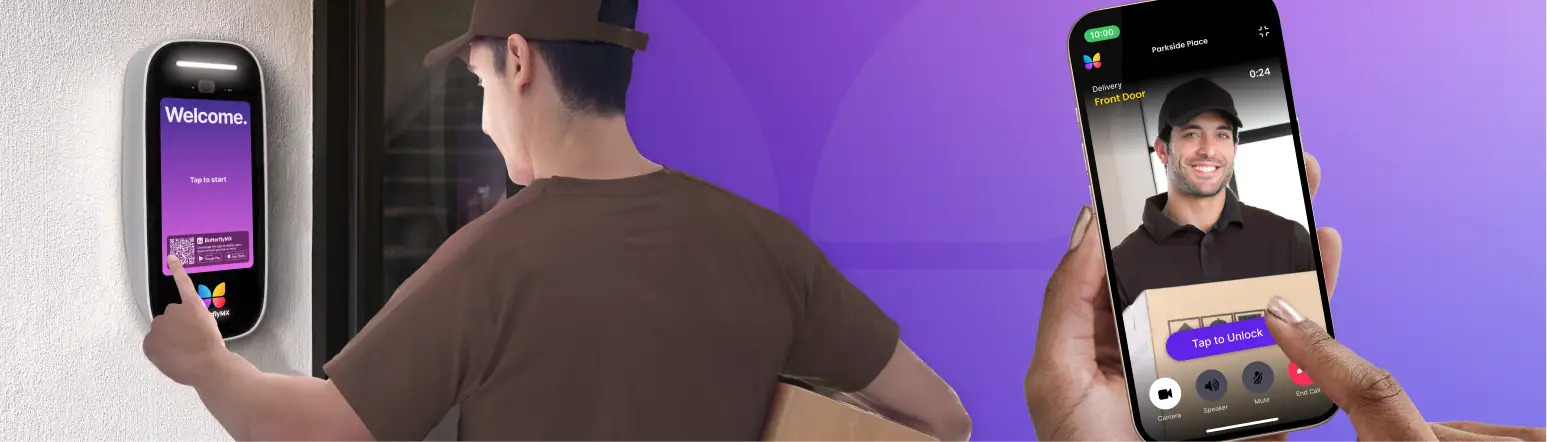
ButterflyMX offers documented access control products for commercial building evaluation. Its product page, describes cloud-based controllers and readers, smartphone, fob, card and PIN entry, and remote permissions. These are manufacturer-documented capabilities, not independent proof of superiority or suitability for every office.
The page also describes video calling, a company-searchable tenant directory and visitor access. Keep those entrance workflows separate from controller and reader functions. Ask which hardware, intercom components and services provide each required process in your proposed installation. Confirm integrations, equipment reuse and administrator permissions for that setup rather than assuming them from the overview.
The page describes offline operation with a backup battery installed. That statement does not establish battery runtime, detailed cached-permission behavior or immediate offline revocation. Request the same written explanation and appropriate checks you would ask of any other candidate.
If these capabilities match your needs, explore the ButterflyMX access controller and reader specifications. Product documentation is a starting point for evaluation, not a completed installation design.
Reduce candidates to two or three provider teams
Use the evidence you’ve gathered to narrow your options:
- Retain teams that can address your common building requirements, including installation and ongoing service.
- Request clarification or a qualified assessment for unresolved must-haves, such as tenant permission limits or equipment compatibility.
- Send the same requirements and responsibility-and-proof requests to two or three candidates.
- Before signing, separate confirmed commitments from assumptions and assessment-dependent items, and resolve missing responsibilities and exclusions.
The goal is an accountable combination of technology supplier, installer and ongoing service provider, not simply a selected brand. With those roles clear, prepare the same door scope for every provider so final proposals describe comparable work.
Frequently asked questions
Can we evaluate providers without committing to a new system?
Yes. A qualified installer can assess your current equipment before you commit to replacement. Keeping it may be suitable if compatibility, condition and required capabilities are verified. Request documented findings for what can stay and what needs replacement, not just a general sales assurance.
Do mobile credentials eliminate the need for cards or fobs?
No. People without suitable phones still need an alternative entry method. Mobile access also needs onboarding and a lost-phone process, just as cards and fobs need issuance and deactivation procedures. Supported phones and fallback methods depend on the selected setup.
Does OSDP support mean encrypted reader communication is enabled?
No. OSDP includes Secure Channel capability, but support for the standard does not prove that Secure Channel is enabled. Ask the installer to confirm the reader-controller setup and active security mode. The protocol alone does not establish credential security or whole-system security.
Does UL 294 listing mean the installation is code compliant?
No. UL 294 addresses access control system units and performance levels. A listed component does not establish approval of the completed installation. Request the applicable equipment documents and have qualified professionals address project-specific requirements and authority review.
Does access control prevent tailgating through a shared entrance?
Credential-based unlocking does not establish how many people pass through an open door. If your building needs additional entry enforcement, discuss that requirement with the provider team rather than assuming ordinary door control includes it.
Choosing among commercial access control companies means choosing who will be responsible for your building, not just selecting a brand. Define how entry and administration must work, then identify who will assess, install and support the system.
Send the same requirements to two or three provider teams. Resolve missing must-have commitments, service responsibilities and exclusions before comparing final prices. Your next step is to prepare the same door scope for every provider.
Get your free quote!
Fill in the form below, and we'll email you right back.
Want a free quote?
Fill in the form below, and we'll email you right back.
Redirecting you in 5 seconds.