





Key takeaways:
- The best cloud-based access control system is the one that fits your property type, entry points, users, integrations, outage needs, and budget model.
- Cloud and ACaaS models can make remote access management easier, but they also add recurring software or service costs that should be compared against total lifecycle cost.
- Security standards, offline operation, backup power, and hardware compatibility all need product- and site-specific review before you buy.
The best cloud-based access control system is not the same for every property. A condo building managing residents and guests needs something different from a gated community handling vehicle entry, or a mixed-use building with tenant permissions, elevators, and identity-system requirements.
So the better question is not, ‘Which brand is number one?’ It is, ‘Which system fits this property, these entrances, and the people who use them every day?’ The answer depends on access points, credentials, remote management needs, integrations, internet and power-failure behavior, security evidence, installation work, support, and cost structure.
This guide gives you a practical way to compare cloud-based access control systems without relying on generic rankings. You’ll learn how cloud access control works, how it compares with on-premises and hybrid systems, what to ask about security and outages, and where ButterflyMX can fit for managed-property access needs.
This guide will answer:
- What is cloud-based access control?
- Cloud, on-premises, and hybrid access control
- How to evaluate security and compliance
- What happens during internet and power outages?
- How much does cloud-based access control cost?
- How to choose the right system for each property type
- Cloud-based access control systems by use case
- Migration and implementation checklist
- Final recommendation
- FAQs
Watch how ButterflyMX works:
What is cloud-based access control?
Cloud-based access control uses remote software to manage permissions, credentials, and access events for connected doors, gates, elevators, and other entry points. The cloud software is where authorized administrators make changes, review activity, and manage users. The physical hardware at the property still does the work of reading credentials and controlling entry.
A simple access event usually involves five parts: a credential, a reader or entry device, a controller or authorization component, a lock or gate-access device, and the cloud management software. When someone presents a credential, the system checks whether that person or vehicle should be allowed in at that place and time. If access is approved, the controller signals the connected lock or access device. The event can then appear in the administrative record.
Access Control as a Service, often called ACaaS, usually refers to a subscription-based way to deliver access-control capabilities. But ACaaS, cloud-native access control, and cloud-managed access control are not identical terms. Some systems are built primarily around cloud software, while others use cloud management to control compatible field hardware. That distinction matters when you are trying to reuse existing readers, locks, wiring, or controllers.
- A resident, visitor, employee, contractor, or vehicle presents an approved credential, such as a mobile credential, card, fob, PIN, biometric identifier, or vehicle credential where supported.
- A reader or entry device sends the request to the controller or authorization component.
- The system checks whether that credential has permission for that entry point and time.
- The controller signals the connected lock, door hardware, or gate-access equipment to grant or deny entry.
- The cloud software records the event and lets authorized administrators review activity or update permissions remotely.
Credential support varies by platform, reader, controller, and site design. A product demo should use the same entry points and credential types your property plans to operate, not just the vendor’s easiest example.
Cloud, on-premises, and hybrid access control
Before comparing brands, decide which deployment model fits your property. Otherwise, you can end up choosing attractive software that does not match your network, maintenance, governance, or local-control needs. Manufacturer guidance on cloud and on-premises access control also describes hybrid deployment as a valid middle path, especially for phased migrations or mixed portfolios.
Cloud and ACaaS models often shift part of the spending from upfront capital purchases to recurring operating expense. That shift can be useful, but it does not make cloud automatically cheaper. Door count, installation, wiring, locks, controllers, integrations, software tiers, contract terms, and support can all affect total lifecycle cost.
The same caution applies to security and reliability. Cloud is not automatically safer than on-premises, and on-premises is not automatically more reliable. The better choice depends on architecture, configuration, administration, and the property’s tolerance for connectivity limits. Regulated, isolated, or data-sovereignty-sensitive environments may reasonably favor hybrid or on-premises access control.
For a narrower property example, see this discussion of cloud versus on-premises access control for gated communities. For gate projects, remember that access-control technology manages authorization to enter. It does not replace the mechanical gate operator.
How to evaluate security and compliance
Cloud-based access control can be secure when the system is designed, configured, and operated well. But ‘secure’ should never be treated as a category-wide promise. Buyers should look at encryption practices, multi-factor authentication, role-based permissions, audit records, monitoring, software updates, incident response, and data-governance responsibilities.
It also matters who owns each responsibility. A vendor may operate the cloud software, an integrator may design and install the field hardware, and your team may control administrator permissions and day-to-day access rules. A strong system can still be weakened by poor role setup, shared admin accounts, unclear ownership, or a site design that was never tested against real use.
Know what standards and attestations mean
- SOC 2 is an attestation framework based on the AICPA Trust Services Criteria: Security, Availability, Processing Integrity, Confidentiality, and Privacy. The AICPA Trust Services Criteria define these categories. Review the scope and current report rather than treating a SOC 2 claim as a guarantee against an incident.
- ISO 27001 concerns an information-security management system. It is different from a SOC 2 report and different from a hardware safety or performance standard.
- UL 294 addresses the construction, performance, and testing of access-control-system units. UL Solutions describes its UL 294 testing and certification scope.
Ask each vendor for current documentation, the scope of any report or certification, relevant exclusions, and a plain-language explanation of how the software, controllers, readers, locks, and credentials are secured together. Do not infer one vendor’s certification status from another vendor’s materials, and do not treat SOC 2, ISO 27001, and UL 294 as interchangeable badges.
What happens during internet and power outages?
An internet outage and a site power failure are different problems. During a connectivity interruption, some access-control designs can use locally cached authorized credentials so the controller can keep making local decisions. Exact behavior depends on the controller, credential, reader, lock, configuration, and network design. During a power failure, door and gate behavior depends on the local power path and backup design, not on cloud software alone.
This is where buyers should be very specific. A general statement that a system has ‘offline mode’ is not enough. You need to know which credentials keep working, which remote commands stop working, how long cached permissions remain available, how events sync later, and how the actual lock or gate equipment behaves when power is interrupted.
Questions to test before purchase
- Which credentials continue to work if the internet connection is interrupted?
- How long are permissions cached locally, and what changes when the cache expires?
- Which actions require a live connection, such as remote unlocks, new credential issuance, or event review?
- How are events stored and synchronized after service returns?
- How do locks behave during power loss, and does that behavior match the entry point’s intended use?
- Which controller, network, and backup-power components are included in the proposed design?
- Can the vendor or integrator demonstrate the outage scenarios on the actual reader, controller, lock, and power configuration proposed for your site?
Local credential caching can reduce disruption during an internet outage, but it does not eliminate the need to plan for power continuity and physical-hardware behavior. Verify the design at the product and deployment level before you commit.
How much does cloud-based access control cost?
There is no reliable single price for cloud-based access control because the scope changes from property to property. A small building with a few entry points is not the same project as a gated community, a mixed-use site, or a portfolio with many doors and integrations. The most useful estimate separates one-time project costs from recurring operating costs.
- Readers, controllers, locking hardware, door hardware, and gate or elevator access components where applicable
- Wiring, network preparation, retrofit work, installation, commissioning, and testing
- Door count, property layout, existing infrastructure, and deployment complexity
- Credential types, user volume, administrator needs, and optional features
- Software tiers, integrations, support, training, and ongoing subscription expense
- Contract length, replacement responsibilities, escalation support, and future expansion
Ask each finalist to price the same assumptions: the same doors, gates, credentials, integrations, training needs, and support period. That makes the comparison cleaner and helps you spot quotes that leave out necessary hardware, implementation work, or service.
Cloud access control often changes the cost model by moving some expense from upfront infrastructure to recurring software or service fees. Compare total lifecycle cost, not just the monthly subscription. For a broader look at the operating benefits and tradeoffs of this model, review the benefits of cloud-based access control.
How to choose the right system for each property type
The best shortlist starts with the access moments that create the most work or risk at your property. A resident move-in, a visitor call, a package delivery, an employee termination, a gate entry, and an elevator-access change are different use cases. A good cloud-based access control system should match the ones that matter most to you.
For multifamily, condo, and HOA properties, resident onboarding, visitor entry, deliveries, mobile credentials, intercom use, and ease of administration often matter more than enterprise IT features. Gated communities should give extra attention to vehicle entry, guardhouse procedures, visitor authorization, and gate reliability. Student and senior housing operators may need simple delegated administration, clear training, accessibility considerations, and well-defined emergency procedures.
Commercial and mixed-use properties often have a different set of questions. They may need tenant separation, employee or identity-system connections, role-based permissions, SSO, video, elevator access, APIs, or portfolio reporting. Regulated or isolated sites should decide whether cloud is appropriate before comparing feature lists.
Use the same six steps for every finalist
- Map every entrance, user group, credential type, and critical use case, including doors, gates, amenities, elevators, and delivery access where relevant.
- Choose the deployment model that fits your IT, governance, connectivity, and local-control requirements.
- Document required integrations and get written confirmation of compatibility for specific controllers, readers, locks, wiring, and software.
- Define the user experience for residents, visitors, employees, contractors, and administrators.
- Compare security evidence, outage behavior, implementation scope, support ownership, and lifecycle cost using the same questions.
- Run demonstrations against real use cases, then select two or three candidates for a final shortlist.
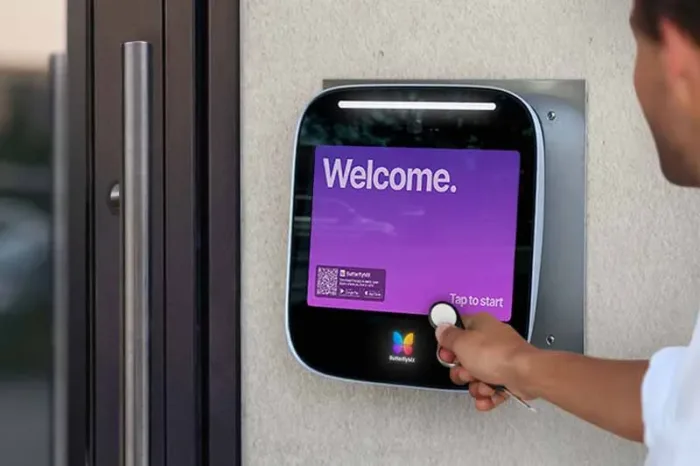
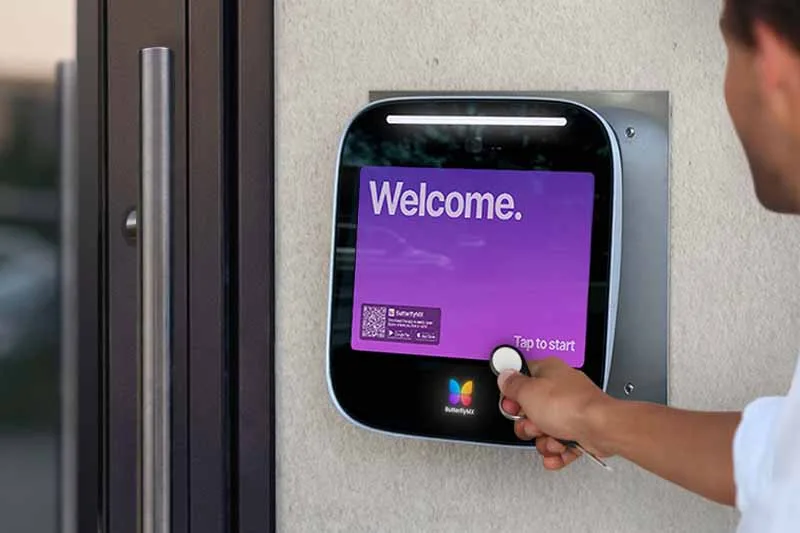
ButterflyMX becomes relevant when a managed property needs to manage access remotely for residents, visitors, credentials, and entry points beyond the main entrance. Its video intercoms do not rely on traditional POTS telephone lines, and residents can receive visitor calls and grant access from their smartphones. Explore the ButterflyMX cloud-based Access Control System if those needs match your property, and confirm the current product configuration and integration fit during your evaluation.
After you have defined your entrances, credentials, and daily access tasks, a consultative demo can help you see whether ButterflyMX fits the way your property actually operates.
Cloud-based access control systems by use case
A useful vendor list should be organized by fit, not by an unsupported universal ranking. The systems below are examples of categories to investigate. Every candidate should be evaluated for deployment architecture, property fit, credentials, integrations, outage behavior, security evidence, migration requirements, and support.
Managed-property access needs
ButterflyMX, Gatewise, and Swiftlane are names to consider when resident access, visitor entry, delivery access, and vehicle-entry needs are central to the property. ButterflyMX is especially relevant for properties that want teams to manage access remotely and residents to handle visitor calls from their smartphones. Confirm the exact entry points, vehicle-access needs, credentials, and third-party integrations required for your site before deciding.
Enterprise and multi-site administration
Brivo, Kisi, Avigilon Alta, and Genetec are reasonable platforms to investigate for enterprise-oriented or flexible multi-site access control. These buyers often care about identity systems, tenant or employee permissions, portfolio administration, APIs, video, and reporting. Current product descriptions, service tiers, compatible hardware, and integrations should be confirmed directly with each provider. Avigilon, for example, publishes its own description of cloud-based access control; that information can support product review, but it is manufacturer information rather than an independent ranking.
Hybrid and specialized requirements
Acre and HID may merit review when the property has more specialized or hybrid-oriented needs. Start with the operating requirement first, such as network isolation, local-control expectations, migration constraints, or formal data-governance rules. Then ask whether the proposed system meets that requirement without adding unnecessary complexity.
No vendor should be selected because it appears in a list. Ask every finalist to demonstrate the same entry use cases, show the proposed hardware path, explain internet and power-loss behavior, identify responsibility boundaries, and put implementation assumptions in writing.
Migration and implementation checklist
A successful migration starts with an inventory, not a product quote. Cloud software may manage some compatible existing hardware, but compatibility cannot be assumed from a broad retrofit claim. The exact answer depends on the readers, controllers, locks, wiring, software, and site conditions already in place.
- Inventory every door, gate, elevator access point, lock, reader, controller, wiring path, credential type, current software connection, and critical use case.
- Identify which components can be reused, which must be replaced, and what testing is needed to confirm the design.
- Map residents, employees, visitors, contractors, and administrators to the credentials and permission rules they need.
- Plan communications, enrollment, administrator training, support escalation, and a cutover schedule that avoids essential access periods when possible.
- Test permissions, integrations, event synchronization, connectivity loss, power-loss behavior, and emergency procedures before full rollout.
- Document who owns ongoing updates, hardware replacement, backups, cybersecurity tasks, and day-to-day administration.
Request a site-specific implementation plan from each finalist. It should explain assumptions about hardware, wiring, network connectivity, credential enrollment, testing, and post-launch support. That plan is more useful than a generic promise that migration will be easy.
Final recommendation
The best cloud-based access control system is the one that works for your property’s real people, entrances, and operating conditions. Build a shortlist of two or three candidates, give each the same use cases and outage questions, and compare their written answers on integrations, lifecycle cost, implementation, and support.
If your property is multifamily, HOA, gated, commercial, mixed-use, student housing, senior living, or another managed-property environment, ButterflyMX may belong on that shortlist when remote access management, smartphone visitor access, and access beyond the main entrance are part of the requirement. Other platforms may be a better fit for other architectures, so make the final decision from your property’s needs rather than from a generic ranking.
Frequently asked questions
Can cloud access control integrate with existing door hardware?
Cloud access control can integrate with some existing door hardware, but compatibility varies by controller, reader, lock, wiring, protocol, and vendor migration path. Complete a site inventory and get written confirmation for each component before assuming a retrofit will work.
Which credentials work with cloud-based access control?
Cloud-based systems may support mobile credentials, cards or fobs, PINs, biometrics, and vehicle credentials. Available options depend on the platform, readers, controllers, and property configuration.
Is cloud access control practical for a small apartment building?
Cloud access control can be practical for a small apartment building if remote management, visitor entry, resident access, and the specific entry points justify the project cost and recurring service model. Evaluate the building’s doors, visitor volume, installation needs, and administrative workload instead of using building size alone.
What is Access Control as a Service?
Access Control as a Service, or ACaaS, is a subscription-based delivery model for access-control capabilities. It is different from the broader access-control market and does not mean every ACaaS system uses the same hardware, architecture, or outage design.
Choose the cloud-based access control system that fits your property, not the one with the boldest universal claim. For managed properties that need remote administration, smartphone visitor access, and access control beyond the main entrance, ButterflyMX may be a strong option to evaluate alongside other suitable candidates. Schedule a consultative demo to discuss your entrances, credentials, integrations, reliability needs, and implementation plan.

Get your free quote!
Fill in the form below, and we'll email you right back.
Want a free quote?
Fill in the form below, and we'll email you right back.
You’ll be redirected shortly...