
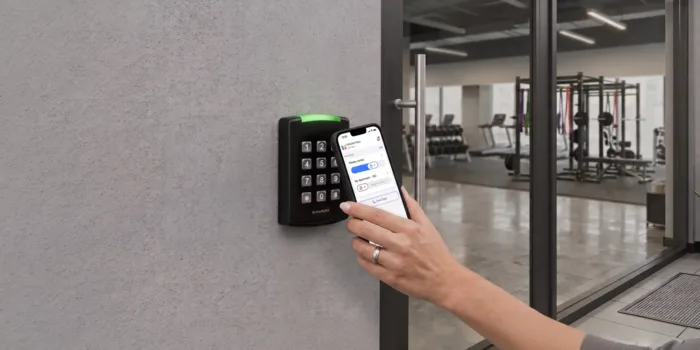





Key takeaways:
- Apartment access control uses credentials, readers, controllers, locks or release hardware, and software to manage entry at selected property doors and zones.
- Credential choice is separate from system architecture: fobs, PINs, mobile credentials, smart locks, and intercom release can be managed through different cloud-based or on-premises setups.
- The right system depends on property layout, access points, fallback procedures, integrations, lifecycle cost, and the locally applicable fire and life-safety requirements.
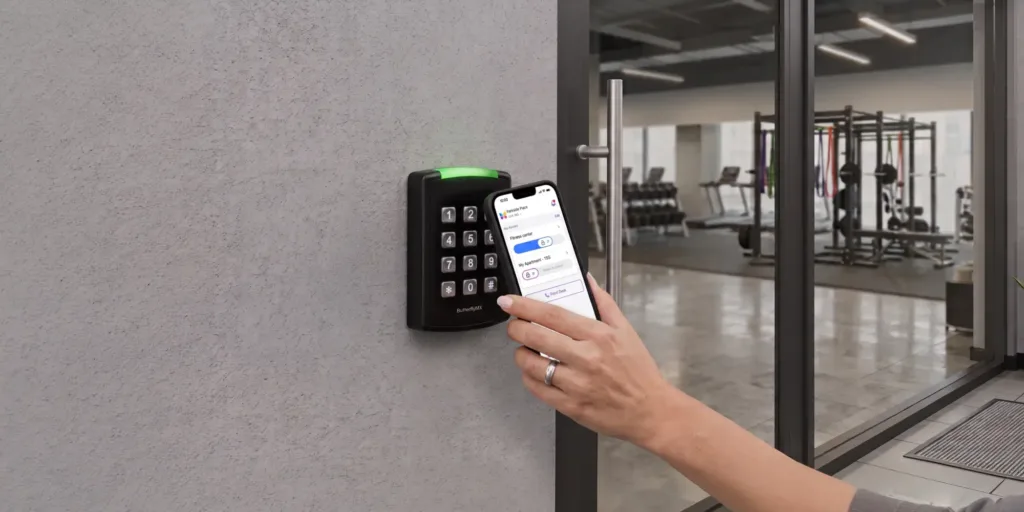
A locked front door is only one part of apartment access control. For a multifamily property, the bigger question is who should be able to enter each space, how that permission is granted, and what happens when a resident moves out, a visitor arrives, a phone dies, or a controlled door must release during an emergency.
Apartment access control is the combination of credentials, readers, controllers, locks or release hardware, and software used to authorize entry at selected property access points. Those access points may include the lobby, gates, garages, amenity rooms, package areas, elevators, staff spaces, and, in some cases, unit doors.
This guide explains how access control for apartments works, how the main credential and system types differ, what drives cost, what safety issues to review, and how to choose a configuration that fits your property instead of forcing every door into the same design.
This guide will answer:
- What is apartment access control?
- How apartment access control systems work
- Types of apartment access control
- Cloud-based and on-premises access control
- Access points and system boundaries across the property
- Benefits and day-to-day access workflows
- Fire and life-safety considerations for controlled doors
- Security, privacy, accessibility, and failure planning
- Apartment access control cost factors
- How to choose a system for each property
- Implementation, integration, and migration planning
- Where ButterflyMX fits in a broader access strategy
- FAQs
Watch how ButterflyMX works:
What is apartment access control?
Apartment access control is a system for managing who can enter selected spaces at an apartment property. It usually combines user credentials, access readers, controllers, door locks or release mechanisms, and management software that lets property teams issue, change, revoke, and review access permissions.
A controlled-access apartment property does not necessarily control every door electronically. One building may control only the main entrance and package room. Another may also manage garages, gates, amenities, elevators, staff-only areas, and unit doors. The scope should follow the property’s layout, risks, staffing model, resident needs, and local safety requirements.
It’s also important to keep expectations realistic. Access control can help organize permissions and reduce reliance on traditional keys, but it is not a guarantee of security or crime prevention. Its value depends on the system design, credential policies, installation quality, staff procedures, and how well the setup fits the property.
How apartment access control systems work
Most apartment access control systems follow the same basic sequence, even though the hardware and software may vary by property:
- A person presents a credential, such as a fob, card, PIN, mobile credential, or approved biometric identifier.
- An access reader, keypad, smart lock, or intercom receives the request.
- An access controller or connected system checks whether that credential has permission for that door, gate, elevator, or zone at that time.
- If access is approved, the lock or door-release mechanism responds. If access is denied, the opening stays secured.
- When logging is enabled, the system records the access event for administrator review.
The credential identifies the person or access right being presented. The reader captures that credential. The access controller applies the rules. The door-release mechanism is the hardware that allows entry after approval. The software layer gives the property team a way to manage users, permissions, schedules, and records.
That simple model becomes more complex once you apply it to a real property. Shared spaces and unit doors may be handled differently. A resident may have access to the lobby and amenity room, while a vendor may receive limited access to one service entrance during a set time window. A staff member may need broader permissions, but only while employed. Before assuming one system covers every opening, ask which users, doors, schedules, records, and fallback procedures the proposed configuration actually supports.
Types of apartment access control
Apartment properties often use more than one access method. A resident might use a mobile credential at the front entrance, a fob at the garage, and a smart lock at the unit door. A visitor may use a video intercom instead of receiving a standing credential. The table below compares common methods by how users interact with them and what property teams should plan for.
These are credential and entry methods, not management architectures. A fob, PIN, phone credential, or smart lock can be part of either a cloud-based or on-premises access control approach.
No single method is automatically the best fit for every property. Cards and fobs are familiar, but they can be lost, copied, or shared. PINs are simple, but shared codes can make accountability harder. Mobile credentials can make it easier to issue and revoke access remotely, but the property still needs a plan for dead phones, lost devices, incompatible devices, and outages. Biometrics tie access more closely to a person, but they raise privacy, enrollment, and fallback-access questions that need careful review.
Video intercoms and smart locks also need precise definitions. A video intercom helps a visitor communicate with a resident or staff member and may support remote door release. It is related to access control, but it is not the same as a reader and controller at every door. A smart lock is a door-level device; the broader access system determines how permissions are created, changed, and removed. For another view of multifamily system types, see this multifamily access-control selection guide.
Cloud-based and on-premises access control
Cloud-based and on-premises access control describe how the system is administered, not what credential a resident uses. Cloud-based access control generally uses remotely administered software and commonly avoids an on-site physical server for everyday management. On-premises access control is locally hosted, which usually means the property or its IT provider has more direct responsibility for local infrastructure, maintenance, and administration.
The tradeoff is not as simple as cloud versus local. A cloud-based system may support remote credential management, which can be useful for portfolio teams or properties without full-time onsite staff. An on-premises system may appeal to teams that want more local control over infrastructure. But neither choice is automatically more secure, less expensive, or more resilient.
Focus on the exact proposed configuration. Ask what happens if internet service fails, whether the controller can make decisions locally, how updates are handled, who manages backups, how access logs are retained, and who responds when hardware, software, network, or power problems occur. The differences described in Aiphone guidance on apartment access-control architecture can help frame those vendor conversations.
Access points and system boundaries across the property
Start with a property map before choosing devices. Mark the main entrances, lobbies, amenity rooms, package and mail areas, garages, gates, elevators, staff-only spaces, and unit doors where access control may apply. Then decide who needs access to each zone, when they need it, and what should happen when access is denied, revoked, or temporarily granted.
This map helps separate perimeter access from unit-door access. Perimeter access controls entry to the building or site. Unit-door access controls entry to an individual residence. A property can use different policies and hardware at each layer. For example, the main entrance may use a video intercom for visitors and a reader for residents, while an interior amenity room uses a separate credential rule.
Access control also has boundaries. Gate access equipment can authorize entry at a gate, but it does not replace the mechanical gate operator. Elevator access control may limit authorized floor selection, but it does not replace the elevator system. Video surveillance records video; it does not grant access by itself. These distinctions matter because each connected system has its own compatibility, maintenance, and safety requirements.
Retrofits add another layer of planning. Hardwired openings, wireless locks, and battery-powered devices have different power, network, installation, and maintenance needs. Door condition, frame condition, lock hardware, wiring, fire-system interfaces, and network availability can all affect what is feasible.
Benefits and day-to-day access workflows
The value of apartment access control shows up in routine property work. At move-in, staff can issue the right resident credentials and shared-space permissions. At move-out, staff should revoke the departing resident’s credentials, remove related permissions, review visitor or dependent access, and confirm that other residents are not affected. Lost fobs, staff changes, and vendor turnover need the same discipline.
Visitor, delivery, contractor, and maintenance access should have clear rules before the system goes live. Some systems may support temporary or limited permissions. Others may rely on staff approval or an intercom call. Either way, the property should define who can grant access, where that permission applies, how long it lasts, and what happens if the resident or staff member is unavailable.
When the system and policies support those tasks, access control can reduce some physical-key handling, centralize permission changes, and create access-event records for review. Those are potential operational benefits, not automatic results. A system that is hard for staff to manage, unclear for residents, or poorly matched to the building can create new problems even if the hardware is capable.
Fire and life-safety considerations for controlled doors
Access-controlled egress is a safety issue, not just a security feature. Controlled doors may be subject to requirements involving egress-side operation, power loss, fire-alarm response, automatic unlocking, and manual release methods. The exact requirements depend on the locally adopted code, code edition, occupancy, door configuration, hardware, and approval by the Authority Having Jurisdiction.
An access-controlled egress door is a door where an access-control arrangement affects entry or release. The Authority Having Jurisdiction, often called the AHJ, is the local authority responsible for interpreting and approving applicable requirements. NFPA 101 and the International Building Code are relevant model-code references, but local adoption and amendments determine what applies to a specific property.
For planning purposes, buyers should ask how the proposed system handles free egress, power loss, fire-alarm interface, fail-safe or fail-secure behavior, manual release, inspection, and approval. Review access-controlled egress door provisions as a starting point, then involve qualified design, installation, code, and AHJ reviewers before selecting or changing a controlled-door configuration.
Do not confuse resident fallback entry with emergency egress. A spare credential or staff-assisted entry process may help a resident get into the building, but it does not replace code-required life-safety behavior for a controlled door.
Security, privacy, accessibility, and failure planning
A good access plan accounts for things going wrong. Fobs get lost. PINs get shared. Phones die. Biometric enrollment can fail. Internet service can drop. Controllers and power supplies can have issues. Support may not be available at the exact moment a resident needs help. Those scenarios should be part of the buying conversation, not afterthoughts.
Ask vendors how credentials are authenticated, revoked, recovered, and audited. Ask who can view, export, or change access logs. Also ask what information is stored, how long it is retained, and which vendor or property staff roles can access it. These questions are especially important for mobile identifiers, biometric identifiers, and cloud-hosted access records.
Every primary credential method needs a fallback that works for residents, staff, emergency responders, and people who cannot use the preferred method. That fallback might be an alternate credential, a staff-assisted procedure, or another approved process. The correct answer depends on the property and system configuration.
Privacy, accessibility, Fair Housing, and biometric access can raise legal and regulatory questions that vary by location. Treat those topics as due-diligence items and get appropriate legal, accessibility, and privacy review before setting policy or making compliance claims.
Apartment access control cost factors
Apartment access control cost depends on scope. The number of controlled openings matters, but so do the types of doors, readers, controllers, locks, credentials, software, integrations, and installation work. A hardware price alone does not represent the full installed cost, and an unscoped per-door estimate can leave out major project variables.
- Door, lock, frame, reader, controller, and credential requirements
- Existing wiring, power, network availability, and construction work
- Gate, elevator, intercom, video, smart-lock, and property-management integrations
- Fire-system coordination, permitting, inspections, or approval requirements where applicable
- Installation labor, project management, testing, training, support, warranty, and maintenance
- Software subscriptions, credential replacement, future openings, and expansion plans
The safest way to compare pricing is to compare the same written scope. Ask each vendor to identify hardware, labor, recurring fees, exclusions, assumptions, support, warranty, integration work, and contingency items. That makes it easier to see whether two proposals cover the same doors, users, integrations, and responsibilities.
How to choose a system for each property
Choose apartment access control by defining the property’s needs first. List the controlled openings, user groups, resident and visitor patterns, staffing model, accessibility needs, security goals, existing infrastructure, desired integrations, support expectations, budget, and life-safety review requirements. Then compare systems against that list.
Match the analysis to the property type
Garden-style and low-rise properties may need to focus on dispersed entrances, gates, amenity spaces, network coverage, and staff administration. High-rise and mixed-use buildings often add shared lobbies, elevators, multiple user groups, and more complex life-safety interfaces. Student housing may put more pressure on turnover and guest access. Senior living may require extra attention to accessibility and fallback entry. Gated communities and HOAs may prioritize gate access, visitor procedures, governance, and distributed access points.
These patterns are a starting point, not a rulebook. A small building may need strong visitor management. A large property may choose a phased rollout that starts with high-priority entrances. The best fit depends on the exact openings, users, and operating model.
Use a shortlist checklist
- Which users need access to which zones, and at what times?
- How are credentials issued, revoked, replaced, and audited?
- What happens if a phone, controller, network, or power source is unavailable?
- Which doors and existing systems are compatible with the proposed design?
- Which integrations are required, and have they been verified for the exact configuration?
- Who owns ongoing administration, maintenance, cybersecurity, resident support, and escalation?
- How will life-safety review, permitting, testing, and AHJ approval be handled?
- What are the full lifecycle costs, including recurring fees and future expansion?
Once those answers are clear, it’s easier to evaluate vendors on fit instead of comparing isolated features. If mobile access, visitor management, video intercom access, or remote administration is a priority, compare your requirements with ButterflyMX access options as part of the shortlist process.
Implementation, integration, and migration planning
A realistic deployment starts with a site assessment. Inventory the doors, locks, frames, wiring, power, networks, existing controllers, credentials, fire-system interfaces, elevators, gates, and current software. This step shows which components may be reusable, which need replacement, and where retrofit work may be more involved than expected.
Confirm integrations before committing to a platform. Video systems, intercoms, smart locks, elevators, gates, and property management software may have compatibility limits based on the exact hardware, software version, and property configuration. Do not assume an integration works for your property simply because two systems are commonly discussed together in multifamily access control.
Migration is also an operational change. Plan how staff will issue new credentials, communicate with residents, test approved and denied entry, revoke old credentials, and respond if a cutover stage fails. Acceptance testing should cover normal entry, denied entry, required integrations, offline conditions, power events, alarm interfaces, manual release, and logging where applicable. Qualified parties should handle life-safety testing and local approvals.
Where ButterflyMX fits in a broader access strategy
ButterflyMX is worth evaluating when a property’s requirements include mobile credentials, video intercom access, visitor management, remote administration, or access needs beyond the main entrance. In that context, ButterflyMX can help residents receive visitor calls and grant access from a smartphone, while property teams manage residents, visitors, credentials, and access permissions remotely.
The product conversation should still start with the property requirements. Confirm door hardware, access-point coverage, integrations, offline behavior, emergency interfaces, support responsibilities, accessibility needs, privacy review, and pricing for the proposed deployment. ButterflyMX may be a strong fit for some access strategies, but no single configuration fits every apartment property.
Frequently asked questions
What happens if a resident phone is dead, lost, or offline?
The answer depends on the system and configuration. Before choosing mobile access, verify alternate credentials, local controller behavior, lost-phone revocation, staff-assisted entry, and recovery procedures.
Can apartment access control work with existing locks and doors?
Sometimes existing components can be reused, but compatibility depends on the lock, door, frame, wiring, power, controller, reader, fire-system interface, and desired integrations. A site assessment is the best way to determine what can stay and what must change.
How should an access control system handle move-outs?
A move-out process should promptly revoke the departing resident’s credentials, remove related shared permissions, review visitor or dependent access, document the change, and confirm that other residents keep their proper access.
Are biometric apartment access systems legal and private?
Biometric access requires jurisdiction-specific review. Properties should evaluate collection, consent, storage, retention, access, deletion, security, and non-biometric fallback options with qualified legal and privacy guidance.
The best apartment access control system is the one that fits the property’s actual doors, users, policies, infrastructure, and local safety requirements. Start with the access map, then compare credentials, architecture, integrations, fallback procedures, and lifecycle cost against that map.
If your property needs mobile access, video-enabled visitor entry, remote administration, or access beyond the main entrance, talk with ButterflyMX about access requirements for your property.

Get your free quote!
Fill in the form below, and we'll email you right back.
Want a free quote?
Fill in the form below, and we'll email you right back.
You’ll be redirected shortly...