





Key takeaways:
- Choose the scope before the product: a component repair, connection retrofit, and panel replacement solve different problems.
- Match the exact model and board to both calling and programming needs. Restoring visitor calls does not prove remote programming works.
- Compare complete proposals, including site work and recurring fees, and test the agreed functions before disconnecting the old service.
A DoorKing intercom replacement doesn’t always mean buying a new panel. Compatible DoorKing telephone entry systems can keep the panel while replacing the phone connection with cellular or internet service. If a component has failed instead, a diagnosed repair may be the right scope. The choice depends on your exact model, its condition, and the functions your property needs.
Before you approve work on your gate or lobby call box, separate what has failed from what you want to change. This guide explains model identification, repair limits, connection compatibility, and service fees before comparing newer DoorKing systems and a possible brand switch. It also shows what your installer should confirm about the site and test before the old connection is disconnected.
This guide will answer:
- DoorKing intercom replacement: decide what needs replacing
- Separate a panel fault from a connection problem
- Keep the DoorKing panel with cellular or internet service
- Compare DoorKing service fees with the complete project scope
- When to replace the panel with a newer DoorKing
- What changes when you switch intercom systems
- Approve the scope and test before disconnecting the old line
- FAQs
Watch how ButterflyMX works:
DoorKing intercom replacement: decide what needs replacing
Losing a landline alone doesn’t prove that your entry panel needs replacement. DoorKing documents cellular connections for eligible telephone entry systems and model-specific internet adapters. These options let you investigate retaining the panel before committing to a new one. First, though, your installer needs to establish whether the connection is the actual problem.
Ask for a proposal that names one of three scopes: a component repair, a connection retrofit, or a panel replacement. A repair addresses a diagnosed fault; a connection retrofit changes how the system communicates; a panel replacement changes the entry equipment itself. Switching brands is one form of panel replacement, not automatically a replacement of the gate motor. Keeping these scopes separate makes it easier to see what each proposal is meant to restore.
Start with the exact equipment identity, not its appearance. DoorKing, also called DKS, uses the term telephone entry system for the covered equipment you may know as a gate or lobby call box. Its cellular model list distinguishes standard models from Access Plus models with an AP suffix, and some older systems need board upgrades. Obtain the model, AP suffix, board revision, current connection, and required calling and programming functions from your records or a qualified installer.
Some DoorKing products need a different assessment from the retrofit paths below. The documented VoIP options exclude the 1816 intercom, and the legacy cellular box excludes both the 1816 and eVolve. If you have one of those systems, request a model-specific assessment rather than choosing a kit from the comparison table.
Separate a panel fault from a connection problem
A symptom tells your installer where to investigate, not which part to order. One-way audio, failed calls, and lost programming may call for different checks. Repair provider The Tech Guys Doors and Gates describes checking power, connections, line noise, and feedback before replacing boards. Treat that as one provider’s repair context, and ask your installer to explain what failed and what the proposed work will restore.
What a microphone-board repair does and does not cover
A replacement part can have a much narrower job than its product listing first suggests. For example, ZenSupply lists the 1998-010 microphone board for DoorKing 1812, 1834, 1835, and 1837 models and discusses one-way audio. The listing excludes the speaker, main board, and faceplate; the harness is separate. A confirmed, compatible microphone-board fault may justify a limited repair, but this part alone doesn’t establish a remedy for a phone connection or programming problem.
Before authorizing DoorKing replacement parts, have your installer match the diagnosis and part number to the relevant parts diagram. A symptom that resembles a reseller’s example is not proof that the listed board has failed. The proposal should explain both what the part fixes and what remains outside that repair.
A functioning panel can also be left with an unsuitable phone connection. POTS means the legacy copper telephone service; in its January 2026 subscription schedule, DoorKing prefers cellular or internet and does not recommend POTS for entry-system voice or programming. It notes that some replacement digital and fiber networks do not support modem communications. That is a reason to examine the connection, not a blanket instruction to discard the panel.
An older cellular adapter can be the problem
An older cellular connection deserves its own check before you approve a panel replacement. DoorKing’s historical 3G guidance addresses affected devices made before January 2021 during the 2022 network shutdown. It describes a temporary VoLTE change that removed residents’ ability to press 9 to release the gate, versus a board upgrade that retained that behavior. This is legacy guidance, not notice of a new 2026 shutdown; have current support confirm the affected equipment and available remedy.
The practical consequence is that restoring a call may still change how residents admit visitors. The same historical guidance notes that a replacement SIM may change the system phone number. If your confirmed remedy affects release behavior or the number, include those changes in resident instructions and acceptance testing.
Keep the DoorKing panel with cellular or internet service
To run a compatible DoorKing without a landline, match the connection to the jobs it must perform. Voice service carries visitor calls, while data service can support remote programming on eligible equipment; cloud access is a separate account or software question. VoIP means internet-based voice service, not automatic programming access. DoorKing’s adapter descriptions distinguish these functions, so a successful call doesn’t demonstrate that you can also update the system remotely.
Match the connection kit to the exact model
Use this table as a shortlist for your installer, not authorization to buy a kit. The options come from DoorKing’s cellular documentation, VoIP documentation, and service schedule. An AP suffix changes the cellular kit, and an older board may add work to the project. These cellular and VoIP retrofit options exclude the 1816 intercom; eVolve is also excluded from the legacy cellular-box route.
Swipe to compare →
Restoring calls is not the same as restoring programming
If you have a listed standard or 1812 system, the 1815-578 can address voice service without solving remote programming. DoorKing states that this adapter does not support Cloud or Windows Account Manager programming. If your proposal promises both functions through that adapter alone, it hasn’t explained a complete solution. Ask the installer to identify how each required function will work.
For a listed 1830 system, the board revision can change the work you need to approve. The 2334-080 provides voice and data with a REV Z-or-higher board, so board verification belongs before a firm scope and price. A board that doesn’t meet that requirement calls for an assessment of board work or another route, not an automatic whole-panel replacement. The separate 1830-186 option is programming-only and cannot stand in for visitor calling.
Compare cellular coverage with wired internet at the entry
The site determines which connection is practical. DKS Cellular uses AT&T 4G LTE where available, while the documented DKS Internet routes require wired Ethernet and a DKS subscription. Have your installer assess coverage at the actual entry or identify the work needed to bring suitable internet there. Service elsewhere on the property doesn’t settle that question.
Cable routing can also change the quote. DoorKing’s January 2026 schedule specifies a 330 ft/100 m Ethernet limit. Use that figure for initial planning and have the installer confirm the applicable design rather than assuming a longer run will work. Any network equipment or cabling needed to reach the entrance belongs in the installation scope.
Sharing a connection may be possible, but it needs a configuration check. DoorKing documents up to two entry systems on a cellular box and an internet adapter in supported configurations. Your installer should confirm the adapter, both panel models, and the required functions before quoting a shared setup. That limit is not a promise that any two panels can share.
These entry connections also have an important safety boundary: the documented DKS Cellular devices cannot make 911 calls, and neither can the documented DKS VoIP service. Restoring visitor calls therefore doesn’t establish suitability for an emergency phone or another device sharing the old line. Have the responsible specialist assess those services separately.
Treat third-party VoIP as a separate IT-supported route
A third-party VoIP provider is another documented route for 1830 and Access Plus systems, but it changes who handles setup and compatibility. DoorKing describes using the 1830-185 adapter with provider hardware, a provider subscription, and manual network configuration. It does not guarantee compatibility with every service. Before selecting this route, have the installer, provider, and IT team agree on the supported functions and ongoing responsibility; it is not a subscription-free substitute for DKS Internet.
Compare DoorKing service fees with the complete project scope
Compare monthly fees only after matching the functions each proposal will deliver. A programming-only connection and a calling connection are not competing prices for the same job. The figures below are from DoorKing’s January 2026 subscription schedule, with revisions through May 29, 2026. They are dated service examples, not current quotations or installed project costs.
Compare the same calling and programming functions
For DKS Internet, the schedule lists voice-only service with 1815-578 at $33.95 per month, voice plus data with 2334-080 at $38.95 per month, and data-only service with 1830-186 at $14.95 per month. The lowest figure buys programming service, not visitor calling. These internet service prices include taxes and fees and list a 5% autopay discount; hardware and installation are separate. Budget for the property’s internet connection separately, and don’t apply these adapter-specific prices to an Access Plus configuration without its own quote.
For cellular, the same schedule lists voice-only service on 1800-080 at $44.95–$86.95 per month and voice plus data on 1800-080/-081 at $49.95–$97.95 per month. Usage determines the tier, and exceeding a tier changes billing for that period. The cellular terms include $45 activation per box and a separate $2 monthly autopay discount. Taxes, fees, and long distance are included, but hardware and installation are not, so ask the quote to state its calling and programming usage assumptions.
Compare the total scope, not just the monthly fee
Use your current phone invoice and itemized proposals to compare costs over the same period. Separate equipment, board work, installation and cabling, activation, recurring connectivity, property internet where needed, and support. If one proposal includes a new cable run and another assumes existing infrastructure, their totals describe different work. Resolve that difference before deciding that the lower service fee produces the lower project cost.
Support also needs a clear boundary. The January 2026 schedule includes phone, chat, and email programming-software support with a DoorKing subscription; for non-subscription direct connections such as modem or RS-232, it lists $49.95 per year. That is programming-software support, not a promise to cover installation labor or every equipment repair. Ask who will support the physical system and its connection after installation.
A connectivity subscription is not the same as a requirement to replace your panel with a cloud-dependent model. DoorKing’s schedule says legacy telephone entry systems do not require a cloud account simply to remain serviceable, although the selected cellular or internet connection carries service charges. Newer video entry systems have their own operating requirements. Compare those obligations separately rather than assuming DoorKing always, or never, requires cloud service.
When to replace the panel with a newer DoorKing
Consider a new panel when the existing system can’t meet your required capabilities or capacity, or when confirmed compatibility barriers change the project. Its assessed condition and the itemized repair or retrofit work also belong in that decision. Age alone doesn’t tell you which scope fits. Ask each replacement proposal to identify the requirement it meets that the repair or connection proposal does not.
Consider 2132/2137 for a managed property
DoorKing’s 2132/2137 commercial video entry systems offer an in-brand route for a managed property. The January 2026 schedule describes capacity for up to 10,000 users and a required DKS Cloud account. That capacity is a product limit, not a reason every property needs the system. Start with your required users and entry functions, then evaluate the fit.
The system-access fee is only part of the recurring charge. That same schedule, revised through May 29, 2026, lists monthly system access at $59.95 on Ethernet or $89.95 on cellular, plus per-unit charges ranging from $1.75 at 1–100 units to $0.75 at 1000+ units. Optional video storage is another $19.95 per month. Obtain a property-specific quote that explains how the unit tier applies instead of treating the access fee as your total.
A residential option for a DoorKing 1812 replacement
If you’re assessing an 1812 at a home or small property, the 2112 eVolve residential video entry system supports up to 10 residents with four phone numbers each. That means 40 phone numbers, not 40 residents. It is cloud-programmed and requires the Standard Residential Package to operate. The January 2026 schedule lists that package at $19.95 per month, with cellular adding another $19.95 per month, separate from hardware and installation.
For either replacement route, have the installer distinguish physical fit from electrical and interface compatibility. A panel that fits an opening still needs a supported connection to the equipment it will control. Require the proposal to name any existing wiring it assumes can stay and how that assumption will be confirmed. A mounting accessory alone is not proof of a complete drop-in replacement.
What changes when you switch intercom systems
A brand switch needs a site assessment, not just a comparison of panel features. Have your installer document connectivity at the entry, power and backup, controlled openings, lock or gate interfaces, safe exit arrangements, enclosure dimensions, and the condition of wiring proposed for reuse. These findings determine what work belongs in the quote and who is responsible for it. Your role is to approve a defined scope, not perform electrical or code checks yourself.
Verify connectivity, power and backup at the entry
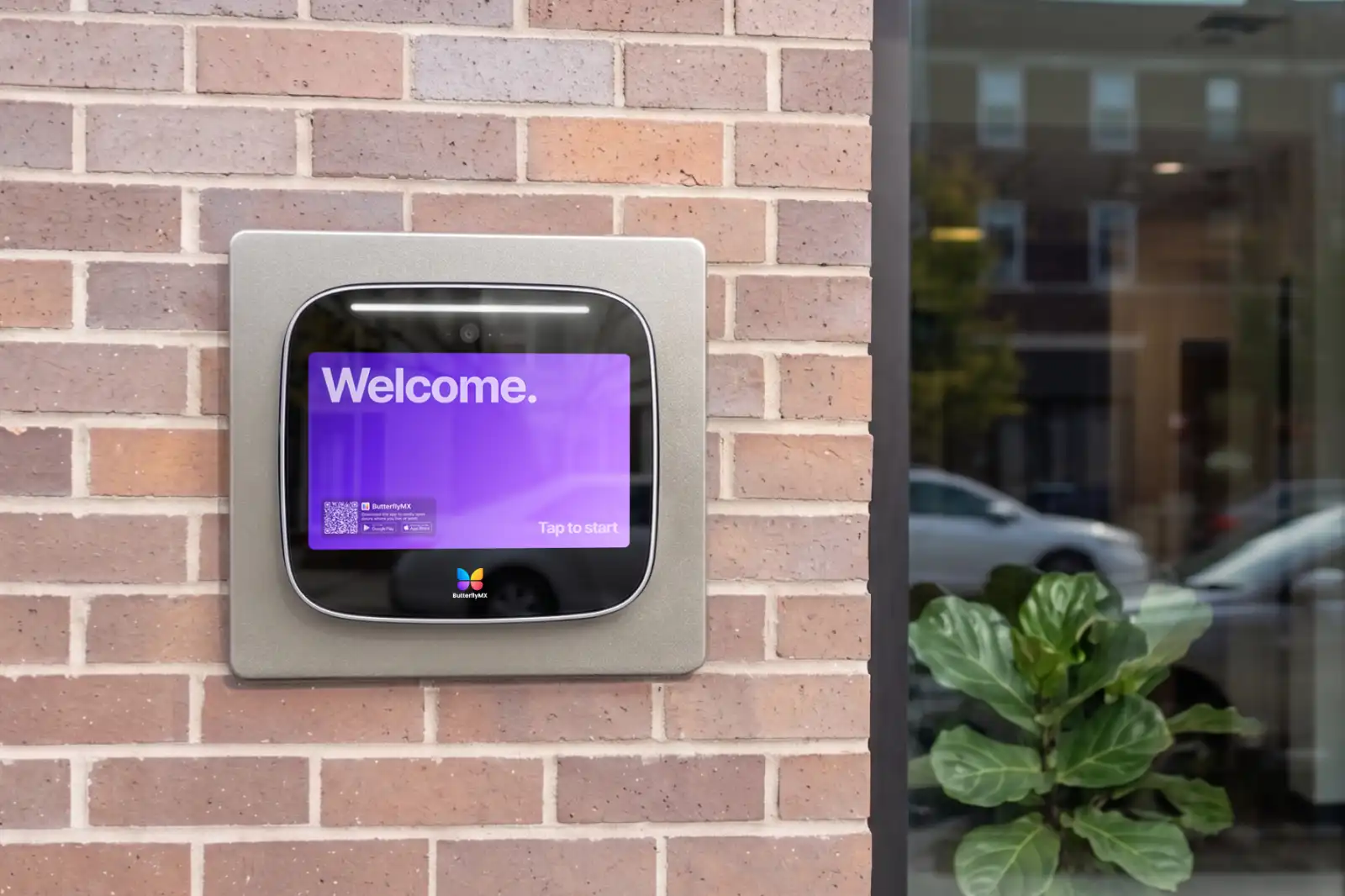
The ButterflyMX surface-mount Intercom provides a concrete example of the requirements a replacement proposal must address. Its 8- and 12-inch installation guide v1.2, updated October 5, 2026, requires client-supplied internet with at least 2 Mbps upload and download speeds. Wired Ethernet is preferred; Wi-Fi is limited to 5 GHz, and a Wi-Fi-only plan requires a site visit. DSL is unsupported, so the connection at your entry must be assessed rather than assumed suitable.
Power and backup are also part of this product’s installation scope. The same guide requires the supplied 24 VDC power supply and a dedicated UPS rated at least 600VA/300W. A UPS is an uninterruptible power supply that provides backup power. These requirements may add network and power work to an intercom retrofit; they do not establish that existing telephone wiring can be reused.
Confirm controlled openings, door hardware and physical fit
Control connections need to be matched to the openings you want the new system to operate. The covered ButterflyMX guide lists four dry relay outputs and requires existing electric locking hardware for door operation. A dry relay is a control interface, not proof that a particular lock or gate control is compatible. Have the installer explain how each opening will be supported and whether customized housing is needed, which the guide notes can be necessary for retrofits.
Power-loss behavior and safe exit also need a written answer. At the decision level, fail-safe hardware releases on loss of power, while fail-secure hardware remains secured; safe exit must still be addressed. The covered guide assigns safe, code-compliant hardware and exit arrangements to the installer. Ask for an explanation of the proposed outage behavior rather than choosing a lock type based on the term alone.
Installer selection and backup power affect the warranty for these covered models. The v1.2 guide requires ButterflyMX-certified installation to preserve the two-year warranty and states that installation without the required UPS voids it. Include those conditions in the quote review. They apply to this product and guide version, not automatically to DoorKing or every intercom.
If you decide on a whole-system change, the guide to replacing a phone-only apartment intercom system covers the broader project-planning task. If ButterflyMX is one of your candidates, discuss your entry requirements and site conditions before selecting equipment. Keep the same standard for every proposal: documented fit, complete site work, and clear ongoing charges.
Approve the scope and test before disconnecting the old line
Your final proposal should connect the diagnosis to the work you’re buying. It should name the confirmed model and fault, required calling and programming functions, selected scope, upfront and recurring charges, reuse assumptions, and ongoing support contact. Any unresolved compatibility or site-work assumption should be visible before approval. Use the sequence below as an editorial handoff aid, alongside the applicable manufacturer procedures and qualified installation.
- Confirm the scope and identify which assumptions still need installer verification before work begins.
- Audit devices sharing the old phone line and arrange service continuity for each affected device during the changeover.
- Have the installer test visitor calls, two-way audio, authorized door or gate release, and required programming as separate functions.
- Document approved outage behavior, any changed resident procedure or system phone number, and support contacts.
- Approve decommissioning only after the agreed functions and shared-line arrangements are confirmed.
The shared-line audit is essential even when the entry system works on its new connection. The FCC’s October 14, 2026 US consumer guidance on network transitions advises checking security and alarm compatibility and warns that upgraded phone service may need backup power during outages. It does not establish a shutdown date for your property. Have the appropriate specialists arrange suitable service for any shared emergency or life-safety devices rather than assuming an entry retrofit covers them.
For broader line-audit guidance, see replacing a POTS line for an intercom. Keep cancellation separate from equipment installation until the shared services and entry functions have been accounted for. A successful changeover is one that preserves the functions you approved, whether the panel stays or is replaced.
Frequently asked questions
Can DKS Cellular or DKS Internet replace an emergency phone connection?
The documented DKS Cellular devices and DKS VoIP service cannot be used for 911 calls. A working visitor call does not establish suitability for an emergency phone or another shared-line device. Have the responsible specialist assess that service separately.
Can one connection adapter serve two DoorKing entry panels?
DoorKing documents up to two entry systems on one cellular box and on an internet adapter in supported configurations. Your installer needs to confirm the specific adapter, panel models, required functions, and site arrangement. The two-panel limit is not universal compatibility or a guaranteed saving.
Does a DoorKing subscription include programming support?
The January 2026 schedule, revised through May 29, 2026, includes phone, chat, and email programming-software support with a DoorKing subscription. For non-subscription direct connections such as modem or RS-232, it lists $49.95 per year. That support is not the same as installation labor or all-purpose equipment maintenance.
Does a legacy DoorKing need a cloud account just to remain serviceable?
No. DoorKing’s January 2026 schedule says legacy telephone entry systems do not require a cloud account simply to remain serviceable. That is separate from charges for a selected cellular or internet connection and from the operating requirements of newer video entry systems such as the 2112 and 2132/2137.
Choose the smallest confirmed scope that meets your property’s requirements, not simply the newest panel or lowest monthly fee. A repair or connection change may be enough; a replacement becomes relevant when it addresses a need the existing setup cannot meet. Request an itemized proposal that confirms your model, retained functions, site work, and ongoing fees, with acceptance tests agreed before the old service is disconnected.
Get your free quote!
Fill in the form below, and we'll email you right back.
Want a free quote?
Fill in the form below, and we'll email you right back.
Redirecting you in 5 seconds.