





Key takeaways:
- A gate access control system verifies a person, credential, or vehicle before sending an open command to a gate operator.
- The best system depends on the property’s traffic patterns, visitor needs, credential strategy, installation constraints, and day-to-day management model.
- Many managed properties use more than one access method, such as mobile credentials for residents, video intercoms for visitors, and license plate recognition for vehicle access.
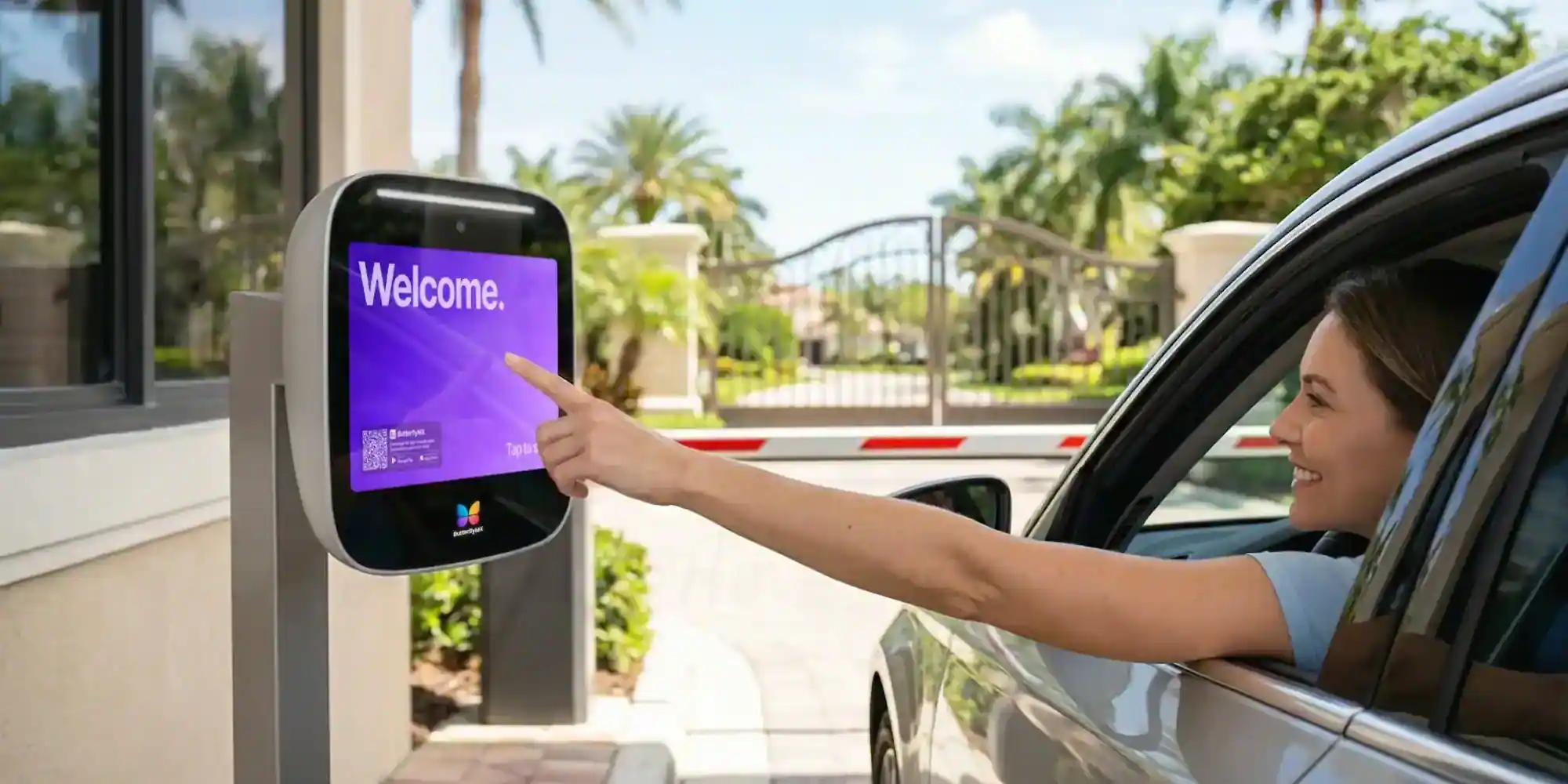
A gate is only as useful as the process behind it. If residents, employees, vendors, and guests all need access, the property needs more than a barrier across the driveway. It needs a way to decide who should get in, how they should prove it, and what happens after access is granted.
A gate access control system is the technology that verifies a credential or visitor request before opening a gate for approved entry. That credential may be a PIN, key card, fob, smartphone, wallet-based credential, video intercom call, or approved license plate. The access control system may also record access events, support remote updates, and connect gate entry with the rest of a property’s access plan.
The hard part is not understanding the basic definition. It’s choosing the right setup for a real property. A multifamily community with daily deliveries and frequent guest traffic has different needs than a commercial service gate or a gated HOA focused on resident vehicles. To evaluate your options, you need to know how these systems work, what components they include, where each access control method fits, and which tradeoffs matter after installation.
This guide will answer:
- What is a gate access control system?
- How gate access control systems work
- Key components of a gate access control system
- Types of gate access control systems
- Wired vs. wireless gate access control
- What gate types work with access control?
- Benefits of gate access control systems
- Gate access control by property type
- Integrating gate access control with other systems
- How to choose the right gate access control system
More than 100K, 5-star ratings!
Video Intercoms
Open doors, gates & garages from anywhere.

QR Code Intercom
Smartphone-based visitor access.
Access Control
Fob, key cards, PINs, and mobile apps.
Security Cameras
Visibility throughout your property.
Vehicle Access
Hands-free access for gates & garages.
Package Room
Receive, store, and manage deliveries.
Smart Locks
Connect to all major brands and models.
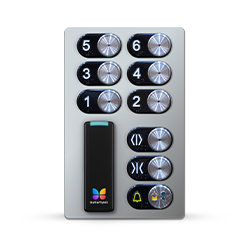
Elevator Controls
Unlock key-fobbed elevators for anyone.
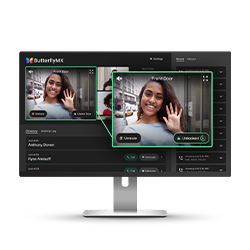
Front Desk Station
See all your doors and cameras in one place.
What is a gate access control system?
A gate access control system is a controlled entry system that authenticates a person, device, or vehicle before opening a gate. Its job is to limit entry to authorized users while giving property teams a practical way to manage residents, employees, guests, vendors, deliveries, and service traffic.
The access control system is not the same thing as the gate. The gate is the physical barrier, such as a swing gate or slide gate. The access control system is the decision layer. It reads a credential or access request, checks whether entry is allowed, and then sends a signal to the gate operator when access is approved.
That distinction matters during planning. A property may be able to keep an existing gate and operator while upgrading the way people and vehicles are verified. In other cases, the access control plan may reveal that the gate operator, mounting location, power source, or connectivity setup also needs attention.
Gate access control can support both pedestrian and vehicle entry. At one property, the main challenge may be resident cars entering a community gate. At another, it may be visitor access, delivery traffic, employee access, or service vehicles at a commercial entrance. The best system depends on what you need the gate to control and how much visibility your team needs after the gate opens.
How gate access control systems work
Most gate access control systems follow the same basic sequence: someone requests entry, the system checks whether that entry should be allowed, and an approved request triggers the gate operator.
- A person or vehicle starts the entry process by entering a PIN, presenting a card or fob, using a mobile credential, calling through a video intercom, or arriving in front of a license plate recognition camera.
- The reader, intercom, or recognition device sends the access information to the controller or management system.
- The controller checks the credential or request against the property’s access rules, directory, schedule, or approved-user database.
- If the request is approved, the controller sends an open command through a relay or gate operator interface.
- The system may log the event so administrators can review who entered, when access was granted, and which method was used.
The technology changes from one system type to another, but the relationship between the parts stays similar. A reader captures the credential. A controller evaluates it. Software stores permissions and event data. The gate operator handles the physical motion of the gate.
In an RFID setup, for example, a resident taps a fob at the gate reader. The reader sends that credential data to the controller, which checks whether the fob is active and authorized for that gate. If it is valid, the controller tells the operator to open.
Mobile access follows the same logic, but the credential lives on a smartphone or compatible device. Depending on the system, the phone may communicate through NFC, Bluetooth, or an app-based command. Some modern access programs may also support wallet-based credentials, which can make the phone act more like a stored access pass than a separate physical card.
Visitor and vehicle access add their own steps. With a video intercom, a visitor requests entry, a resident or staff member confirms who they are, and the approved action releases the gate remotely. With license plate recognition, a camera captures the plate, the system compares it with an approved list, and the gate opens if the vehicle is recognized.
Cloud-based management affects how administrators use the system. Instead of making every update at a local panel or at the gate itself, staff may update users, directories, schedules, and permissions through software. That can be especially useful for managed properties that need to add new residents, remove former residents, or adjust vendor access without sending someone to the entrance each time.
Watch how ButterflyMX works:
Key components of a gate access control system
A typical gate access control system includes a reader, controller, credential method, gate operator interface, and management software. Knowing what each part does makes it easier to compare systems and spot compatibility issues before purchase.
Readers
The reader is the device that captures the access request. It may be a keypad, RFID reader, mobile reader, intercom station, or LPR camera. The reader shapes the user experience at the gate because it determines whether someone types a code, taps a fob, uses a phone, speaks to a resident, or drives through with an approved plate.
Controllers and panels
The controller, sometimes called a panel, is the decision-making layer. It receives information from the reader, checks permissions, and sends the open command when access is approved. Some systems rely heavily on on-site hardware. Others pair local control equipment with cloud-based software for remote administration.
Credentials
Credentials are the identifiers the system recognizes. Common examples include PIN codes, RFID cards, key fobs, mobile credentials, wallet-based credentials, and approved license plates. Each option creates a different balance of convenience, control, and administrative work. A shared PIN is easy to issue, but it is harder to manage than an individual fob or mobile credential assigned to one user.
Gate operators, relays, and lock interfaces
The access control system does not replace the mechanical equipment that moves the gate. Instead, it connects to the gate operator through relays or other control interfaces. This is where compatibility matters. A credential system may be a good fit for users, but it still needs to communicate properly with the existing operator, power setup, and site hardware.
Management software
Management software is where administrators handle users, permissions, schedules, directories, and access history. Depending on the system, it may also support visitor access, reporting, and integrations with property management tools. For many buyers, the software matters as much as the hardware because it determines how hard the system will be to manage after installation.
This is also where cloud-based and local systems can feel very different. A cloud-managed system can make remote updates easier, while a more local system may keep more administration tied to on-site hardware or a local network. Neither model is automatically better. The right choice depends on staffing, connectivity, control preferences, and how often access rights change.
Types of gate access control systems
The main types of gate access control systems are keypad, RFID, mobile access, video intercom, license plate recognition, and, in some settings, biometrics. No single method is right for every property. The better question is which method fits each group of users: residents, employees, visitors, vendors, delivery drivers, and vehicles.
Many properties use more than one access method. A community might use mobile credentials for residents, video intercom entry for guests, and LPR for approved vehicles. That mixed approach is often more practical than forcing one credential type to handle every entry situation.
Keypad and PIN systems
Keypad systems grant access when a user enters a code. They are familiar and can work at simple entry points, but they become harder to control when codes are shared, reused, or rarely updated. A PIN may be fine for limited access needs, but it is usually weaker as the only method for a busy property with many residents, guests, or vendors.
RFID card and fob systems
RFID systems use radio frequency identification to recognize a card or fob when it is presented to a reader. Because each credential can be assigned to a person, RFID is often more manageable than a shared code. Staff can deactivate a lost fob or change permissions without changing the whole gate process.
The tradeoff is physical credential management. Cards and fobs can be lost, damaged, forgotten, or handed to someone else. Properties with frequent turnover need a clear process for issuing, collecting, replacing, and deactivating them.
Mobile access systems
Mobile access systems use a smartphone as the credential. Depending on the product, the phone may communicate through NFC, Bluetooth, or an app-based command. These systems can reduce the need to issue physical cards and can make remote credential updates easier, which is useful when residents, employees, or vendors change often.
Mobile access still needs planning. Users need to understand how the credential works, and some properties may need backup options for people who do not use a smartphone or who cannot access their device at the gate. The strongest mobile access plans account for both convenience and exceptions.
Video intercom systems
A video intercom system is especially useful when visitor access is a central concern. Instead of giving every guest a permanent credential or relying on informal gate codes, the visitor requests entry and a resident or staff member decides whether to open the gate.
That process matters at multifamily communities, HOAs, gated communities, and mixed-use properties where guests, deliveries, and service providers arrive throughout the day. Video intercoms are often strongest when paired with resident credential methods, such as mobile access, fobs, or LPR, rather than used as the only access method at the gate.
ButterflyMX fits naturally in this category for managed properties that want mobile-first entry, video intercom visitor access, and remote gate release to work together as part of the property’s access plan.
License plate recognition systems
License plate recognition systems use cameras and software to identify approved vehicles and trigger entry automatically. LPR can be helpful for resident vehicle access, fleet vehicles, or gated communities with frequent repeat traffic because drivers do not have to stop and present a separate credential.
LPR is not ideal for every site. Camera placement, lighting, weather, lane design, and the accuracy of the approved-plate list all affect how well the system works. It is usually most useful when vehicle entry is a major operational need and the entrance can support reliable recognition.
Biometric systems
Some gate access setups use biometric credentials, such as fingerprint or facial recognition. These systems may be relevant in higher-control environments, but they are less common in typical managed-property gate applications than keypads, RFID, mobile access, intercoms, and LPR. They can also create extra privacy, enrollment, and administration considerations.
Wired vs. wireless gate access control
Wired and wireless gate access control differ in how devices connect and communicate. That choice affects installation work, site flexibility, connectivity planning, and long-term maintenance.
Wired systems often make sense when a property already has usable infrastructure or is building new infrastructure at the entrance. They can suit sites where the gate is close to power and network resources, or where the property wants to reduce dependence on wireless signal conditions.
Wireless systems can be useful for retrofits, remote gate locations, or sites where trenching and new cabling would be difficult. Wireless can mean several things, though. A system may use cellular connectivity, local wireless communication between devices, wireless credentials, or cloud-based administration. Buyers should ask which part of the system is wireless and what still needs power or a physical connection.
There is no universal winner. A remote vehicle gate may benefit from a design that avoids major trenching. A new development may prefer hardwired equipment while other infrastructure is already being installed. The better choice depends on the site, not on a generic wired-versus-wireless rule.
Cloud-based management overlaps with this decision, but it is not the same thing. A system can be cloud-managed and still use wired hardware connections at the gate. What matters is understanding both the local connection method and the administration model behind it.
It is also worth asking what happens when power or connectivity is interrupted. Gate behavior, backup access, and administrator access during an outage are site-specific issues that should be addressed before installation, not after the first problem.
What gate types work with access control?
Gate access control can work with several physical gate types, but the gate itself affects the operator, lane design, reader placement, traffic flow, and installation approach.
Swing gates
Swing gates open inward or outward on hinges. They can work well when there is enough room for the gate’s path of travel, but that movement has to be considered when choosing an operator and placing readers, cameras, or intercoms.
Slide gates
Slide gates move horizontally along a track or cantilever system. They are common where the site does not allow a full swing path or where the entrance layout favors a different opening pattern.
Bi-folding gates
Bi-folding gates fold as they open, which can help in tighter spaces where a full swing or long slide path is not practical. Their motion and hardware needs can differ from conventional gates, so compatibility planning matters.
Vertical lift gates
Vertical lift gates raise upward instead of swinging or sliding across the driveway. They are often considered when vehicle throughput and limited horizontal space are both important.
The important distinction is that gate hardware type and access control method are separate decisions. A property may choose mobile credentials, RFID, video intercom, or LPR regardless of whether the gate slides, swings, folds, or lifts. Still, the gate type affects where devices can be mounted, how drivers approach the entrance, and whether a reader or camera can capture the access request reliably.
Benefits of gate access control systems
A well-matched gate access control system can improve entry control, convenience, visibility, and day-to-day administration. The benefits depend on the property’s layout, staffing, and user mix, but the most useful gains are practical.
- Administrators can control who is allowed to enter and when, instead of relying only on physical keys, manual release, or shared gate codes.
- Residents, employees, or approved vehicles can enter faster when their credential method fits how they actually use the gate.
- Visitor access becomes easier to manage when guests, vendors, and deliveries have a defined way to request or receive entry.
- Access logs can help teams review gate activity, investigate incidents, and understand which credentials are being used.
- Remote credential updates can reduce some administrative work, especially when users move in, move out, change roles, or no longer need access.
These benefits are strongest when the system matches the property’s real access patterns. A vehicle-heavy community may care most about smooth lane entry. A staffed commercial site may prioritize employee and vendor permissions. A multifamily property may need resident convenience and guest access to work together.
Security claims should be treated carefully. Gate access control can help limit unnecessary entry and improve accountability, but it does not make a property immune to risk. Outcomes depend on the gate design, credential policies, maintenance, staffing, and how consistently the system is used.
Gate access control by property type
The right gate access setup depends heavily on the property type. User groups, traffic patterns, staffing, and visitor expectations change from one site to another.
Multifamily apartment buildings
Multifamily properties usually need to handle resident access and visitor access without creating daily frustration. Residents may want fast access from their phones, fobs, or vehicles. Staff need a manageable way to add new residents, remove former residents, and handle deliveries or service providers. That makes mobile access, video intercom entry, vehicle access, and remote administration especially relevant.
Resident onboarding is part of the rollout, not an afterthought. A feature-rich system can still create problems if new residents do not know how to use their credential, where to stop at the entrance, or how guests should request access.
Gated communities and HOAs
Gated communities often need separate plans for vehicles and pedestrians. Resident vehicles may use LPR, RFID, or mobile credentials, while guests may need call-based entry, temporary access, or staff-managed rules. HOA boards also tend to balance convenience, cost, staffing, and resident preferences, so the best system is often the one that keeps daily administration realistic.
Commercial properties
Commercial sites may prioritize employee access, vendor entry, delivery scheduling, and service-gate control. They may also need role-based permissions and stronger ties to broader security tools. In these settings, gate access is often one part of a larger access control and surveillance plan.
Student housing and senior living
Student housing can involve frequent turnover, so remote credential changes and clear onboarding are especially useful. Senior living communities may place more weight on ease of use, accessibility, and simple visitor procedures. Those needs can influence the credential type, entrance layout, and backup process.
Across property types, plan pedestrian access and vehicle access separately. A method that works well for drivers may not work for guests on foot. Likewise, a visitor process that seems fine at low volume can become a bottleneck in a busy community.
For managed properties that want a modern approach to gate access, ButterflyMX is most relevant when mobile access, visitor entry, video intercom communication, and vehicle access need to work together without forcing staff to manage every event on site.
Integrating gate access control with other systems
Gate access control becomes more useful when it fits into the property’s larger access and security setup. Integrations are not valuable because they sound advanced. They are valuable when they reduce duplicate work, add context, or make access rules easier to keep current.
Video surveillance
When gate access events can be reviewed alongside camera coverage, security teams have more context around entries, incidents, and disputes. Even when the systems are separate, aligning gate event logs with camera placement can make investigations more practical.
Intercoms and visitor entry tools
Visitor access is often where gate operations get complicated. An intercom gives guests a clear way to request entry and lets residents or staff respond without going to the gate. For multifamily properties and gated communities, that can be the difference between a basic access gate and a workable visitor access process.
Property management software and directories
Managed properties may want gate permissions to stay aligned with move-ins, move-outs, tenant changes, or staff updates. When access tools and directory records are easier to keep in sync, administrators are less likely to leave old credentials active or enter the same user information in multiple places.
Centralized administration
Properties with multiple entrances, buildings, or gate points often benefit from managing permissions in one place. If each gate requires a separate manual process, delays and mistakes become more likely. Centralized administration can make access rules easier to update and review across the property.
This is another natural place to consider ButterflyMX. For properties that value video intercom capability, mobile access, remote administration, and managed-property integrations, gate entry works best when it is treated as part of the broader access experience rather than as a stand-alone device at the driveway.
How to choose the right gate access control system
The right gate access control system fits your users, traffic patterns, hardware constraints, and management style. Start with the property’s access needs, then choose the credential methods and technology that support them.
1. Start with who needs access
List every group that uses the gate: residents, employees, visitors, vendors, delivery drivers, service providers, and vehicles. Then separate pedestrian entry from vehicle entry. Many properties need different access methods for each.
2. Define the credential strategy
Decide whether the property is best served by PINs, cards, fobs, mobile credentials, wallet-based credentials, approved license plates, or a mix. The right answer depends on how much control you need, how often users change, and how much staff time you can devote to issuing and managing credentials.
3. Evaluate visitor and delivery needs
If your property handles frequent guests, food delivery, package traffic, or service vendors, visitor access should be a buying criterion from the start. A resident-only credential plan will not solve guest entry on its own.
4. Check gate and operator compatibility
Confirm that the access system can work with the existing gate operator, lane design, power setup, and site layout. In a retrofit, this step is especially important because the physical gate may remain while the access method changes.
5. Review power, connectivity, and site conditions
Ask what power source the system needs, what network or cellular connection it requires, and whether the site can support those needs without major infrastructure work. Weather exposure, mounting conditions, distance from the building, and lane layout can all affect the final design.
6. Consider management and reporting needs
Think beyond installation day. Who will add users, remove users, handle visitor issues, review access history, and maintain credential records? A system that looks simple upfront can become burdensome if everyday administration is clumsy.
7. Look at integrations and scalability
If the property may add more entrances, centralize administration, or connect gate entry with intercoms, cameras, or property management tools, choose a system that can grow with those needs. Scalability is not only about property size. It is also about whether the system can adapt as access requirements change.
8. Plan for maintenance and outages
Ask who owns ongoing maintenance, how credentials are updated, what happens if connectivity is interrupted, and how the gate should behave during a power outage. These practical questions affect reliability long after the system is installed.
For managed properties that want mobile-first entry, stronger visitor handling, and remote administration, ButterflyMX is worth considering alongside other options. It is especially relevant when your selection criteria extend beyond basic gate release and include resident convenience, guest access, vehicle entry, and property-wide access management.
Frequently asked questions
What is the best gate access control system for apartments?
The best gate access control system for apartments depends on resident volume, visitor traffic, vehicle access needs, and how the property is managed. Many apartment communities are strong fits for mobile access and video intercom-based visitor entry because those methods support resident convenience and clearer guest, delivery, and service access.
How much does a gate access control system cost?
Gate access control system cost varies based on gate hardware, credential type, number of entry points, wiring needs, software, integrations, and installation complexity. Without vetted pricing for a specific property, it is more useful to compare cost drivers than to rely on generic ranges that may not apply.
Can visitors access a property with gate access control?
Yes, visitors can access a property with gate access control when the system includes a clear guest-entry method. Common options include video intercom calls, temporary credentials, PINs, or staff-managed access rules, but the process should be planned intentionally.
What happens if the power goes out with a gate access control system?
Power outage behavior depends on the gate operator, access control design, connectivity setup, and backup planning. Some properties use battery backup or other contingency measures, but the correct plan is site-specific and should be reviewed before installation.
A gate access control system is not just a way to open a gate. It determines how people and vehicles prove they are allowed to enter, how visitors request access, and how much work your team has to do to keep permissions current.
The strongest choice is the one that fits your property’s actual use: resident and employee access, guest and delivery traffic, vehicle entry, gate hardware, connectivity, integrations, and ongoing administration. If mobile access, visitor entry, vehicle access, and remote management are priorities for your property, ButterflyMX can be a strong fit. Talk to ButterflyMX about the right gate access setup for your property.

Get your free quote!
Fill in the form below, and we'll email you right back.
Want a free quote?
Fill in the form below, and we'll email you right back.
You’ll be redirected shortly...