





Key takeaways:
- Temporary gate codes give vendors, delivery drivers, and service providers access only during approved time windows.
- They are often a better fit than shared permanent codes for scheduled visits, one-time repairs, and delivery windows.
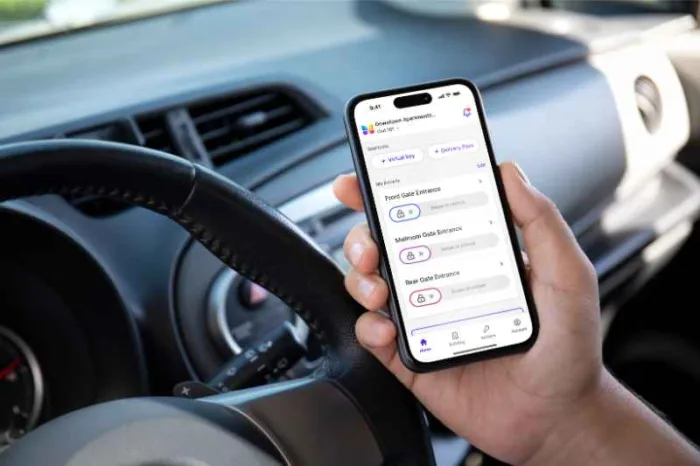
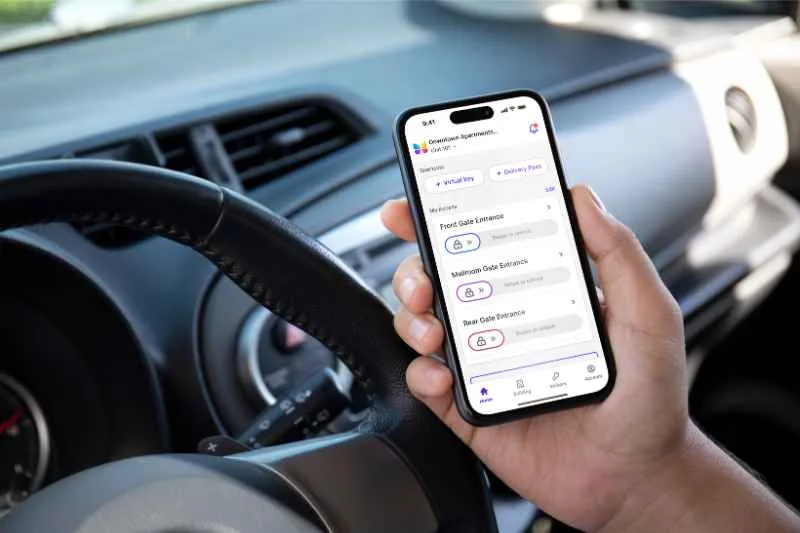
- Look for gate access systems that support Temporary PINs, Visitor Passes, and remote unlock for flexible access control.
If your HOA or gated community keeps reusing the same vendor code, you already know the problem. Contractors, landscapers, delivery drivers, and short-term visitors need entry, but handing out a permanent code can create confusion and make gate access harder to track later.
Temporary gate codes for vendors and deliveries solve that problem by giving approved people access for a limited purpose and a limited time. Instead of relying on one shared code or asking a board member to open the gate each time, you can create a short-term access workflow that is easier to manage.
For small gated communities, this approach can help reduce resident interruptions, support scheduled service visits, and give your team more control over who can enter at the gate intercom and when.
This guide covers:
- What are temporary gate codes for vendors and deliveries?
- When should a gated community use temporary gate codes?
- How to create temporary gate codes that only work during specific hours
- What features matter for temporary vendor and delivery access?
- How ButterflyMX supports temporary gate access for gated communities
- FAQs
What are temporary gate codes for vendors and deliveries?
Temporary gate codes for vendors and deliveries are short-term PINs or access credentials that let an approved person enter a gated property during a defined time window. They are commonly used for service appointments, scheduled deliveries, repairs, inspections, and guest access.
The main difference between a temporary code and a permanent gate code is control. A permanent code may stay active for months or years, while a temporary code is tied to a short-term need. That could mean a landscaping crew entering every Tuesday morning, a plumber arriving between 8 a.m. and noon, or a delivery driver accessing the property during a same-day drop-off window.
How temporary gate codes work
At a high level, the workflow is simple. A resident, board member, manager, or other authorized contact creates a code for a specific visitor or service provider. They assign a time range for when that code should work, share it with the approved person, and let the code expire when the visit is over.
This matters because access needs are not all the same. A one-time appliance delivery should not get the same type of access as a long-term resident. A repair vendor who needs entry for one morning should not require the same credential as a property manager who enters daily. Temporary codes let you match the access method to the reason for entry.
Why temporary codes are often better than shared permanent codes
Many small communities fall into the habit of using one vendor code for everyone. It may start as a practical shortcut, but over time it becomes hard to manage. Former vendors may still know the code. Residents may share it casually. New board members may not know who has it. If something changes, the community has to replace the code and notify everyone who still needs access.
Temporary codes support a clearer workflow. If a service provider only needs access for one appointment, you can issue access for that appointment instead of keeping a standing code active. That can help your community reduce unnecessary code sharing, limit access to expected time periods, and make routine gate entry less dependent on manual gate opening.
They also reduce interruptions. Instead of a resident stopping work to answer an access call for a scheduled cleaning crew, or a board member keeping their phone nearby for a package drop-off, the community can allow entry in advance based on the approved schedule.
When should a gated community use temporary gate codes?
Temporary codes work best when someone needs access for a specific reason and a limited amount of time. For small HOAs and gated communities, that usually means vendor appointments, service visits, deliveries, or short-term guest entry.
Vendor and service visits
This is one of the most common use cases. Think about landscaping crews, pool maintenance vendors, pest control, electricians, plumbers, painters, or inspectors. These visitors often arrive on a set schedule, and their access window is usually easy to define.
For example, a five-home gated community may expect a plumbing contractor on Thursday between 8 a.m. and noon. Instead of giving that contractor the same code the landscaper uses, the property contact can create a temporary service code that only works during that morning appointment. If the contractor arrives after the approved time, the community can decide whether to extend access or use another method, such as remote unlock.
This appointment-based approach is useful because it matches the access rule to the actual visit. It also gives the community a repeatable process for one-time jobs and recurring service work.
Deliveries and short-term visitor access
Temporary codes can also help with deliveries, especially when a driver needs to reach a home or community amenity area without calling multiple people. If a resident is expecting furniture, groceries, or a scheduled appliance drop-off, a short-term code may be easier than waiting for a call and manually opening the gate at the exact moment the truck arrives.
The same applies to short-term visitors. A resident may have family visiting for the afternoon, or a board member may be meeting a repair technician at the clubhouse. In these cases, a code that works for a narrow time range can be easier to manage than a broad code that stays active long after the visit ends.
That said, not every access moment calls for a temporary PIN. If someone arrives unexpectedly or the schedule changes, remote unlock may be the better option because it lets an authorized person confirm the visitor and open the gate in real time.
How to create temporary gate codes that only work during specific hours
If you want a temporary code to work only during certain hours, build the access rule around the actual appointment or delivery window. The goal is not just to create a code. The goal is to create a code that fits the visit and expires when the visit is over.
- Identify who needs access. Decide whether the code is for a vendor, delivery driver, service provider, or guest.
- Choose the access window. Match the time range to the approved visit, such as 8 a.m. to noon for a repair appointment.
- Create the temporary credential. Use your gate access system to issue a temporary code or other short-term access method.
- Share it securely. Send it only to the approved person or company contact.
- Let it expire or remove it after use. The code should no longer work once the visit is complete.
Set the right time window
The best time window is usually the narrowest one that still supports the visit. If a vendor is scheduled from 8 a.m. to noon, that is a better access window than giving them open entry all day or all week. A smaller window keeps the process practical while maintaining more control.
For recurring vendors, think carefully about whether each visit needs its own window or whether a recurring schedule makes more sense. A landscaper who arrives every Wednesday morning may need a repeatable rule, while a one-time repair appointment likely needs a single-use or short-term code.
The key is to avoid using convenience as the reason for broad access. If the visit has a known schedule, your code should reflect that schedule.
Share codes securely and limit who receives them
Even a temporary code should be handled carefully. Avoid posting vendor codes in public places, sending them to large group chats, or reusing the same code across different service providers. If a code is meant for one plumbing appointment, it should not become the community’s default contractor code.
It also helps to decide who in your community is allowed to issue temporary access. In a small HOA, that might be one board member or property contact. In a larger gated property, it may be a manager or facilities lead. Clear ownership reduces confusion and makes it easier to update the process when vendors change.
If the appointment runs late, do not assume the original code should remain active indefinitely. Review the need, then extend the access window or use remote unlock if that better fits the situation.
What features matter for temporary vendor and delivery access?
If you are comparing gate access control systems, the right features depend on how your community actually handles visitors. For temporary vendor and delivery access, focus less on broad feature lists and more on whether the system supports your day-to-day gate workflow.
Time-limited PINs and Visitor Passes
Time-limited PINs are one of the most useful features for gated communities because they let you define when access starts and stops. That is especially helpful for appointment-based service visits, recurring vendor schedules, and short delivery windows.
Visitor Passes are also useful when you want a short-term access method that is tied to a guest or visit rather than a long-term credential. Depending on your workflow, a Visitor Pass may be a better fit than a PIN for resident-approved guest entry or planned short-term access.
When evaluating a system, ask practical questions. Can your team create temporary access without too many manual steps? Can residents or authorized contacts manage approved visitors without calling the gate every time? Can the property update access rules when service providers change?
When remote unlock is the better choice
Temporary PINs are not the answer for every situation. Sometimes the better option is mobile app remote unlock. This is especially helpful when a visitor arrives outside the expected time window, when a delivery shows up early, or when a resident wants to confirm who is at the gate before granting entry.
For example, if a food delivery arrives 30 minutes earlier than expected, creating a new code may be unnecessary. A resident or authorized property contact can review the request and open the gate remotely if appropriate. That gives you flexibility without turning every exception into a permanent access change.
In many communities, the strongest workflow uses both options. Temporary PINs handle predictable access. Remote unlock handles exceptions, schedule changes, and unexpected arrivals.
Discover how ButterflyMX works:
How ButterflyMX supports temporary gate access for gated communities
ButterflyMX helps gated communities manage scheduled vendors, deliveries, and guests without relying on one shared gate code. Residents and authorized property teams can choose the access method that fits each visit, including scheduled Visitor Passes, single-use Delivery Passes, and mobile gate access for real-time entry.
Visitor Passes and Delivery Passes for controlled access
When enabled at the property, ButterflyMX Visitor Passes let residents grant time-limited access to guests and trusted service providers. Passes can be configured for specific hours, expiration dates, or recurring schedules, making them useful for both one-time appointments and routine service visits.
For example, a resident could issue a Visitor Pass to a plumber for a morning appointment or create recurring access for a service provider who visits on set days. This helps communities match access permissions to the actual visit instead of giving vendors a permanent code that remains active indefinitely.
For deliveries, residents can create a single-use, six-digit Delivery Pass in the ButterflyMX mobile app and share it directly with the driver. Once used, the code expires automatically. This gives delivery providers a simple way to enter without requiring a resident or board member to open the gate manually.
Visitor Passes and mobile app access for flexible entry
Visitor Passes work well for access that can be planned in advance. When schedules change, residents can also use the ButterflyMX mobile app to open a connected gate remotely.
This can be useful when a delivery arrives early, a service provider is delayed, or an unexpected visitor needs entry. At properties with a ButterflyMX video intercom, residents can also see and speak with visitors before granting access.
Together, Visitor Passes, Delivery Passes, and mobile gate access help communities use the right entry method for each situation. Predictable visits can be scheduled in advance, while exceptions can be handled in real time without creating or sharing another permanent credential.
For gated communities reviewing access control options, ButterflyMX brings gate entry, visitor access, and mobile management into one platform. This helps residents, board members, and property teams manage temporary access with less manual coordination.
FAQ
Can I set time-limited access codes for a gated community?
Yes. Many gate access control systems support temporary codes that work only during approved hours or for a limited date range. This is useful for service appointments, vendor visits, and scheduled deliveries.
What is the best way to give vendors temporary gate access?
The best method depends on the situation. For scheduled work, a temporary code with a defined time window is often a practical choice. For unexpected arrivals or schedule changes, remote unlock may be better.
How can a small HOA manage temporary service codes securely?
Start by giving code-creation authority to a limited number of approved people, matching access windows to actual appointments, and avoiding one shared contractor code for every vendor. Review and update your process whenever vendors change.
When should you use a temporary PIN instead of remote unlock?
Use a temporary PIN when access is planned in advance, such as a vendor arriving between 8 a.m. and noon. Use remote unlock when the visitor arrives unexpectedly, outside the approved window, or needs live approval at the gate.
Do temporary gate codes eliminate access risk?
No. They are not a guarantee of security. But they can help communities create a more controlled process by limiting when a code works, reducing unnecessary code sharing, and making access easier to manage.

Get your free quote!
Fill in the form below, and we'll email you right back.
Want a free quote?
Fill in the form below, and we'll email you right back.
You’ll be redirected shortly...