





Key takeaways:
- One intercom can potentially control two gates only if it has independent outputs, compatible gate inputs or locks, and a supported way to select the right command.
- A secondary entrance used only by residents or staff may need a reader or keypad instead of another visitor intercom.
- Vehicle gates and pedestrian gates have different hardware and safety needs, and an intercom does not replace gate-operator safeguards.
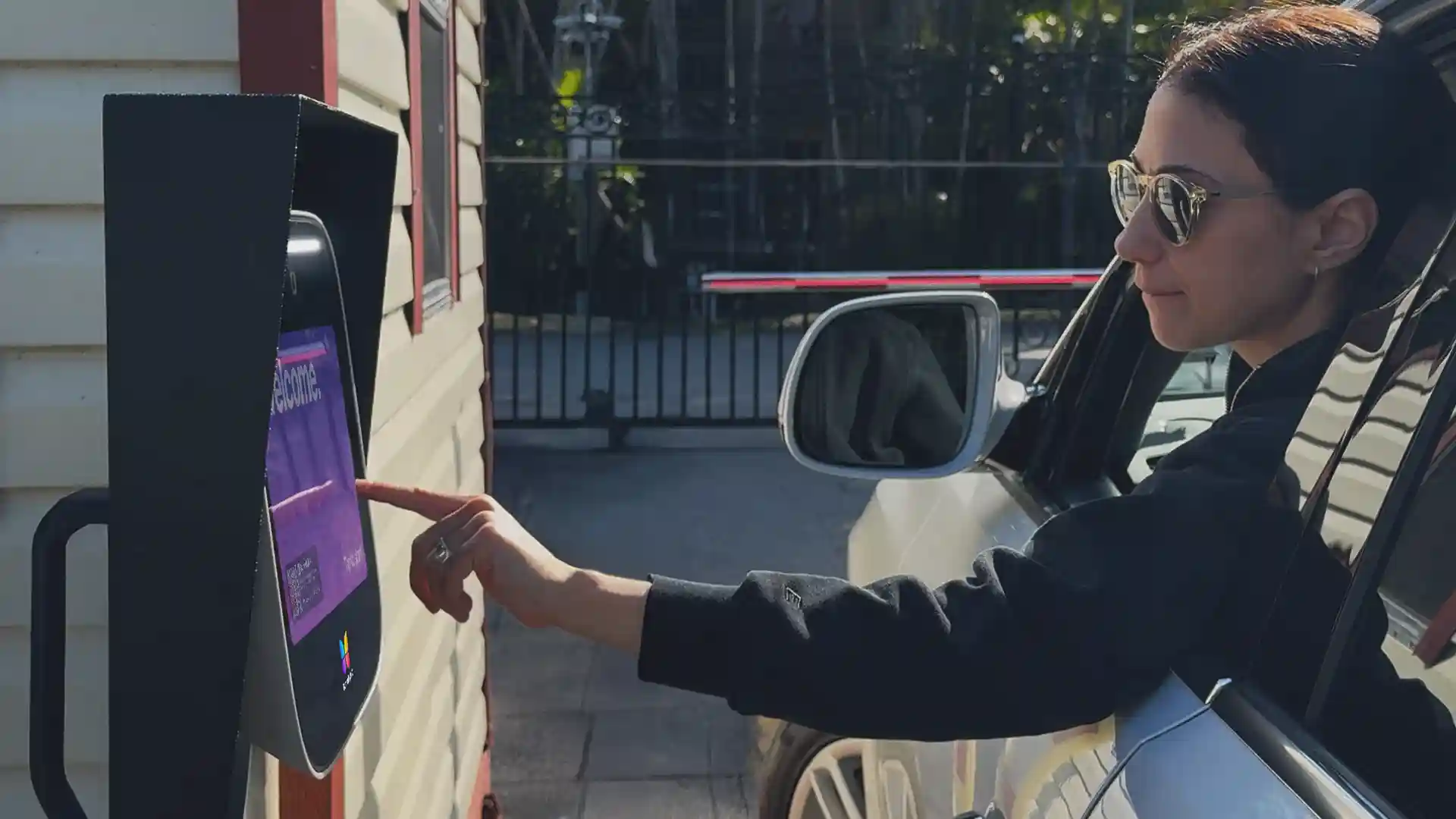
Two gates can create a simple-looking access problem with several hidden decisions. A property may have a vehicle gate and a pedestrian gate side by side, two entrances on opposite ends of the site, or a separate entry and exit. Each layout changes who needs to call, which opening should release, and what equipment must be installed at each location.
One intercom may be able to control two gates, but only when three conditions are met: it has enough independent outputs, each gate operator or lock has a compatible input, and the user interface supports the intended gate-selection workflow. If visitors need to call from only one entrance, an intercom plus a reader or keypad may fit. If visitors need to call from both entrances, two intercoms may be the clearer choice.
This guide explains how to compare those options for intercoms for gates, plan safely, and prepare a useful brief before requesting quotes.
This guide will answer:
- Choose the right two-gate configuration
- How one intercom can control two gates
- Match hardware to common two-gate layouts
- Plan safe vehicle and pedestrian access
- Design credentials and gate-selection workflows
- Plan power and connectivity for each gate
- Estimate what a second gate adds to cost
- Build a pre-quote installer checklist
- Where ButterflyMX can fit in a two-gate plan
- FAQs
Watch how ButterflyMX works:
Choose the right two-gate configuration
The best intercom solution for properties with two gates starts with the arrival workflow, not a device count. Ask who approaches each opening, whether that person needs to place a visitor call, who answers, and which physical opening should respond. An intercom authorizes access. A vehicle gate operator moves the gate, while a pedestrian lock releases a separate pedestrian opening.
There are three common approaches:
- One multi-relay intercom: Consider this for adjacent openings or a shared arrival point, provided the intercom has independent outputs, the operator or lock inputs are compatible, and the answering experience exposes the correct command.
- An intercom plus reader or keypad: This often fits a primary visitor entrance and a secondary entrance for residents, staff, or approved vendors using credentials.
- Two intercoms: This is often appropriate when visitors need to initiate calls independently at two separate entrances.
These are not interchangeable layouts. An adjacent vehicle gate and pedestrian gate may share an arrival area but use very different physical hardware. Two distant entrances can need separate power, connectivity, and visitor workflows. An entry and exit pair requires its own decisions about authorized entry, resident exit, outages, and emergency coordination.
How one intercom can control two gates
A dry contact relay is an authorization signal. Its contacts are commonly labeled normally open, common, and normally closed, or NO, COM, and NC. When triggered, the relay changes the contact state to send a command to compatible equipment. It does not supply the power that moves a gate, operate the gate safely, or confirm where the gate is positioned.
For example, one relay might send a momentary command to a vehicle operator input, while another may release a separately powered pedestrian lock. A partial-open input on a driveway operator is not the same thing as unlocking a separate pedestrian gate. Each desired function needs both an available programmable relay and a matching input on the operator or lock system. The gate-control guidance from Gate Openers Unlimited also notes that separate commands require separate relay and operator-input planning.
Do not stop at relay count. A system can have enough physical outputs and still lack the call-screen behavior, command labels, permissions, or relay mapping needed for a resident or staff member to choose the intended opening during a call. Likewise, a relay event does not prove that a gate opened, closed, or reached a safe position. That requires separate, supported position feedback or monitoring.
How to verify a shared intercom design
- List every command needed at each opening, such as vehicle entry, pedestrian release, hold-open, or any supported close command.
- Confirm the required number of independent relay outputs.
- Record each gate operator or lock model and its available input, contact logic, and timing requirement.
- Confirm whether each command needs a short pulse or a maintained contact.
- Verify power requirements for pedestrian locking hardware separately from gate-operator power.
- Test the answering interface to make sure a visible command maps to the intended output.
- Confirm permissions, credential behavior, and audit expectations for each user group.
- Decide whether the property needs supported gate-position feedback rather than command confirmation alone.
ButterflyMX surface-mount intercom installation guide version 1.2, updated October 5, 2026, lists four dry relay outputs for the documented 8-inch and 12-inch models. That indicates potential capacity for separate commands, not a promise that a particular two-gate calling workflow, gate naming method, or per-gate permission setting is supported. Review the installation guide and confirm the proposed workflow before purchase or installation.
Match hardware to common two-gate layouts
Start with one question: do visitors need to place a call at one gate or at both? The answer usually narrows the right configuration faster than comparing feature lists.
Swipe to compare →
For a secondary entrance that is credential-only, a reader can be more appropriate than a full intercom. ButterflyMX documents that its 2-door access controller can pair with vehicle readers, keypads, and mullion readers. That makes an intercom-plus-reader design worth evaluating where visitors use the main entrance and authorized users use another opening. The proposed controller and the specific gate operator still need model-by-model compatibility review.
For two separated entrances, the dividing question is usually visitor calling. A reader-only secondary gate does not give a visitor a way to call a resident or property team unless another supported process handles that need. For entry and exit gates, keep the brief focused on outcomes: how people enter, how residents exit, what happens in an outage, and how local emergency-access requirements will be reviewed. A qualified professional should design the specific exit and emergency-access approach.
Before choosing hardware, document four things for each opening: who arrives there, how they identify themselves, who can approve access, and which gate or lock should release. Gate intercom system fundamentals can help teams compare the broader category without losing focus on the two-gate workflow.
Discuss your two-gate access plan with ButterflyMX after you have identified the visitor workflow and the command requirements at each opening.
Plan safe vehicle and pedestrian access
Vehicle access and pedestrian access should be planned as separate safety issues. The DASMA summary of ANSI/UL 325 describes vehicular gate operators separately from pedestrian access and calls for a separate pedestrian gate where pedestrian access is likely. It also describes activation controls positioned at least six feet from the gate to reduce reach-through risk, along with entrapment protection and warning-sign considerations. Review the DASMA UL 325 summary with a qualified gate professional.
Those details come from an undated DASMA seventh-edition summary whose cited tables took effect in 2018. They should not be treated as a substitute for the current standard, local requirements, the authority having jurisdiction, or an installer review for the actual property.
- Match the vehicle gate operator class and protective devices to the site and installation.
- Use appropriate pedestrian locking hardware for the pedestrian opening. An electric strike, maglock, or another suitable lock has different power and power-loss considerations than a vehicle operator.
- Review control placement, warning signs, monitored entrapment devices, and the risk of pedestrians using a vehicle lane.
- Document how the lock, operator, calling function, and approved fallback access behave during a power or network outage.
Adding an intercom does not replace gate-operator safeguards. The gate operator manufacturer, qualified installer, and relevant authority remain responsible for the applicable safety and compliance review.
Design credentials and gate-selection workflows
A two-gate plan is also a permissions plan. Separate visitor calling from resident, staff, delivery, and vehicle credentials. Then identify which groups need access at each opening and at what times. A property might use visitor calls at the main gate, smartphone credentials or fobs for residents, and a keypad or vehicle reader at a service entrance. The right mix depends on the actual traffic pattern, not on a universal device hierarchy.
Every visible command should map to the intended relay or controller output, and it should be tested from every answering interface the property expects people to use. Ask the provider to demonstrate whether the proposed system supports gate naming, per-gate credentials, temporary visitor access, delivery access, audit records, and the ability to limit a PIN, keycard, fob, smartphone credential, vehicle reader, or license plate workflow to an intended opening and schedule. Do not assume these controls exist simply because the system has multiple relays.
Commissioning should include normal and wrong-gate tests. For example, test whether a credential intended for the secondary gate is refused at the main gate when that is the desired policy. Test each visitor call path and verify that the selected command activates the intended operator input or lock. This turns a promising diagram into a usable daily workflow.
For broader context on credentials and governance across multiple entrances, see this guide to gated-community access control planning.
Plan power and connectivity for each gate
A distant second gate can change the project more than a second device does. Treat each opening as its own infrastructure location. Inventory available electrical power, operator or lock power, network paths, cable distance, cellular or Wi-Fi signal conditions, conduit or trenching needs, and weather-protected enclosure requirements.
- Map power and connectivity at both gate locations before selecting the architecture.
- Measure cable routes, not just straight-line distance. For the documented ButterflyMX intercom, the installation guide prefers Ethernet, specifies Cat5e or higher, and identifies a switch or repeater beyond 300 feet.
- Define wireless precisely. Wi-Fi and cellular are different connection models with different site requirements, service arrangements, and reliability considerations.
- Confirm that the gate still has power and a physical connection to its operator or locking hardware. A wireless or cloud-connected intercom does not eliminate those local requirements.
- Plan backup power and write down what happens to calling, credentials, locks, operators, and fallback access if electricity or connectivity fails.
ButterflyMX documentation for the cited intercom also calls for a dedicated UPS. Apply that detail to the documented installation context, not to every product on the market. For a closer look at connection choices, review ButterflyMX guidance on wireless and cellular gate intercom options. Ethernet, Wi-Fi, and cellular are site choices, not universal winners.
Estimate what a second gate adds to cost
The cost of a second gate is not simply the price of another intercom. A second opening can add an intercom, reader, keypad, controller, operator or lock work, power supplies, protective hardware, electrical labor, trenching, network extension, signal remediation, backup power, credential issuance, maintenance, and service visits.
Use a matched-scope worksheet when comparing proposals:
- Which devices are included at each opening?
- Does the price include the vehicle operator, pedestrian lock, power supplies, electrical work, conduit, trenching, permits, and protective hardware?
- What network extension, Wi-Fi improvement, or cellular service is included?
- Which costs are one-time installed costs, and which are recurring charges for connectivity, cloud service, devices, support, or sites?
- Who owns commissioning, ongoing testing, and maintenance?
Published vendor ranges are not reliable market benchmarks because their scopes vary widely. For example, the March 21, 2026 update to Swiftlane’s gate-intercom pricing guide should be read as directional vendor information rather than a universal estimate. Ask every bidder to price the same functions and assumptions for both gates instead of averaging unrelated published ranges.
Build a pre-quote installer checklist
A clear brief helps installers quote comparable designs and helps property teams catch unanswered workflow questions early. Use this as a scoping checklist, not as wiring or code-compliance instructions.
- List every opening and every required command before counting relays.
- Record the model of each operator and lock, available inputs, NO or NC contact logic, pulse or maintained timing, lock power, and required protective components.
- Describe visitor calling, resident credentials, staff access, delivery access, and any vehicle-access method at each opening.
- Ask for a demonstration of command labels, relay mapping, permissions, credential behavior, audit expectations, and any needed position feedback.
- Document power, network path, backup power, outage behavior, fallback access, service ownership, and recurring costs for each gate.
- Require qualified review of operator class, entrapment protection, control placement, signage, pedestrian access, and local emergency-access requirements.
- Commission every user type and command after installation, including incorrect-gate credential attempts.
Do not assume an existing operator can be retained merely because an intercom relay can connect to it. Input type, timing, power, contact logic, and safety requirements all need review.
See how ButterflyMX could fit your property access workflow once your team has completed this requirements brief.
Where ButterflyMX can fit in a two-gate plan
ButterflyMX can be part of a two-gate access plan when its documented capabilities match the property workflow. Its surface-mount intercom guide lists four dry relay outputs, and its 2-door access controller can pair with vehicle readers, keypads, and mullion readers. That makes a visitor intercom at one entrance plus credential-based access at another entrance a configuration to evaluate.
ButterflyMX video intercoms also allow residents to receive visitor calls and grant access through their smartphones, while property teams can manage residents, visitors, credentials, and access remotely. These capabilities can help a property move beyond a legacy telephone-entry setup without relying on a traditional POTS telephone line.
Before finalizing a two-gate design, confirm the specific gate operator compatibility, relay mapping, in-call gate selection, per-gate permissions, audit behavior, infrastructure requirements, and current subscription structure for the proposed configuration. Four relay outputs alone do not guarantee that an answering user can select either gate during a call.
Request a ButterflyMX demo for your property after your team has defined the two-gate workflow and verification questions.
Frequently asked questions
Can different PIN codes open different gates?
They can only do so if the selected keypad, controller, and management software support assigning credentials and permissions to individual openings. Test both valid and invalid gate combinations during commissioning rather than assuming a PIN is limited to one gate.
Will an existing gate operator work with a new intercom?
It may work, but compatibility depends on the operator input, contact logic, pulse or maintained timing, power arrangement, and current safety review. An available relay connection does not establish complete compatibility or compliance.
Does an intercom confirm that a gate actually opened?
No. Relay activation sends a command, but it does not by itself report the physical position of the gate. Confirmation requires separate, supported position feedback or monitoring.
What should happen during a power or internet outage?
The property should document and test the approved behavior for calling, credentials, operators, locks, backup power, and fallback access at each gate. Specific fail-safe, fail-secure, and emergency-access decisions require site-specific life-safety and authority review.
Are subscriptions charged per gate, device, or property?
Recurring pricing scope varies by provider and configuration. Request a written breakdown that identifies charges for devices, connectivity, cloud service, support, and both gates rather than assuming one price model applies.
How should resident exit and emergency access be planned?
Include exit behavior, outage response, responder access, and local approval in the installer brief. Qualified professionals and the authority having jurisdiction should determine the specific design for the site.
The right two-gate design follows the property workflow. Use one intercom only after verifying independent outputs, compatible inputs, and a supported way to select the intended command. Choose an intercom plus a reader when the second entrance is credential-only, and consider two intercoms when visitors need to call from both locations.
Bring a complete list of openings, commands, users, infrastructure conditions, and safety questions to your installer or integrator. If you are evaluating a ButterflyMX solution, request a ButterflyMX demo for your property and confirm how the proposed configuration fits each gate before moving forward.

Get your free quote!
Fill in the form below, and we'll email you right back.
Want a free quote?
Fill in the form below, and we'll email you right back.
You’ll be redirected shortly...